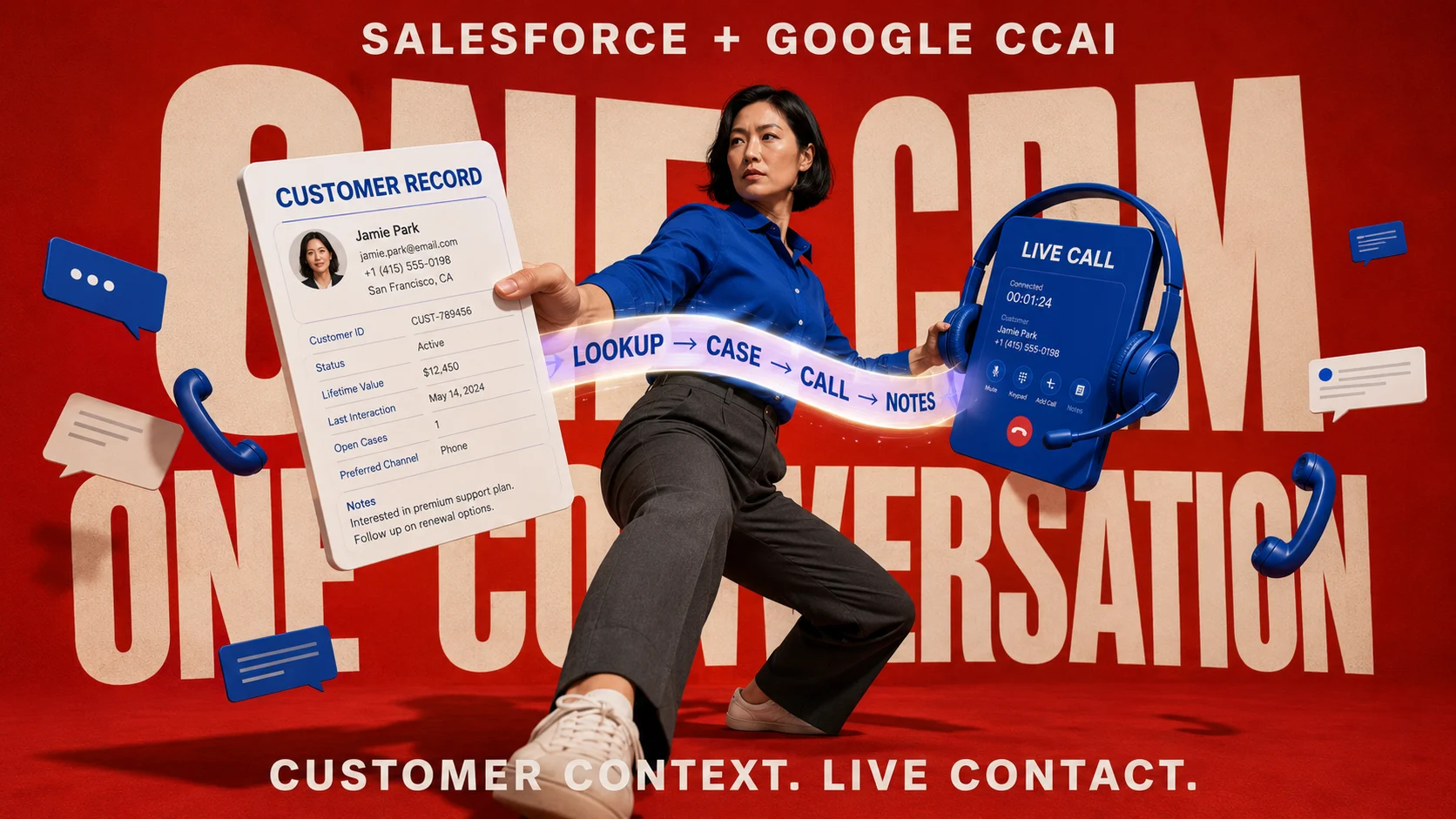

If you searched for “Salesforce compatible with Google call center automation,” the terminology has changed considerably, but the underlying question is easier to answer now. Google’s current contact-center product is Contact Center AI Platform, or CCAI Platform, and Google provides a documented Salesforce integration that lets agents handle calls and chats while working with Salesforce customer records. The integration can search Salesforce records, display customer context, create and update cases, create contacts, log interactions, support outbound calling, and place Google’s agent adapter inside supported Salesforce console experiences.
That makes Salesforce itself a legitimate CRM front end for Google’s contact-center environment rather than a system that has to be replaced with HubSpot or another CRM. Google’s current Salesforce integration guide for Contact Center AI Platform describes account lookup for both Sales Cloud and Service Cloud, configurable field mapping, automatic case behavior, contact creation, and the agent experience inside Salesforce. The related Salesforce installation guide for CCAI Platform also documents the Salesforce editions and configuration required to install the agent adapter.
There is an important architecture decision hiding underneath that simple answer. A company can integrate Google CCAI Platform directly with Salesforce, use Salesforce’s own Salesforce Voice architecture with another telephony provider, or retain another contact-center platform such as Genesys while combining it with Salesforce and selected Google AI capabilities. Those paths can produce similar agent experiences on the surface, yet licensing, routing ownership, recording, AI, administration, support, and failure recovery can be very different.
If you are also connecting other Google products to Salesforce, the broader Salesforce and Google Workspace integration guide covers that ecosystem. For spreadsheet reporting rather than voice and contact-center operations, the Salesforce Data Connector for Google Sheets guide owns that workflow separately.
What Does “Google Call Center Automation” Mean Now?
The phrase “Google call center automation” used to describe a collection of Google Cloud AI technologies applied to existing contact centers. Google’s contact-center offering has since expanded into a full Contact Center as a Service environment, and the current CCAI Platform documentation describes an AI-driven contact-center platform built natively on Google Cloud for routing voice and digital interactions. It combines contact-center operations with capabilities such as virtual agents, Agent Assist, intelligent routing, reporting, voice, chat, and SMS rather than functioning as a single automation plug-in.
Google also uses a broader customer-engagement framing around its latest conversational and generative AI capabilities. The Customer Engagement Suite with Google AI combines conversational AI with contact-center functionality and Google’s newer generative AI capabilities. For a Salesforce administrator evaluating integration, however, CCAI Platform remains the important product name because that is where Google’s Salesforce installation and integration documentation currently lives.
This distinction matters when searching older tutorials. A page discussing Google Contact Center AI from several years ago may be describing AI services added to an existing telephony stack, while today’s CCAI Platform can itself operate as a complete CCaaS environment. Architecture advice therefore needs to distinguish the modern platform from the earlier idea of simply attaching Google AI to an existing call-center product.
Does Google Contact Center AI Integrate Directly With Salesforce?
Yes. Google publishes both a Salesforce installation guide and a Salesforce integration guide specifically for CCAI Platform, so a separate CRM bridge is not inherently required. The installed agent adapter allows agents to take calls and chats while working inside a Salesforce organization, while API-based integration connects customer and interaction data between the two environments.
The integration reaches further than displaying a telephone control inside Salesforce. Google documents Salesforce account lookup, contact lookup, field mapping, automatic case creation, case assignment, contact creation for new callers, call-session information, task creation, recordings, chat data, custom fields, and other interaction information. This allows Salesforce to remain the customer-record environment while CCAI Platform handles the contact-center interaction.
The CRM is still doing CRM work, and CCAI Platform is still doing contact-center work. That division should remain visible during implementation because routing, telephony, customer-record ownership, case automation, and API consumption belong to different layers of the system. Treating the integration as one monolithic application makes troubleshooting much harder later.
Which Salesforce Editions Work With Google CCAI Platform?
Google’s current Salesforce installation documentation lists Salesforce Professional, Enterprise, Performance, Unlimited, and Developer Editions as compatible with CCAI Platform. The same documentation specifically warns that Salesforce Essentials is not supported. Edition support is worth checking again before procurement because Salesforce packaging and Google’s adapter versions can evolve.
| Salesforce edition | Google CCAI Platform integration | What to check before deployment |
|---|---|---|
| Professional | Supported by Google’s current installation documentation | Confirm your Salesforce features, API capacity, console design, and required objects |
| Enterprise | Supported | Validate Lightning configuration, permissions, object mapping, and integration governance |
| Performance | Supported | Confirm operational design and licensing for the intended sales or service workflows |
| Unlimited | Supported | Review API consumption and interaction volume despite the higher Salesforce tier |
| Developer | Supported for development purposes | Do not confuse development testing with production sizing and licensing |
| Essentials | Not supported in Google’s current documentation | Evaluate another Salesforce edition before designing around the CCAI adapter |
Edition compatibility is only the first gate. An organization may technically run the adapter on a supported Salesforce edition while still lacking an appropriate data model, console configuration, permissions, API capacity, or contact-center operating process. I would therefore treat edition support as permission to begin architecture work rather than proof that the deployment is ready.
Does CCAI Platform Work With Salesforce Sales Cloud or Service Cloud?
Google’s current integration guide specifically says its flexible account lookup is available for both Sales Cloud and Service Cloud. Administrators can configure primary and secondary lookup objects using Contact, Account, or Lead records and decide which phone-number fields should be searched. That means CCAI Platform is not limited to a classic customer-service case environment.
Service Cloud remains the more obvious fit for a support contact center because cases, service-console workflows, queues, and service processes already belong there. Sales Cloud can still be relevant when the operation involves inbound sales calls, outbound prospecting, lead qualification, account engagement, or another sales-driven communication process. The correct choice depends on where customer interaction should become an actionable CRM record after the call ends.
Avoid duplicating the same interaction into several Salesforce objects simply because all of them are available. Decide whether the business considers a call primarily a Case, Task, Lead activity, Opportunity activity, or another controlled object relationship. That object decision will affect reporting, automation, ownership, and what agents see on the next call.
What Does the CCAI Agent See Inside Salesforce?
Google installs an agent adapter into Salesforce so agents can handle customer communications without abandoning their CRM workspace. In Lightning, Google documents the adapter appearing in the utility bar of supported Sales Console or Service Console applications. When an agent makes or receives a call or chat, the integration can automatically display the associated Salesforce case.
That screen-pop behavior is more valuable than it first appears. The agent can enter the conversation with customer history already visible rather than asking for information the business already holds. When lookup rules are configured well, caller identity, account context, case history, and the live conversation can occupy the same operating environment.
The experience still depends heavily on Salesforce configuration. A cluttered case page with hundreds of fields will remain cluttered after adding a contact-center adapter, while a carefully designed console can surface the few pieces of customer information an agent needs immediately. Integration cannot compensate for a poor Salesforce service-console design.
How Does Customer Lookup Work?
CCAI Platform can search Salesforce using configurable lookup objects and phone-number fields. Google’s Salesforce integration guide allows administrators to define primary and secondary lookup objects across Contacts, Accounts, or Leads. If the first lookup does not return an appropriate match, the system can use the secondary object.
That flexibility is especially useful in mixed customer environments. A B2B company may primarily identify callers through Contacts associated with Accounts, while a sales operation may need Leads to remain searchable before a prospect has been converted. The integration can therefore reflect the company’s Salesforce lifecycle rather than forcing every caller into one record type.
Duplicate phone numbers deserve explicit testing. Families, shared corporate numbers, branch numbers, assistants, and reused numbers can all produce several possible Salesforce matches. The agent experience should make ambiguity visible rather than silently selecting whichever record happens to appear first.
Can Google CCAI Platform Create Salesforce Cases Automatically?
Yes. Google’s documentation describes automatic case creation for several inbound, outbound, web, mobile, IVR, and abandoned-call scenarios when Cases are configured as the CRM record type. The integration can also assign the case to the agent who handles the interaction and attach available interaction information.
This is where an integration begins changing the CRM rather than merely reading from it. If every short call creates a new case, the business may rapidly accumulate low-value records that distort workload reporting and make real service cases harder to identify. Google provides configurable CRM-record behavior, so the case-creation policy should reflect the operating process rather than accepting every default unchanged.
A useful test is to examine ten real contact-center scenarios before implementation. Include a normal inbound support call, a repeat call about an open issue, an abandoned call, a callback, an outbound call, a transferred call, an unknown caller, and a customer with several existing cases. Decide which Salesforce record should exist after each scenario, then configure the integration around those decisions.
Can It Create Salesforce Contacts Too?
Google also documents contact creation when an incoming caller’s phone number does not already correspond to an existing customer record. New app users from supported digital experiences can also lead to Contact creation, depending on configuration. When more than one Contact has the same phone number, the agent can be presented with a selection rather than being forced into an arbitrary match.
Automatic contact creation sounds convenient until data quality enters the discussion. Unknown callers, shared numbers, malformed international numbers, duplicate leads, and temporary contact details can create records that later require cleanup. Define the minimum data required for a legitimate CRM Contact and decide when an agent should confirm identity before the new record becomes authoritative.
The contact center should not become an uncontrolled customer-master generator. Salesforce data stewardship still needs ownership, deduplication rules, normalization, validation, and a clear conversion process between Leads, Contacts, Accounts, and service identities.
What Information Can Be Written Back to Salesforce?
Google documents session-related information being stored through Salesforce objects, including call and chat activity. Depending on configuration, cases can receive call IDs, language information, IVR selections, custom data from web or mobile SDKs, recordings, interaction ratings, SmartAction results, attachments, and other session information. CCAI Platform also provides a custom session object approach that can concentrate interaction data rather than spreading it across multiple activity records.
The right storage model depends on how the information will actually be used. Supervisors may need recordings and session detail for quality review, service agents may need only the latest interaction summary, and analytics teams may consume a different structured dataset outside Salesforce. Pushing every possible contact-center field into CRM can make the Salesforce data model heavier without improving the agent experience.
Retention and privacy also become important here. A call recording, transcript, authentication artifact, screenshot, and customer phone number carry different governance implications. Define which system stores the authoritative artifact, how long it is retained, who can access it, and whether downstream Salesforce sharing rules expose it more broadly than intended.
Does Click-to-Call Work From Salesforce?
Yes. Google’s current CCAI Platform call settings documentation lists Salesforce among the CRMs that can use click-to-call. Agents can click a phone number in the CRM to begin the outbound calling workflow instead of manually copying the number into a separate dialer.
Administrators can also decide whether a dial-pad screen appears before the outbound call begins. This can allow an agent to adjust a country code, number, outbound identity, language, or queue before connecting the call. That extra step may be useful in international or multi-brand operations even though a purely domestic sales team may prefer the fastest possible click-to-dial experience.
Outbound calling should still follow consent and regulatory rules. The presence of a clickable number inside CRM says nothing about whether marketing or collection calls are legally permissible at that time. Compliance logic belongs in the business process around the dialer.
Can Agents Use Google Workspace Sign-In?
Yes. CCAI Platform supports SAML-based single sign-on, and Google’s Google Workspace SSO configuration guide documents using enterprise Google Workspace credentials for CCAI Platform and its agent adapter. Administrators configure the Google Workspace SAML application and the corresponding CCAI Platform service-provider settings.
This can simplify the agent’s authentication experience in an organization already using Google Workspace as a major identity environment. It can also centralize access changes when an employee joins, changes role, or leaves. Authentication convenience should still be paired with appropriate Salesforce permissions and CCAI Platform roles because successful SSO does not automatically grant the right to every customer record or contact-center function.
Google also notes that the CCAI Platform SSO layer authenticates users but does not inherently map identity-provider groups into all CCAI Platform roles. Role management therefore remains part of CCAI administration. Treat SSO as identity authentication rather than a substitute for complete application authorization.
Is Salesforce Voice the Same Thing as Google CCAI Platform?
No. Salesforce Voice and Google CCAI Platform are separate contact-center architectures, even though both can place voice interactions inside a Salesforce-based agent workflow. Salesforce’s current Voice documentation separates Salesforce’s built-in voice capability from Salesforce Voice with Telephony Providers, which connects Salesforce to third-party contact-center providers.
Google CCAI Platform has its own documented Salesforce agent adapter and CRM integration. An organization using that direct architecture does not automatically need Salesforce Voice simply because calls are appearing inside Salesforce. Adding both platforms without understanding their responsibilities could create duplicated routing, duplicate recording, overlapping AI, inconsistent status synchronization, and unclear support ownership.
The procurement question should therefore be framed around architecture rather than feature names. Decide which system owns telephony, routing, agent presence, recording, transcription, AI assistance, CRM records, and reporting. Once those responsibilities are assigned, it becomes much clearer whether Salesforce Voice belongs in the design.
What Does Salesforce Voice With Partner Telephony Do?
Salesforce’s Salesforce Voice with Partner Telephony documentation lets organizations connect a supported third-party telephony or CCaaS provider to Salesforce Voice. Most partner providers supply a managed package that establishes the metadata and configuration needed for the connection.
In this architecture, Salesforce can become the primary agent workspace while the telephony provider still handles calls. Salesforce documentation explains that corresponding Salesforce and telephony components must be mapped so that queues, agent states, and routing behavior remain synchronized. A Salesforce queue may represent the business routing configuration, yet the underlying contact-center platform still performs the actual telephony routing.
That model can make sense when the company already has a substantial investment in another CCaaS environment. Migrating all telephony solely to gain a Salesforce console can be far more disruptive than integrating the existing contact center. The value depends on how much of the current routing, reporting, workforce management, compliance, and carrier architecture the company wants to preserve.
Direct Google CCAI Integration vs Salesforce Voice
The direct Google path is attractive when CCAI Platform itself is intended to be the organization’s principal contact-center platform. Salesforce then supplies CRM context while Google’s platform supplies contact-center capabilities, channels, routing, agent controls, and associated AI. The architecture is relatively clear because Google publishes Salesforce-specific adapter and object behavior.
Salesforce Voice becomes more relevant when the organization wants Salesforce to own a larger portion of the contact-center experience or already relies on one of Salesforce’s supported telephony models. That could involve Salesforce’s built-in Voice experience, Amazon Connect, or a partner telephony provider. The decision should take existing contracts, routing complexity, global telephony, workforce management, AI strategy, and administration capability into account.
| Architecture | Primary contact-center layer | Salesforce role | Strong fit when… |
|---|---|---|---|
| Google CCAI Platform + Salesforce | Google CCAI Platform | CRM records, cases, contacts, customer context and agent workspace | Google’s CCaaS environment is intended to own voice and digital contact-center operations |
| Salesforce Voice | Salesforce Voice architecture | CRM and deeply integrated contact-center workspace | The organization wants Salesforce to own more of the contact-center operating model |
| Salesforce Voice with Partner Telephony | Partner CCaaS or telephony provider | Unified agent workspace, CRM context and mapped routing components | A mature third-party contact center already exists and should be retained |
| Separate CCaaS + Salesforce + selected Google AI | Existing CCaaS platform | CRM and service context | The company wants Google’s AI capabilities without replacing the existing contact-center platform |
What About Genesys Cloud?
Genesys is a useful example of the multi-vendor path because it currently maintains integrations on both sides. Genesys describes Genesys Cloud and Google Cloud CCAI working together for conversational AI, agent assistance, and customer-experience orchestration. Genesys also offers CX Cloud from Genesys and Salesforce, which brings Genesys Cloud contact-center functionality into Salesforce.
That does not mean every organization should assemble Salesforce, Genesys, and Google simply because all three can coexist. Each additional platform introduces another administrative layer, support boundary, contract, data flow, and potential source of AI overlap. The combination earns its place when the company already has strategic investments that would be costly or risky to replace.
A company with a mature Genesys estate may therefore evaluate Google AI as an enhancement rather than migrating its entire contact center to CCAI Platform. A greenfield Google Cloud organization may reach the opposite conclusion and choose direct CCAI Platform integration with Salesforce to reduce the number of major platforms involved. Existing architecture often matters more than a vendor feature checklist.
What About Five9?
Five9 has a mature Salesforce integration and currently markets its Five9 Adapter for Salesforce as a way for agents to operate within the Salesforce environment while combining CRM and contact-center information. Five9 also has a historical integration relationship with Google Contact Center AI, which is one reason it frequently appears in older CCAI architecture discussions.
I would verify the exact current Google AI feature path with Five9 before designing a new implementation around older Google CCAI references. Five9’s current Salesforce offering increasingly emphasizes its own AI portfolio and Salesforce integrations, including Salesforce Voice partner-telephony architecture. Procurement should therefore be based on the capabilities available in the specific current Five9 package rather than an old announcement saying the brands once integrated.
Five9 remains relevant when the organization already operates Five9 or values its contact-center functionality independently of Google. It should not be inserted between Salesforce and CCAI Platform automatically when Google already provides its own Salesforce adapter.
Does Twilio Have to Sit Between Google CCAI and Salesforce?
No. Google’s current Salesforce adapter documentation means Twilio is not inherently required as a CRM integration bridge. Google does, however, list Twilio among its CCAI Platform telephony partners, so Twilio can appear in the broader telephony ecosystem.
This distinction corrects a common architectural misunderstanding. A telephony relationship and a Salesforce CRM adapter solve different problems, even when the same vendor can participate in both. Installing a Twilio Salesforce package does not automatically recreate Google’s documented Salesforce CCAI integration.
Use Twilio when its telephony or programmable communications capabilities solve a defined requirement. Do not introduce it solely because an older integration tutorial included Twilio in a list of call-center software.
What Happened to NICE CXone and Similar Products?
NICE CXone remains a major Salesforce contact-center option, and NICE has continued expanding its Salesforce partnership around Salesforce Service Cloud and contact-center workflow orchestration. That makes it relevant when a company already uses NICE or wants NICE’s contact-center capabilities while keeping Salesforce as the agent environment.
The decision is still different from using Google CCAI Platform directly. A NICE architecture should be evaluated as a NICE-Salesforce contact-center stack, with any Google AI component verified separately according to the current product and supported integration. Simply listing NICE under “Google-compatible Salesforce software” without identifying the specific integration layer creates more confusion than guidance.
The same rule applies to most CCaaS vendors. Ask which product owns the call, which product owns routing, where AI runs, where the transcript is stored, how the CRM record is created, and which company supports an outage. Brand compatibility is less useful than responsibility mapping.
What Happens When Salesforce Is Unavailable?
A contact center needs an answer to this question before production because CRM outages and API failures eventually happen. Google’s CCAI Platform agent troubleshooting guidance says agents can continue taking calls and chats through the CCAI Platform portal when Salesforce or another CRM becomes unavailable. CCAI Platform can later retry CRM record creation when the CRM becomes available again.
That behavior is operationally important because it separates customer availability from CRM availability. Agents can continue interacting with customers, but they may temporarily lack the rich Salesforce context they normally rely on. The fallback therefore preserves communication while reducing the quality of the agent’s information environment.
Run an outage exercise before launch. Disable access to a test Salesforce environment, let several interactions enter through CCAI Platform, verify what agents can still do, restore Salesforce, and confirm that queued CRM records are created correctly afterward. A recovery path documented only in a vendor manual is weaker than a recovery path your team has actually tested.
Salesforce API Limits Can Become a Contact-Center Problem
The integration uses CRM APIs to search records, create records, and log activity. Google’s CRM API rate-limit guidance warns that CRM licensing determines the API limits available and that other applications may already be consuming the same capacity. A busy contact center can therefore encounter CRM-side limits even when Google’s contact-center capacity itself is sufficient.
The danger is cumulative. One call may involve customer lookup, case creation, case updates, task creation, recording metadata, transfers, and other API interactions, while marketing, middleware, data synchronization, reporting, and other Salesforce applications consume APIs at the same time. Capacity should be estimated at the whole-org level rather than assigning the full Salesforce API allowance to the contact center.
Google states that CCAI Platform can queue CRM commands when the CRM rate limit has been reached and populate records later when the CRM accepts more calls. That resilience is useful, but delayed records can still affect live workflows, dashboards, escalations, and supervisor decisions. Monitor limits before users begin noticing missing cases.
Domain Access Control Matters During Installation
Google’s Salesforce installation documentation now highlights domain-based access control as a prerequisite for displaying the CCAI agent adapter. Administrators need to add the Salesforce domains that are allowed to display the adapter, and Google warns that changing those settings can temporarily affect adapter availability. This should be scheduled rather than changed casually during peak call volume.
Domain controls are one example of why the integration should be owned jointly by Salesforce and contact-center administrators. One team understands CRM pages, roles, objects, and Connected Apps, while the other understands CCAI queues, telephony, agent settings, and operational requirements. Giving the complete implementation to either team without the other usually creates blind spots.
Security review should also include the Salesforce Connected App, consumer credentials, permissions, session behavior, access to recordings, and integration users. A working adapter proves connectivity, not that the deployment meets the organization’s security standard.
How I Would Implement Salesforce With Google CCAI Platform
I would begin by defining the customer-record behavior before installing anything. Decide which Salesforce objects identify callers, which record opens for a known caller, what happens when the caller is unknown, when a new Contact should be created, and whether a new Case is appropriate for every interaction. These choices determine whether the integration produces a clean service history or a large collection of records nobody trusts.
Next, map the live agent experience. Identify what should appear immediately when a call arrives, which fields agents can edit during the interaction, whether the adapter should minimize automatically, how transfers should affect case ownership, and which information needs to remain visible while the agent is talking. Build the Salesforce console around the call rather than placing the phone controls into an unchanged CRM page.
Then install and configure the Salesforce integration in a non-production environment. Google’s current installation sequence requires Salesforce organization information, a Connected App, credentials shared with the CCAI Platform portal, Salesforce configuration, and call-center configuration. The exact process should follow the latest Salesforce installation guide for CCAI Platform rather than an older blog walkthrough because adapter versions and security requirements can change.
Finally, test the unpleasant scenarios as thoroughly as the normal ones. Duplicate contacts, abandoned calls, CRM outages, API exhaustion, failed record creation, transfers, callbacks, invalid phone numbers, recordings, permissions, and agent logout behavior matter more to long-term reliability than a successful demonstration call. Production readiness is the ability to recover cleanly when something goes wrong.
A Practical Pre-Go-Live Test
Use a small set of representative agents and real workflow scenarios in a controlled environment. Test a known customer with one open case, a known customer with several open cases, an unknown caller, duplicate phone numbers, an outbound click-to-call, a transferred interaction, a callback, a caller who abandons before assignment, and an interaction that occurs while Salesforce is unavailable. For every test, write down what Salesforce record should exist afterward and compare that expectation with the actual result.
Also test data visibility. Confirm which users can see the new Contact, Case, Task, recording, transcript, and any custom CCAI objects after creation. A perfect call-routing demonstration can still fail governance if a recording becomes visible to users who were never supposed to access it.
Then measure what the agent actually does. Count clicks, watch for unnecessary tab switching, observe whether the customer has to repeat information, and see how long after hang-up the agent spends completing CRM work. Contact-center integration should remove friction that agents experience, not merely satisfy an architecture diagram.
When Direct Salesforce + Google CCAI Is the Best Fit
The direct path makes sense when Google CCAI Platform is intended to become the primary contact-center environment and Salesforce should remain the customer system of record. Google’s documented Salesforce adapter already covers much of the integration work that would otherwise require another CCaaS vendor or custom telephony layer. This can create a relatively understandable ownership boundary.
It is particularly attractive for organizations committed to Google Cloud’s conversational AI and contact-center ecosystem. Voice, chat, SMS, AI routing, virtual agents, Agent Assist, CRM context, and customer records can be designed as one coordinated architecture without inserting another large contact-center platform in the middle. Fewer platforms can also simplify support when the requirements fit Google’s product well.
The fit weakens when the organization already has a mature contact-center platform with years of routing, workforce-management, compliance, carrier, and reporting investment. Replacing all of that merely because Google can integrate directly with Salesforce may create more operational risk than business value. Existing capability should be valued as part of the decision.
When I Would Keep an Existing CCaaS Platform
I would keep an established platform when it already handles the organization’s most difficult contact-center requirements well. Global telephony, workforce engagement, complex routing, outbound campaigns, compliance recording, quality management, specialized channels, and operations teams trained around one CCaaS environment can represent a major investment. The burden of replacement is much larger than the license line on a pricing sheet.
In that situation, investigate whether Google AI can complement the existing environment and whether the CCaaS platform already has a strong Salesforce integration. Genesys provides a clear example because it currently markets both Salesforce integration and Google Cloud collaboration. Other vendors should be verified against their present documentation rather than assumed compatible because an old CCAI announcement still appears in search.
The architecture should remove platforms only when removing them reduces cost, risk, or operational complexity. Consolidation for its own sake can destroy mature functionality that users already depend on.
Which Salesforce and Google Contact-Center Setup Would I Choose?
For a new implementation where Salesforce is the CRM and Google Cloud is already the preferred customer-engagement platform, I would evaluate direct Salesforce + CCAI Platform first. Google now documents that integration deeply enough that it deserves to be the baseline architecture rather than an afterthought. Only introduce another CCaaS layer when a requirement clearly justifies it.
For an organization deeply invested in Salesforce contact-center architecture and Salesforce AI, I would evaluate Salesforce Voice alongside the direct Google route. The operating model, telephony ownership, AI roadmap, licensing, existing Salesforce skills, and required partner integrations may make Salesforce’s architecture more attractive. A proof of concept should use the same demanding call scenarios in both systems rather than comparing marketing feature lists.
For an organization already running Genesys, Five9, NICE, or another mature CCaaS platform, I would begin with preservation rather than replacement. Determine whether the existing platform can give Salesforce the agent experience you need and whether Google AI can be added where it creates measurable value. Migration should have to earn its disruption.
The Most Important Question Is Who Owns What
A successful contact-center architecture has clear ownership. One system should own telephony routing, one system should be authoritative for the customer record, and the team should know where recordings, transcripts, agent states, interaction history, and AI outputs belong. There can be integrations between them, but the ownership rule should still be obvious.
This becomes even more important as AI expands. Virtual agents may resolve some contacts without human involvement, Agent Assist may recommend answers during calls, generative AI may summarize the conversation, and CRM automation may update records after hang-up. Every automated action should have a defined source, destination, audit trail, and human review requirement where consequences justify it.
That is the part older “compatible software” lists usually miss. Compatibility tells you whether two products can connect. Architecture tells you whether they can operate together reliably every day.
Frequently Asked Questions
Does Google Contact Center AI work with Salesforce?
Yes. Google provides a documented Salesforce integration for Contact Center AI Platform, including an agent adapter, CRM lookup, field mapping, case behavior and contact creation. Salesforce can therefore remain the CRM while Google CCAI Platform handles contact-center interactions.
Which Salesforce editions support Google CCAI Platform?
Google currently documents support for Salesforce Professional, Enterprise, Performance, Unlimited and Developer Editions. Salesforce Essentials is listed as unsupported. Confirm the latest edition and adapter requirements before buying licenses because integration support can change.
Does Google CCAI Platform work with Salesforce Service Cloud?
Yes. Google’s Salesforce integration supports Service Cloud use cases and can operate inside the Service Console, including case-oriented customer-service workflows. Google also documents account lookup capabilities for both Service Cloud and Sales Cloud.
Can Google CCAI create Salesforce cases automatically?
Yes. CCAI Platform can create Salesforce cases for configured inbound, outbound and digital interactions and can assign cases to agents. The creation rules should be designed carefully so short, repeated or abandoned contacts do not produce unnecessary CRM records.
Can agents make Salesforce calls using click-to-call?
Yes. Google currently lists Salesforce among the CRMs supported by CCAI Platform click-to-call. Administrators can also configure a dial-pad step so agents can review or adjust information such as country code, outbound number, language or queue before the call begins.
Do I need Salesforce Voice to use Google CCAI Platform with Salesforce?
Not necessarily. Google has its own documented Salesforce integration for CCAI Platform, so Salesforce Voice is a separate architecture rather than a mandatory bridge. Evaluate Salesforce Voice when its native or partner-telephony model better fits the organization’s contact-center strategy.
Can Google CCAI use Google Workspace SSO?
Yes. Google documents SAML-based Google Workspace SSO for CCAI Platform and its agent adapter. Application roles still need to be managed appropriately because authentication alone does not define every CCAI or Salesforce permission.
Can agents keep taking calls if Salesforce goes down?
Google documents a fallback in which agents can handle calls and chats through the CCAI Platform portal while Salesforce is unavailable. CCAI Platform can retry CRM record creation when Salesforce becomes available again. Agents may still lose some of the customer context normally provided by Salesforce during the outage.
Is Genesys compatible with both Salesforce and Google Contact Center AI?
Genesys currently documents both Google Cloud contact-center AI collaboration and a substantial Salesforce integration through CX Cloud. This can support a multi-vendor architecture when Genesys is already strategic to the contact center. It does introduce another major platform, so responsibilities and licensing should be compared with the simpler direct Salesforce and CCAI Platform route.