
Neither PureVPN nor IPVanish is universally the faster VPN. Current independent tests split the result: IPVanish has produced stronger download numbers in some same-protocol comparisons, while other benchmark suites put PureVPN slightly ahead overall. The useful answer is to compare both on the same device, route and protocol, because server distance, ISP routing and load can reverse the winner.
That is also why a single headline speed number can mislead. Download throughput matters for large transfers and high-bitrate streaming, upload matters for cloud backups and video calls, and latency matters for gaming, remote desktops and anything that feels sluggish even when the raw Mbps number looks high.
The old version of this page treated server count and provider reputation as if they could determine speed by themselves. They cannot. A larger network can improve the odds of finding a nearby uncongested server, but your real performance still depends on the particular route between your device, ISP, VPN server and destination.
| Current evidence | PureVPN | IPVanish | Decision implication |
|---|---|---|---|
| WireGuard download comparison | Lower in the four-location Cybernews test | Higher in all four tested locations | IPVanish has a credible download-speed edge in that test setup. |
| WireGuard upload comparison | Much higher in several locations | Lower in the same test | PureVPN may suit upload-heavy work better on some routes. |
| Blended benchmark headline | Slightly ahead in Comparitech’s Q3 benchmark | Close behind | There is no stable cross-lab winner; methodology changes the result. |
The fastest answer depends on what you mean by “fast”
For most people, download speed is the first number they notice because it affects web downloads, app updates and video delivery. In a March WireGuard comparison, Cybernews recorded higher IPVanish download speeds across its UK, US, Australia and Japan test locations, while PureVPN posted much stronger upload results in several of those same routes.
A different methodology gives a different picture. Comparitech’s current speed benchmark places PureVPN slightly ahead of IPVanish on its blended headline while showing the two close in retained performance. That disagreement is not a flaw in VPN testing; it is evidence that route selection, test location and weighting matter.
Latency deserves separate attention. A VPN can preserve 90% of your download speed and still feel worse in a game or remote desktop session if the tunnel adds a large round trip. For gaming, calls and interactive work, choose the server with the lowest stable ping before worrying about which provider posted the biggest Mbps figure in somebody else’s lab.
Why two honest VPN speed tests can disagree
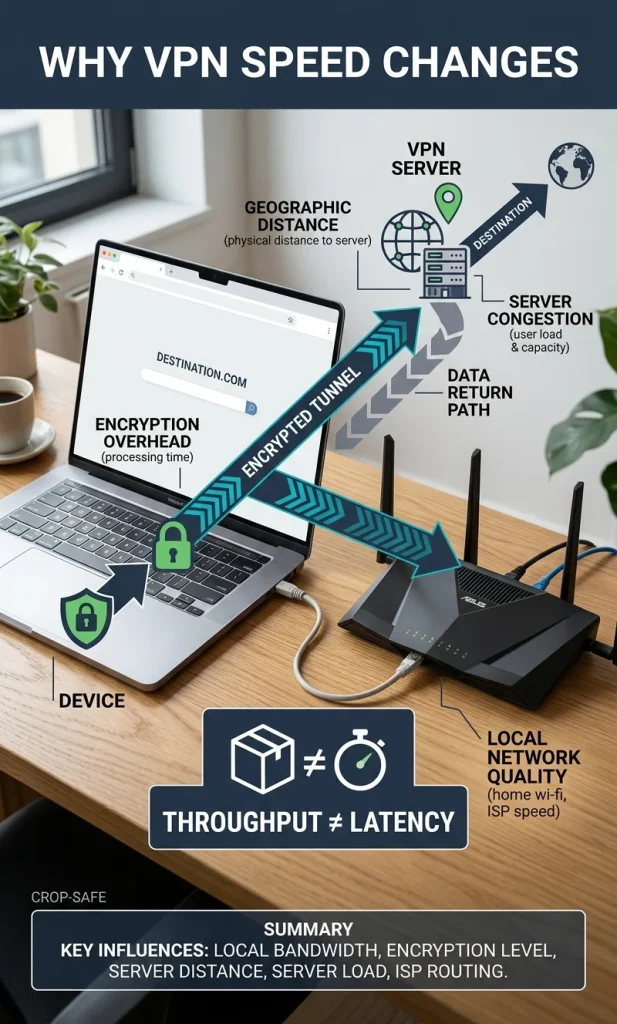
A VPN adds encryption plus an extra network path, so the connection is only as good as the complete route. Even if both providers use WireGuard, they can peer with different networks, place servers in different data centers, apply different load-balancing rules and reach the same destination through different upstream carriers.
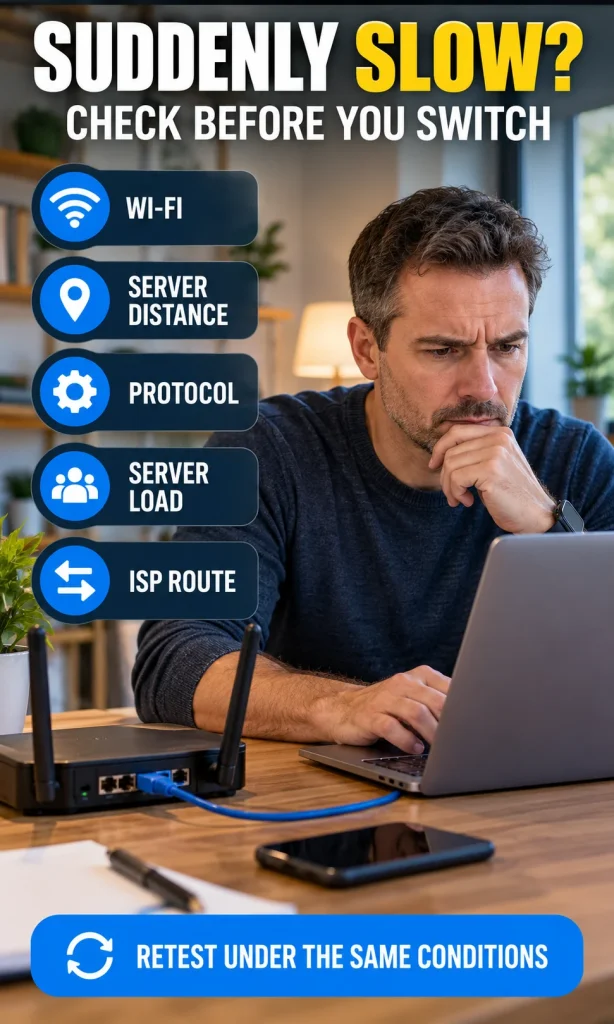
- Server distance: a nearby server usually reduces latency and often improves throughput, but physical distance is only part of the route.
- Protocol: WireGuard is normally the first protocol to test for speed; OpenVPN can be useful for compatibility but often adds more overhead.
- Server load: a busy server can turn a normally fast location into a poor result for one test window.
- ISP peering: your ISP may have a better path to one provider’s data center than the other provider’s.
- Wi-Fi and device limits: weak wireless conditions, CPU load, power-saving settings and background traffic can dominate the VPN difference.
- Time of day: both your local access network and the VPN’s upstream links can behave differently at peak hours.
This is why “more servers means faster” is too simple. PureVPN currently advertises more than 6,000 servers across dozens of countries, while IPVanish has a large global network of its own, but the server that matters is the one your device can reach efficiently at the moment you need it.
PureVPN vs IPVanish for streaming, gaming, uploads and P2P
If your main job is high-bitrate streaming, sustained download throughput and consistency matter more than a tiny ping difference. If your main job is live gaming, the order reverses: a 20 Mbps connection with low, stable latency can feel better than a 300 Mbps tunnel with erratic ping.
| Your priority | What to measure first | How to choose |
|---|---|---|
| 4K streaming / large downloads | Median download Mbps and stability | Choose the VPN that stays fastest on the region you actually use. |
| Video calls / cloud backup | Upload Mbps plus ping | Do not choose on download speed alone; PureVPN has shown strong upload results in some head-to-head tests. |
| Gaming / remote desktop | Ping, jitter and packet loss | Use the nearest fast server and keep the protocol and route consistent. |
| Torrenting / P2P | Sustained download/upload plus allowed server locations | IPVanish is simpler if you want broad P2P availability; PureVPN restricts P2P to designated locations. |
For P2P specifically, the old article was wrong to say PureVPN does not permit torrenting at all. PureVPN allows P2P on designated server locations, while other locations are blocked for policy or legal reasons. That means the fastest PureVPN server visible in the app may not always be the server you can use for that job.
Protocol choice can change the winner
Both services support modern protocols, and WireGuard should usually be the first speed comparison because it is designed for a leaner tunnel than older VPN stacks. PureVPN’s current support documentation includes WireGuard alongside OpenVPN and IKEv2/IPsec, while IPVanish also supports WireGuard and the major fallback protocols.
The critical test rule is not “WireGuard always wins.” It is “compare like with like.” If PureVPN is on WireGuard and IPVanish is on OpenVPN TCP, the result tells you more about protocol overhead than provider performance.
Automatic protocol selection can also produce a confusing comparison because each app may choose a different tunnel. When you are testing rather than simply browsing, set both VPNs to the same protocol manually, reconnect, and confirm the server region before you record a result.
How to test PureVPN and IPVanish fairly on your own connection
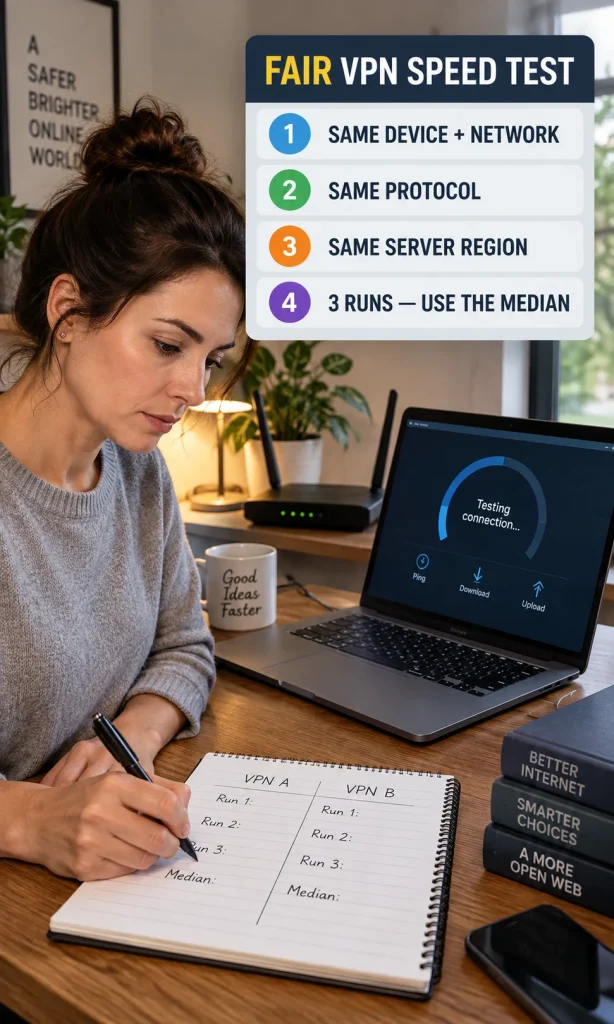
- Use one device and one network. Do not compare one VPN on Ethernet and the other on Wi-Fi.
- Close heavy background traffic. Pause cloud sync, large downloads and device updates.
- Record a no-VPN baseline. Run the same speed test three times and use the median download, upload and ping.
- Choose the same protocol. Start with WireGuard unless you have a compatibility reason to test something else.
- Choose equivalent server locations. The same city is ideal; otherwise use the closest practical match.
- Run three tests per VPN. Use the median result instead of the single best run.
- Repeat at another time. A second test window helps reveal whether the first result was just temporary congestion.
For throughput, calculate speed retention by dividing the VPN result by the no-VPN baseline. If your baseline is 500 Mbps and a VPN returns 400 Mbps, retention is 80%. This makes results easier to compare across connections than raw Mbps alone, because a 100 Mbps loss means something very different on a 150 Mbps line than on a 1 Gbps line.
For latency, compare both the absolute ping and the increase over baseline. A jump from 8 ms to 28 ms may matter to a competitive gamer even though 28 ms is still perfectly usable for ordinary browsing and streaming.
Use the interactive VPN Speed Reality Check below the comparison section to enter your own baseline and median results. It reports download retention, upload retention, latency change and the winner for the metric you select without inventing a composite “speed score.”
Privacy and connection limits still matter after speed
Speed should not be the only reason to choose a VPN. PureVPN says it operates from the British Virgin Islands and uses an always-on no-log audit model; IPVanish is US-based and its current no-logs claims have also been independently assessed, including a Schellman review completed in 2025.
Device limits may be more practical than a small benchmark difference. PureVPN currently allows up to 10 simultaneous connections on a standard account, while IPVanish allows unlimited simultaneous device connections, which can be more convenient for a large household.
If you are new to VPNs and want the underlying mechanics before comparing providers, read our introduction to virtual private networks. If your main concern is financial accounts rather than raw speed, our guide to using a VPN for online banking covers the different risk question.
Which one should you choose?
Choose IPVanish if your own tests confirm its download advantage on the routes you use, or if unlimited device connections and broad P2P support matter more than anything else. Choose PureVPN if it gives you better upload or overall retention on your connection, or if its server locations and privacy features fit your needs better.
If the difference is small, do not buy a VPN because one review shows a higher peak number. Repeat the test on the same protocol and destination, then choose the service that is consistently better for your real workload. That is a stronger decision than treating any single lab result as a permanent global winner.