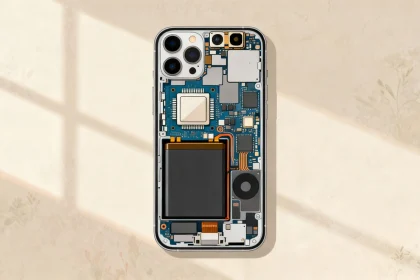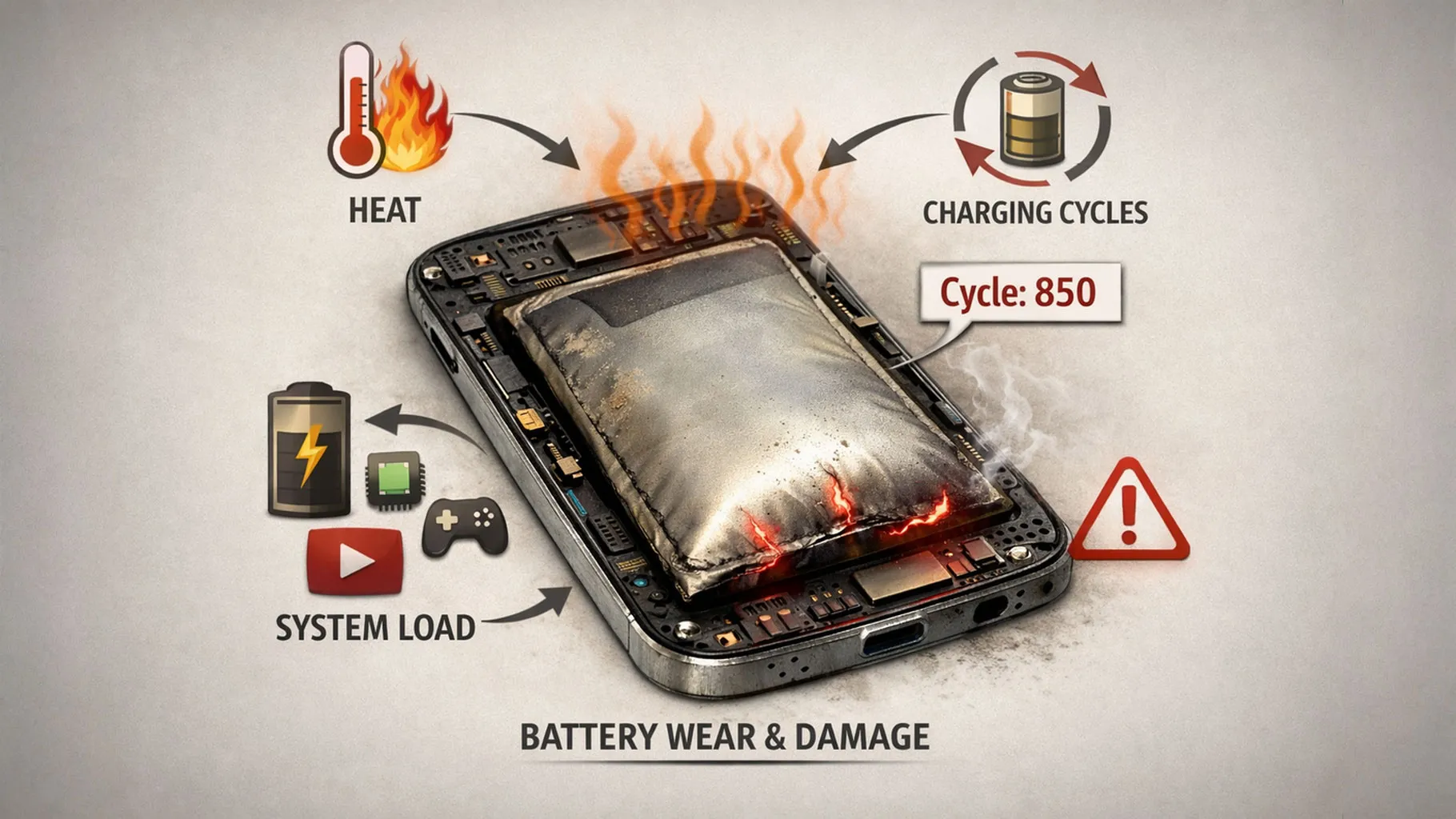

A phone battery rarely fails all at once. More often, the decline happens quietly.
The phone that once lasted from breakfast until bedtime begins needing a charge before dinner. A few months later, you start carrying a power bank. Eventually, a battery percentage that once felt reassuring becomes something you check throughout the day.
That gradual decline creates an obvious question: what actually damaged the battery?
Was it charging overnight? Fast charging? Using the phone while it was plugged in? Letting the battery fall below 20%? Charging it to 100% every morning? Or was the battery simply getting old?
The frustrating part is that phone battery advice is filled with rules that sound precise but often ignore how modern phones actually manage charging. Some habits do matter, but not always for the reasons people think. Other habits are blamed far more than they deserve.
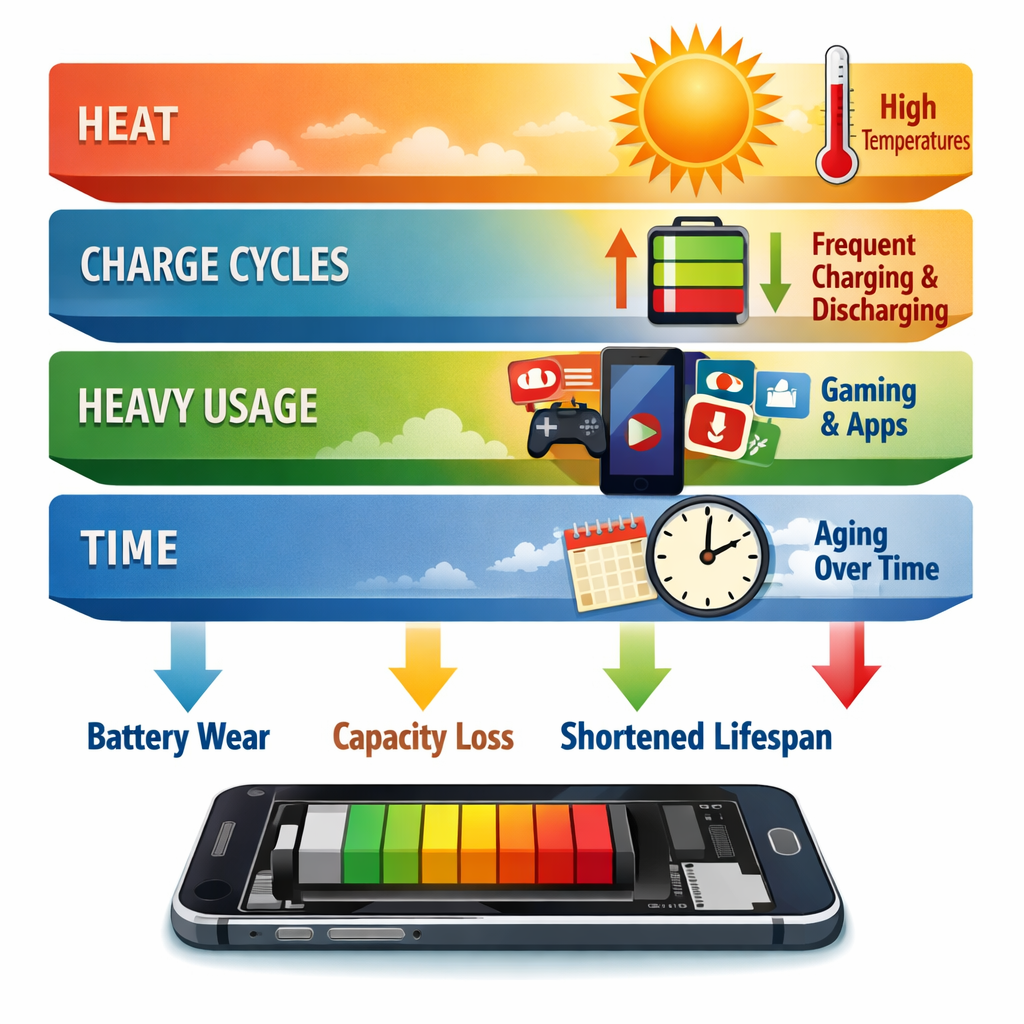
The most important thing to understand is that battery health is not controlled by one perfect charging routine. It is shaped by temperature, time, charge level, charging patterns, battery chemistry and how heavily the phone is used.
And among all of those factors, one is especially easy to underestimate.
Heat.
A phone sitting at 100% overnight in a cool room is not experiencing the same conditions as a phone sitting at 100% while running hot inside a car. A fast charger used occasionally is not the same as repeatedly fast-charging a hot phone while gaming. Two people can follow the same “20% to 80%” rule and still see different battery ageing because their phones live very different lives.
So instead of giving you another rigid list of charging commandments, this guide will separate the habits that genuinely matter from the ones that mostly create unnecessary anxiety.
Free Phone Battery Diagnostic
Phone Battery Health Intelligence Studio
Explore charging habits, heat exposure, battery drain, reliability symptoms and whether replacing the battery may offer better value than replacing the entire phone.
Battery Health Is Not the Same as Battery Life
These two terms are often used as if they mean the same thing, but they describe different things.
Battery life is how long your phone lasts between charges today.
Battery health is how much energy the battery can still hold compared with when it was new.
A new phone might have excellent battery health but poor daily battery life because the screen is extremely bright, a game is using the processor heavily, mobile signal is weak or background apps are consuming power.
The opposite can also happen. An older phone with a degraded battery may still make it through the day because its owner uses it lightly.
This distinction matters because not every battery problem is actually battery degradation.
If your phone suddenly starts draining much faster over a few days, the cause may be an app, a software update, poor network reception, unusually high screen usage or a background process. True battery ageing is usually more gradual.
What Happens Inside a Phone Battery as It Ages?
Most modern smartphones use lithium-ion or closely related rechargeable battery chemistry. During charging and discharging, lithium ions move between the battery’s internal electrodes. Battery behaviour becomes easier to understand when it is viewed as part of the wider phone basics that connect hardware, software, power management and everyday use.
This process is reversible, but it is not perfectly reversible forever.
Every charge cycle and every period of chemical stress contributes to tiny changes inside the battery. Over time, those changes reduce the amount of energy the battery can store and deliver effectively.
That is why battery ageing cannot be completely prevented.
Even a phone that is treated carefully will eventually lose capacity.
The useful goal is therefore not to keep a battery at 100% health forever. That is impossible. The goal is to avoid unnecessary stress that accelerates the ageing process.
This is where many battery guides become too simplistic. They focus almost entirely on the percentage displayed in the corner of the screen.
The battery, however, experiences more than a number.
It experiences temperature.
It experiences voltage.
It experiences time.
It experiences charging current.
And it experiences the combined effect of all of them.
Heat Is One of the Biggest Battery Health Enemies
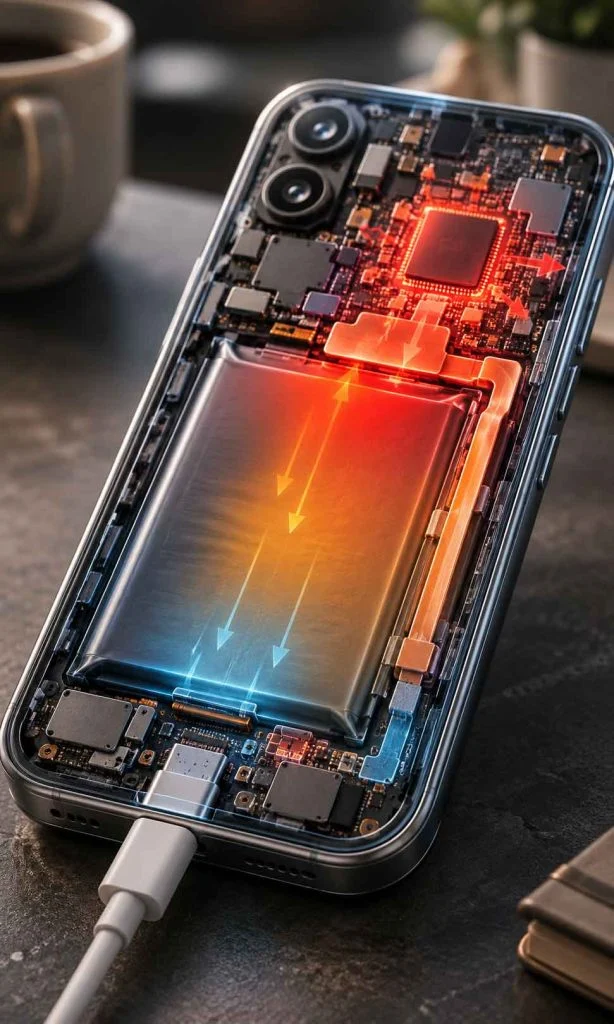
If there is one battery habit worth paying attention to, it is allowing a phone to become unnecessarily hot for extended periods.
Heat can accelerate the chemical reactions involved in battery ageing. This does not mean that a phone becoming slightly warm during normal use is automatically being damaged. Phones generate heat during charging, gaming, navigation, video recording and other demanding tasks.
The concern is sustained or excessive heat, especially when several stressful conditions happen together.
For example:
- Fast charging while playing a demanding game
- Leaving a phone in direct sunlight
- Charging inside a hot parked car
- Running navigation with the screen at high brightness while the phone is charging
- Using a thick insulating case when the phone is already overheating
- Charging under bedding or in another environment where heat cannot escape easily
Notice what these examples have in common.
The problem is not simply “charging.”
The problem is the thermal environment surrounding the battery.
This is why asking whether fast charging damages a battery cannot be answered properly with a simple yes or no. The more useful question is:
How much heat is the phone experiencing, and for how long?
A well-designed phone can regulate charging speed when temperatures rise. Modern charging systems may reduce power, pause charging or change charging behaviour to protect the battery. But those protections do not make temperature irrelevant. They reduce risk – they do not make every charging environment equally gentle.
A Practical Rule That Matters More Than Battery Superstition
If your phone is charging normally and feels only mildly warm, there is usually little reason to panic.
If it becomes unusually hot, especially repeatedly, pay attention.
Move it away from direct sunlight. Stop demanding activities for a while. Make sure heat can escape. If a particular charger, cable, app or activity repeatedly causes abnormal heating, investigate the cause rather than obsessing over whether the battery reached 81% instead of 80%.
For most people, reducing unnecessary heat is more practical than trying to maintain a mathematically perfect charging percentage every day.
Does Charging to 100% Damage Your Phone Battery?
Charging to 100% is not the same as instantly damaging the battery.
Your phone is designed to reach a full charge.
The more nuanced issue is that lithium-ion batteries generally experience greater stress when they spend long periods at very high states of charge, particularly when combined with elevated temperature.
That distinction matters.
Reaching 100% before leaving home is different from repeatedly keeping a hot phone at a very high charge level for extended periods.
This is one reason many modern phones now include features such as optimized charging, adaptive charging or configurable charge limits. These systems attempt to reduce the amount of unnecessary time the battery spends fully charged.
But that does not mean everyone needs to unplug the phone at exactly 80%.
If charging to 100% is what allows your phone to last through a long workday, commute or trip, using the battery’s available capacity may be more useful than constantly worrying about preserving a theoretical maximum lifespan.
Battery care should support how you use the phone.
It should not turn charging into a daily source of anxiety.
Is the 20% to 80% Charging Rule Actually Worth Following?

The idea of keeping a phone between 20% and 80% has become one of the most repeated pieces of battery advice. There is a reasonable principle behind it: avoiding the extreme ends of the battery’s usable charge range can reduce some forms of stress over time.
But turning that principle into a strict daily rule can make phone ownership unnecessarily complicated.
You do not need to panic because the battery reached 15%. You do not need to rush across the room because the charging indicator changed from 79% to 80%. And charging to 100% before a long day does not suddenly ruin the battery.
The better way to think about the 20% to 80% range is as a battery-friendly preference when it fits naturally into your routine, not as a rule that must never be broken.
If you work at a desk and can easily top up your phone, an 80% charge limit may be perfectly practical. If you spend twelve hours away from a charger, deliberately leaving home with less available battery simply to protect battery health may create more inconvenience than benefit.
There is also an important difference between occasionally reaching a low charge level and repeatedly leaving a battery deeply discharged for long periods. Running down to 5% during a busy day is one thing. Leaving a completely discharged phone in a drawer for months is another.
The same principle applies at the upper end. Charging to 100% when you need the capacity is normal. Keeping a hot battery at a high state of charge for prolonged periods is a less favourable combination.
A useful charging routine should therefore respond to your actual life.
On ordinary days: an 80% or 90% limit can be sensible if your phone offers the option and the reduced capacity does not inconvenience you.
Before travel or a long day: charging to 100% is reasonable.
When the battery is low: charge when convenient rather than deliberately draining it to zero.
When the phone is hot: temperature deserves more attention than chasing a perfect percentage.
The percentage is only one part of the battery’s environment.
Does Overnight Charging Damage Your Battery?
For most modern smartphones, overnight charging is much less dramatic than the internet sometimes makes it sound.
A properly functioning phone does not normally continue forcing maximum charging power into the battery indefinitely after the displayed charge reaches 100%. The phone’s charging management system controls the process, and many devices now include software designed specifically around overnight charging patterns.
Some phones learn when you usually wake up and delay the final stage of charging. Others allow you to set a maximum charge level. The exact implementation varies between manufacturers and software versions, but the general purpose is similar: reduce unnecessary time at a very high state of charge while still making the phone available when you need it.
This means the question “Is overnight charging bad?” is often too broad.
A better question is:
What conditions is the phone experiencing while it charges overnight?
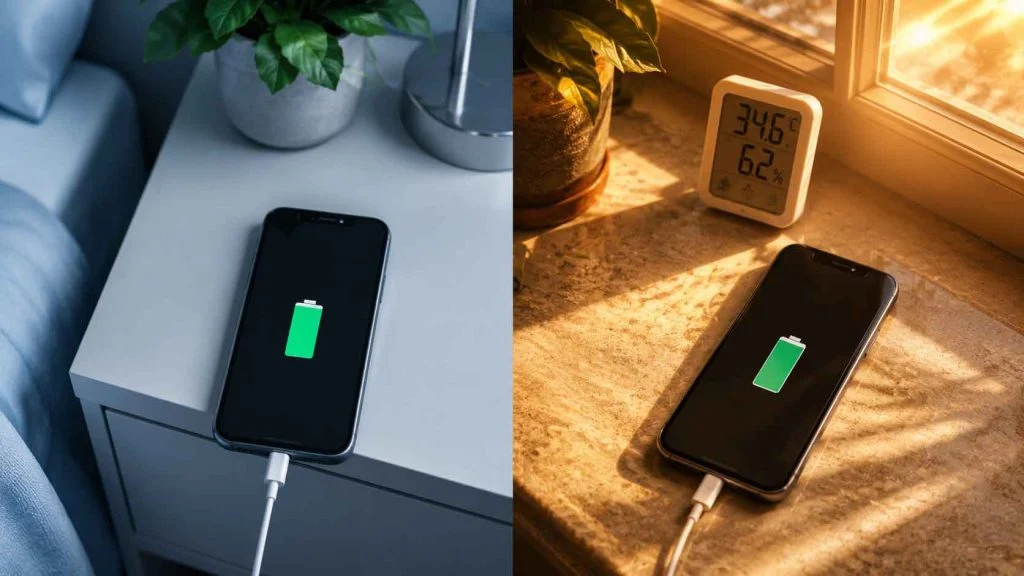
A phone charging on a hard bedside surface in a cool room is in a very different environment from one buried under a pillow, trapped between bedding or left somewhere that prevents heat from escaping.
The charger and cable also matter. Damaged, poorly made or incompatible charging equipment can create problems that have little to do with the fact that it is nighttime.
If overnight charging is convenient, you do not necessarily need to abandon it. Use reliable charging equipment, enable your phone’s battery protection or optimized charging feature if available, and avoid creating an unnecessarily hot charging environment.
The goal is not to stay awake until 2:17 a.m. so you can unplug the phone at exactly 80%.
Does Fast Charging Ruin Battery Health?
Fast charging creates one of the most confusing battery discussions because two statements can both contain some truth:
- Higher charging power can create more heat and battery stress under certain conditions.
- Modern phones are designed to manage supported fast-charging systems.
The mistake is treating fast charging as either completely harmless in every situation or inherently destructive.
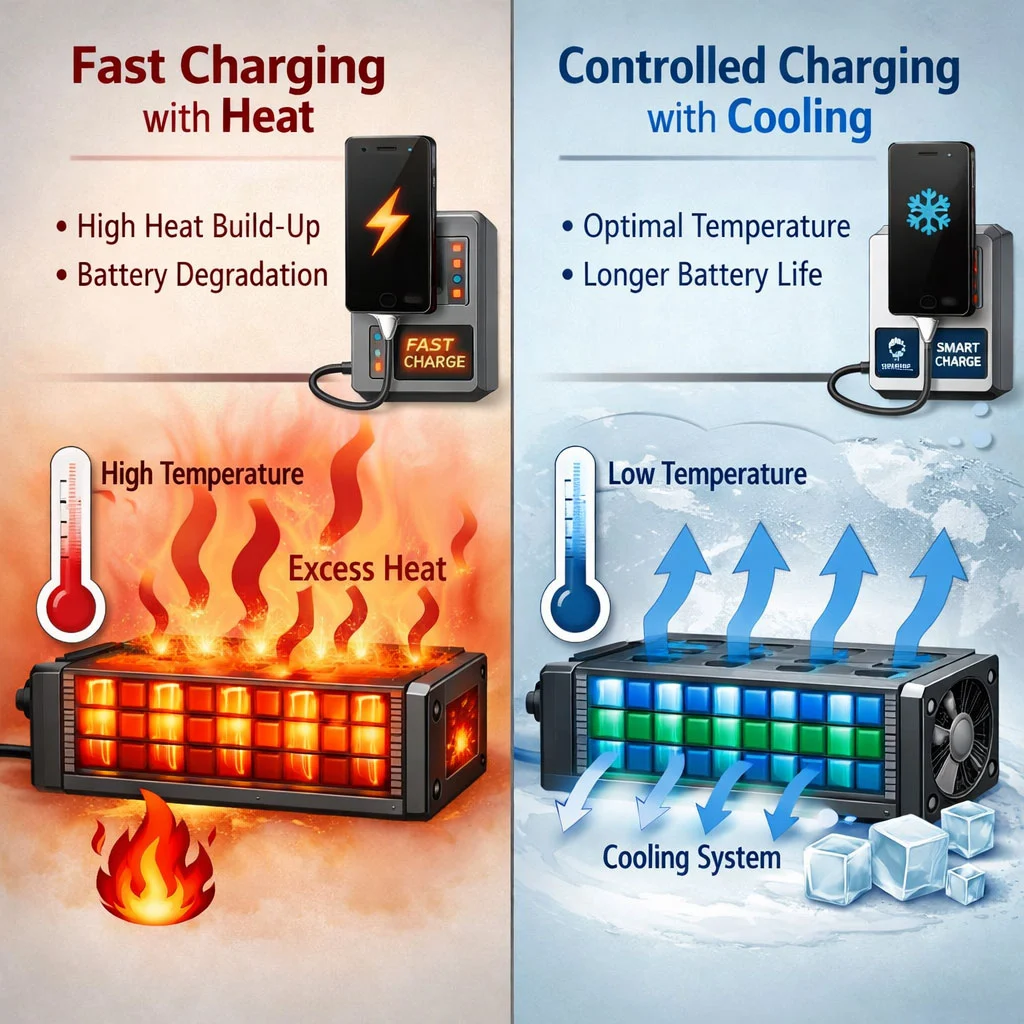
Charging speed is not necessarily constant from empty to full. A phone may accept higher power during part of the charging process and then reduce the rate as the battery fills or temperature rises. The phone, charger and charging protocol can communicate to manage power delivery.
This is why the number printed on a charger does not automatically tell you how much power the battery is receiving every second.
A 65-watt charger does not necessarily force 65 watts continuously into every phone connected to it.
The practical concern returns to the combination of power, temperature, battery condition and usage.
If fast charging makes your phone noticeably hot every day, especially while you are simultaneously running demanding applications, the overall thermal stress may be less favourable than slower charging in a cooler environment.
But if fast charging is what allows you to add useful battery capacity during a short break, it can be an extremely valuable feature.
You do not necessarily need to choose one charging speed forever.
A practical approach is to use:
- Faster charging when time matters.
- Slower charging when the phone can remain plugged in without urgency.
- Battery protection settings when they fit your routine.
- Temperature as an important warning signal regardless of charging speed.
The most battery-friendly charger is not automatically the slowest charger available. It is a charger that is appropriate for the device, works correctly and does not repeatedly create excessive heat.
Is Wireless Charging Worse for Battery Health?
Wireless charging adds another layer to the heat question.
It is convenient because there is no cable to connect, but wireless power transfer can be less efficient than a direct wired connection. Some of the energy that does not reach the battery becomes heat.
That does not mean wireless charging should be avoided completely.
It means the charging environment matters.
Alignment between the phone and charging coil can affect efficiency. Cases, accessories and charging surfaces may also influence heat. Some wireless charging systems include active cooling or other thermal management features, while others may allow the phone to become noticeably warmer.
If your phone remains within a normal temperature range and wireless charging is convenient, there may be no compelling reason to stop using it.
However, if the phone becomes consistently hot on a particular wireless charger, especially for long charging sessions, it is reasonable to reconsider that setup.
The useful comparison is not:
Wireless charging = bad. Wired charging = good.
The more useful comparison is:
Which charging method keeps this particular phone operating within a comfortable temperature range while meeting your needs?
That answer may differ between devices, chargers and environments.
Can You Use Your Phone While It Is Charging?
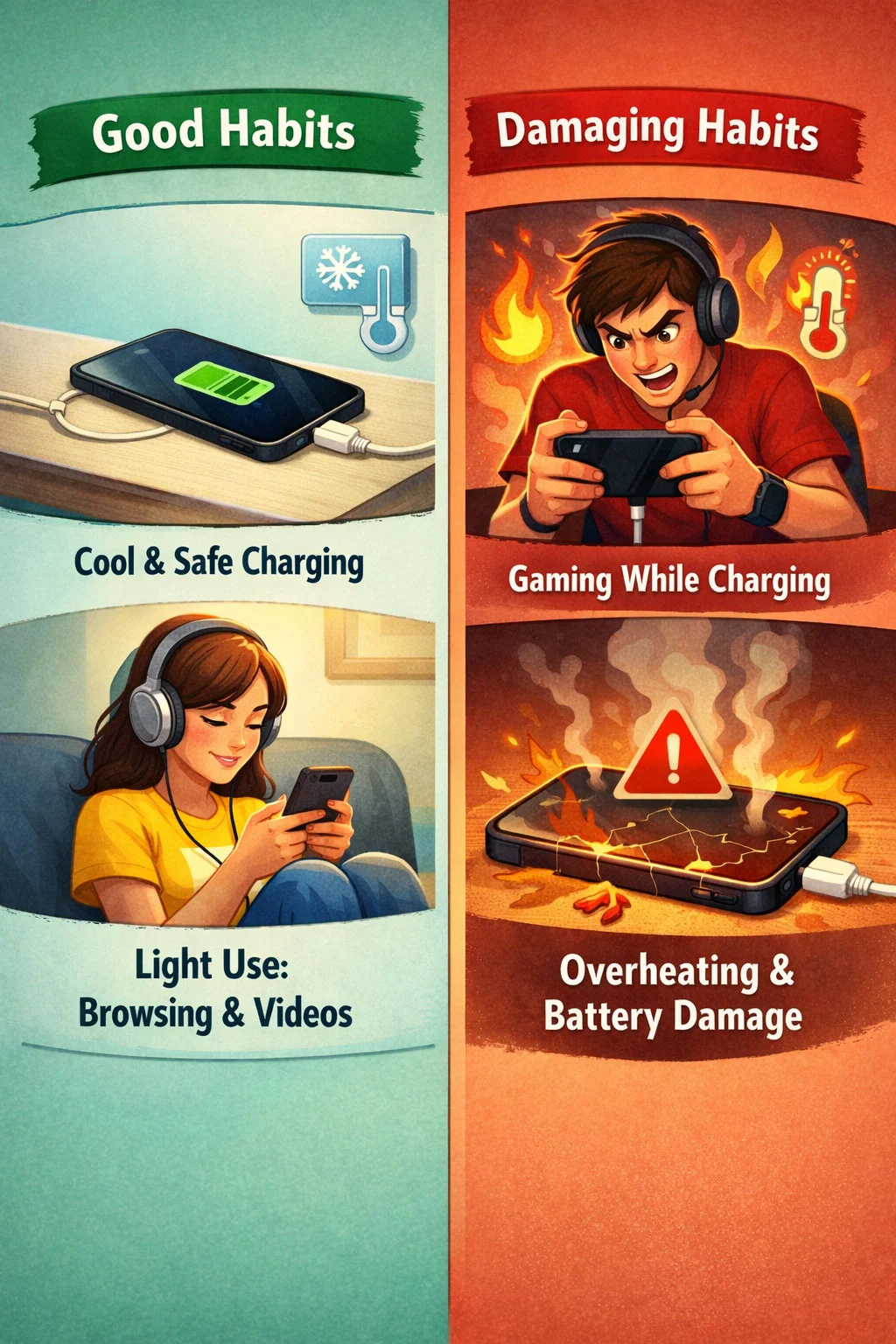
Yes. Using a phone while it charges is not automatically harmful.
The problem appears when the activity itself creates substantial heat.
Reading messages while charging is very different from running a graphically demanding game at maximum brightness while the phone is rapidly charging in a warm room.
In the second situation, the phone may be generating heat from several directions at once:
- The battery is charging.
- The processor and graphics hardware are working heavily.
- The display is consuming significant power.
- The phone may be drawing power while simultaneously trying to replenish the battery.
- A case or warm environment may slow heat dissipation.
This combined load is sometimes more important than any single activity.
If you need to use the phone while charging, use it.
But if the device becomes uncomfortably hot during a demanding activity, allowing it to cool is a sensible response. The battery does not care whether the heat came from a charger, a game, direct sunlight or several sources together. It experiences the resulting temperature.
The Most Harmful Battery Habits Are Usually Combinations

People often search for one forbidden behaviour:
“Never charge overnight.”
“Never use fast charging.”
“Never reach 100%.”
“Never let the battery fall below 20%.”
Real battery ageing is less tidy.
A single factor may create relatively modest stress, while several factors occurring together can create a much harsher environment.
Consider these two situations.
Situation A: A phone reaches 100% on a bedside table in a cool room using optimized charging.
Situation B: A phone is already hot from gaming, connected to a fast charger, enclosed in a heat-trapping case and left in direct sunlight.
Both phones are “charging.”
But describing them with the same word hides almost everything that matters.
This is the central idea that makes battery care easier to understand:
Do not judge a charging habit in isolation. Look at the total stress environment around the battery.
Once you understand that, many rigid battery rules become less useful. The better questions are whether the phone is repeatedly getting hot, whether it spends unnecessary periods under stressful conditions, whether the charging equipment is appropriate, and whether your routine can be improved without making the phone inconvenient to use.
What About Charging Cycles?
Battery cycle count is useful, but it is often misunderstood.
A charging cycle does not necessarily mean plugging the phone in once and unplugging it once. In general, a full cycle represents cumulative battery use equivalent to 100% of the battery’s capacity.
For example, using 50% of the battery today and another 50% tomorrow can add up to roughly one full cycle of usage. Several smaller discharges can also accumulate into a complete cycle.
This is why charging your phone from 60% to 80% several times does not magically create several full battery cycles simply because you connected the charger several times.
At the same time, cycle count is not a complete measurement of battery health.
Two batteries with a similar number of cycles may age differently because they have experienced different temperatures, charging conditions, storage patterns and workloads. A phone that has accumulated its cycles under relatively moderate conditions may not age exactly like one that has repeatedly operated at high temperatures.
Cycle count tells part of the story.
It does not tell the whole story.
Should You Let Your Phone Battery Drain to 0%?
For everyday use, there is generally no need to deliberately drain a modern smartphone battery to 0% before charging it.
That habit is partly inherited from older ideas about rechargeable batteries and the belief that a battery must be “trained” through complete discharge cycles.
Modern lithium-ion batteries do not need a daily journey from 100% to 0% to remain healthy.
If your phone reaches 0% occasionally because you had a long day, that is not a disaster. The practical concern is making deep discharge a repeated habit or leaving a depleted device unused for an extended period.
There is also an important distinction between the 0% displayed on the screen and the battery’s absolute chemical state. Phones use battery management systems and reserve margins, so the percentage shown to the user is not a direct window into every detail of the cell.
Still, the simplest advice remains useful: charge the phone when it is convenient. Do not deliberately run it flat because you believe the battery needs exercise.
Why Your Phone Can Suddenly Shut Down Before Reaching 0%
An ageing battery does more than lose capacity.
As batteries deteriorate, their ability to deliver power under demanding conditions can also change. A phone may appear to have charge remaining but struggle when the processor suddenly requires more power, particularly under certain temperatures or workloads.
This can contribute to unexpected shutdowns.
For example, a phone may behave normally during light browsing but shut down when opening the camera, launching a demanding game or performing another power-intensive task.
Cold conditions can also temporarily affect battery performance. A battery that behaves normally at room temperature may struggle more in very low temperatures.
If a phone repeatedly shuts down while showing substantial remaining charge, the issue deserves more attention than simply changing charging habits. It may indicate significant battery degradation, a battery calibration issue, a software problem or another hardware fault.
At that point, the question is no longer only:
“How can I protect my battery?”
It becomes:
“Is this battery still reliable enough for the way I use the phone?”
Why Battery Health Percentages Are Not Perfect Measurements
When a phone reports a battery health figure such as 92%, it is tempting to treat that number as an exact laboratory measurement.
It is better understood as an estimate.
Battery management systems use available information about the battery’s behaviour to estimate capacity and condition. Those estimates can change as the system gathers more data, and different manufacturers may calculate or display battery information differently.
This means a drop from 100% to 99% does not necessarily represent a precise moment when exactly 1% of the battery suddenly disappeared.
Battery degradation is gradual, while the number shown to you is a simplified representation of a complex physical process.
This is also why comparing battery health percentages between two different phones can be misleading.
One person’s phone may show 90% and still comfortably meet their daily needs. Another phone may report a higher figure but deliver disappointing battery life because of heavier usage, a power-hungry display, poor mobile signal or background software activity.
The number matters.
But your actual experience matters too.
Why Battery Health Sometimes Seems to Drop Suddenly
Battery health often appears to remain unchanged for months and then drop by several percentage points over a shorter period.
That does not always mean the battery suddenly suffered equivalent damage during those few days.
Part of the apparent change may come from estimation and recalibration. As the phone gathers more information about the battery’s actual usable capacity, the reported figure can adjust.
Software updates can also change how battery information is calculated, displayed or interpreted. Meanwhile, a change in your usage pattern may make existing degradation much more noticeable.
Imagine that an ageing battery was still sufficient for your normal routine. Then you begin travelling, using navigation more often and spending more time on mobile data. The battery may suddenly feel much worse even if its physical condition did not dramatically change overnight.
Before assuming a sudden battery health disaster, separate three different possibilities:
- The battery has physically degraded.
- The phone’s estimate has changed.
- Your power consumption has changed.
Sometimes more than one is happening at the same time.
Can a Software Update Damage Battery Health?
A software update can change battery life without necessarily causing immediate physical battery degradation.
After a major update, a phone may temporarily perform background work such as indexing files, analysing photos, updating application data or completing system optimization. This can increase power consumption for a period.
An update may also introduce a software bug or change how aggressively certain features operate.
That can make the phone drain faster.
But faster battery drain and lower battery health are not automatically the same problem.
There is, however, an indirect connection worth understanding. If a software problem causes a phone to run unusually hot for prolonged periods, the resulting thermal conditions may be less favourable for long-term battery ageing.
So the better diagnostic sequence is:
- Did battery life suddenly become worse?
- Is the phone also becoming unusually warm?
- Which apps or system processes are using the most energy?
- Did the change begin immediately after an update or app installation?
- Does the problem continue after the normal post-update settling period?
This prevents a common mistake: replacing a battery when the real problem is software.
The Hidden Battery Problem: Poor Mobile Signal

One of the least obvious causes of heavy phone battery use is weak network reception.
When a phone struggles to maintain a cellular connection, it may need to work harder to communicate with the network. This can increase power consumption compared with using the same phone under strong signal conditions.
That is why a phone can sometimes drain surprisingly quickly during:
- Long train journeys
- Travel through rural areas
- Time spent inside buildings with poor reception
- Underground transport
- Areas where the phone frequently switches between network conditions
The owner may blame the battery because the percentage is falling quickly.
But the battery is only supplying the energy being requested.
This distinction is important because repeated high power consumption can also create additional heat. If the phone is simultaneously running navigation, maintaining a weak cellular connection, using a bright display and charging in a vehicle, several sources of thermal stress may combine.
Again, the battery problem is not always one habit.
Sometimes it is the environment in which the phone is being asked to work.
Background Apps Can Make a Healthy Battery Feel Old
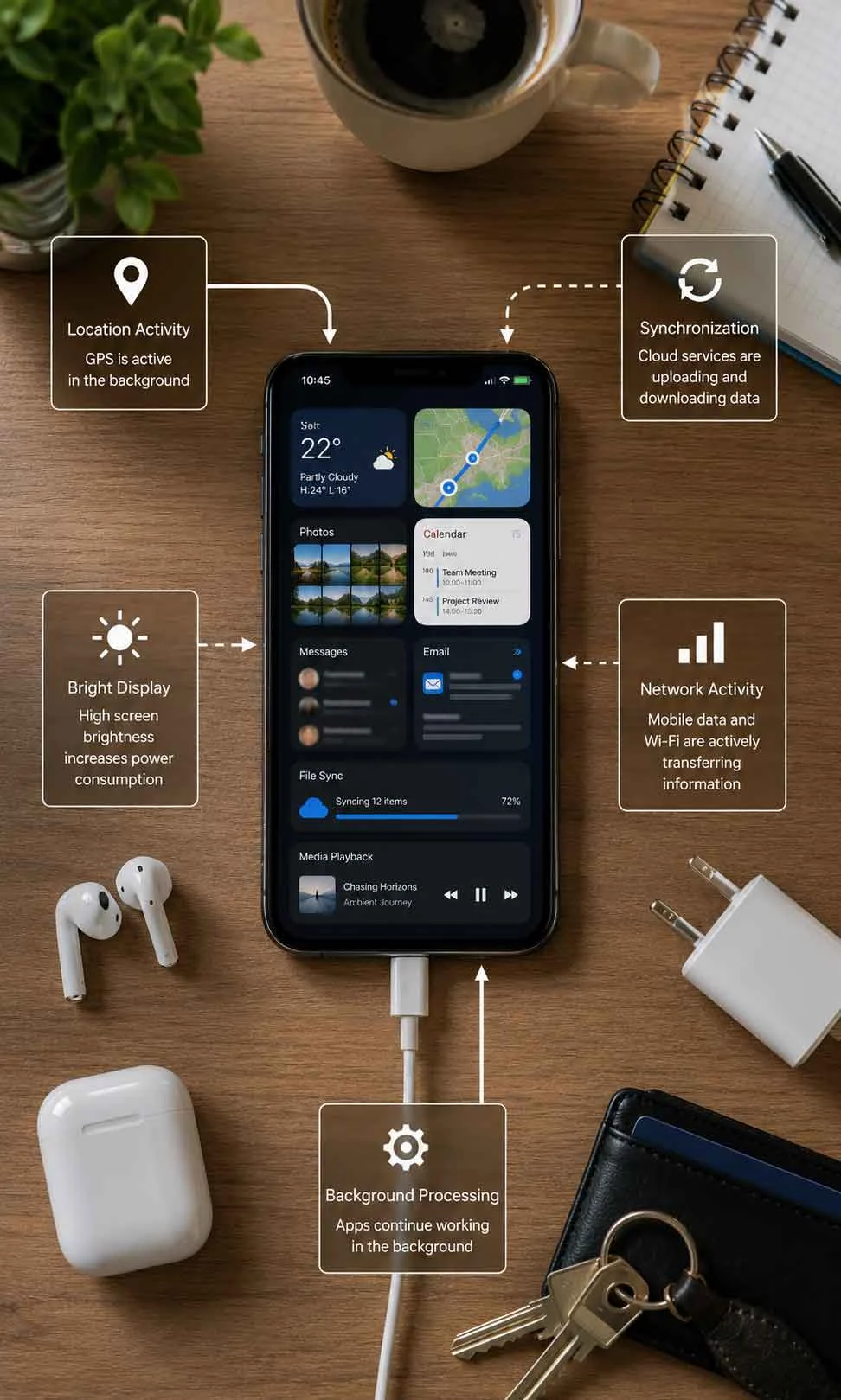
A phone can have relatively good battery health and still deliver poor daily battery life if software is consuming energy unnecessarily.
Possible causes include:
- Frequent background location access
- Continuous synchronization
- High notification activity
- Poorly behaving applications
- Background media activity
- Excessive screen-on time
- High display brightness
- Always-on features
- Intensive camera or video use
- Heavy gaming
- Personal hotspot usage
The hardware inside modern smartphones is also becoming more specialized, and understanding the emerging mobile AI hardware and chip competition helps explain why future phones may handle demanding workloads differently. The location of the workload matters too, because the difference between on-device AI and cloud AI architecture can change whether a task depends more heavily on local processing, network activity or remote computing infrastructure.
This is why a sudden reduction in battery life should not immediately be interpreted as permanent battery degradation.
Look at what changed.
Did you install a new app?
Did you begin using navigation more often?
Has your signal quality become worse?
Is the phone becoming warm while apparently doing nothing?
Did screen time increase?
Battery health describes the battery’s remaining ability to store energy. Battery drain describes how quickly the phone is consuming that stored energy.
A useful diagnosis needs to consider both.
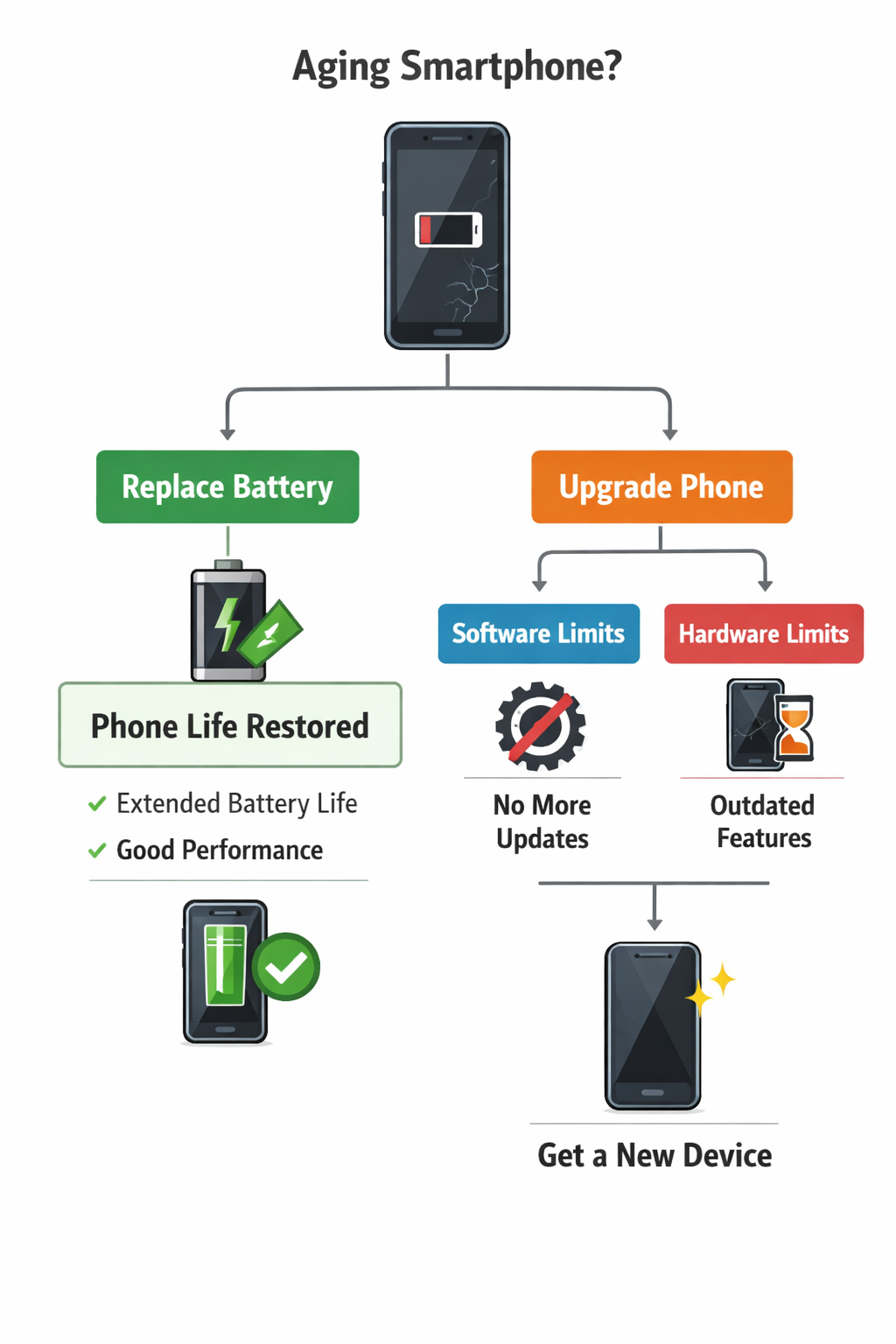
When Should You Actually Replace the Battery?
There is no single battery health percentage at which every phone owner must immediately replace the battery.
A percentage can be a useful warning, but the decision should also consider how the phone behaves.
Battery replacement becomes more worth considering when you experience problems such as:
- The phone no longer lasts through your normal routine.
- Unexpected shutdowns occur with charge remaining.
- Performance or reliability is being affected by battery condition.
- The phone requires inconveniently frequent charging.
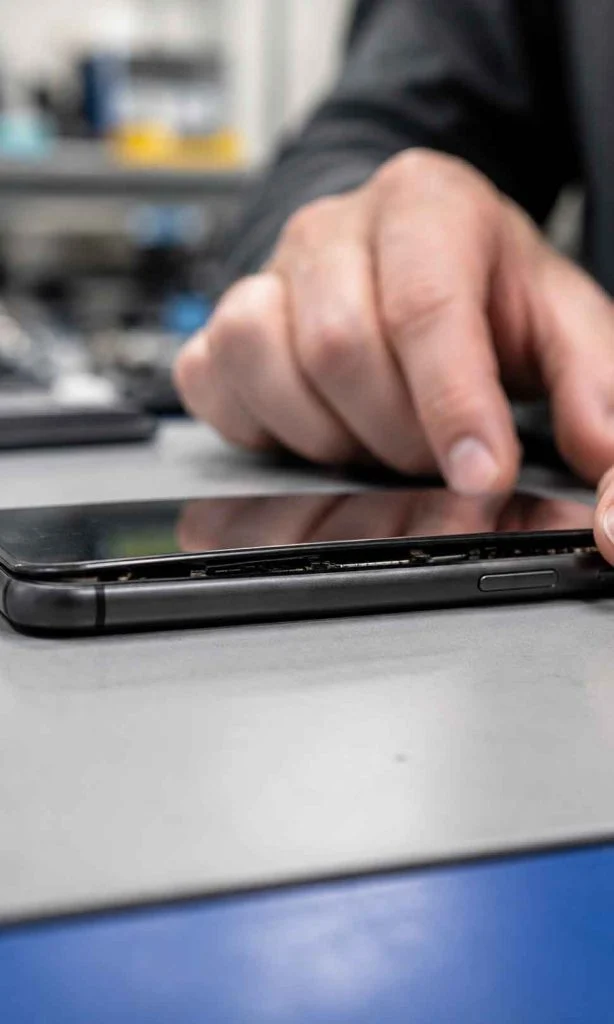
- The battery has physically swollen.
- The device reports that the battery requires service.
A swollen battery is different from ordinary capacity loss. If the phone’s body begins separating, the screen lifts unexpectedly or there are other signs of battery swelling, stop treating it as a routine battery-life problem. Avoid pressing the device back together or continuing to charge it as normal, and seek appropriate professional service.
For ordinary degradation, however, replacement can sometimes extend the useful life of a phone considerably.
This leads to a more financially useful question than simply asking whether the battery is “bad”:
If the rest of the phone still meets your needs, would replacing the battery give you another useful year or two of ownership?
For many people, that is the decision that matters most.
Is Replacing the Battery Better Than Buying a New Phone?

For many people, battery degradation becomes the reason they start thinking about replacing an otherwise functional phone.
The camera still works. The screen is fine. The apps they use every day still run properly. The phone may even continue receiving security updates. Yet because the battery no longer lasts until evening, the entire device begins to feel old.
That can make battery replacement one of the most valuable upgrades available.
The decision becomes more complicated when several problems have appeared at the same time. If the phone has a damaged screen, insufficient storage, unreliable charging port, poor software support and a degraded battery, replacing only the battery may postpone rather than solve the larger problem.
A practical decision should consider four things:
| Question | Battery Replacement May Make Sense | Phone Replacement May Make More Sense |
|---|---|---|
| Does the phone still meet your performance needs? | Yes | No |
| Is the battery the main problem? | Yes | Several major problems exist |
| Is software and security support still adequate? | Yes | Support is ending or already unavailable |
| Is the repair cost reasonable compared with the phone’s remaining value? | Yes | Repair costs are approaching replacement value |
The cheapest option today is not always the cheapest option over the next two years.
A low-cost battery replacement can be excellent value if it restores a phone that still does everything you need. But repeatedly repairing a device that is becoming unreliable in several different ways can become false economy.
The right question is not simply, “How old is my phone?”
It is:
“What problem am I actually trying to solve?”
If several limitations have appeared at the same time, a broader phone buying guide can help you decide whether repairing the current device still offers better value than moving to a replacement.
If the answer is only battery endurance, replacing the battery deserves serious consideration before replacing the entire device.
A Simple Battery Health Routine That Does Not Take Over Your Life
Battery advice becomes less useful when following it requires constant monitoring.
A good routine should work quietly in the background of normal phone ownership.
1. Avoid unnecessary heat
Do not leave the phone in direct sunlight or a hot parked vehicle. If it becomes unusually hot during charging or demanding use, give it an opportunity to cool.
2. Use battery protection features when they fit your routine
If your phone offers optimized charging, adaptive charging or a configurable charge limit, consider using it. These features are designed to reduce some of the stress associated with charging without requiring you to supervise the battery manually.
3. Charge when it is convenient
You do not need to deliberately drain the battery to 0%. Smaller top-ups are normal.
4. Use 100% when you genuinely need 100%
A long travel day is not the time to make your life harder because you are afraid of charging beyond 80%.
5. Pay attention to repeated abnormal heating
A warm phone is not automatically a damaged phone. A device that repeatedly becomes excessively hot deserves investigation.
6. Separate battery drain from battery degradation
If battery life suddenly becomes worse, check software, apps, screen usage and network conditions before assuming the battery has physically deteriorated overnight.
7. Judge battery health by usefulness as well as percentage
A health estimate is valuable information, but the real question is whether the phone remains reliable for your daily needs.
The Battery Health Priority Framework
If you want a simple way to decide what deserves your attention, think about battery care in this order:
Priority 1 – Temperature
Repeated excessive heat deserves the most attention because it can appear during charging, gaming, navigation, camera use, poor network conditions and hot environments.
Priority 2 – Reliability
Unexpected shutdowns, swelling, abnormal heat and serious charging problems matter more than maintaining an aesthetically pleasing battery health percentage.
Priority 3 – Charging Environment
Use appropriate charging equipment, allow heat to escape and take advantage of battery protection features that suit your routine.
Priority 4 – Time at Charge Extremes
If convenient, reducing unnecessary periods at very high or very low charge levels can be a reasonable long-term habit.
Priority 5 – Percentage Perfection
This is where many people spend too much mental energy.
A battery that reaches 82% instead of 80% has not experienced a catastrophe. A phone charged to 100% before a flight has not been mistreated. A battery that falls to 12% during a long day has not suddenly become ruined.
The broader pattern matters more than one imperfect charging day.
Professional Perspective
The most useful battery advice is rarely the most dramatic.
Phone batteries are consumable components. They age when used, and they also age with time. No charging routine can stop that completely. The practical goal is to reduce avoidable stress while still allowing the phone to remain useful.
That balance is important because battery optimization can become counterproductive when people sacrifice too much daily convenience to protect a component that was designed to be used.
Someone who constantly worries about keeping a phone between precisely 20% and 80% may technically reduce certain stresses while also spending years using only part of the battery capacity they purchased.
For some people, that trade-off makes sense. They keep phones for many years, have easy access to chargers and rarely need the full capacity.
For others, it does not.
The better strategy is to understand the major stress factors, use built-in battery protection intelligently and adapt the routine to how long you expect to keep the device.
Battery care should be intentional.
It should not become obsessive.
Key Takeaways
- Battery health and daily battery life are not the same thing.
- Lithium-ion batteries naturally lose capacity as they age.
- Heat is one of the most important battery stress factors to manage.
- Charging to 100% occasionally is normal and can be useful.
- The 20% to 80% guideline is a battery-friendly preference, not a rule that must control your day.
- Overnight charging is not automatically harmful, especially when optimized charging features are available and the phone remains in a suitable environment.
- Fast charging should be considered together with temperature, usage and the phone’s charging management system.
- Wireless charging can generate additional heat depending on efficiency, alignment and the charging setup.
- Using a phone while charging is not automatically harmful, but demanding activities can add significant heat.
- A charging cycle represents cumulative battery use rather than simply the number of times you plug in the phone.
- Sudden battery drain may be caused by software, apps, weak signal or changing usage rather than immediate physical degradation.
- Battery health percentages are estimates, not perfect measurements.
- Battery replacement can be more economical than replacing an otherwise useful phone.
- Repeated abnormal heat, unexpected shutdowns or physical swelling deserve more attention than chasing a perfect charging percentage.
The Bottom Line
The habit that damages phone battery health is rarely one dramatic mistake.
It is more often a pattern of accumulated stress.
A phone that regularly becomes very hot, spends long periods under demanding conditions and repeatedly combines heavy use with an unfavourable charging environment may age differently from a phone used under more moderate conditions.
But that does not mean you need to become afraid of using the battery.
Charge to 100% when you need the range. Use fast charging when time matters. Charge overnight if that suits your routine and your phone manages it appropriately. Use wireless charging if the convenience is worthwhile and the phone is not repeatedly becoming excessively hot.
The goal is not to preserve a battery as if it belongs in a museum.
The goal is to use your phone normally while avoiding the forms of stress that add little benefit.
And if the battery eventually becomes the weakest part of an otherwise useful phone, remember that the answer may not be a new phone.
Sometimes, it is simply a new battery.
FAQ
What actually damages phone battery health the most?
Repeated exposure to excessive heat is one of the most important factors that can accelerate phone battery ageing. Battery health can also be influenced by time, charging cycles, prolonged periods at very high or very low charge levels, and the combined effect of demanding use and charging. A single imperfect charging session is usually less important than the conditions a battery experiences repeatedly over months or years.
Is it bad to charge a phone to 100%?
Charging a phone to 100% is not the same as instantly damaging the battery. Modern smartphones are designed to reach a full charge. However, lithium-ion batteries can experience greater stress when they remain at a very high state of charge for extended periods, particularly when combined with elevated temperature. Charging to 100% when you need the full capacity is reasonable, while battery protection features can help reduce unnecessary time spent fully charged.
Should I keep my phone battery between 20% and 80%?
Keeping a phone within a moderate charge range can be a battery-friendly habit, but the 20% to 80% guideline does not need to become a strict daily rule. An 80% charge limit can be useful when it fits naturally into your routine, while charging to 100% may be more practical before travel or a long day away from a charger. The broader charging pattern and battery temperature matter more than occasionally going outside a preferred percentage range.
Does overnight charging damage a phone battery?
Overnight charging is not automatically harmful to a modern smartphone. Charging management systems control the charging process, and many phones include optimized or adaptive charging features designed to reduce unnecessary time at a very high state of charge. The charging environment still matters, so the phone should be kept away from excessive heat and should not be covered by bedding or placed where heat cannot escape easily.
Does fast charging reduce battery health?
Fast charging can create additional heat under some conditions, but modern smartphones are designed to manage supported charging speeds and may reduce charging power when the battery becomes warmer or approaches a high state of charge. The effect on battery ageing depends on the complete charging environment, including temperature, battery condition and simultaneous phone usage. Fast charging is useful when time matters, while slower charging may be practical when there is no urgency.
Is wireless charging bad for battery health?
Wireless charging is not automatically bad for a phone battery, but it can generate more heat depending on charging efficiency, alignment, the charger, the phone and the surrounding environment. If a particular wireless charging setup repeatedly makes the phone unusually hot, a different charger or wired charging method may provide a more favourable thermal environment.
Can I use my phone while it is charging?
Using a phone while it charges is not automatically harmful. Light activities such as messaging or reading are different from demanding activities such as intensive gaming, video processing or navigation at high screen brightness. The main concern is whether charging and heavy usage combine to create sustained excessive heat.
Should I let my phone battery drain to 0% before charging?
There is generally no need to deliberately drain a modern lithium-ion phone battery to 0% before charging it. Smaller top-ups are normal, and the battery does not need to be trained through complete discharge cycles. Reaching 0% occasionally is not a disaster, but repeatedly leaving a deeply discharged phone unused for long periods is best avoided.
Why is my phone battery draining fast even though battery health is good?
Good battery health does not guarantee long daily battery life. High screen brightness, background applications, location services, poor mobile signal, gaming, camera use, mobile hotspot activity and other demanding workloads can increase power consumption. If battery life suddenly becomes worse, investigate recent software, app, network and usage changes before assuming the battery has physically degraded.
Why did my battery health percentage suddenly drop?
Battery health percentages are estimates rather than perfect real-time measurements of physical capacity. A reported percentage may remain unchanged for a period and then adjust when the phone gathers more information about the battery’s actual behaviour. Physical degradation, recalibration, software changes and changing usage patterns can all affect how battery condition appears to the user.
At what battery health percentage should I replace my phone battery?
There is no single battery health percentage that requires every phone owner to replace the battery immediately. Consider replacement when reduced capacity interferes with your normal routine, the phone experiences unexpected shutdowns, the device reports that battery service is needed, or battery condition affects reliability. If the battery is swollen or the phone body is separating, treat it as a physical battery problem and seek appropriate professional service rather than continuing normal charging.
Is replacing a phone battery worth it?
Battery replacement can be worthwhile when the battery is the main problem and the rest of the phone still meets your needs. If performance, storage, software support, screen condition and other major components remain adequate, replacing the battery may extend the useful life of the device. Buying a new phone may make more sense when several important limitations or repair needs have appeared at the same time.