
Buying a new phone should be easier than it is. Every generation arrives with faster processors, brighter displays, more cameras, new artificial intelligence features and increasingly complicated specification sheets, yet many people still end up with a phone that feels wrong after a few months. Sometimes the device is too large to use comfortably. Sometimes the battery struggles with the owner’s actual routine. In other cases, the buyer pays hundreds more for camera hardware, gaming performance or storage they rarely use while overlooking the features that would have improved everyday ownership.
The problem is not that modern phones are bad. In fact, even many mid-range smartphones are remarkably capable. The harder problem is that phone specifications describe the device, but they do not automatically tell you whether the device fits your life.
A person who spends hours navigating between appointments has different battery and thermal requirements from someone who works primarily at a desk. A parent photographing moving children needs a different camera system from someone who mainly photographs landscapes. A mobile gamer may genuinely benefit from sustained processor performance and effective cooling, while another buyer could own the same flagship chip for four years without ever using a fraction of its capability.
This phone buying guide takes a different approach. Instead of beginning with brands or asking which model has the biggest numbers, it starts with the decisions that determine whether a phone remains useful, comfortable and financially sensible over several years.
The goal is not to find the most powerful phone.
It is to avoid buying the wrong one.
Start With Your Real Phone Use, Not the Specification Sheet

Before comparing processors, camera sensors or display refresh rates, look at how you actually use your current phone. Most people have a relatively stable pattern of daily behaviour, even when they believe they need a dramatically more advanced device.
Personalized Smartphone Decision Studio
Smartphone Buying Intelligence Studio
Build a practical buying profile based on your daily use, current phone problems, budget, storage growth, ownership plan and preferred compromises.
Think about the activities that consume most of your screen time. You may spend hours messaging, reading, navigating, watching video, taking photographs, editing content, playing games or moving between work applications. Those activities should influence the buying decision far more than a feature demonstrated for thirty seconds during a product launch. If specifications such as processors, storage, displays and connectivity still feel difficult to compare, understanding the phone basics first can make the rest of the buying process much easier.
A useful way to begin is to divide your phone use into three groups.
Essential Tasks
These are the activities your phone must perform reliably every day. They may include communication, banking, authentication, navigation, work applications, photography or accessibility features.
If a phone performs poorly in one of these areas, impressive secondary features will not compensate for the frustration.
High-Frequency Tasks
These are the things you do repeatedly but could technically live without. Social media, video streaming, casual photography, mobile gaming and content consumption often belong here.
High-frequency activities matter because small inconveniences become significant when repeated hundreds of times.
Occasional Tasks
These are the features people often overpay for. You may imagine recording professional video, playing demanding games or using a desktop-style productivity mode, but if you only do it twice a year, it probably should not dominate your buying decision.
A good phone purchase gives the most weight to what you do every day, enough capability for what you do regularly and reasonable flexibility for what you may occasionally need.
That sounds simple, but it immediately eliminates many poor buying decisions.
Decide How Long You Actually Want to Keep the Phone
The right phone for two years is not necessarily the right phone for five.
If you replace your phone frequently, paying a large premium for exceptionally long software support or enormous storage capacity may provide less value. If you intend to keep the device for four, five or even six years, however, long-term software support, battery serviceability, storage headroom and durable hardware become much more important.
Your expected ownership period should influence almost every major specification.
| Expected Ownership | What Matters More |
|---|---|
| 1-2 years | Current performance, purchase price, resale value |
| 3 years | Battery condition, sufficient storage, software support |
| 4-5 years | Long update support, repairability, storage headroom, battery replacement options |
| 5+ years | Security support, parts availability, durable construction and realistic long-term performance |
A phone that costs more initially can be cheaper per year if you keep it substantially longer. The opposite is also true: an expensive flagship replaced every eighteen months can be a very costly way to access features that a less expensive device might already provide.
This is why the purchase price should never be evaluated alone. The more useful number is the cost of ownership over the period you realistically expect to keep the device.
Choose the Right Size Before You Choose the Best Specifications

Phone size is one of the most underestimated buying decisions because it cannot be corrected after purchase.
A large phone may provide a bigger battery, more immersive video and additional screen space, but it can also be uncomfortable in one hand, difficult to carry and tiring during long periods of use. A compact phone may feel much better physically while offering less battery capacity or a smaller viewing area.
Do not assume that a larger display automatically means a better experience.
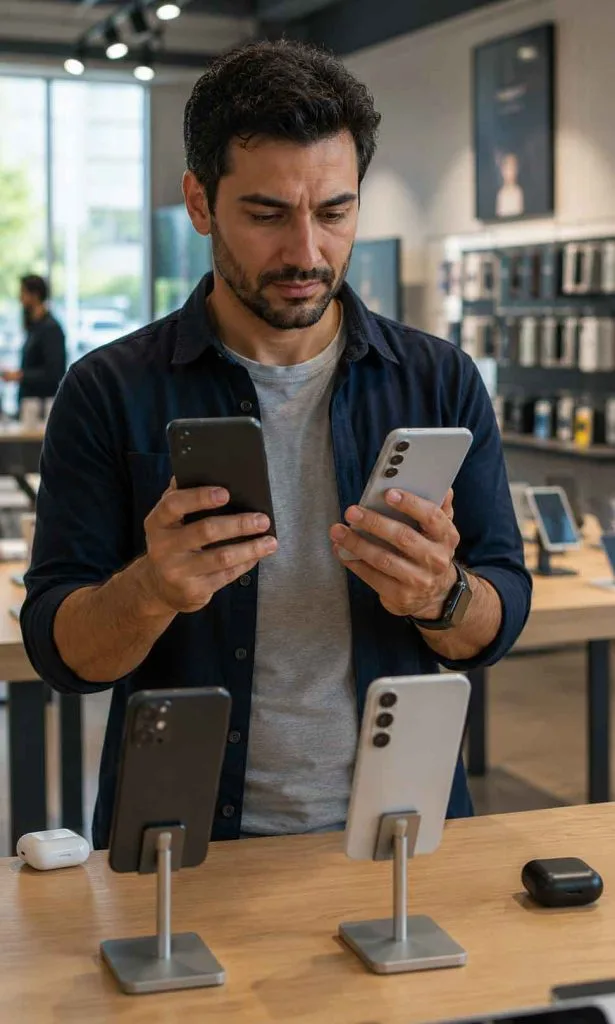
If possible, hold the phone before buying it. Pay attention to more than the diagonal screen measurement. Two phones with similar display sizes can feel surprisingly different because of their width, weight, thickness, edge shape and weight distribution.
Ask yourself:
- Can I comfortably reach important areas of the screen?
- Does the phone feel secure when used with one hand?
- Will the weight become tiring during reading or video calls?
- Does it fit comfortably in the pocket, bag or holder I actually use?
- Am I buying a large phone because I need the larger display, or because the larger model has been positioned as the “better” version?
The best phone on a specification sheet can become the wrong phone if you dislike holding it every day.
Battery Life Is About Your Routine, Not Just Battery Capacity

Battery capacity is usually measured in milliamp-hours, but the number alone cannot predict how long a phone will last for you.
A phone with a larger battery can still deliver disappointing endurance if it combines a power-hungry processor, bright display, weak cellular reception, demanding applications or inefficient background activity. Meanwhile, a device with a smaller battery may perform surprisingly well because the hardware and software are more efficient.
Your own routine matters just as much.
Navigation, mobile hotspot use, gaming, video recording, weak network coverage and high screen brightness can consume substantially more energy than light messaging or reading. Two people using the same phone can therefore have completely different opinions about its battery life.
Before buying, ask a more useful question than “How big is the battery?”
Ask:
Will this phone comfortably survive my heaviest normal day without forcing me to change how I use it?
If your current phone already requires multiple charging sessions, first understand whether the problem comes from an ageing battery or from unusually demanding usage. Our guide to phone battery health explains why fast drain, heat and battery degradation are not always the same problem.
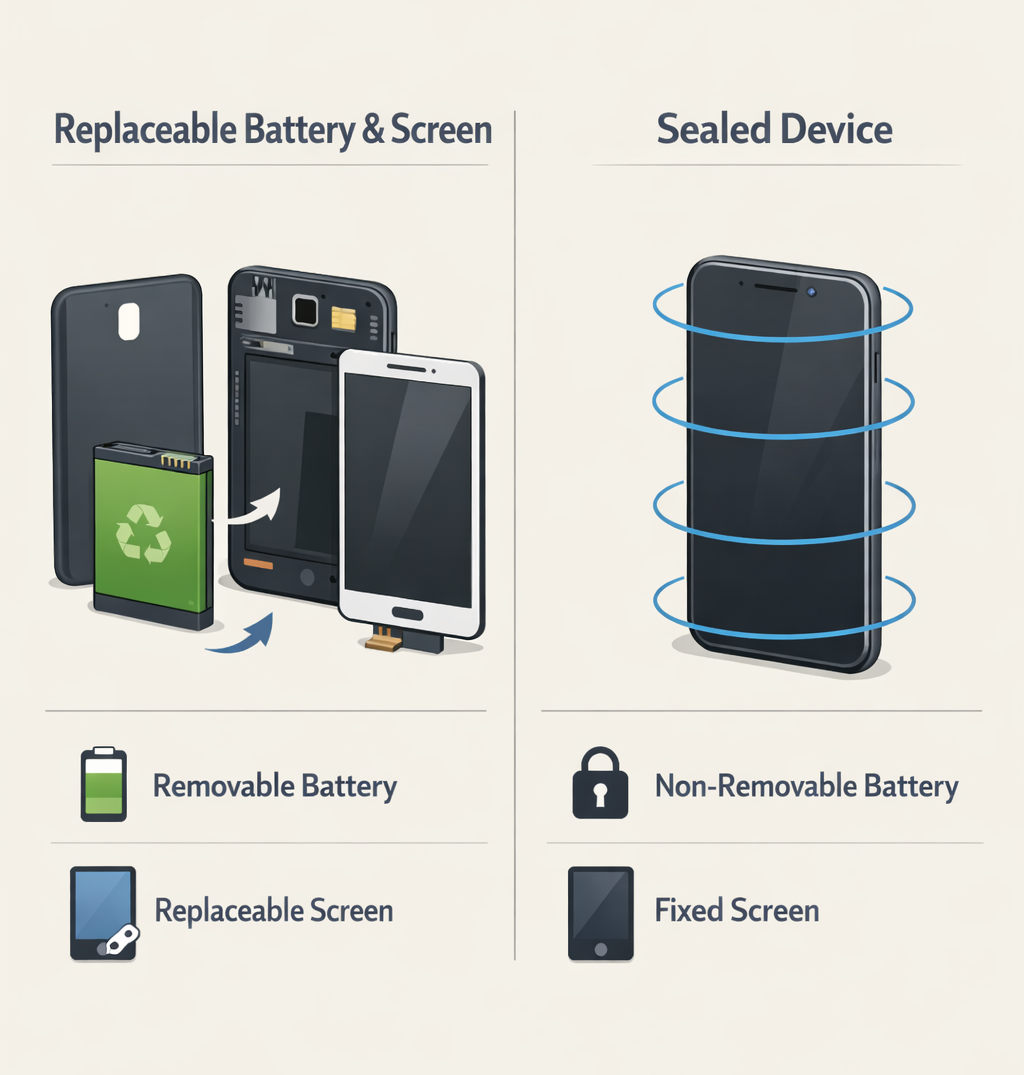
For long-term ownership, battery replacement also deserves consideration. Batteries are consumable components. A phone that remains excellent after three years may need a new battery rather than complete replacement, and the availability and cost of that service can significantly affect the device’s true ownership value.
Do Not Buy a Processor Benchmark

Smartphone processors are extraordinarily powerful, and that has created an unusual buying problem: many people are paying for performance they cannot meaningfully feel.
For ordinary messaging, web browsing, banking, navigation and video streaming, processor differences between competent modern phones may be much less noticeable than differences in display quality, battery life, storage or software experience.
High-end processing power becomes more important when you regularly perform demanding tasks such as:
- Playing graphically intensive games
- Editing high-resolution video
- Running demanding creative applications
- Using advanced on-device AI features
- Keeping a phone for many years
- Performing sustained workloads that require strong thermal management
The growing competition around mobile AI hardware and smartphone chips is making processors more capable, but those advances only create real value when the software and workloads you use can take advantage of them. Even then, peak benchmark performance does not tell the whole story.
A processor may be extremely fast for a short test but reduce its performance as the phone becomes hot. This is why sustained performance and thermal management can matter more than the highest benchmark number, particularly for gaming and intensive creative work.
For most buyers, the correct question is not, “Which phone has the fastest chip?”
It is, “How much performance do I need before additional performance stops improving my actual experience?”
That point may arrive much earlier than the marketing suggests.
How Much Storage Do You Really Need?

Storage is one of the easiest specifications to underestimate because a new phone begins with plenty of free space. The problem usually appears later, after years of photos, videos, downloaded media, messaging attachments, games, offline maps and increasingly large applications have accumulated.
The operating system also consumes part of the advertised capacity, so a 128GB phone never gives you the full 128GB for personal files.
For many buyers, 128GB is still workable, particularly when photos are regularly backed up to cloud storage and large games or videos are not kept on the device. However, buyers planning to keep a phone for several years should think about future storage growth rather than current usage alone.
| Storage | Best Suited For |
|---|---|
| 128GB | Light to moderate use, cloud storage, limited large games or video |
| 256GB | Strong general-purpose choice for longer ownership |
| 512GB | Heavy photography, video, gaming or large offline libraries |
| 1TB | Specialist use, extensive high-resolution video or very large local libraries |
Do not automatically buy the largest capacity available, but be cautious about buying a phone that is already close to your current storage requirement. If you currently use 110GB, moving to another 128GB device may create unnecessary pressure almost immediately.
Cloud storage can reduce the need for local capacity, but it is not a perfect substitute. Uploads require connectivity, subscriptions may become an ongoing expense, and some people prefer keeping important files available offline.
A practical approach is to check your current phone’s storage before shopping. Look at how much space you use, identify what consumes it and consider how long you plan to keep the next device. That gives you a far more realistic starting point than choosing storage based only on price.
Camera Quality Is More Than Megapixels

A 200-megapixel camera is not automatically better than a 50-megapixel camera, and a phone with four rear cameras is not automatically more capable than one with three.
Smartphone photography depends on the entire imaging system: sensor size, lens quality, autofocus, image stabilization, processing, colour science, low-light performance and the consistency between different cameras.
The best camera phone for you also depends on what you photograph.
If You Photograph Children, Pets or Action
Prioritize fast focusing, reliable shutter response and good processing of moving subjects. A camera that produces beautiful static photographs but regularly blurs movement may become frustrating.
If You Travel Frequently
A useful combination of main, ultrawide and optical zoom cameras may matter more than extreme megapixel resolution. Consistency between those cameras can also make a significant difference.
If You Record a Lot of Video
Look beyond maximum resolution. Stabilization, microphone quality, autofocus reliability, heat management and storage consumption may matter more in daily use.
If You Mostly Take Casual Photos
You may not need the most expensive camera system available. Many modern mid-range phones can produce excellent photographs in good lighting, and paying substantially more may deliver improvements that are visible mainly in difficult conditions.
The most useful camera comparison is not a list of specifications. It is a collection of photographs and videos taken under the conditions you actually care about: indoors, at night, with moving subjects, at different zoom levels and with skin tones.
A camera should be judged by how often it produces the photograph you wanted, not by how impressive its specification sounds.
Display Quality Matters More Than Resolution Alone

The display is the component you interact with every time you use the phone, yet buyers often reduce it to three numbers: size, resolution and refresh rate.
Real display quality is broader.
Brightness matters if you regularly use the phone outdoors. Colour accuracy matters for photography and creative work. Minimum brightness can affect comfort when reading at night. Refresh rate influences how smooth scrolling and animations feel, while the display’s power efficiency can influence battery life.
A 120Hz display can feel noticeably smoother than a traditional 60Hz panel, particularly during scrolling and animation. However, refresh rate alone does not determine whether a display is good. A bright, well-calibrated and efficient panel may provide a better overall experience than a technically faster screen with weaker visibility or poor tuning.
Also consider the shape of the display. Curved edges can look elegant but may create accidental touches, reflections or difficulties with screen protectors. Very narrow phones can feel easier to hold, while wider displays may be better for reading and typing.
If you spend several hours looking at your phone every day, display comfort is not a minor specification. It is one of the most frequently experienced parts of the entire purchase.
Software Experience Can Matter More Than Hardware
Two phones with similar hardware can feel completely different because of their operating systems, interface design, default applications and background behaviour.
Some buyers prefer extensive customization. Others want a simpler interface with fewer settings. Some rely heavily on a particular ecosystem of watches, tablets, computers, cloud services or messaging platforms. These differences can matter more than a modest processor advantage.
Before switching platforms or manufacturers, consider:
- How easily your photos, messages and files can be transferred
- Whether your watch, earbuds or other accessories remain compatible
- Which applications and services you rely on
- How long the phone will receive operating-system and security updates
- Whether unwanted applications can be removed or disabled
- How aggressively the software manages background applications
- Whether the interface suits the way you actually use a phone
A phone is not simply a collection of hardware components. The operating system determines how you interact with those components hundreds of times every day.
This becomes even more important as smartphones increasingly use personalization systems and artificial intelligence to decide which applications remain active, how notifications are prioritized and how the device adapts to user behaviour. These systems can improve convenience, but they also mean that two technically similar phones may behave differently over time.
Software Support Should Match Your Ownership Plan
If you intend to keep a phone for several years, software support is part of the purchase price.
A device can remain physically functional long after it stops receiving major operating-system upgrades, but security updates become increasingly important as phones are used for banking, authentication, personal communication and sensitive accounts.
Longer software support does not automatically make a phone better, but it increases the period during which keeping the device remains realistic.
The important distinction is between:
- Major operating-system updates
- Security updates
- Feature updates
- Manufacturer-specific support policies
Do not rely only on vague promises such as “years of updates.” Check what type of updates are included and whether the policy applies to the exact model and region you are considering.
For a buyer who changes phones every two years, seven years of promised support may not materially affect the decision. For someone hoping to keep a phone for five years, it can be one of the most important specifications on the entire page.
AI Features Should Not Decide the Purchase by Themselves
Artificial intelligence has become one of the largest smartphone marketing categories, but buyers should distinguish between useful capabilities and features they may try once and forget.
Some AI functions can genuinely improve daily use, including transcription, translation, photo search, call assistance, image editing, writing support and intelligent organization. The value depends on whether those features solve a recurring problem for you.
It also matters where the processing happens.
Some functions run directly on the phone, while others depend on cloud servers. On-device processing can offer advantages in speed, offline availability and privacy for certain tasks, while cloud processing can support larger and more computationally demanding models.
The distinction between on-device AI and cloud AI is becoming increasingly important because a phone advertised as an “AI phone” may still depend heavily on an internet connection or external processing for its most advanced features.
Before paying more for AI capabilities, ask:
- Is this feature available in my language and region?
- Does it require an internet connection?
- Is it included permanently or connected to a future subscription?
- Does the processing happen on the device or in the cloud?
- Will I use it repeatedly enough to influence which phone I buy?
AI can be a meaningful part of a smartphone experience, but it should strengthen an already suitable phone rather than rescue a poor buying decision.
Do Not Ignore Connectivity and Network Compatibility
A phone can have an excellent display, powerful processor and impressive camera system while still being a poor purchase if it does not work properly with the networks you use.
This is especially important when buying an imported phone, purchasing from an overseas marketplace or choosing a model originally designed for another region. Two phones with almost identical names may support different cellular bands, SIM configurations or network features.
Before buying, check:
- 4G and 5G band compatibility with your mobile carrier
- Physical SIM and eSIM support
- Dual-SIM functionality
- VoLTE and Wi-Fi calling compatibility
- Roaming requirements
- Whether carrier-specific features work in your country
- Whether the exact regional model receives the expected software support
Do not assume that “5G supported” means the phone supports every 5G network. Cellular compatibility depends on specific frequencies and technologies, and a partially compatible imported device may still connect while providing weaker coverage or missing certain network features.
This can also affect battery life. A phone that repeatedly struggles to maintain a weak or poorly supported cellular connection may consume more power searching for or maintaining service.
For most buyers purchasing an officially distributed phone from a reputable local seller, compatibility is relatively straightforward. For imported devices, it deserves careful checking before payment.
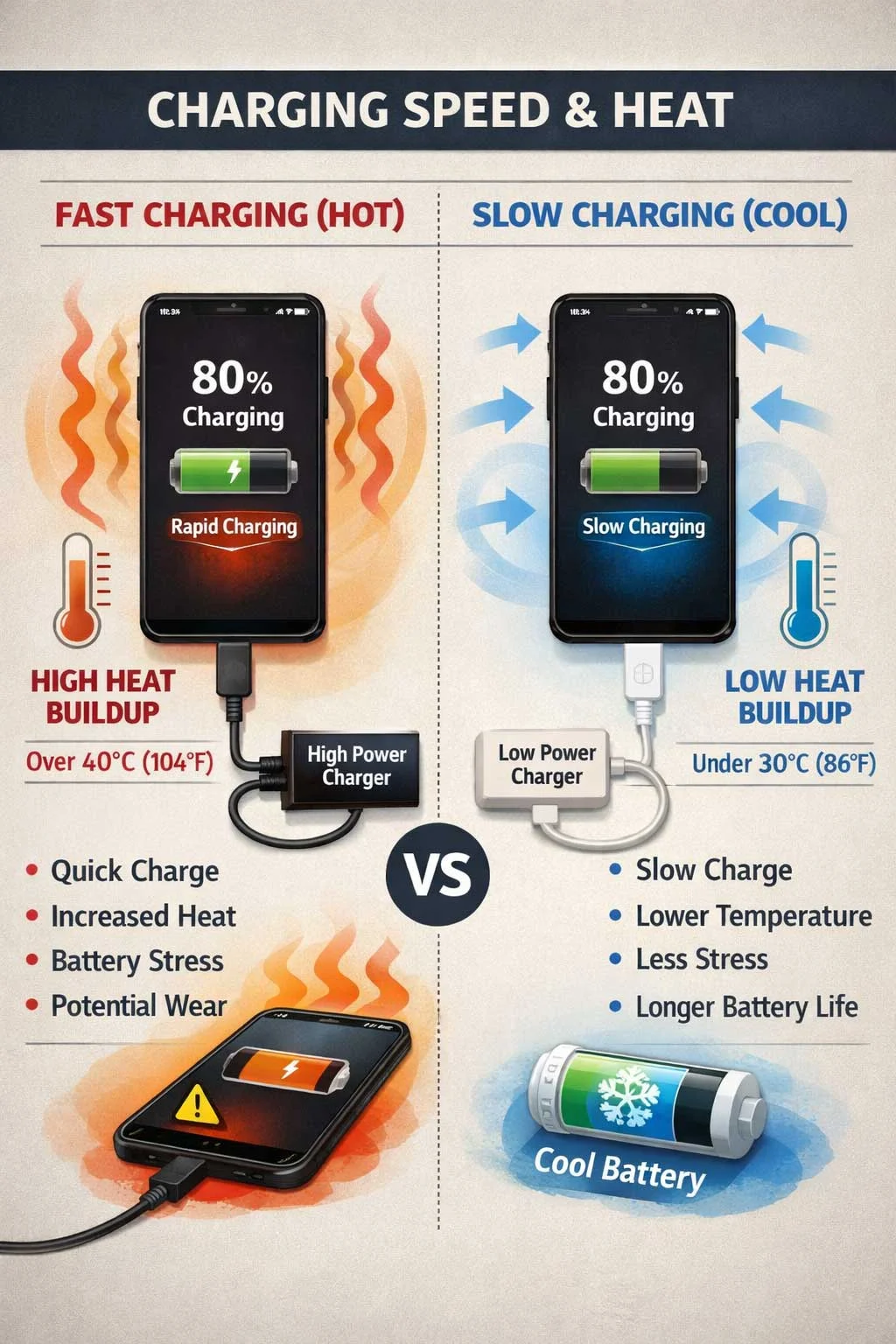
Charging Speed Is Useful, but Heat and Convenience Matter Too
Very fast charging can be genuinely useful. If ten or fifteen minutes of charging provides enough power for several additional hours, the feature can change how you use the phone.
However, the highest advertised wattage should not automatically determine which phone you buy.
Charging performance depends on several factors, including battery temperature, charger compatibility, the current battery percentage and the manufacturer’s charging strategy. A phone advertised with extremely fast charging may only maintain its maximum speed for part of the charging session.
You should also check what is included in the box.
A phone may support fast charging but require a separately purchased charger. Some charging systems use proprietary technology, which means a standard USB charger may work but at a slower speed. If you travel frequently or maintain chargers in several locations, compatibility may matter more than achieving the highest possible charging speed.
Wireless charging adds convenience, particularly on desks and bedside tables, but it can also generate more heat under some conditions. Reverse wireless charging may be useful for accessories, although many owners rarely use it after the initial novelty disappears.
The right charging system is the one that fits your routine reliably. A slightly slower but widely compatible charging standard may be more useful than exceptional charging speed that depends on one specific charger.
Durability Is More Than an IP Rating
Phones are expensive objects that spend years being carried, dropped, exposed to moisture and repeatedly heated and cooled. Durability therefore deserves more attention than it usually receives during a purchase.
Water and dust resistance ratings are useful, but they should not be interpreted as a permanent guarantee against damage. Seals can deteriorate with age, physical impacts can affect protection, and warranty coverage for liquid damage may differ from the marketing impression created by an IP rating.
Consider the entire physical design:
- Is the screen easy to protect?
- Are replacement parts reasonably available?
- Does the back material crack easily?
- Is the frame likely to survive ordinary drops?
- Can the charging port be repaired?
- Is battery replacement realistically available?
- Will cases and screen protectors remain easy to find?
A beautiful phone that becomes extremely expensive to repair after one accident may have a very different long-term cost from a slightly less glamorous device with better service availability.
This is particularly important if you intend to keep the phone for four or five years. Long ownership increases the probability that the device will eventually need a battery, charging port, display or other repair.
Repairability Should Be Part of the Buying Decision

Most buyers think about repairs only after something breaks. By then, the phone has already been purchased.
Before buying an expensive device, investigate whether common repairs are available and approximately what they cost. You do not need to predict every possible failure, but battery and screen replacement are particularly relevant because they are among the most likely reasons an otherwise usable phone becomes difficult to keep.
A useful long-term question is:
If this phone is still working well in three years but the battery has deteriorated, can I reasonably restore it?
If the answer is yes, the phone may have a much longer practical life.
If battery service is unavailable, parts are difficult to obtain or repair costs approach the value of the device, replacement may become necessary much earlier.
Repairability does not mean every buyer should repair every phone. It means preserving the option. A phone that can economically recover from ordinary ageing or damage gives its owner more control over when replacement becomes necessary.
Consider the Entire Ecosystem, but Do Not Let It Trap You

Smartphones increasingly operate as the centre of a larger technology ecosystem. Watches, earbuds, tablets, laptops, smart-home devices, cloud storage and subscription services may all interact with the phone.
This integration can be genuinely valuable. A watch may unlock a computer, earbuds may switch automatically between devices, photographs may appear instantly on a tablet and messages may continue across multiple screens.
However, ecosystem convenience can also make buyers feel that they have no choice but to remain with a particular brand.
Before switching, calculate the real cost of leaving. You may need to replace certain accessories, transfer cloud data or adjust to different applications. In some cases, staying within an existing ecosystem is the most practical decision. In others, the perceived difficulty of switching is much greater than the actual difficulty.
The goal is not to avoid ecosystems. It is to understand whether the ecosystem is serving you or simply influencing the next purchase by default.
Refurbished and Previous-Generation Phones Can Offer Better Value
The newest phone is not automatically the best value.
A previous-generation flagship may offer a stronger camera system, better construction and higher overall performance than a new mid-range device at a similar price. A professionally refurbished phone can also reduce purchase cost, although the condition of the battery, warranty and quality of refurbishment become critical.
When considering an older or refurbished device, check:
- Remaining software and security support
- Battery condition or battery replacement history
- Warranty coverage
- Screen and camera condition
- Whether non-original parts have been installed
- Water-resistance limitations after repair
- Network compatibility
- Activation locks or account restrictions
- The seller’s return policy
Battery condition deserves particular attention because an older phone can appear physically excellent while already having significantly reduced usable capacity.
A discounted older flagship is only a bargain if it still has enough supported life remaining for your ownership plan.
Be Careful With Launch-Day Excitement
Phone launches are designed to make improvements feel urgent.
A brighter display, faster processor, new camera mode or AI feature may be genuinely impressive, but the important question is how much the improvement changes your own daily experience compared with the phone you already have.
If your current phone is reliable, secure, fast enough and still meets your needs, delaying replacement can be financially sensible. Waiting also provides time for long-term reviews to reveal battery behaviour, thermal problems, software bugs and other issues that are difficult to identify during initial testing.
Early reviews are useful for understanding features. Longer-term ownership reports are often better for understanding compromises.
The best time to replace a phone is not necessarily when a new model launches. It is when the limitations of your existing device become meaningful enough that a replacement will produce a real improvement in your daily life.
The Cheapest Phone Is Not Always the Best Value
Price and value are related, but they are not the same.
A very inexpensive phone that becomes frustrating after eighteen months may cost more per useful year than a more expensive device that remains satisfactory for four or five years. At the same time, paying flagship prices for unused capabilities is not good value either.
A simple way to compare phones is to estimate:
Total purchase and expected repair cost ÷ realistic years of ownership
For example, a $600 phone kept for four years costs roughly $150 per year before repairs and accessories. A $1,200 phone replaced after two years costs roughly $600 per year.
This calculation is intentionally simple, but it changes the buying conversation. Instead of asking only, “Can I afford this phone today?” you begin asking, “How much useful ownership am I buying?”
That is a much better question.
A Practical Phone Buying Checklist
By this point, the most important lesson should be clear: there is no universally best phone. There is only a phone whose combination of size, battery life, performance, cameras, software, support and price fits a particular owner better than the alternatives.
Before buying, work through this checklist.
1. Define Your Ownership Period
Decide whether you realistically expect to keep the phone for two years, three years or five years. This determines how much weight you should give to software support, storage, repairability and long-term performance.
2. Identify Your Three Most Important Uses
Choose the activities that genuinely dominate your phone use. Photography, gaming, navigation, work, video, communication and social media can lead to very different priorities.
Do not create a list of fifteen equally important requirements. If everything is a priority, nothing is.
3. Choose a Comfortable Size and Weight
Whenever possible, hold the phone before buying it. A device that feels slightly uncomfortable for five minutes in a shop may become considerably more annoying after several hours of daily use.
4. Check Your Current Storage
Look at how much storage you use today and add reasonable headroom for the years ahead. Do not pay for enormous unused capacity, but avoid beginning a long ownership period with almost no room to grow.
5. Match Battery Life to Your Hardest Normal Day
Think about travel, navigation, photography, mobile data, gaming and other demanding activities. A phone that survives an easy day but fails during your normal heavy-use day may create constant charging anxiety.
6. Check the Exact Software Support Policy
Do not rely on assumptions based on the brand. Confirm the support commitment for the specific model you are considering.
7. Confirm Network and Regional Compatibility
This is especially important for imported phones. Check cellular bands, SIM support, eSIM, Wi-Fi calling and other carrier-dependent features.
8. Investigate Battery and Screen Repair Costs
You do not need to buy a repair today. You are checking whether keeping the phone later will remain a realistic option.
9. Compare the Features You Will Actually Use
Ignore specification victories that do not improve your own experience. A better telephoto camera has little value if you never use zoom. Extreme gaming performance has little value if you do not play demanding games.
10. Calculate the Cost Per Expected Year
A more expensive phone may be better value if you genuinely keep it longer. A cheaper phone may be the smarter purchase if it already satisfies your needs for the entire planned ownership period.
Red Flags That Should Make You Pause Before Buying
Even an attractive deal deserves additional investigation when certain warning signs appear.
Be cautious if:
- The exact model has unclear software support.
- The phone is imported and network compatibility is uncertain.
- The seller cannot explain the warranty.
- A refurbished device has no meaningful battery information.
- The storage capacity is already close to your current usage.
- The phone is uncomfortable to hold but you are hoping you will “get used to it.”
- You are paying substantially more for one feature you rarely use.
- Repair costs are unusually high.
- The device depends heavily on proprietary accessories you do not already own.
- A major advertised AI feature is unavailable in your language or country.
- You are replacing a working phone primarily because a new model has launched.
None of these automatically makes a phone a bad purchase. They are signals that the decision deserves another step of investigation.
What Specifications Can You Safely Stop Obsessing Over?
Phone buying becomes easier when you recognize that not every specification deserves equal attention.
For many ordinary buyers, small differences in peak processor benchmarks are unlikely to matter. Extremely high megapixel counts do not guarantee better photographs. Maximum charging wattage does not tell you how convenient charging will be in real life. A higher display resolution may be difficult to notice at normal viewing distances, and having more cameras does not guarantee a better camera system.
This does not mean specifications are meaningless. It means they need context.
A specification becomes important when it changes something you regularly experience.
That is the filter to use.
If a feature does not improve comfort, reliability, capability, longevity or something you genuinely enjoy doing, it should have limited influence over how much you spend.
Should You Buy a Flagship Phone?
A flagship can make sense when you regularly benefit from what the premium buys.
You may value the best available camera system, high sustained performance, premium display quality, longer support, stronger accessory ecosystems or advanced features unavailable on cheaper models. For someone who uses a phone heavily every day and keeps it for several years, the additional cost can be reasonable.
However, flagship pricing becomes harder to justify when the buyer primarily uses messaging, social media, web browsing, video streaming and occasional photography. Modern mid-range phones can perform these tasks extremely well.
The mistake is not buying an expensive phone.
The mistake is assuming that expensive automatically means better for you.
Should You Buy a Budget Phone?
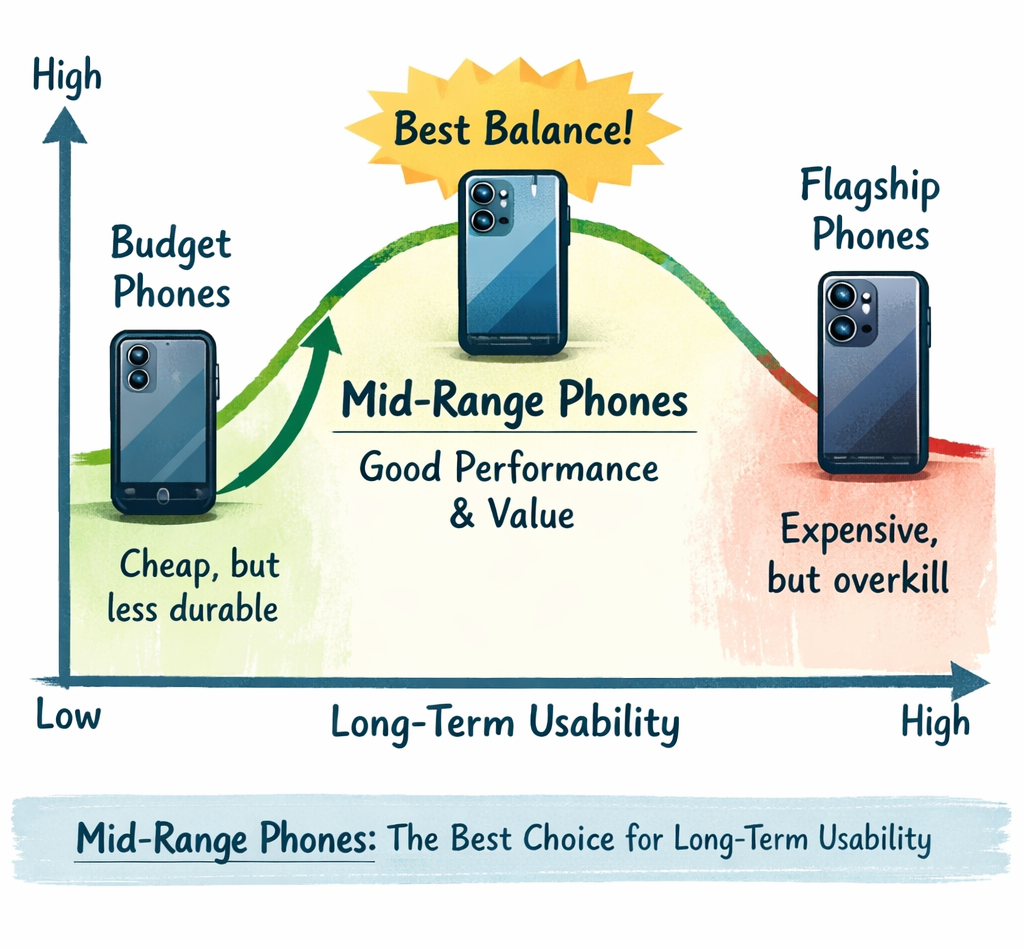
Budget phones can offer excellent value when expectations are realistic.
The strongest models often provide good battery life, competent displays and enough performance for ordinary daily tasks. The compromises may appear in camera consistency, construction, processor performance, haptics, display brightness, storage speed, update support or long-term performance.
The important question is whether those compromises affect your priorities.
A buyer who rarely takes photographs may happily accept a weaker camera in exchange for lower cost and strong battery life. Someone hoping to keep the device for five years may care much more about software support and performance headroom.
Budget does not mean bad.
It means the compromises need to be in places you can comfortably accept.
Should You Upgrade Your Current Phone at All?
Before choosing a new phone, consider whether the best buying decision might be not buying one yet.
If your current phone still receives security updates, performs your essential tasks, has enough storage and remains physically reliable, the main problem may be repairable. A worn battery can often be replaced. A damaged charging port may be repairable. Software problems may be fixable without replacing the hardware.
Upgrade when the limitations have become meaningful.
Common reasons include:
- Security support has ended.
- The phone can no longer run essential applications reliably.
- Battery problems remain severe after appropriate diagnosis or service.
- Repair costs are unreasonable compared with the phone’s remaining useful life.
- Storage limitations repeatedly interfere with normal use.
- Performance genuinely disrupts important tasks.
- A new device provides a capability that will materially improve your work or daily life.
A slower benchmark score is not, by itself, a reason to replace a phone.
The Best Phone Is the One With the Fewest Wrong Compromises

Every phone is a compromise.
A compact phone may sacrifice battery capacity. A camera-focused flagship may be heavy. A gaming phone may prioritize cooling and performance over photography. A budget phone may provide excellent endurance while reducing long-term software support. A foldable may create new ways to work while introducing additional complexity and cost.
The goal is not to eliminate compromise.
It is to choose the compromises that matter least to you.
A successful phone purchase often feels less exciting than marketing suggests. You identify what you genuinely need, reject features that do not improve your life, choose enough performance and storage for the years ahead, confirm that the device can be supported and repaired, and then keep it until a meaningful limitation appears.
That approach may not always lead to the newest phone, the most expensive phone or the phone with the highest benchmark score.
It is far more likely to lead to the right phone.
FAQ
How do I choose the right phone for me?
Start with how you actually use your phone, how long you expect to keep it and which three features matter most to your daily routine. Then compare size, battery life, storage, camera performance, software support, network compatibility and repair options. The right phone is usually the one with the fewest compromises in the areas that matter most to you.
How much storage should I get on a new phone?
For many people, 128GB is workable when cloud storage is used regularly, while 256GB provides more comfortable headroom for several years of ownership. Heavy photographers, video creators and mobile gamers may benefit from 512GB or more. Check how much storage your current phone already uses before deciding.
Is it worth buying a flagship phone?
A flagship phone can be worth the additional cost when you regularly benefit from its camera system, sustained performance, premium display, longer software support or other advanced capabilities. If your main activities are messaging, web browsing, social media and video streaming, a good mid-range phone may provide better value.
How long should a good smartphone last?
A well-chosen smartphone can often remain useful for three to five years or longer when it continues receiving appropriate security support and its battery or other common components can be serviced when necessary. The realistic lifespan depends on software support, battery ageing, physical condition and whether the phone still meets the owner’s needs.
Is 128GB enough for a phone in 2026?
128GB can still be enough for light to moderate users who regularly use cloud storage and do not keep large games or extensive video libraries on the device. Buyers planning to keep a phone for several years may find 256GB more comfortable, particularly if their current storage usage is already approaching 100GB.
What is the most important feature when buying a phone?
There is no single most important feature for every buyer. The most important feature is the one that most strongly affects your highest-frequency or essential tasks. For one person that may be battery life, while another may prioritize camera reliability, compact size, software support, accessibility or sustained performance.
Should I replace my phone or just replace the battery?
Battery replacement can make sense when the phone still performs well, has sufficient storage, remains supported with security updates and has no other major hardware problems. Replacing the entire phone may provide better value when several limitations exist at the same time or when repair costs are high compared with the device’s remaining useful life.
Should I buy the newest phone model?
Not necessarily. A previous-generation flagship, a strong mid-range model or a professionally refurbished phone may offer better value depending on price, remaining software support and battery condition. The newest model is worth considering when its improvements materially affect the way you use your phone.