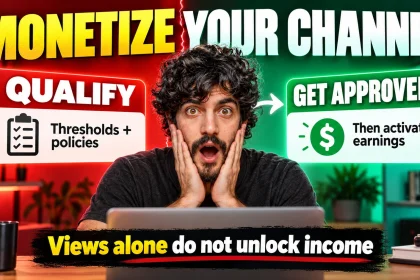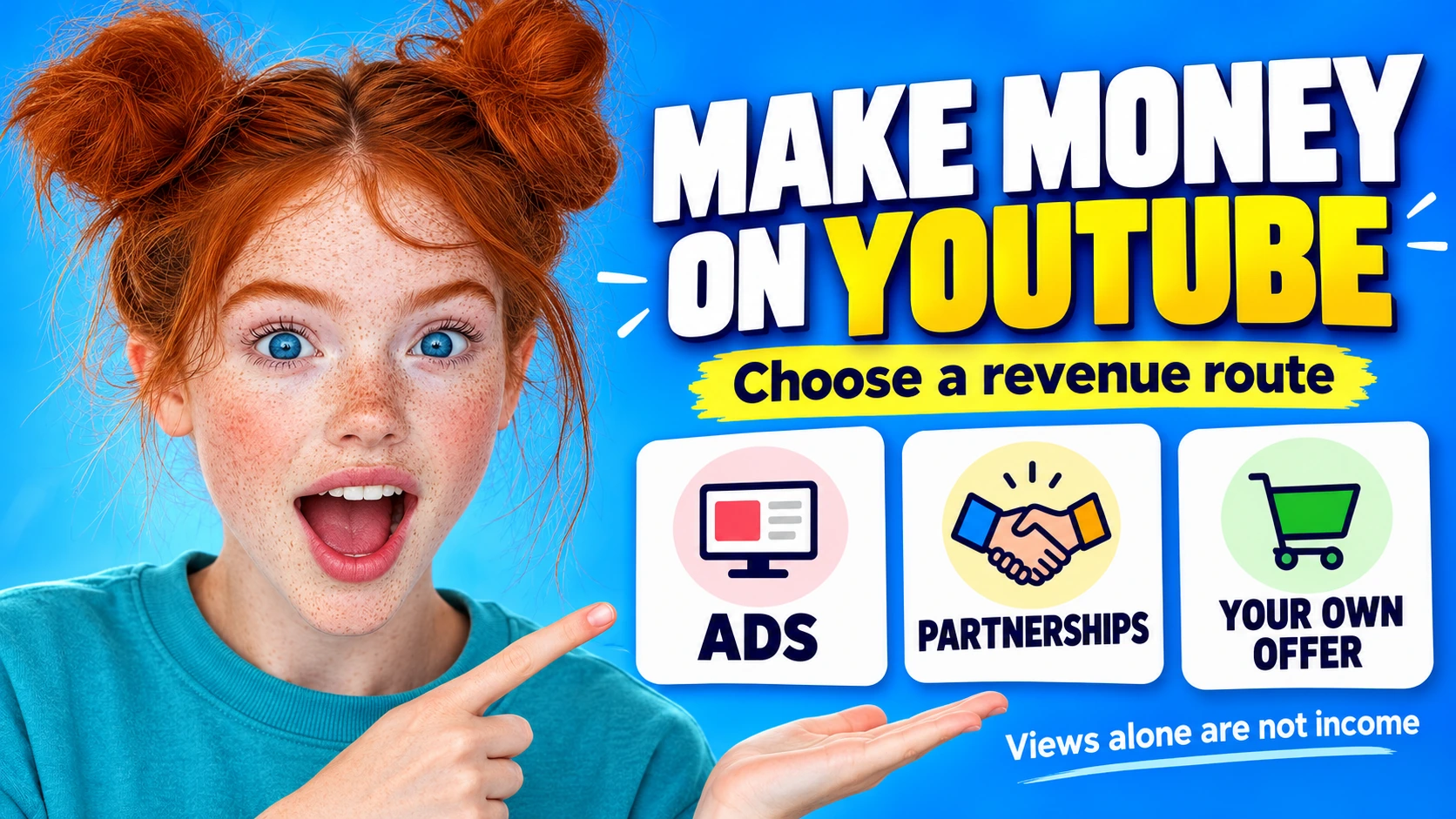

You can make money on YouTube through advertising and Premium revenue, fan support, affiliate recommendations, sponsorships, or your own products and services. The right starting route depends on what your viewers need and whether your channel qualifies for the relevant features. Start with one useful video and one realistic income route, then measure what happens before expanding.
| Income route | Who pays? | What must happen? |
|---|---|---|
| Ads and YouTube Premium | YouTube, through its partner arrangements | Qualify, pass review and enable the relevant monetization modules. |
| Memberships and Supers | Supporters, through eligible YouTube features | Meet the feature requirements and give viewers a reason to support you. |
| External affiliate programs | A merchant or affiliate network | A tracked action qualifies under the program terms. |
| Sponsorships | A brand or agency | Deliver the agreed work under a clear agreement. |
| Your own products or services | Your customers | An interested viewer buys an offer you can fulfil. |
The business distinction is simple: a view creates an opportunity, while a payment requires an eligible monetized event, an approved commission, an agreed deliverable, or a sale. These routes have different costs, responsibilities and payment schedules. You do not need to build all of them at once.
Which income route should you start with?
Choose the route that fits the reason people watch your videos. A product comparison can support an affiliate recommendation, a specialist tutorial can support a service, and a returning community can support fan funding. Advertising can complement these routes once the channel meets YouTube’s requirements.
This is an editorial decision framework rather than a claim that one niche always earns more. A viewer who wants help choosing a microphone has a different next action from a viewer watching a comedy sketch. Matching the offer to that immediate need can make the next step more useful, but it does not guarantee a purchase.
Choose a small revenue pilot
- Pick one viewer problem. Write down the question you can answer with original knowledge or a genuine demonstration, such as choosing a microphone for a small home office.
- Make an original demonstration. Show the test, comparison or process that helps that viewer decide; make the title and opening match what the video actually delivers.
- Test one relevant offer. Choose a suitable affiliate recommendation or a small offer you can fulfil, explain the relationship, and record the response. Start with one video rather than buying equipment for a large series.
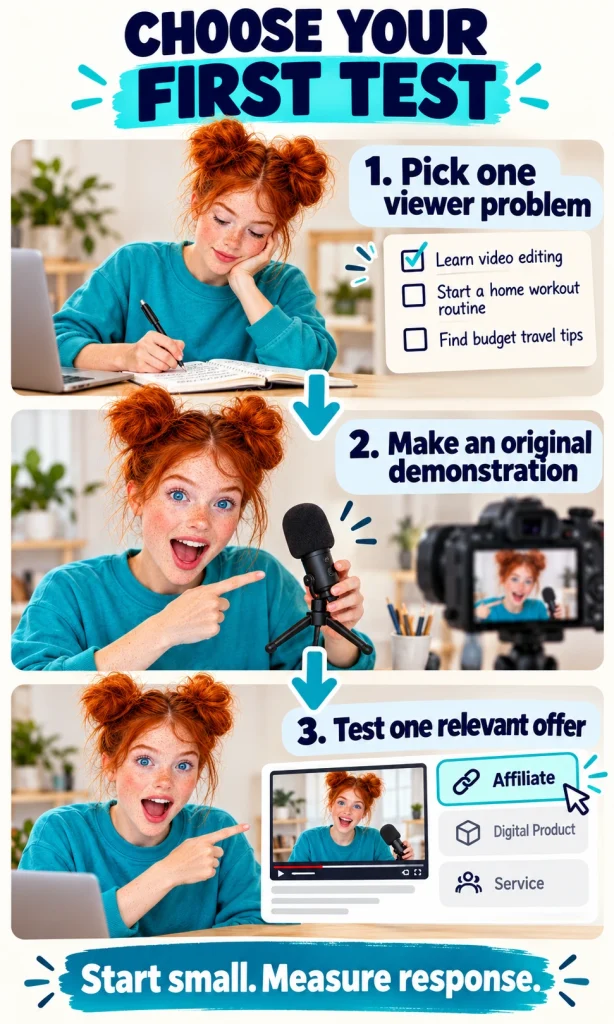
A desk-setup creator might demonstrate how two microphone positions change recorded sound and offer a relevant setup checklist. The viewer receives useful information before encountering the offer, so the commercial step follows the content rather than replacing it. This example illustrates audience fit; it is not a tested earnings forecast.
YouTube’s earnings overview recognizes multiple ways to earn, including ads, fan funding and Shopping. Availability and the work involved differ between features, so a broad list of income options is only a starting point. For a smaller channel, the next useful distinction is make money on YouTube under 1,000 subscribers and which routes depend on YPP access.
When can YouTube itself start paying you?
YouTube payments require access to the relevant monetization feature and completion of the payment-account requirements. Earlier YPP access and advertising revenue sharing have different entry thresholds. The table below describes the published requirements checked on 14 October 2026, with announced future changes kept separate.
| Access level | Subscriber and activity requirement | Watch-time or Shorts route |
|---|---|---|
| Earlier YPP access in eligible regions | 500 subscribers and 3 valid public uploads in the last 90 days | 3,000 qualified public watch hours in 12 months OR 3 million qualified public Shorts views in 90 days. |
| Ads and Premium revenue sharing: current entry | 1,000 subscribers | 4,000 qualified public watch hours in 12 months OR 10 million qualified public Shorts views in 90 days. |
| Announced new ads/Premium entry from 1 February 2027 | 1,000 subscribers; existing YPP status is not changed by this entry update | 8,000 qualified watch hours in 365 days OR 20 million qualified Shorts views in 90 days. |
The expanded YPP guidance describes earlier access to eligible fan-funding and Shopping features, rather than automatic advertising revenue sharing. The current YPP overview sets the higher advertising entry requirements and explains that Shorts Feed watch time does not count toward the long-form watch-hours route. Country availability, channel compliance and individual feature requirements still apply.
Why qualification is only the first gate
Counts determine whether you can apply; channel review determines whether YouTube accepts the channel. YouTube then pays eligible finalized earnings through an account that meets its payment requirements. Treating these as separate gates prevents the mistake of assuming that reaching a subscriber milestone immediately creates a bank payment.
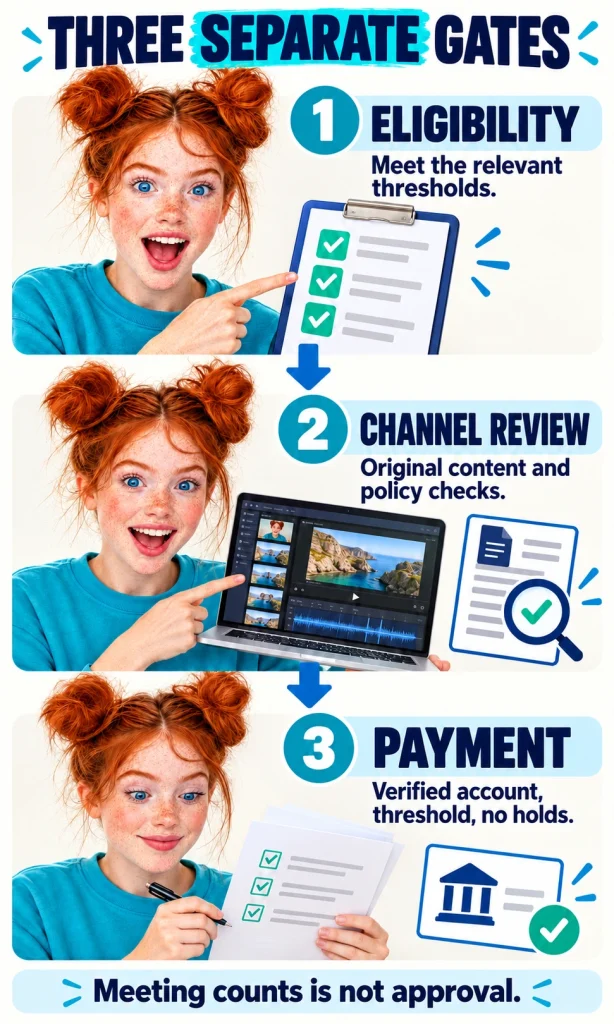
YouTube’s channel monetization policies assess original and authentic value, including restrictions on reused and repetitive or mass-produced content. A channel can clear the numerical threshold and still fail that review. Copyright permission and monetization eligibility are separate issues, so permission to use a clip is not an automatic approval of the resulting channel.
Check your current position in Studio
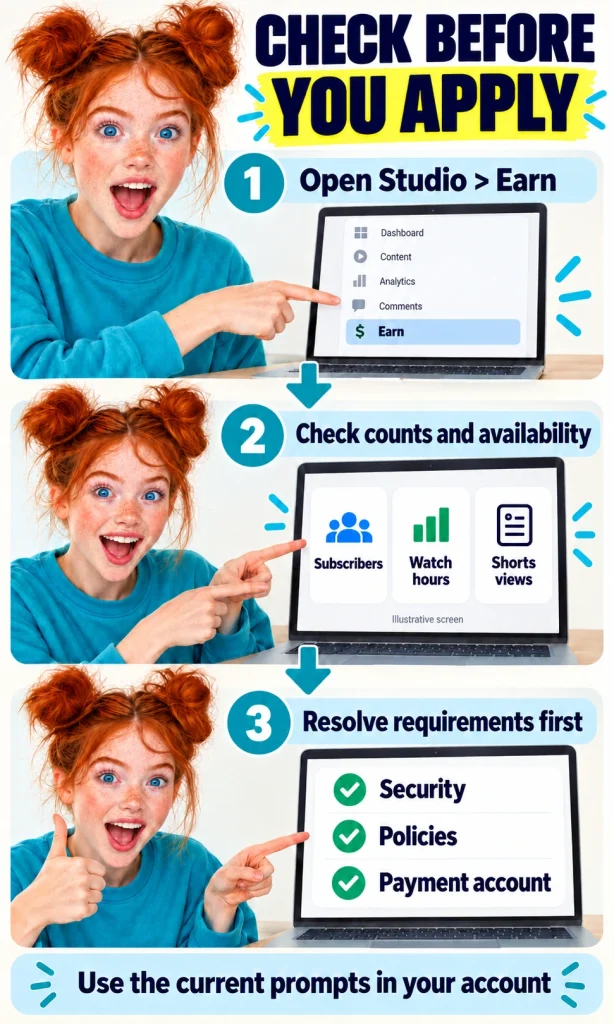
- Open YouTube Studio and select Earn. Use the account that manages the channel and follow the current status prompts.
- Check qualifying counts and availability. Read the relevant watch-time or Shorts route, country availability and feature requirements rather than relying on the public view counter.
- Resolve the requirements shown. Check account security, policy eligibility and the payment-account steps. If application is not available, note the next unmet requirement and continue producing original content; use the dedicated application guide when eligible.
For the full application sequence, see YouTube how to monetize. Once approved, payment timing depends on finalized earnings, the account’s currency threshold and any holds, not a universal view count. YouTube’s payment-threshold guidance lists US$100 for USD accounts, while other currencies have their own thresholds.
Announced change: YouTube’s February 2027 YPP update asks creators to review updated terms by 31 January 2027 to keep earning from the associated features. It also announces a 10-million-qualified-Shorts-views requirement over the preceding 90 days for monthly Shorts Creator Pool earnings from February 2027, alongside updated activity rules. These are future changes as of this article’s check date; read your account notifications before relying on an older eligibility checklist.
How can you earn beyond advertising?
You can build external income through affiliate programs, sponsor agreements and an offer you own. These arrangements are distinct from YouTube paying a share of advertising revenue, and external providers set their own participation and payment terms. YouTube Shopping affiliate tagging is a separate platform feature with its own eligibility, so do not confuse it with an ordinary external affiliate link.
Affiliate recommendations: earn from qualifying actions
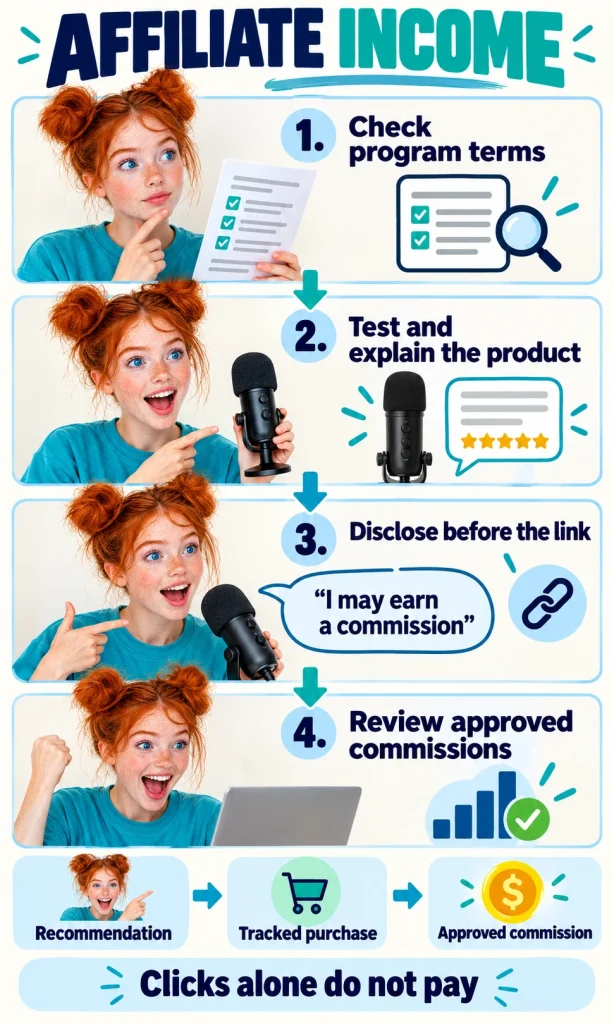
Affiliate income connects a recommendation to an action tracked and approved by a merchant or network. Attribution rules, excluded purchases, returns and payout conditions can change what is payable. A click or an order shown as pending is therefore not the same as an approved commission.
- Check the program terms. Confirm YouTube promotion is allowed, understand attribution and payment rules, and check any placement restrictions.
- Test and explain the product. Show the evidence behind the recommendation, including limitations and who should choose a different option.
- Disclose before the link. Put a clear statement near the recommendation and the affiliate link, such as “I may earn a commission if you buy through this link.” Include disclosure in the video itself when the recommendation is made there.
- Review approved commissions. Use the program’s report to distinguish clicks, pending actions, reversals and payable commissions. Start with one genuinely relevant product rather than a long list of untested recommendations.
For promotions reaching U.S. consumers, the FTC’s disclosure guidance calls for a material relationship to be clear and hard to miss. A video endorsement needs disclosure in the video, and a description alone may be insufficient. Other applicable countries may add requirements, so treat this as a U.S. disclosure example rather than universal legal wording.
Sponsorships: earn for an agreed deliverable
A sponsor pays for a specified piece of work and any rights included in the agreement. Audience relevance and actual performance help the parties evaluate the fit; a subscriber count does not define the entire deliverable. A small specialist channel may have a suitable commercial audience, but no brand is obliged to buy a placement.
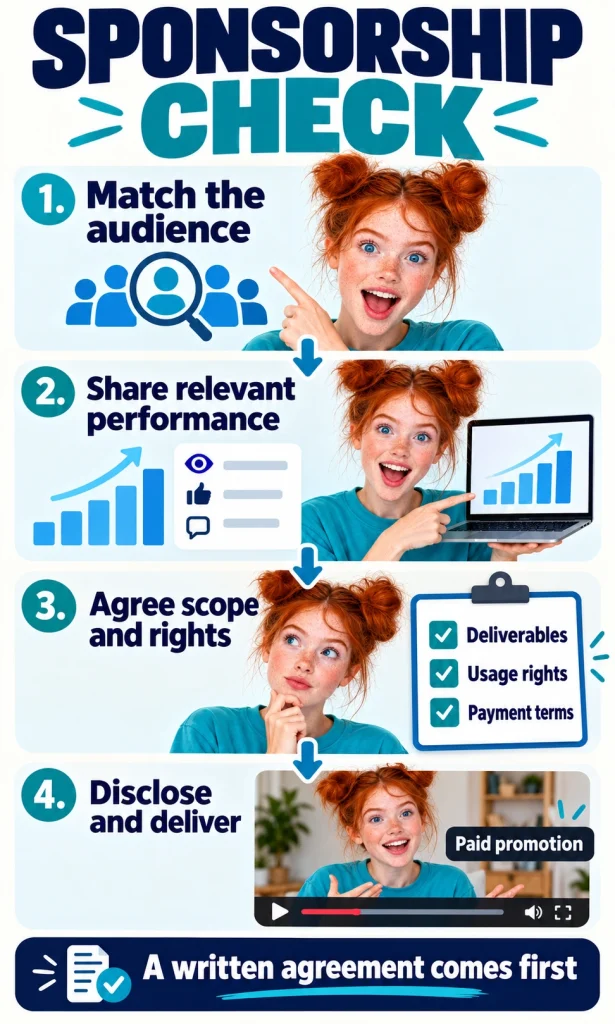
- Match the audience. Identify a brand whose product belongs in the problem your viewers are trying to solve.
- Share relevant performance. Prepare recent comparable-video results and audience information you actually have; avoid invented reach or a promise of sales.
- Agree scope and rights. Put deliverables, schedule, revisions, usage rights, exclusivity and payment terms in writing before production. Keep a first proposal narrow enough to deliver reliably.
- Disclose and deliver. Use YouTube’s paid-promotion setting when required, make the relationship clear in the video, and supply the agreed work and reporting.
YouTube’s branded-content disclosure guidance requires creators to notify the platform about covered commercial relationships using the paid-promotion setting. That setting does not replace every disclosure obligation that may apply to the promotion. For a deeper discussion of the commercial route, continue to make money on YouTube by sponsorships.
Products and services: earn from your own offer
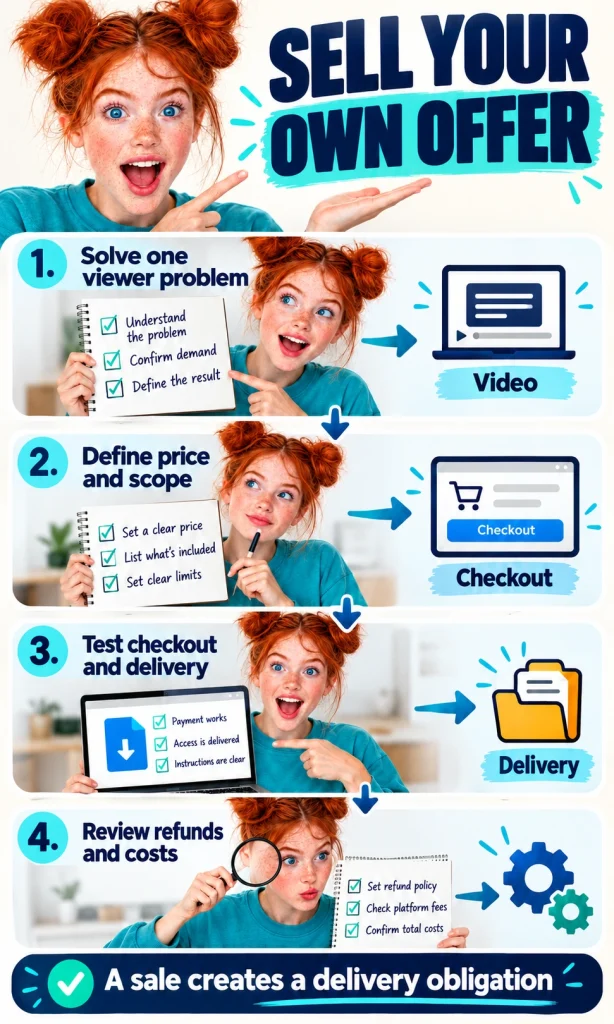
An owned offer converts viewer interest into a customer relationship you must fulfil. A digital checklist, a workshop or a relevant service can have value when it solves a real problem, but sales create delivery, support and refund responsibilities. This is an editorial business framework, not evidence that launching a product guarantees demand.
- Solve one viewer problem. Choose the smallest useful deliverable that follows naturally from the video.
- Define price and scope. State what the customer receives, what is excluded, delivery timing and the applicable support or refund terms.
- Test checkout and delivery. Confirm the purchase route works and the customer can access the promised item or book the service before promoting it.
- Review refunds and costs. Reconcile completed sales, fees, refunds and fulfilment effort. Start with one small offer before creating a large catalogue.
For a digital deliverable, how to sell digital products online with Google Drive and PayPal covers a related delivery workflow. Validate the current payment and access arrangements before using any older setup instructions. YouTube’s earnings guidance also distinguishes store or retailer payments from income paid through AdSense for YouTube.
How do you know whether the channel is making money?
Measure the money retained after costs, while tracking revenue sources separately. YouTube Analytics can describe platform performance, but it does not automatically contain every external commission, sponsor invoice or product sale. A channel can gain views while earning less profit if costs rise or the audience is poorly matched to its offer.
YouTube’s ad-revenue analytics guidance distinguishes creator RPM from advertiser CPM. RPM is calculated after YouTube’s revenue share and includes more than advertising, while CPM describes advertiser spending before that share. Long-form RPM uses video views and Shorts RPM uses engaged views, so compare the same format and reporting basis.
| Metric | What it tells you | What it cannot prove |
|---|---|---|
| CPM | What advertisers pay per 1,000 ad impressions. | Your take-home income per 1,000 video views. |
| RPM | Reported creator revenue per 1,000 views on the relevant format basis. | Every external revenue source or profit after expenses. |
| Approved commissions / paid invoices | Money payable or paid under a partner arrangement. | That future content will earn the same amount. |
| Revenue minus refunds and business costs | A simplified operating-profit view before tax. | Cash received today or a guaranteed personal salary. |
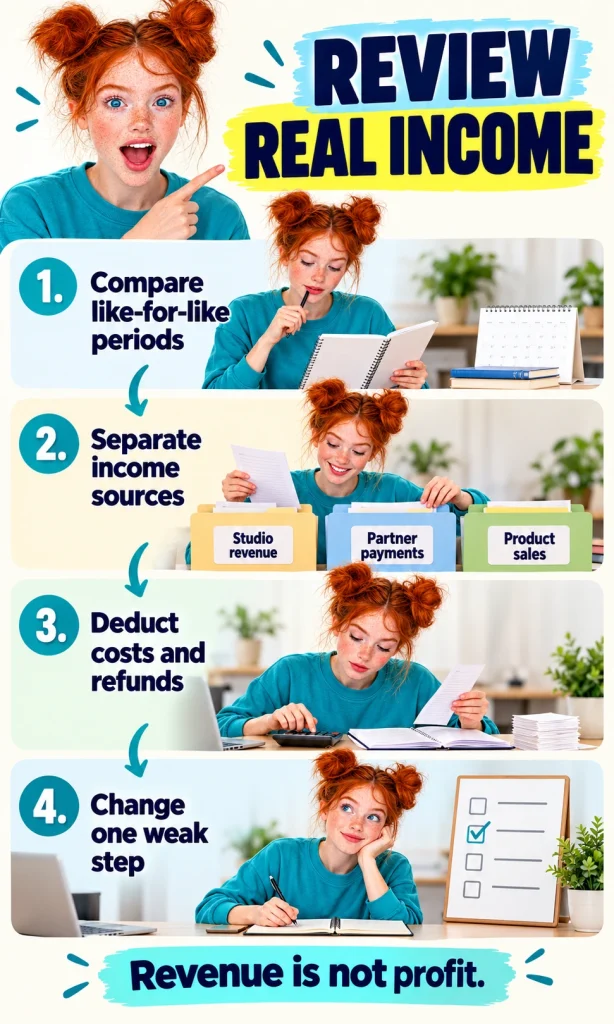
Run a monthly income review
- Compare like-for-like periods. Use the same date range, format and metric definition; open Studio Analytics and Revenue for the platform figures.
- Separate income sources. Reconcile Studio revenue, affiliate reports, sponsor invoices and product records. Mark estimated, finalized, payable and received amounts separately, and avoid counting an integrated payment twice.
- Deduct costs and refunds. Include editing, software, equipment allocation, transaction fees, fulfilment and refunds; record production hours as a separate efficiency measure.
- Change one weak step. If viewers do not reach the demonstration, inspect the opening; if they click but do not buy, check offer fit and checkout. When data is sparse, gather more comparable results before drawing a strong conclusion.
For an illustrative long-form example, 50,000 views at an assumed US$4 RPM produce US$200 in reported creator revenue. If an external affiliate program separately approves US$80 and the period has US$120 of production costs, the simplified result is US$160 before tax: US$200 + US$80 − US$120. These are invented teaching inputs, not typical rates, promised earnings or a cash-payment timetable.
For an owned checklist, suppose 10 completed sales at US$20 create US$200 of gross sales, with US$20 of fees and US$30 of refunds. That leaves US$150 before production, support and other costs, so a bigger sales figure alone does not establish a better business. Keep that product account alongside the platform account rather than adding gross sales to an RPM figure that may already include an integrated revenue item.
The mechanism behind improvement is locating the weak step between useful attention and a completed, profitable transaction. More views can increase opportunities without fixing poor offer fit, expensive production or delivery problems. Use the sponsor-specific owner, make money on YouTube by sponsorships, when sponsor scope and commercial terms are the part you need to examine more closely.
Frequently asked questions
Do you need to show your face to earn money?
No. A screen demonstration, original narration or clearly explained process can provide value without an on-camera presenter. The finished channel must still satisfy the relevant content and monetization policies.
Does YouTube pay a fixed amount for every view?
No. Revenue depends on the monetization feature and eligible activity, and a view does not always create an advertising payment. Use your own reported metrics rather than treating a public view counter as a payout calculator.
Can Shorts and long videos use the same earnings estimate?
Their view definitions and monetization arrangements differ. Shorts RPM uses engaged views, while long-form RPM uses video views. Compare the same format and basis instead of applying a long-form rate to every Shorts view.
Are estimated earnings the same as money received?
No. Estimated amounts may be adjusted, and finalized earnings can still wait for payment requirements to be met. Affiliate balances and sponsor invoices also follow their own approval and payment terms.
Can you guarantee income within a month?
No. A small pilot can test whether the content attracts relevant attention and whether an offer receives a response. It cannot guarantee approval, a sale, a sponsor agreement or a payment date.
Your next step
Choose one viewer problem and one income route you can execute responsibly. Publish an original, useful demonstration, check the relevant eligibility or commercial terms, and keep a simple record of the response and costs. Expand when the evidence supports it, while continuing to check YouTube’s current rules.