
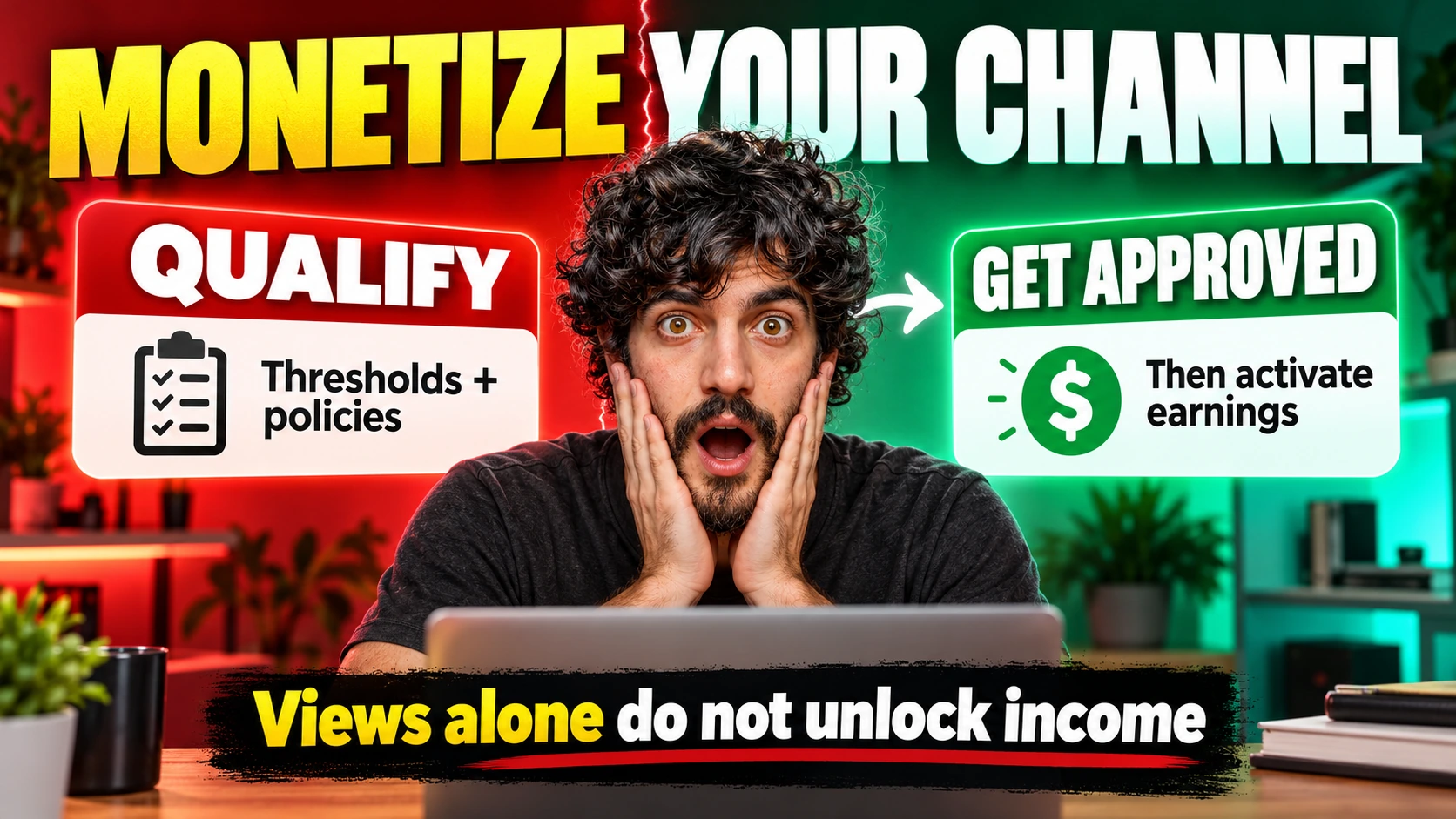
To monetize a YouTube channel through YouTube, meet the relevant Partner Program requirements, pass the channel review, and activate the earning features you qualify for. External sponsorships, affiliate offers, and your own products have separate commercial requirements and can earn income before YouTube ad sharing is available. Start by checking the Earn tab in YouTube Studio, because total views alone do not show whether your channel qualifies.
The useful distinction is between permission to join, permission to use a particular feature, and money that is ready for payment. A channel can pass one stage while still waiting at another. The guide below separates those stages so you can work on the requirement that actually blocks your next step.
Which monetization level can your channel qualify for?
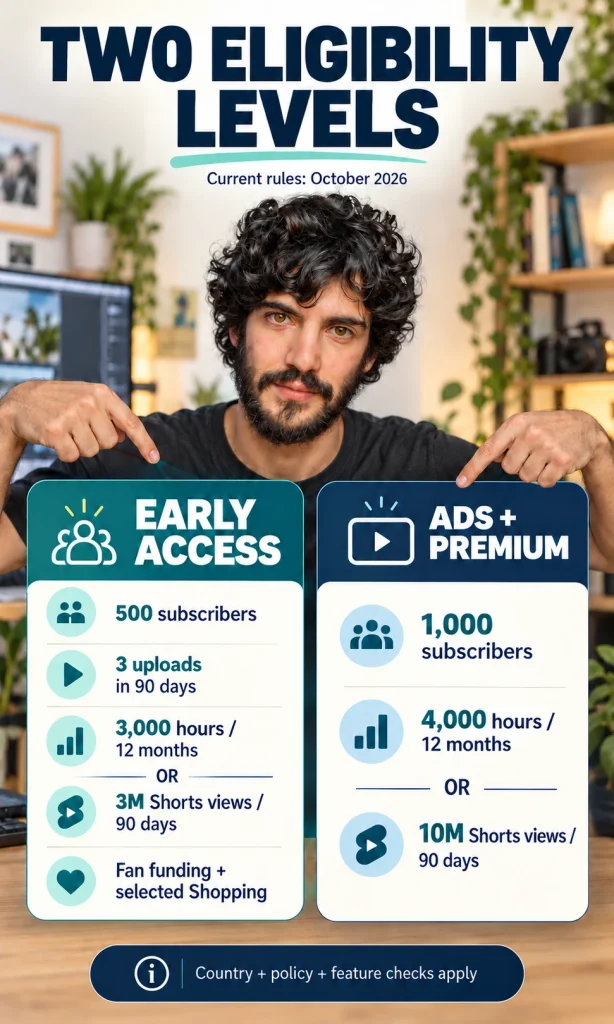
There are two main eligibility levels: earlier access to selected earning features and the higher entry level for ads and YouTube Premium. The earlier route is available only in participating countries and regions. Individual features still have their own conditions, so reaching a subscriber target does not unlock every option.
The table shows the current Partner Program thresholds checked in October 2026. Each route combines a subscriber requirement with one of two performance measures. The three-upload requirement belongs to the earlier-access route.
| Level | Subscribers | Performance requirement | What it can provide |
|---|---|---|---|
| Earlier access | 500 | 3 valid public uploads in 90 days, plus 3,000 qualified public watch hours in 12 months or 3 million qualified public Shorts views in 90 days | Eligible fan funding and selected Shopping features |
| Ads and Premium | 1,000 | 4,000 qualified public watch hours in 12 months or 10 million qualified public Shorts views in 90 days | Eligible ad and Premium revenue sharing after approval and activation |
What changes in February 2027?
Announced change: From 1 February 2027, YouTube says new entrants to ads and Premium will need 1,000 subscribers plus 8,000 qualified watch hours in 365 days or 20 million qualified Shorts views in 90 days. Existing YPP membership is not affected by that entry change. The earlier-access performance thresholds remain unchanged.
YouTube also announces a continuing 10-million-qualified-Shorts-view requirement over 90 days for monthly Shorts Creator Pool earnings from that date. Missing it will not itself remove a creator from YPP or affect long-form earnings. Check the announced program changes and your Earn tab before acting on an old checklist.
Check the counters that actually count
The eligibility mechanism is a rolling window: older qualifying activity eventually falls outside the period. A lifetime view total therefore answers a different question from a current entry counter. Use the qualified activity rules rather than treating every playback as eligible progress.
- Open YouTube Studio and select Earn.
- Identify whether you are following the watch-hours route or the Shorts-views route.
- Read the applicable time window and progress counters shown for your channel.
- Identify the missing requirement before deciding what to publish next.
Public long-form activity can contribute qualified watch hours; Shorts Feed watch time does not count toward that hours route. Private, unlisted, deleted, and advertising-campaign activity does not qualify for these entry counters. The exclusions also matter when you change a video’s visibility.
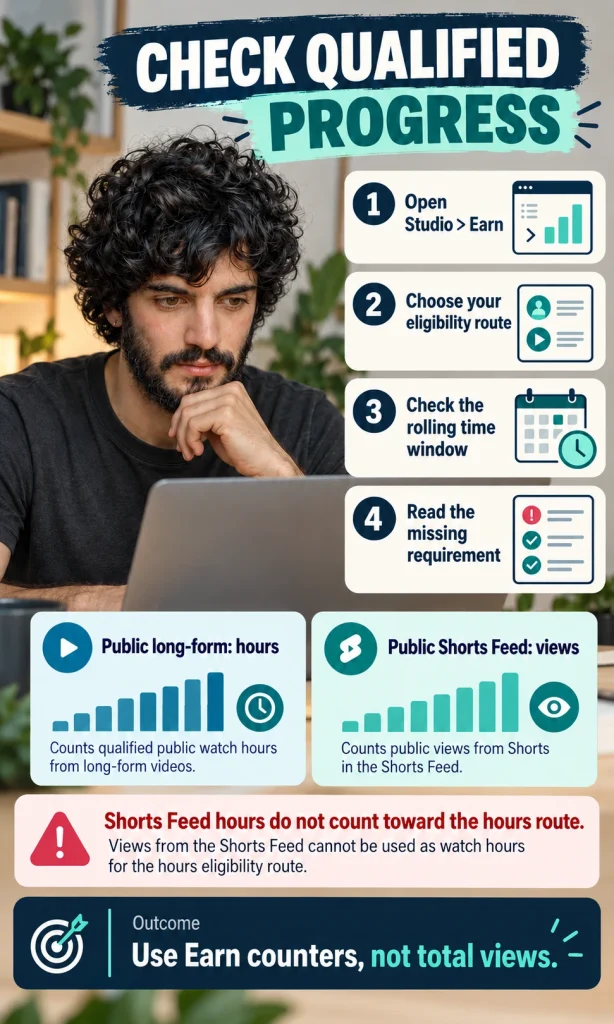
Illustrative example: A channel with 700 subscribers and strong Shorts reach may still be short of the relevant Shorts threshold. Posting a long video does not turn the existing Shorts watch time into qualified long-form hours. The useful next decision is which format you can produce well enough to build the missing qualified activity.
Takeaway: Check the specific counter, its window, and the current program notice before spending time or money on growth. If the Earn tab shows that your region or account is not eligible, more views alone will not resolve that restriction. Subscriber and performance thresholds are application gates, not an approval promise.
How do you apply and switch on earnings?
Apply through Studio’s Earn tab, complete the terms and payment-account steps, then activate the appropriate modules after approval. Joining YPP and enabling a revenue feature are separate actions. Keeping them separate makes a missing module easier to diagnose than a vague belief that monetization is already on.
Complete the application in order
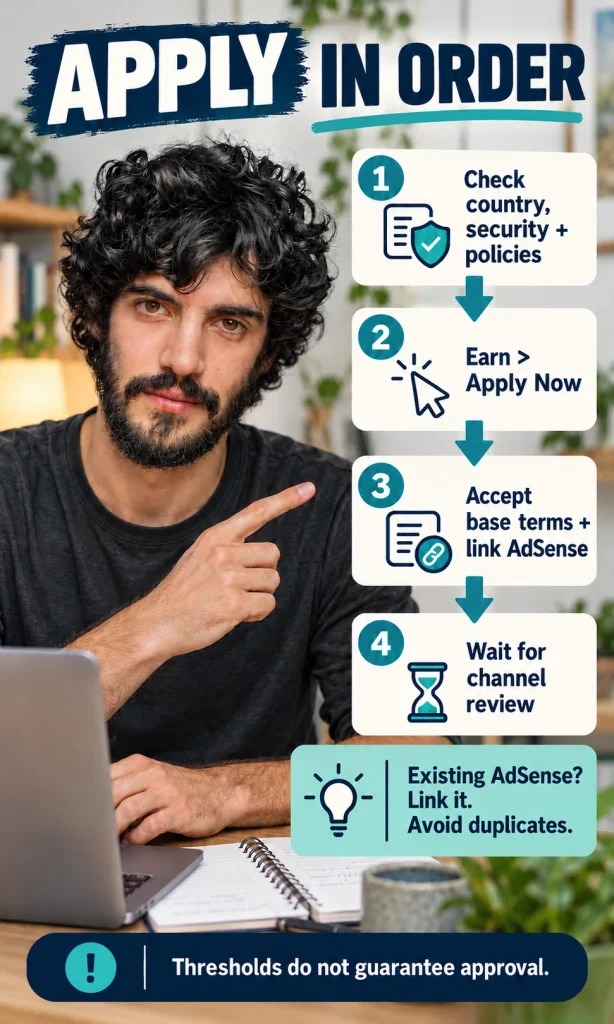
Before applying, check program availability, account security, advanced-feature access, and your channel’s policy standing. The general prerequisites include two-step verification and no active Community Guidelines strikes. Use your real account information rather than creating extra accounts to bypass an unresolved requirement.
- Check your country eligibility, security settings, feature access, and channel policy status.
- In Studio > Earn, select Apply Now when it is available.
- Review the base terms and link your active AdSense for YouTube account, or create the required account through Studio.
- Follow the review status in Earn and wait for the channel decision.
If you already have AdSense, check whether you should link that account instead of creating another. YouTube’s AdSense setup guidance explains the account association process. Use the correct account owner and payee details, especially if a business or an adult responsible for a minor owns the payment account.
The review is broader than the video that brought you the most subscribers. YouTube evaluates the channel’s content and presentation for policy compliance. A successful application therefore depends on more than a visible numerical milestone.
Activate the features you are approved to use
- Return to Studio > Earn after approval.
- Review and accept each available, relevant module: Watch Page, Shorts, or Commerce.
- Enable monetization on eligible videos and complete any required checks or declarations.
- Read each video’s monetization status rather than assuming every upload earns.
The module instructions connect each agreement to its earning surface. Watch Page and Shorts earning mechanisms differ; Commerce covers eligible fan funding. An unavailable feature may reflect its own eligibility rules rather than an error in your channel approval.
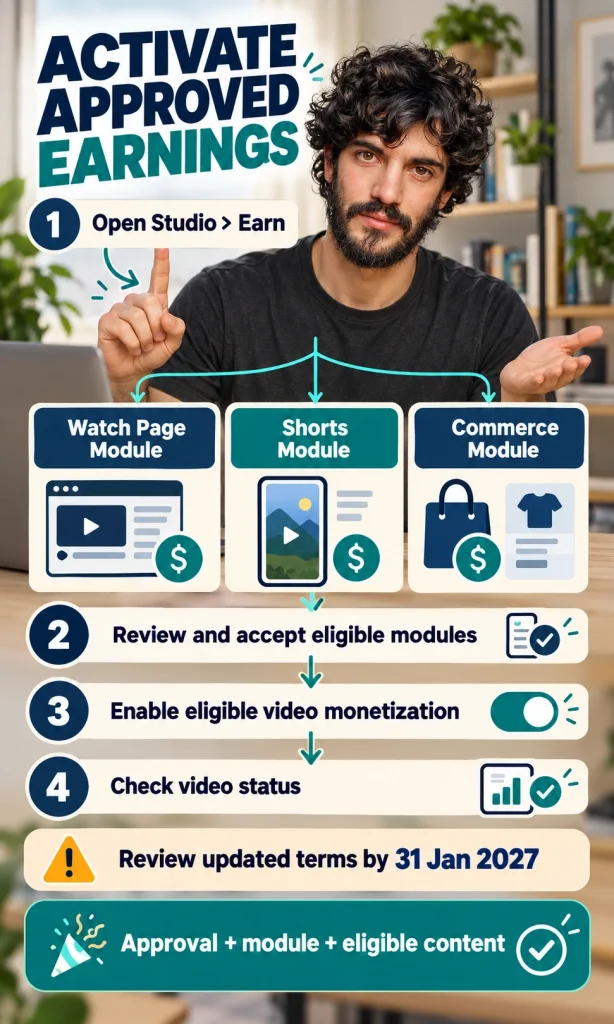
Terms deadline: YouTube’s announced update requires creators to review and accept the applicable updated modules by 31 January 2027 to continue earnings from those associated features from 1 February. Follow the notification in your dashboard or Earn tab. Accepting only some modules can leave other earning surfaces inactive.
Takeaway: Treat application, review, module acceptance, and video status as four checkpoints. Completing an earlier checkpoint does not prove the next one is complete. If you get stuck, return to the named step in Studio instead of repeating the whole setup.
Which earning method fits your audience?
Choose an earning route that matches why people watch you and what they are willing to support or buy. Ads monetize eligible attention, fan funding depends on a willing community, and commerce depends on a useful offer. A route that works for a large entertainment channel may be a poor fit for a small specialist channel with valuable buying intent.
| Route | Best-fit signal | Main limitation |
|---|---|---|
| Ads and Premium | Consistent viewing of eligible original content | Revenue varies with audience, format, ad demand, and monetization status |
| Memberships and Supers | Viewers want ongoing access or a way to support you | Feature eligibility and sustainable member benefits matter |
| External affiliate offers | Viewers need an appropriate product recommendation | The merchant’s rules, conversions, returns, and disclosures affect commission |
| Sponsorships | A brand values your audience and content | Deliverables, usage rights, disclosure, and payment terms need agreement |
| Own products or services | You can solve a problem viewers already have | Delivery, support, fees, refunds, and production costs reduce profit |
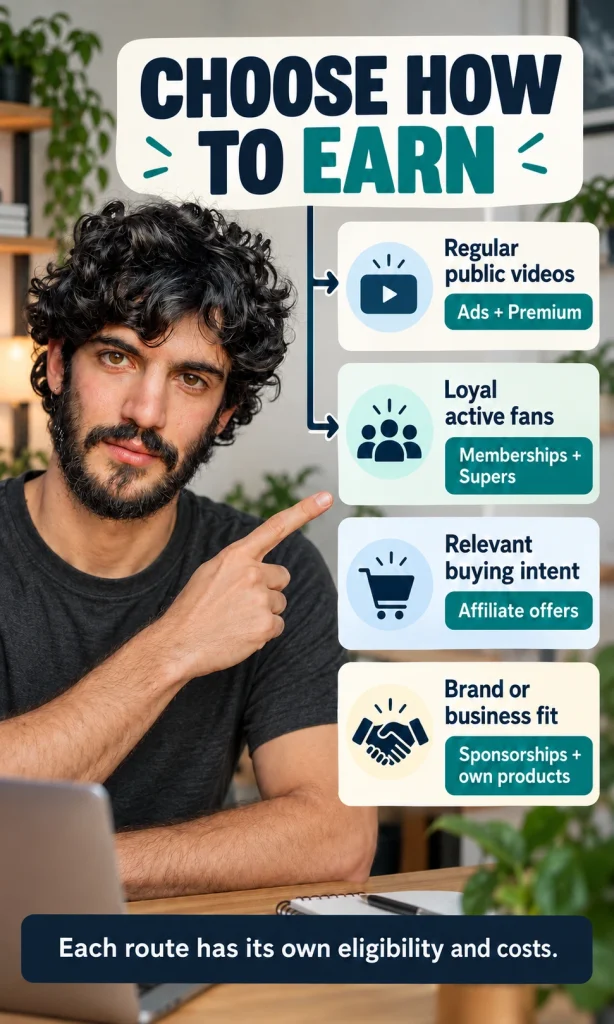
External affiliate programs and YouTube’s integrated Shopping affiliate features are different systems. An external merchant can set its own admission rules, while integrated Shopping has YouTube-specific eligibility and regional availability. Neither a link nor a subscriber count guarantees a sale.
For illustration, a small camera tutorial channel might have a more relevant affiliate audience than a general comedy channel with the same view count. That is a fit assessment, not an earnings forecast. Avoid recommending products you cannot explain simply because the commission is attractive.
YouTube’s published revenue-share explanation distinguishes the calculation bases: Watch Page ads generally pay creators 55% of net ad revenue, Shorts pay 45% of their allocated Creator Pool revenue, and specified fan-funding features pay 70% of net revenue. These percentages are not interchangeable measures of income per view. Music arrangements and other applicable terms can affect the relevant calculation.
Commercial relationships also need disclosure. YouTube’s branded-content instructions explain how to flag paid promotion in video details. A platform label is part of the process; it does not replace every disclosure obligation that may apply where you operate.
Estimate channel revenue with your own RPM
Use RPM for a rough estimate of comparable channel revenue, and keep it separate from profit. CPM describes advertiser spending per thousand ad impressions; RPM describes creator revenue per thousand relevant views after YouTube’s share. The analytics definitions explain why those metrics differ.
- Open Studio > Analytics > Revenue and choose a relevant format and period.
- Read your RPM and use a view count with the matching denominator. Shorts RPM uses engaged views.
- Calculate views ÷ 1,000 × RPM for a rough estimate, assuming the same rate holds.
- Keep sponsorships, other off-platform receipts, costs, and taxes in separate calculations.
Illustrative example: 50,000 comparable views at an assumed USD 3 RPM gives USD 150. That rate is invented for arithmetic demonstration and is not a typical rate, a quote, or a prediction. Your future audience and revenue mix may differ from the period that produced your current RPM.
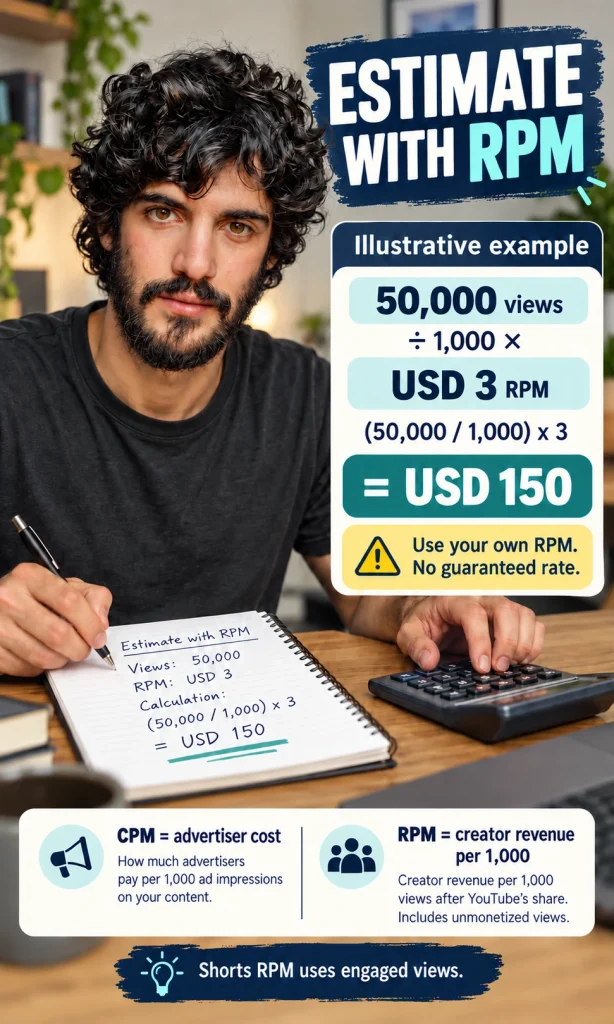
RPM can include several YouTube revenue sources, so multiplying it by views does not necessarily estimate advertising alone. Revenue from an outside sponsor also does not automatically appear in that metric. Compare like periods and formats before drawing conclusions from a changing rate.
Takeaway: Start with one earning method that fits the audience and that you can manage reliably. Add another when it solves a separate business need rather than simply increasing the number of monetization options. Judge the route by what remains after its costs and obligations.
Why are earnings or payments still blocked?
Identify whether the block is at application, channel review, video monetization, or payment. Each stage has a different failure mechanism and a different next action. Changing thumbnails will not clear a payment hold, and updating bank details will not resolve a content-policy rejection.
Diagnose the stage before changing anything
- If you cannot apply, read the missing requirement in Earn and check your account prerequisites.
- If the channel is rejected, read the decision and the relevant policy reason before choosing appeal or reapplication.
- If a video has limited ads, open its status details and use the review option if available and appropriate.
- If revenue appears but no payment arrives, check the YouTube payments account in AdSense.
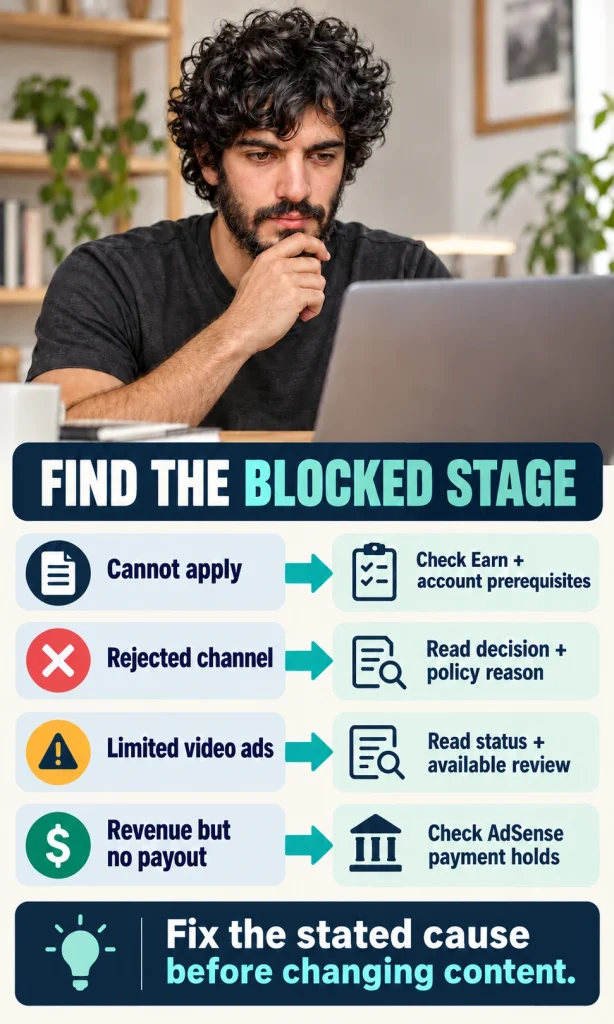
| Symptom | What it may mean | Useful next action |
|---|---|---|
| Application is unavailable | A counter, country, or account condition is unmet | Use the missing-condition message in Earn |
| Channel is rejected | The channel did not pass the policy review | Read the decision and the offered appeal or reapplication instructions |
| Yellow monetization status | A video has limited advertiser suitability | Read the exact status and available human-review option |
| Copyright restriction | A rights-related issue affects the video | Inspect the claim details; do not assume it is the same as a yellow ad-suitability decision |
| Estimated income, no transfer | Finalization, threshold, holds, or payment timing may be involved | Check the payments account and any action request |
Originality and copyright are separate checks. Permission to reuse material does not automatically satisfy the channel monetization policies; substantial original value still matters. Faceless production and AI assistance are not substitutes for that value, and generic mass-produced output can fail review.
The monetization status guide explains which video states can receive a human review. A channel-level rejection and a video-level ad decision are different processes. Follow the notice that applies to your case rather than deleting content in the hope that any change will work.
Check how earnings become a payment
The payout threshold is a balance requirement, not a universal number of views. YouTube estimates revenue during the month, then finalizes it into the payment account. Currency-specific thresholds, verification, payment details, and holds determine whether a transfer can be issued.
- Check estimated earnings in Studio, understanding that estimates can be adjusted.
- Check finalized previous-month earnings in the YouTube payments account, normally posted between the 7th and 12th.
- By the 20th, confirm the applicable threshold is met and any required identity, address, tax, and payment-method actions or holds are resolved.
- Look for payment issuance, normally between the 21st and 26th, and allow for your bank’s arrival time.
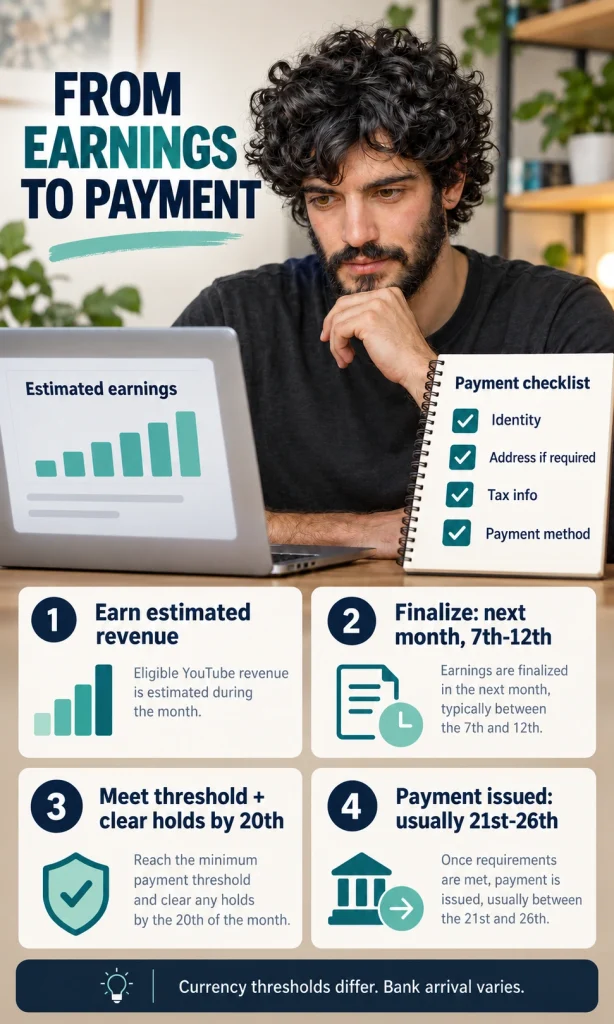
The official YouTube payment process distinguishes the balance cut-off from the transfer period. If the balance is below the applicable threshold, it rolls forward rather than creating a fixed view-count target. If you also monetize a website, its separate AdSense payments balance does not automatically satisfy the YouTube account’s threshold.
Takeaway: Make the next action match the blocked stage and the exact notice you received. Escalate through the support or review route offered in your account when the explanation does not resolve the problem. Keep business records of revenue and costs rather than treating an estimated dashboard figure as spendable profit.
Frequently asked questions
Can a faceless channel qualify for monetization?
A visible face is not the deciding requirement. Original demonstrations, narration, analysis, or storytelling can provide value without a presenter on camera. Reposted clips and generic repetitive production can still fail the channel policies.
Does using AI automatically prevent monetization?
AI assistance is not a universal approval or rejection test. The finished content must satisfy the current policies and provide original value. Certain uses, including generic mass-produced output and AI expert personas on sensitive topics, can be ineligible.
Does every monetized video need to be eight minutes long?
No. Eight minutes is the current length threshold for mid-roll ads on eligible long videos, rather than a universal minimum for all video monetization. Do not add filler to reach it. An available ad slot also does not guarantee an ad will be served.
Can a creator under eighteen receive YouTube earnings?
AdSense account holders must be at least eighteen. An eligible parent or guardian can hold the approved payment account for a younger creator, with payments made to the responsible adult. Individual monetization features can have additional age conditions.
Should I buy subscribers or views to qualify faster?
Do not use fake engagement services. Artificial activity can be removed and can put the channel at risk under YouTube’s policies. Paid advertising also does not turn campaign activity into qualified entry progress.
Do ads on my videos prove I am receiving a share?
No. YouTube can display ads even when a creator is not eligible for ad revenue sharing. Check your own program eligibility, accepted modules, and video monetization status. Seeing an ad is not confirmation of creator earnings.
Your next monetization decision
Open Earn and identify one next checkpoint: qualified progress, application completion, an earning module, or a payment action. Use the matching instructions above and finish that checkpoint before adding another revenue route. Your immediate goal is a clearly verified next step, not an assumed income target.