

Elwood Staffing publishes email patterns using its elwoodstaffing.com domain, including recruiter-name and branch-address formats. Use those patterns to understand an address, then obtain the actual contact from an official branch page; a familiar-looking email alone does not establish who sent a message.
What email format does Elwood Staffing use?
The useful distinction is between a naming pattern, a published mailbox and a verified conversation. A pattern describes how addresses may be arranged. A published mailbox gives you a destination listed by the company. Verifying a conversation goes further: it checks whether the company recognizes the recruiter, vacancy and request you received.
Elwood’s published recruitment-scam guidance gives two formats: [email protected] and [email protected]. Treat these as examples of structure rather than instructions to invent a person’s mailbox. The words before the @ are not a directory of every current employee or office.
That distinction matters when an address looks plausible but was never supplied by the recruiter or published by Elwood. You might know someone’s first and last name without knowing their actual email alias. A spelling variation, duplicate name or different assigned mailbox can make a reasonable guess wrong. Sending a message to test a guess is a poor way to establish the intended recipient.
The local part is the material before the @; the domain is the material after it. For the ordinary addresses discussed here, compare the complete domain with elwoodstaffing.com. Do not stop reading when you recognize the company name somewhere in the string. Similar lettering and additional words can make a different address look familiar at a glance.
There are therefore two separate questions to answer before proceeding: “Is this the address I intended to use?” and “Is this request something I should act on?” The first concerns routing. The second concerns identity, context and the proposed action. The table separates those decisions so that a successful address check does not accidentally become approval to send documents or money.
| Check | Useful conclusion | What remains open |
|---|---|---|
| Published personal pattern | Elwood describes a recruiter-name format. | The actual mailbox of a particular person; whether a new message is theirs. |
| Published branch mailbox | The company lists a route for that office. | Whether that branch handles your vacancy or recognizes the message. |
| Complete sender domain | The displayed address contains the expected domain. | The authenticity of the message and appropriateness of its request. |
| Independent branch confirmation | The office can explain the person, role and next route. | A hiring decision, guaranteed placement or permission for unrelated future requests. |
Read the address behind the display name
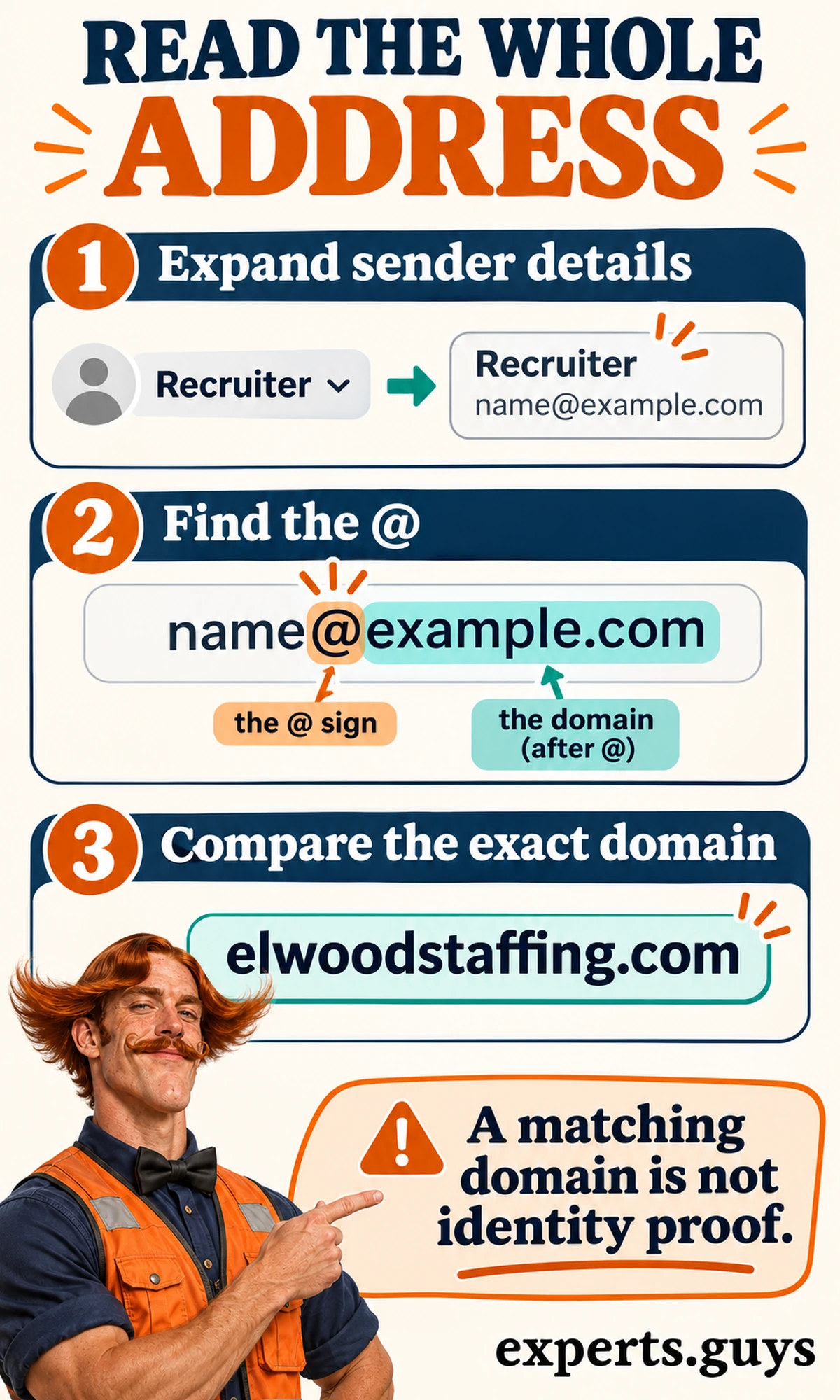
An inbox may initially show a person’s name or a company label instead of the complete address. Expand the sender details using the mail application’s information controls. The exact button varies between services, so look for the sender name, a small arrow or a details panel. The result you need is the complete email address, not a larger version of the display name.
Next, identify the @ and read everything after it. In an illustrative address such as [email protected], “example.com” is the domain. That example is deliberately unrelated to a real recruiter. It demonstrates where to look without encouraging you to contact a person whose mailbox has not been verified.
For a new enquiry, compare the address with the one on the official contact page before adding an attachment. For an incoming message, compare the visible domain but keep the identity question open. These are different uses of the same reading skill: one reduces an addressing mistake, while the other helps you decide whether additional checking is needed.
Do not use a profile photograph, signature block or professional job title as a substitute for this step. Those elements tell you what a message presents itself as, but they do not explain where an email goes. The same applies to a copied office address. A detailed signature can coexist with a mailbox you did not intend to contact.
If your screen truncates a long address, use the message details view or ask a trusted person to help read the complete string. Avoid copying it into an unfamiliar “verification” website. You only need to inspect the address locally and compare it with a known source; uploading the entire message introduces an unnecessary disclosure of its contents.
A mismatch is a reason to stop using the supplied route until it has been explained. A match is a narrower result: the displayed address contains the expected domain. Neither result by itself establishes the availability of a job, the recruiter’s authority or the appropriateness of an attachment. Keep that limit attached to the check rather than discovering it after sending information.
A practical stopping rule is to separate what you can see from what you still need to ask. You can see a complete address and compare its spelling. You cannot see a recruiter’s authority, an application state or a document portal’s purpose simply by examining those characters. Once the address-reading task is complete, move to the relevant branch or request check rather than repeatedly inspecting the same string for reassurance.
Why branch addresses may not match a guessed formula
A real branch listing demonstrates why copying beats reconstructing. The official Grand Junction contact page lists [email protected]. The dot between the city and state is part of that published address. The generic branch pattern does not show every punctuation choice used in actual listings.
Use that address as evidence about the Grand Junction listing, not as a rule for every other branch. It does not tell you whether another city’s address includes a dot, abbreviation or different mailbox name. A company can describe its broad pattern accurately while individual published addresses retain details that a simplified example leaves out.
For a message you are composing, the strongest practical input is the current address on the relevant official page or one confirmed through an established branch contact. A third-party email-finder result is weaker because you may not know how it was obtained or whether the person still uses that mailbox. There is no need to buy a guessed address when the branch provides a public route.
Preserve the local part as listed rather than “tidying” it. Removing punctuation, abbreviating a city or substituting a familiar nickname changes the destination you are asking the mail system to use. If a page’s link and visible text disagree, stop and confirm with the office instead of deciding which one looks more likely.
- Copy the address from the current branch listing; do not generate it from the city name.
- Keep the published spelling and punctuation intact.
- Confirm a disagreement between a visible address and its link with the office.
- Treat an address match as a routing check, then assess the request separately.

How do you find the right Elwood branch contact?
Start with the official contact directory and select the office connected to the job or assignment you mean. Elwood’s Contact Us / Locations directory offers ZIP and state selection. Choosing a location first reduces the chance of asking an unrelated office to interpret a message or find an application it does not handle.
Find the listing before composing your message
Open the official website yourself and enter its Contact Us / Locations area. Choose your ZIP or the relevant state, then select the branch city. Read the office name and location before copying its email address and listed phone number. Finish with a usable destination and an independent way to ask questions about that destination.
For example, an applicant interested in a warehouse role near Grand Junction would start with that branch listing, rather than sending the same enquiry to several guessed city addresses. This is an illustrative routing decision, not a statement that a particular warehouse vacancy is open. The job’s own listing may identify a different recruiting team, which should take priority when that team is confirmed.
The nearest office is a useful starting point, but proximity alone does not establish ownership of a vacancy. A specialist role or a recruiting team may be handled elsewhere. If the published job points to another office, ask that listed team about the position. If the message names no office at all, ask the branch to identify the responsible team before sharing application documents.
The easiest alternative on a small screen is to use the state list and city name rather than repeatedly adjusting a ZIP search. If you cannot find a local office, use the contact route published on the official site to ask which branch handles your area. Do not convert a search failure into a made-up branch mailbox.

Choose a contact by the job you need done
A job enquiry, an application-status question and an employment-verification request are different tasks. A recruiter can discuss a vacancy; an office may need to route an existing associate’s question; a verifier needs the designated verification process. Clear routing prevents unnecessary personal documents from circulating between inboxes that cannot resolve the request.
| Your request | Start here | Include only what helps |
|---|---|---|
| New job enquiry | Branch or team named on the official listing. | Role, city, real reference if available and one application-route question. |
| Question about a received message | An independently obtained official branch contact. | Recruiter name, claimed role and a description of the requested action. |
| Existing assignment question | The confirmed office or designated associate channel. | The issue and the channel you need; no password or bank-card image. |
| Employment, income or benefits verification | The Employment Verifications link on the official contact page. | Follow that designated process rather than sending private records to a guessed recruiter. |
For an application question, include the job title, branch city and a genuine reference number if you have one. If no reference was supplied, describe the role without manufacturing an identifier. The recipient should be able to identify the vacancy from public or previously confirmed details. Your national identifier or bank account does not make an ambiguous vacancy easier to identify.
For an existing assignment, describe the specific question and ask for the proper channel. A first message might ask who handles an access problem or where a particular request belongs. It should not contain the account password, a photograph of a bank card or the contents of a tax document. Establishing the destination and supplying sensitive material are separate stages.
Employers and third parties should use the Employment Verifications route linked from Elwood’s contact page when they need employment, income or benefits confirmation. That purpose is different from asking whether a recruiter sent a message. Keeping the two apart helps avoid requesting confidential employment information from an office that is only being asked to confirm its own communication.
This page stays focused on reaching and checking the recipient. For the broader relationship between a candidate, agency and hiring company, the site’s staffing-agency overview provides additional context. Do not let general agency background replace the specific branch and vacancy information needed for this enquiry.
How can you check whether a recruitment message is genuine?
Confirm the message through a route you obtained independently, and ask about the actual request rather than just the sender’s name. A recruiter may be recognizable while a particular payment demand or document link remains unexplained. The aim is to verify the connection between the person, the role and the next action before you act on it.
Break the message’s control over your next step
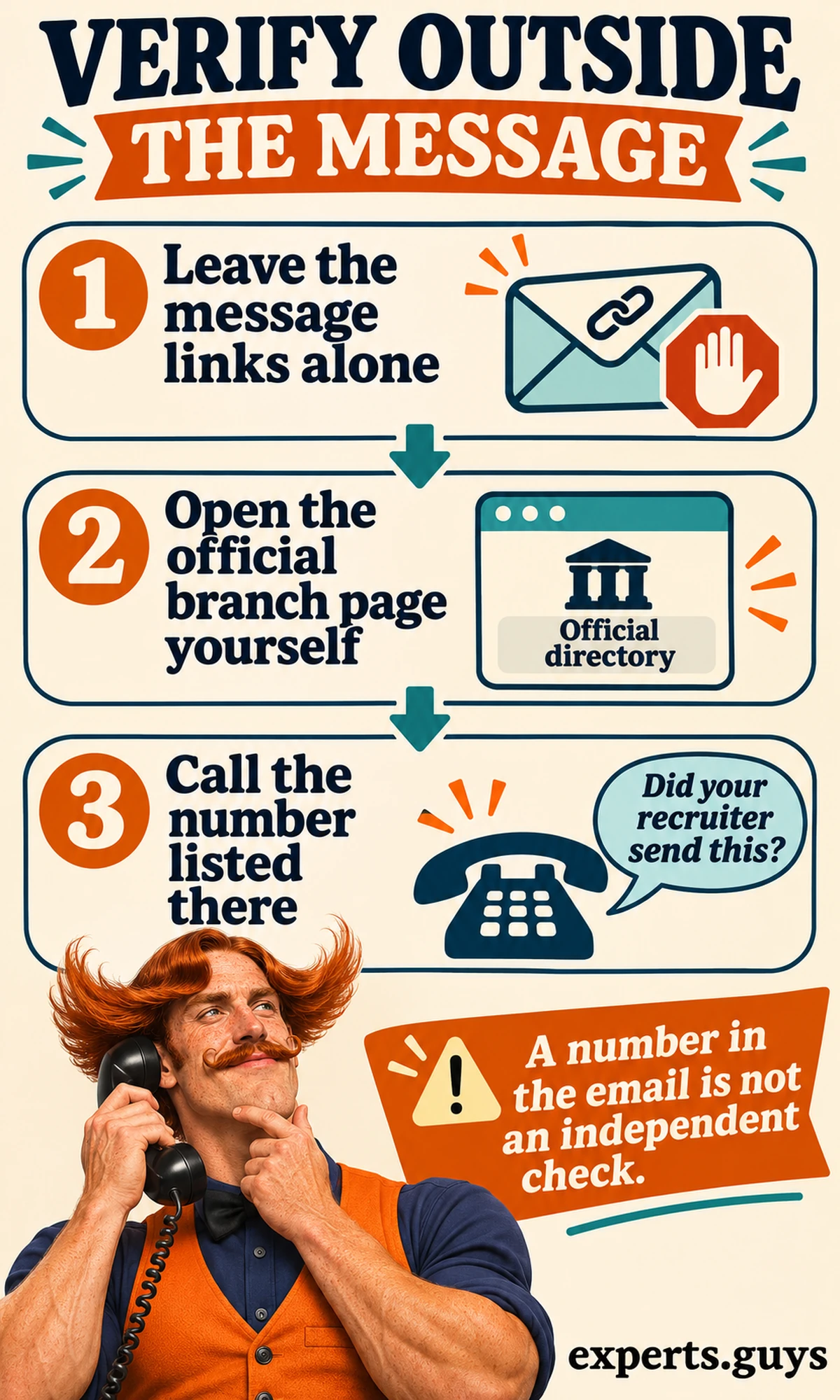
Leave its links and attachments alone while you check. Open the official directory independently, select the claimed branch and use the number listed there. Ask whether the named recruiter works with that office, whether the role is theirs and whether they sent the request. The checkpoint is an explanation from the branch you reached independently, not another reassurance from the original sender.
A useful call can be short: “I received a message from someone using your branch name about a warehouse role. Can you confirm the recruiter and tell me the correct application route?” Supply a job reference if you have one. There is no need to read out private identification numbers to ask whether the office recognizes a recruitment message.
Calling a number embedded in the questionable email does not provide the same independence. The person controlling the message could also control that number or link. The same limitation applies if they ask you to move to another chat account to “verify” them. Changing platforms does not create an independent source when the destination still comes from the original contact.
If a call is difficult, start a fresh message to the email copied from the official branch page, rather than replying to the questionable thread. Ask the same focused question. If the message is urgent but the office cannot be reached, pause the requested action. An unverified deadline is not a reason to disclose information through a route you have not established.
Compare the sender, reply route and linked destination
Email contains several fields that serve different purposes. The Internet Message Format specification distinguishes the originator fields from Reply-To, which indicates where replies should be sent. In practical terms, the displayed sender and the address your reply targets need not be identical. That difference needs context rather than an automatic declaration of fraud.
Inspect message details for a Reply-To address when your mail service exposes it. If a reply draft reveals the destination, inspect it without sending or adding sensitive material. An unexpected route is a reason to verify with the branch. Do not “test” it by sending an identity document or a detailed account enquiry.
A link introduces another destination. The words shown in a message can describe one website while the actual link targets another. If your application offers a safe destination preview, inspect it without opening the page. Otherwise, skip the link and navigate from the official website. You do not have to resolve a technical uncertainty inside a suspicious message to continue your job search safely.
A company may use service providers, so a different destination cannot be judged solely by its appearance. Ask the independently reached branch to confirm the exact service and intended action. Equally, a familiar sender domain cannot guarantee the contents of every message. The decision depends on the request and its confirmed context, not a single green-looking detail.

Notice requests that change the risk
An enquiry about interview availability is different from a request for a bank account or a payment. Elwood’s published warning says sensitive identification and financial information is not requested before onboarding. If an unexpected message asks for it earlier, stop the disclosure and confirm the process through the branch. An official-looking form does not remove the need to establish where the form came from.
A demand to pay for a job, transfer equipment money or send part of a deposited check elsewhere should stop the transaction. The FTC’s job-scam guidance explains why paying for a job and forwarding money from a supposed employer’s check are serious warning signs. A bank showing available funds does not establish that such a check is legitimate.
Avoid deciding solely from the communication channel. A company name in an email or text does not establish who controls the conversation, and an unexpected message needs independent confirmation. Evaluate the source and request together. The useful question is whether the independently reached branch recognizes this particular contact and the action you are being asked to take.
- Sensitive data requested before the confirmed onboarding stage: stop the disclosure.
- Payment required to obtain work, buy gift cards or forward check proceeds: stop the transaction.
- A new reply or document destination: confirm the exact route independently.
- Pressure to skip the branch check: keep the action paused until the official team explains it.
A live vacancy with similar wording is useful context, but it does not prove that the person contacting you controls that vacancy. Someone can refer to information visible on a genuine job board. Ask the official team how to apply and whether the specific communication belongs to them. Continue through that confirmed route rather than treating a copied job description as identity evidence.
Work through an ambiguous message
Consider an illustrative situation: a message uses a plausible Elwood address and refers to a manufacturing vacancy, but asks you to upload identification through an unfamiliar link before discussing the role. The address check resolves only the visible domain. The requested disclosure and the unfamiliar destination remain open questions, so the next useful action is branch confirmation.
If the independently reached office confirms the recruiter, position and exact onboarding route, you have more relevant information for deciding how to proceed. If it recognizes the recruiter but not the link, do not use the link. If it cannot identify the message, continue your enquiry through the office itself. These outcomes are different; a yes to the person’s name should not silently answer every other question.
The result of this method is a confirmed next route, or a reason to stop the requested action. It is not a promise of employment and does not guarantee the security of every future message. Apply a fresh check when the destination or requested action changes materially, especially when money, passwords or identity documents enter a conversation that previously concerned only interview timing.
What should you send, and what if the email fails?
Once the recipient is established, send a short enquiry that identifies the relevant role and asks for one next action. A well-addressed question is more useful than a long personal history sent to several guessed contacts. If delivery fails or no answer arrives, distinguish the communication problem from the hiring decision before deciding what to change.
Compose a useful first enquiry
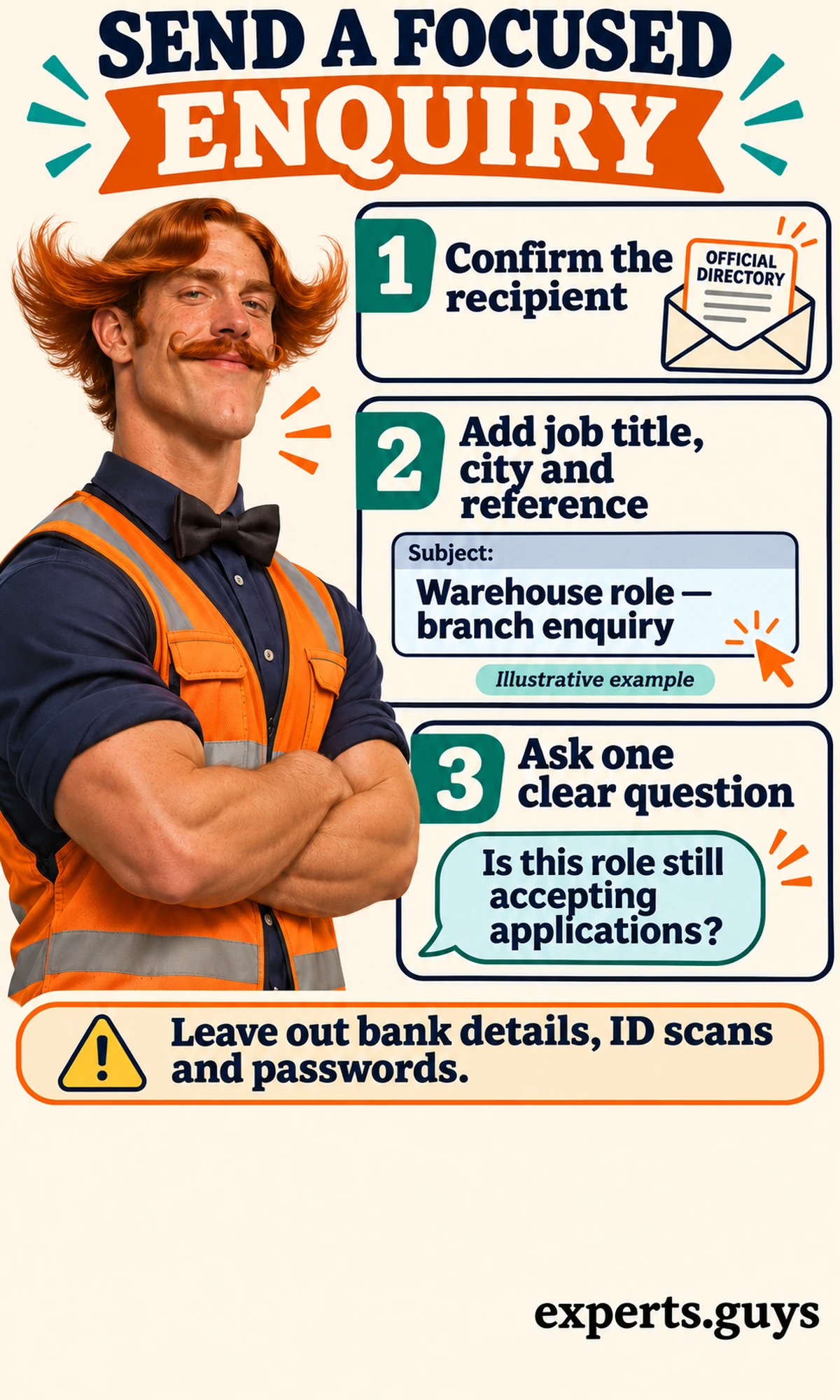
First confirm the recipient against the branch listing or the contact the office supplied. Next put the job title, city and genuine reference in the subject or opening. Then ask one clear question, such as whether that role is still accepting applications or which route to use. Finish by checking that your message contains only information needed for that question.
For an illustrative warehouse enquiry, a subject could read “Warehouse role – branch enquiry.” The body could identify the advertised city, state that you are interested and ask for the correct application route. Add the actual reference only if it came from a real listing. This keeps the question usable without pretending that a generic example is an open vacancy or completed application.
Keep an initial enquiry separate from onboarding. Do not attach bank details, identification scans or passwords to establish interest in a role. If a confirmed recruiter asks for a resume through an agreed channel, review what personal details the document contains before sending it. A resume and an identity document serve different purposes; sending both automatically creates an unnecessary disclosure.
The common mistake is to add more personal data when the message lacks useful job context. Correct the context instead: identify the role and the office. If you cannot identify a vacancy, say you are asking about suitable work in that branch’s area and ask how to begin. An easier first message can be just that routing question, with no attachment.
A bounce means a delivery problem to investigate
Read the failure notice before changing the recipient. It may identify an address problem, a temporary delivery difficulty or a message restriction. Use the explanation actually given rather than assuming that every returned message means the person left the company. If the notice is unclear, the published branch contact can help confirm the correct address and permitted submission route.
Re-copy the address from the current official listing and compare it with the failed recipient. Check for an accidental space, omitted character or unwanted punctuation introduced while copying. If you see a clear copying error, correct it. If the same published address continues to fail, ask the listed office to confirm the route rather than trying a sequence of speculative mailbox variations.
An attachment restriction calls for a different correction from a nonexistent mailbox. Confirm the accepted format or submission method with the office. Do not disable protective software or repackage a questionable attachment merely to force it through. The aim is to use an accepted channel for a legitimate document, not to bypass a warning that you have not understood.
Silence does not identify the reason
If no reply arrives, check that the message appears in Sent and that an answer has not been filtered into spam. Confirm the recipient and the job context before following up. A focused follow-up can refer to the original subject and ask whether the enquiry reached the correct team. Repeated messages to multiple offices make the routing less clear rather than proving stronger interest.
There is no verified universal Elwood email response deadline in the sources used here. Follow a timeframe given by the actual branch or job process instead of treating an arbitrary number of hours as a guarantee. If the vacancy has a stated closing date, use the official application route within that date; waiting for an optional email reply should not replace the required application step.
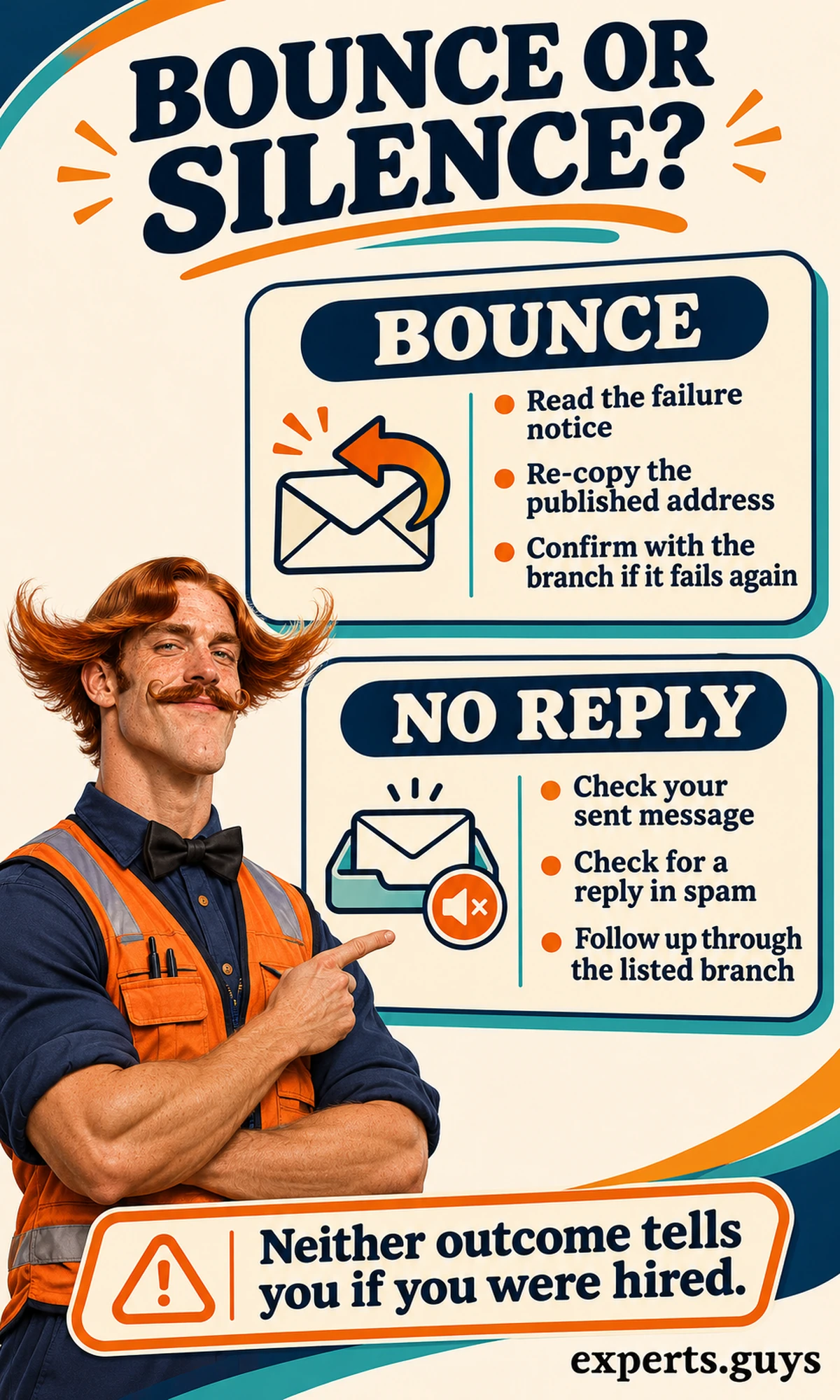
Delivery, application submission and hiring are separate states. A sent message does not establish that a formal application was submitted, while a bounce does not establish that an application already submitted elsewhere was rejected. Ask about the particular state you need to confirm. For account and application distinctions on another staffing platform, the separate myKelly guide addresses that platform rather than supplying Elwood login instructions.
When the message concerns screening
Confirm the recruiting contact and the intended submission channel before supplying screening material. This article does not determine a particular job’s screening requirements or interpret a result. Those questions belong to the confirmed hiring process; the site’s separate Elwood pre-employment screening article covers that different stage. Do not assume its similar URL makes it a directory of recruiter addresses.
If you have already shared information through a questionable route, the next action depends on what you disclosed. Stop further contact through that route and use the relevant account provider’s official security or fraud support. Elwood’s warning also directs affected job seekers to secure personal and financial accounts. A concern about compromised information needs attention separately from whether a vacancy exists.
Questions that remain after checking the address
Can I work out a recruiter’s email from their name?
A name and a published pattern are insufficient to establish the person’s actual mailbox. Ask the confirmed branch for the correct contact or use the address on the relevant official listing. Guessing several variations can route your enquiry to an unintended person or leave it undelivered.
Does a corporate footer prove a message came from Elwood?
No. A footer is message content, so it cannot independently establish the sender or validate a document link. Use the complete address and the confirmed branch context to assess the conversation. A copied corporate address does not answer whether the office recognizes the particular request.
Should I forward a suspicious message to everyone at the branch?
Start with one independently confirmed contact and ask how the office wants the message reported. Unnecessary forwarding can spread private information and unsafe links. Describe the issue without adding attachments, then follow the confirmed reporting instructions if the office needs the original message.
Is a recruiter email the same as an application confirmation?
No. A conversation can discuss a role without completing its required application process. Look for the confirmation associated with the official submission route, or ask the responsible team what state your application has reached. Do not infer submission, rejection or employment from the existence of an email thread.
What if the message names a recruiter I already know?
Treat an unexpected request according to what changed. A new payment demand, document destination or request for credentials needs fresh confirmation even when the name is familiar. Reach the recruiter or branch through an established contact route and ask about that specific action before continuing.
Next steps
Choose the route that matches your current task. For a new enquiry, copy the relevant branch’s published contact and identify the role. For an unexpected recruitment message, use that independently obtained contact to confirm the person, vacancy and requested action before continuing. For a failed message, resolve the delivery problem without treating it as a hiring outcome.