


A customer service chatbot can explain a refund policy, submit an authorized request or look up an existing refund. Before letting it handle money, test whether its answer changes when the item, amount or payment status changes. A reliable reply tells the customer exactly what has happened and what still needs to happen.
What does “refund sent” mean to your customer?
Imagine buying headphones and a bag in one order. You return the headphones, open the store’s chat and ask, “Did you send my money back?” A policy answer about the return window leaves you guessing. So does a green check mark if the store has merely accepted the parcel. The useful answer identifies the item, the amount and the latest event the store can verify.
For a support lead, this is a small enough workflow to rehearse from beginning to end. Use a test order and a payment provider’s test environment. A teammate with read-only access can compare prepared records and proposed replies without initiating any transactions. Keep real customer details outside the exercise.
Give the customer’s verb some attention. “Can I return it?” asks about eligibility. “Please refund it” asks for an action. “Where is my refund?” asks about an earlier action. Sending all three messages to the same refund button creates a particularly costly misunderstanding when a returning customer only wanted an update.
The order system can describe what was purchased and returned. The payment system can describe what happened to the money. The support inbox can establish who owns an exception. Each source answers a different question, and a message can be accurate about one while making an unsupported claim about another.
Start with the smallest decision your team is prepared to automate. Read-only status lookup can serve a customer even when issuing money still belongs to staff. A route that needs approval can finish its job by delivering an accurately described request to the person authorized to decide.
For each practice order, identify three pieces of evidence before judging the answer.
- The purchased item and authorized refundable amount.
- The refund record linked to the original payment.
- The latest confirmed state and the person or system responsible for the next update.
Match the item and amount
Open the order line for the returned item. Match its description, quantity and paid amount to the request. Two products with the same retail price can have different paid amounts after a promotion. A receipt showing the whole basket cannot settle what the customer paid for a single unit.
Check whether another refund already reduced the balance. Apply the store’s actual allocation rules for discounts, tax, delivery and prior adjustments. The remaining payment balance can be larger than the amount authorized for this particular return.
In a simplified $80 order, the headphones cost $30 and the bag costs $50. The headphones already received a $10 adjustment. With no other adjustments or charges, the most that remains on that line is $20. A chat preview of $30 is wrong even if the payment system would technically accept the amount.
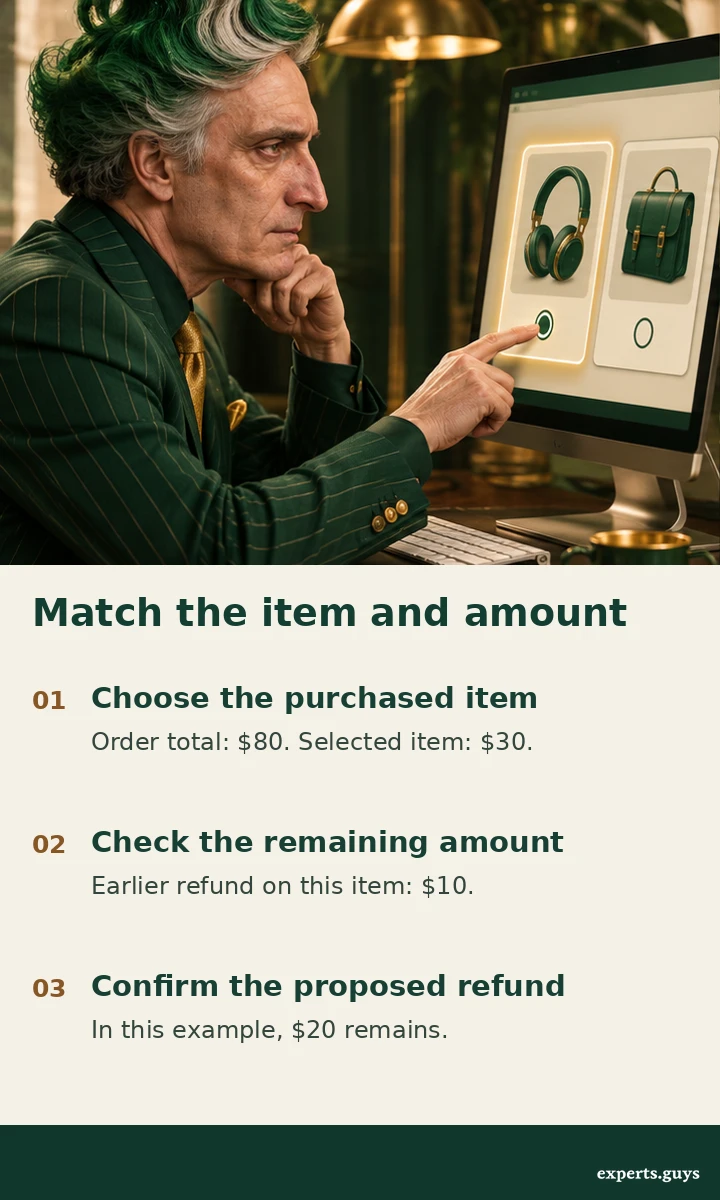
Before confirmation, name the headphones and show the proposed $20. If the customer meant the bag, changing the selection should recalculate the amount and clear any old confirmation. Staff should be able to explain how the displayed number relates to the receipt.
Eleven refund cases and the answer each one needs
| Case | What you see | Appropriate response |
|---|---|---|
| 1 · Policy enquiry | “Can I return these?” | Explain eligibility and the next step. A policy question alone authorizes no transfer. |
| 2 · Ambiguous item | “Refund the green one.” Two items match. | Offer identifiable choices before quoting an amount. |
| 3 · Partial quantity | One of two identical items came back. | Identify one unit and its allocated paid price. |
| 4 · Prior adjustment | A $30 item already received $10 back. | Show the remaining eligible $20 under the simplified example assumptions. |
| 5 · Discounted basket | A promotion was shared across items. | Use the recorded allocation. Avoid quoting the catalogue price. |
| 6 · Uncaptured payment | An authorization exists but capture has not occurred. | Follow the provider’s cancellation or release workflow. Explain the hold separately. |
| 7 · Request awaiting approval | The store opened a case only. | Provide the case reference and approval owner. Describe the refund as requested. |
| 8 · Pending refund | A refund record exists with pending status. | Identify it and describe the pending state. Avoid promising a posting date. |
| 9 · Successful provider record | The provider reports success. | Describe the provider result and destination in masked form. Bank display can follow later. |
| 10 · Failed refund | The provider reports failure. | Route the existing case for investigation and communicate the next contact point. |
| 11 · Lost acknowledgment | The first submission timed out. | Reconcile the original operation before any retry. A missing response leaves the outcome unknown. |
Read the refund state
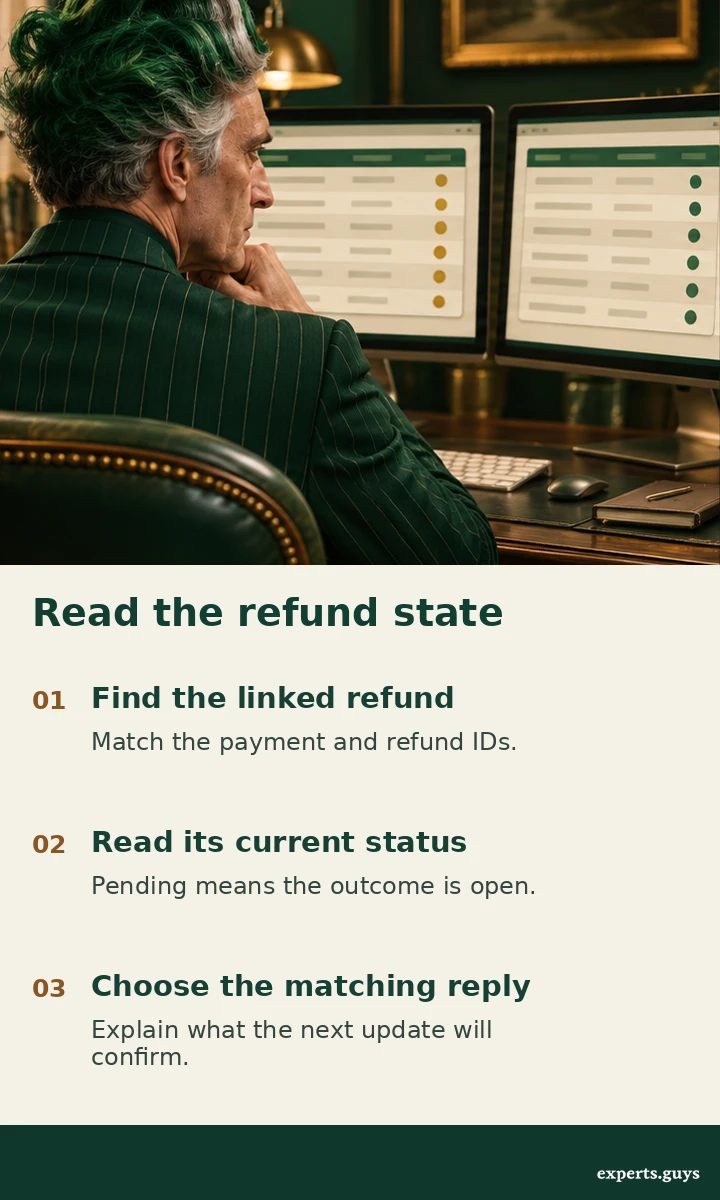
Open the payment record for the test order, then the refund linked to that payment. Read both the identifier and current status. An order can contain a replacement charge, multiple payments or several partial refunds. Selecting the newest row by timestamp alone can answer a different customer question.
Suppose the store approved the $20 adjustment yesterday. Today the provider shows a pending refund on the correct payment. A support reply could say, “We submitted the $20 headphone refund. Its current status is pending. You can use this case reference when you check back.” Only promise an automatic update if the store actually sends one.
If the provider later reports success, the customer can still be looking at a statement that has not updated. Explain the distinction and use the applicable payment method’s tracing process when available. Some refunds appear as reversals of the original charge. Stripe describes these variations in its refund documentation.
An unavailable lookup calls for different wording again. “I can’t retrieve the latest refund status” leaves the prior state open. “There is no refund” makes a claim about the record. Give the customer the existing case route so another channel can continue from the same transaction.
Reconcile a retry
A timeout can occur after a payment system accepts a request but before the reply arrives. In a prepared test case, put the original request, matching refund record and later customer enquiry in time order. Match the identifiers, authorized amount and item. If one refund already exists, display its current status and stop the second submission.
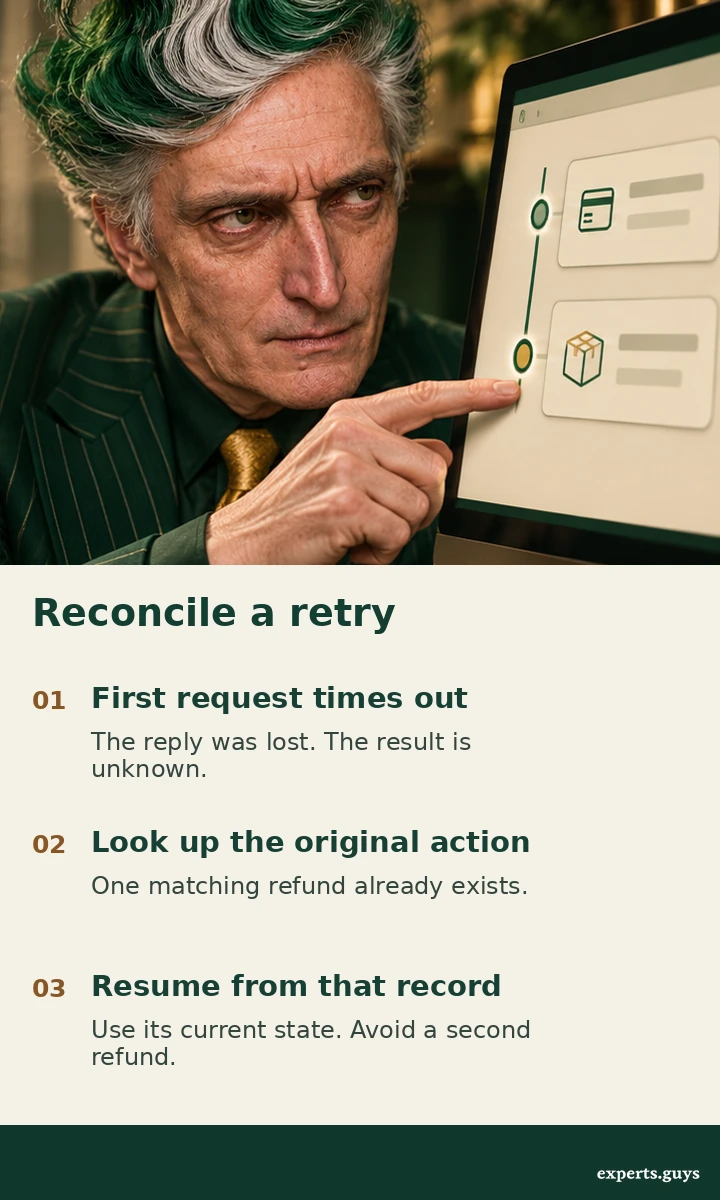
A later question such as “Did it go through?” should reopen the status path. A retry of the original operation belongs to the payment integration. For example, Stripe documents how an idempotency key lets an integration retry a request with the same parameters. Reusing that identifier for a different purchase or a newly authorized amount would mix separate customer decisions.
When the lookup cannot settle the result, keep the action under review with its original reference. A second agent can otherwise see an unresolved conversation and innocently issue another refund. A useful handoff carries the item, approved amount, last confirmed status and unresolved question, with access limited to staff who need the details.
Decide how much authority to give the chatbot
- Explain policy when the bot has the applicable terms but cannot inspect an account.
- Look up status when identity, order and payment can be matched and the provider state is available.
- Submit an authorized refund when the item, amount, approval and duplicate controls all pass the test case.
- Route for review when records conflict, a required approval is missing or an earlier transaction has an unknown outcome.
Consider a team whose status lookup works in all eleven scenarios but whose submission route duplicates a payment after a timeout. The customer can still get accurate updates while staff retain refund authority. This narrower release preserves a working service and makes the remaining engineering problem specific.
Frequently asked questions
Can a closed support ticket prove that a refund arrived?
A ticket records the support team’s work. Payment status comes from the payment record, while the customer’s statement is a separate view. Report only the stage you can verify.
What if the customer received store credit?
Identify the credit type, amount and location where it can be used. Calling a wallet credit a card refund sends the customer to the wrong place to check.
Which details belong in a customer-facing receipt?
Include the item, amount, currency, current state and a usable reference. Show only the masked destination details appropriate to the authenticated customer. Keep internal case notes in the staff view.
Next steps
Begin with one partial return in your test environment. Compare the customer’s request, the order line and the linked refund, then read the proposed reply as the customer would. If you can tell which item was refunded, how much was involved and what happens next, move to the case with a lost acknowledgment. For help placing this workflow alongside other service tasks, use the customer service implementation guide.