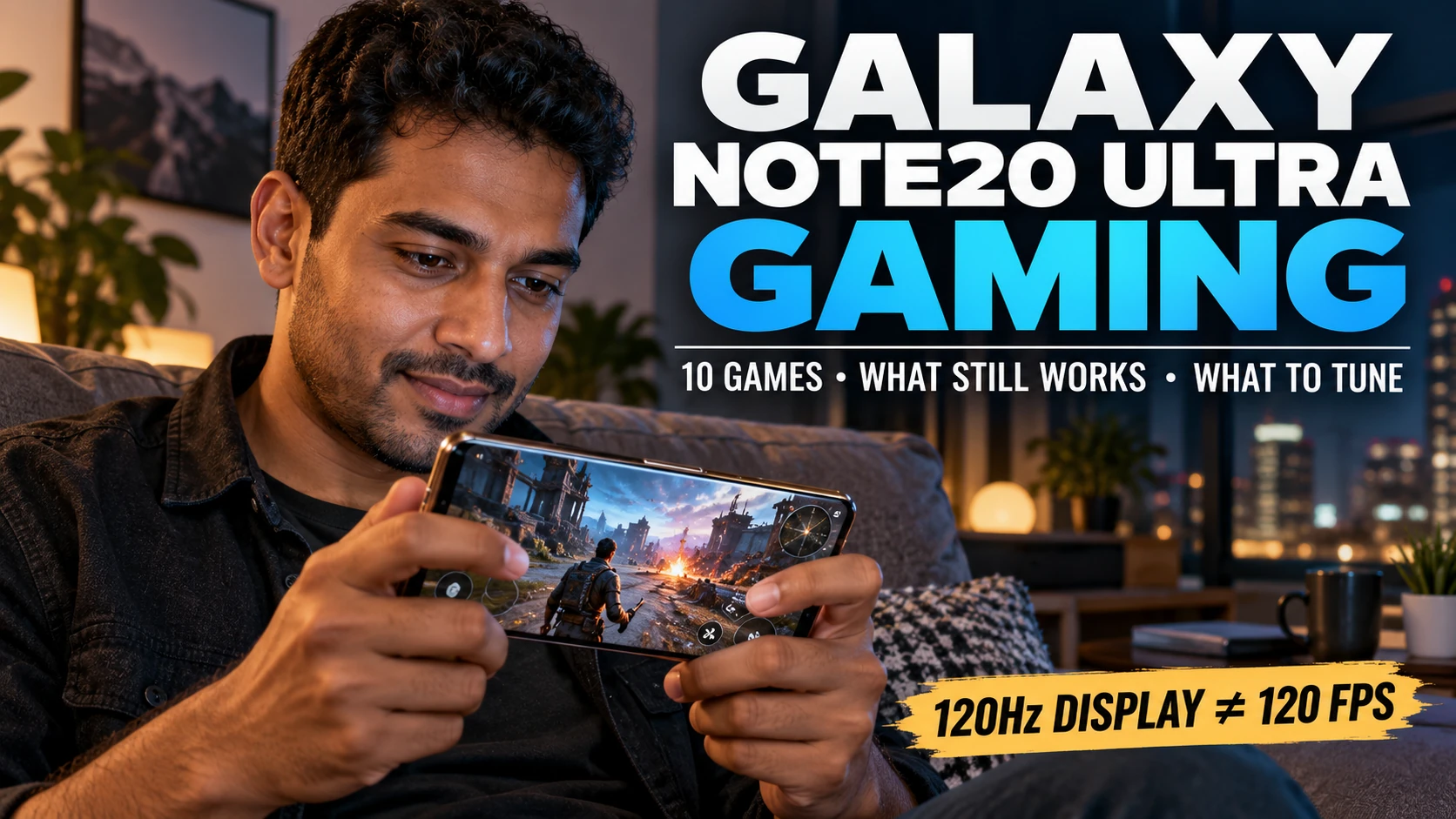

The Galaxy Note20 Ultra can still be a satisfying gaming phone if you match the game and settings to an older flagship rather than treating every title as a maximum-graphics stress test. Its large display, high refresh-rate option and capable hardware remain useful, but sustained heat, battery condition, regional processor differences and the demands of newer game updates can change the experience.
The most practical split is simple: lighter games such as Clash Royale, Stardew Valley and Monument Valley 2 place less sustained load on the phone, while Genshin Impact, Fortnite, PUBG Mobile and Call of Duty: Mobile ask more from the processor, graphics hardware, battery and cooling system. A game that launches successfully is not automatically a game you should run at its highest settings for an hour.
This guide keeps the original idea of ten games, but treats the phone as it exists now: an older premium device whose best gaming setup depends on session length, heat, battery drain, network quality and control preference. The goal is not to prove that the Note20 Ultra can run everything; it is to help you choose what fits and know what to change when the experience stops feeling smooth.
The short version: which games fit the Note20 Ultra best?
| Game | Best fit | Sustained device load | Connection / control note |
|---|---|---|---|
| PUBG Mobile | Battle royale | High | Online; touch-first |
| Among Us | Social deduction | Light | Best with other players |
| Call of Duty: Mobile | Fast shooter sessions | High | Online; supported controllers for matches |
| Asphalt Legends | Arcade racing | High | Online features are central |
| Minecraft | Creative / survival | Moderate, variable | Offline play available; controller-friendly |
| Genshin Impact | Open-world action RPG | Very high | Online; settings matter |
| Clash Royale | Quick strategy | Light | Online; short sessions |
| Stardew Valley | Relaxed long-form play | Light | Offline-friendly; external controller supported |
| Monument Valley 2 | Short puzzle sessions | Light | Offline-friendly |
| Fortnite | Current cross-platform action | Very high | Online; controller option; install path can vary |
Pick for your actual session
Note20
PlayFit
Match game type, session length, connection, controls, heat tolerance and battery priority - then get three practical fits plus device settings to try.
Your practical match
Three games to start with
Why the Note20 Ultra can feel fast at first and slower later
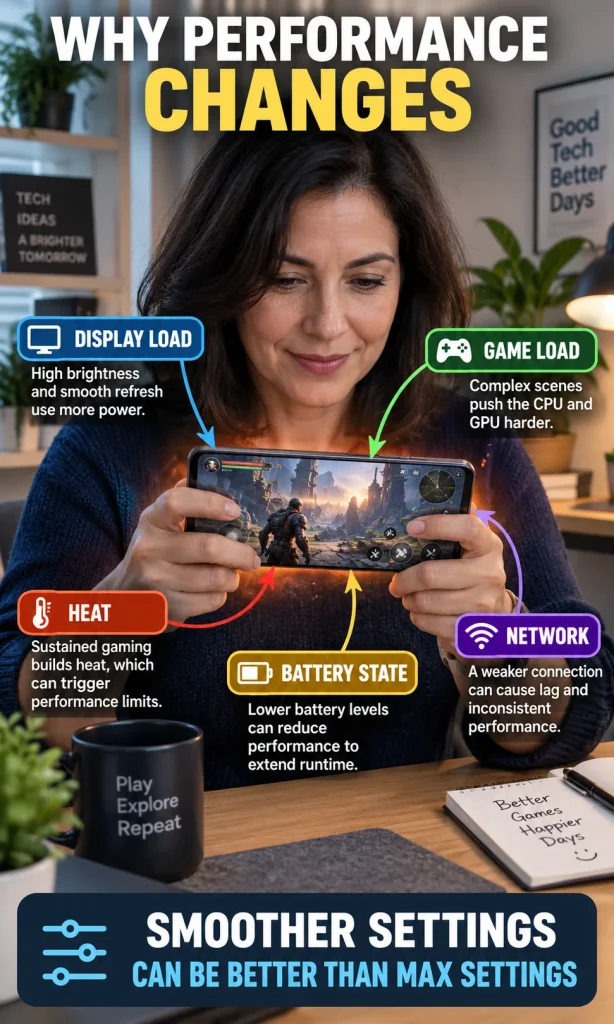
The Note20 Ultra still has the ingredients that make games enjoyable: a large 6.9-inch display, stereo sound, plenty of memory on common configurations and an adaptive high-refresh display mode. None of those features remove the limits of sustained load, however, so a phone that feels fast in the first five minutes can behave differently after heat has accumulated.
The Galaxy Note20 Ultra’s 120Hz display guidance also contains an important limitation: the high refresh-rate mode is not available while using WQHD+ resolution or Power saving mode. More importantly, a 120Hz panel is only the display’s refresh capability; it does not mean every game will render 120 frames per second.
Another reason two owners can report different results is regional hardware. Samsung sold the Note20 Ultra in market-specific configurations, so processor behavior, software versions, battery condition and ambient temperature can all influence sustained gaming even when the phone name is identical.
Heat is the factor I would watch most closely on an older gaming phone because it connects performance and battery stress. If the phone becomes unusually hot during demanding play, reducing graphics, lowering the frame-rate target, pausing charging and letting the phone cool is more useful than insisting on maximum settings; the same principle is explained in the site’s guide to phone battery health.
Pick by session, not by graphics alone
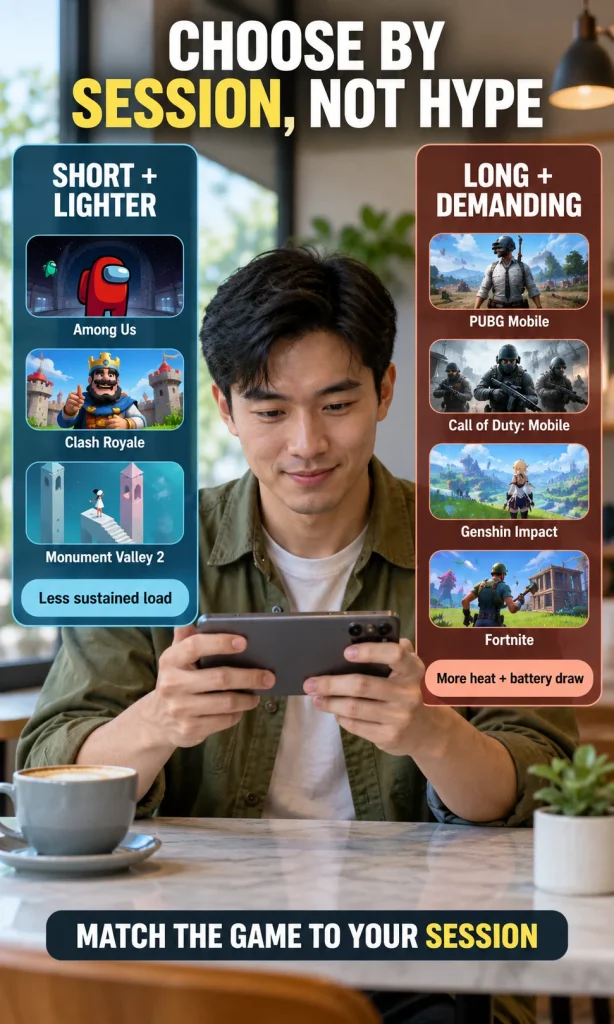
A visually simple game can be the better choice when you have fifteen minutes, weak mobile data or a battery that no longer feels fresh, while a demanding open-world title makes more sense when you are near power, have a stable connection and can tolerate more heat. That is why the best game for the Note20 Ultra changes with the session rather than with one permanent ranking.
10 games that make sense on the Galaxy Note20 Ultra
1. PUBG Mobile – for battle royale on a big screen
PUBG Mobile remains a useful stress test for the Note20 Ultra because long matches combine sustained graphics load, network activity, touch input and a bright display. It can feel very good on the large screen, but I would choose a stable graphics and frame-rate combination over the highest visual preset if the device starts heating up after several matches.
2. Among Us – for light social sessions
Among Us is almost the opposite workload: the appeal comes from communication, deduction and group dynamics rather than pushing the graphics hardware. That makes it a strong choice when you want something social that places much less sustained demand on the phone, although online rooms still depend on a reliable connection and the people you are playing with.
| Load label | What it means here | What to watch |
|---|---|---|
| Light | Usually easier to sustain for long periods | Network and screen brightness may matter more than GPU load |
| Moderate | Load changes with world size, settings or activity | Frame pacing, render distance, add-ons and session length |
| High | Sustained 3D gaming can build heat | Graphics preset, frame-rate target, charging and temperature |
| Very high | Heavy current games can expose the age of the hardware | Thermal throttling, battery drain and unstable frame rate |
3. Call of Duty: Mobile – for short competitive bursts or longer matches
Call of Duty: Mobile suits the Note20 Ultra when you want fast 5v5 matches, battle royale or other modes that reward responsive controls and a large display. The game is heavier than the social and puzzle titles on this list, and Activision’s current controller guidance confirms support for specified Xbox, PlayStation and Backbone controllers, while some menus still rely on touch.
4. Asphalt Legends – for arcade racing
The game once commonly referred to as Asphalt 9 now appears as Asphalt Legends, and it remains a natural fit for a wide phone because races are visually busy, fast and easy to play in short bursts. Treat it as a demanding 3D title rather than a lightweight casual game: if the phone becomes warm during repeated races, reduce the game settings before assuming the device itself has a fault.
5. Minecraft – for flexible creative and survival play
Minecraft is useful because the workload is not fixed; a simple world can be easy on the phone, while greater render distance, dense builds, add-ons and long sessions can raise the load. It also gives you more flexibility than always-online games because solo play can work without a constant connection, and a controller can make long building or exploration sessions more comfortable.
6. Genshin Impact – for an open-world stress test
Genshin Impact is the title I would use to judge whether your particular Note20 Ultra still handles modern heavy gaming comfortably, not to prove that every unit should run maximum settings. Current Genshin Impact Android requirements remain well below typical Note20 Ultra memory and processor capability on paper, but minimum compatibility does not guarantee cool, stable, high-setting performance during a long session.
7. Clash Royale – for quick strategy
Clash Royale is a good example of why “best gaming phone” should not be reduced to raw graphics power. Matches are short, the sustained device load is comparatively light and the game still rewards quick decisions, so an older battery or a warm room is less likely to dominate the experience than it would in a long 3D action game.
8. Stardew Valley – for relaxed, offline-friendly play
Stardew Valley works especially well when you want a game that can keep you occupied for a long time without keeping the phone under heavy 3D load. The Android version supports multiple control options including an external controller, and it is a better recommendation than the old claim that it needs a free demo because the current mobile listing is a paid game with no in-app purchases.
9. Monument Valley 2 – for short offline puzzle sessions
Monument Valley 2 is a strong choice when the point is to enjoy the Note20 Ultra’s large OLED display without turning the phone into a thermal test. It is a paid, offline-friendly puzzle game with a finite experience, which makes it useful for flights, commutes or short evening sessions where you do not want an online live-service loop.
10. Fortnite – for current cross-platform action
Fortnite replaces NBA 2K21 in this updated list because it is a more useful current Android test of the Note20 Ultra’s remaining headroom. It is one of the heavier choices here, and Epic’s official Android installation page is worth checking before you install because the available store path and Samsung security steps can vary with region and software configuration.
What to change if the phone gets hot or starts stuttering
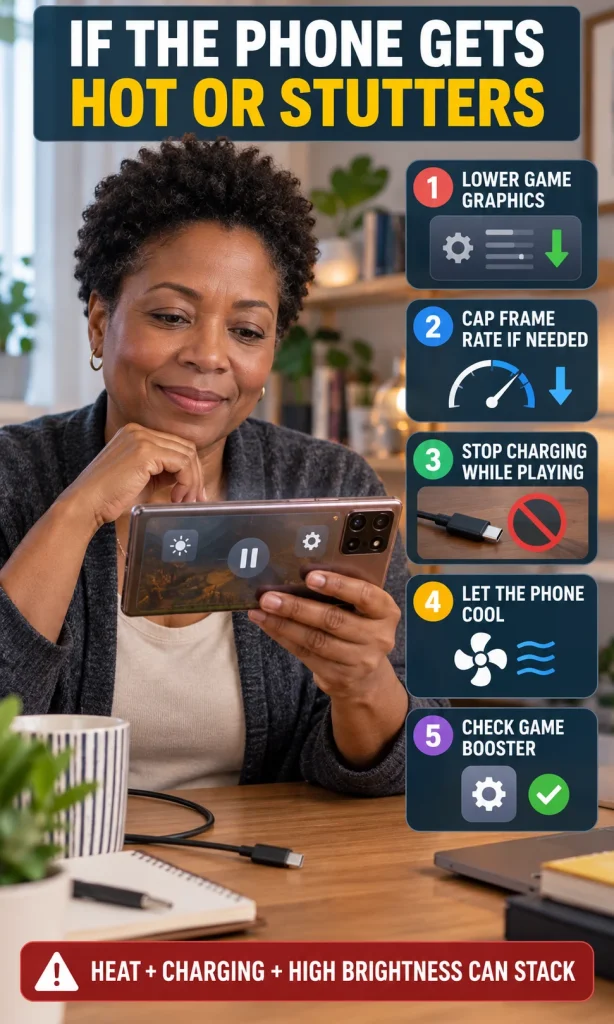
If a demanding game is smooth for the first few minutes and then becomes less consistent, the pattern often points to sustained load rather than a simple “this phone cannot run it” answer. Samsung’s current Gaming Hub and Game Booster guidance explains that the software can monitor temperature and memory and may adjust game behavior to prevent overheating or instability.
Start with the settings that reduce load without destroying the experience, and change one thing at a time so you can see what actually helped. On an older phone, a stable medium preset is often more enjoyable than a maximum preset that looks better for five minutes and then becomes hot, inconsistent or battery-hungry.
- Lower in-game graphics first. Resolution scale, shadows, effects and detail settings usually affect load more directly than the phone’s home-screen appearance.
- Cap frame rate if needed. A lower but steadier target can feel better than a higher target the phone cannot sustain.
- Do not fast-charge through unusual heat. If the device becomes hot while gaming and charging, disconnect power and let it cool before continuing.
- Reduce brightness when practical. The display is another major power draw during long gaming sessions.
- Check Game Booster settings. Use performance mode when smoothness is the priority and Balanced or power-saving behavior when battery life matters more.
Using the phone while it charges is not automatically harmful, but heavy gaming plus fast charging plus high brightness can stack several heat sources at the same time. If this happens repeatedly, the site’s broader explanation of phone basics can help separate processor load, display demand, software behavior and battery condition instead of blaming one setting.
When the better answer is a battery replacement or a newer phone
If the Note20 Ultra still feels fast in lighter games but shuts down early, drops battery percentage quickly or becomes unreliable under normal use, the battery may be a bigger ownership problem than game compatibility. If demanding games are the only issue and the rest of the phone still meets your needs, lowering settings may be the more sensible first move.
Replacement becomes easier to justify when several limitations arrive together: poor battery life, heat, insufficient storage, unreliable charging, damaged display or loss of software support for the apps you depend on. If you reach that point, the site’s phone buying guide is more useful than upgrading only for a benchmark number because it focuses on how the whole phone will hold up over time.
FAQ
Is the Galaxy Note20 Ultra still good for gaming?
It can still be good for many Android games, especially lighter titles and demanding games run with sensible settings. The answer depends on your regional hardware, battery condition, game version, session length and how much sustained heat the phone develops.
Does the Note20 Ultra’s 120Hz display mean games run at 120 FPS?
No. The display can refresh at up to 120Hz in the supported display mode, but the game must also render frames fast enough to use that refresh rate, and many games impose their own frame-rate limits.
Why does my Galaxy Note20 Ultra get hot while gaming?
Demanding graphics, high frame rates, bright screens, mobile data and charging can all add heat during a gaming session. Some warmth is normal, but if the phone becomes unusually hot or performance drops as the session continues, reduce load and let the device cool.
Which games on this list are good when I want offline play?
Stardew Valley, Monument Valley 2 and Minecraft in suitable single-player use are the clearest offline-friendly choices in this list. Online services, multiplayer modes and game updates can still require a connection, so confirm the current game listing before travel.
Should I play games while the Note20 Ultra is charging?
You can use the phone while charging, but demanding gaming and fast charging can increase heat at the same time. If the phone becomes unusually hot, disconnect the charger, reduce the gaming load and allow the device to cool before continuing.
Bottom line
The Galaxy Note20 Ultra is no longer the phone to choose because you want every new game at maximum settings, but that does not make it a poor gaming device. Match the game to the session, treat 120Hz as a display capability rather than a guaranteed frame rate, watch sustained heat and battery behavior, and the phone can still deliver a very enjoyable mix of competitive, creative, social and offline play.