

A practical theory-of-mind AI example starts by separating what the system knows from what each participant has received. Build a digital record of updates, preserve unknown states, and check that the assistant’s reply uses the right participant’s evidence rather than assuming everyone saw the latest message.
Consider a meeting-room change: Alex receives the original room, while Sam receives the later update. The assistant sees both messages, but that does not mean Alex does. This guide turns that difference into eight concrete workflow checks for a programmer, automation builder, or team testing an assistant.
| If the record shows… | Use this response pattern | Avoid this assumption |
|---|---|---|
| Update received | Use the update; check the actual request | Receipt proves understanding or agreement |
| Update not received | Explain the change and supply authorized details | Everyone knows the latest fact |
| Receipt unknown | Ask whether the update arrived | No receipt record proves no receipt |
| Later acknowledgment | Refresh the view and any pending draft | An earlier exposure state stays current |
How can an AI track who received an update?
Theory of mind concerns attributing mental states such as beliefs and intentions to others. In this implementation, the narrower engineering task is tracking information exposure and using it cautiously when drafting a reply. That task can be useful even when the system makes no claim about consciousness, empathy, or access to private thoughts.
The FANToM benchmark studies conversational situations where participants have different information. Its design supports testing who has access to which facts rather than relying on a single fluent answer. The meeting example below is a simplified application design, not a reproduction of that benchmark or a claim about current model rankings.
1. Build a digital event log before asking for a reply
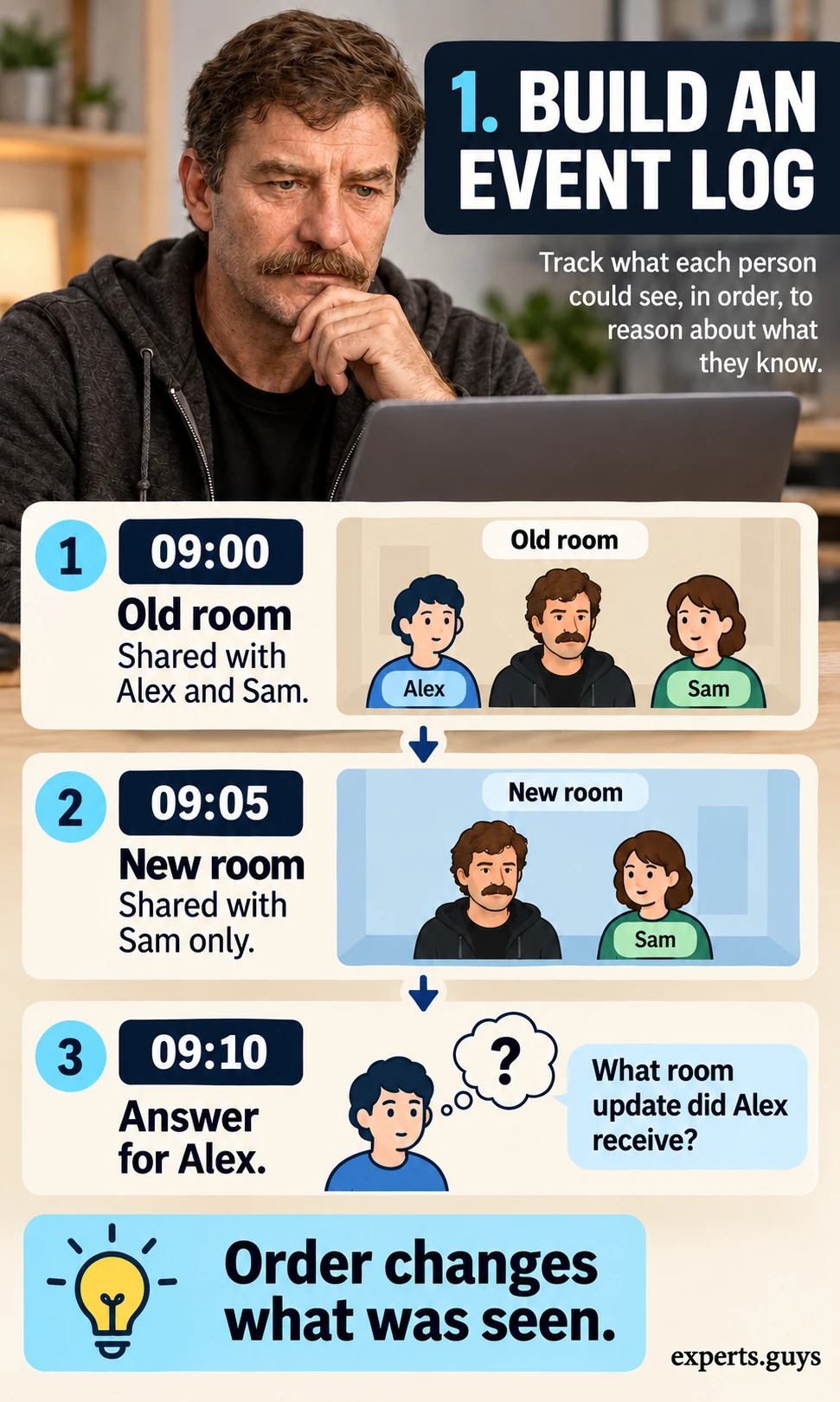
An assistant cannot reliably separate perspectives when the input flattens every message into one undated summary. Keep the order of changes and the people who received each change in a small digital event log. This makes information exposure inspectable without claiming to know anyone’s private thoughts.
- Create one row per update in a spreadsheet, JSON file, or application database. Include an event ID, order or timestamp, topic, value, recipients, and receipt evidence.
- Use this example: e1 at 09:00 sets the meeting to Old room and is received by Alex and Sam; e2 at 09:05 changes it to New room and is received by Sam only.
- At 09:10, ask what information Alex has received. The expected answer is Old room from e1, with no confirmed exposure to e2.
The checkpoint is a traceable answer: each reported update points to an event and its recipient evidence. If two systems disagree about event order, preserve the conflict and ask which record is authoritative before drafting a location instruction. Do not silently sort a delayed delivery ahead of the earlier message just because its export appears first.
2. Create a participant view from the event log
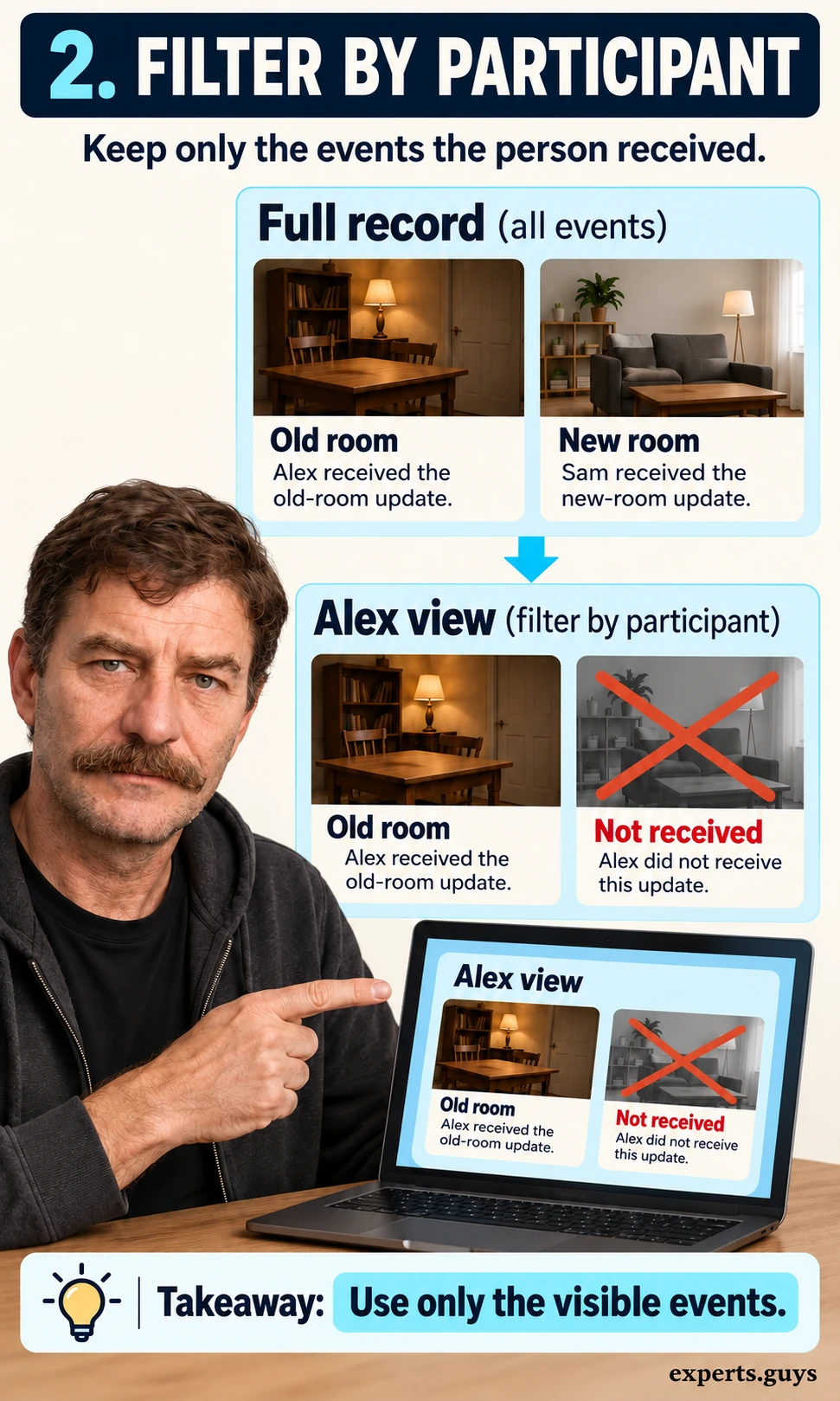
Separate the application’s complete record from the information available to the person being discussed. The assistant may have the new room in its context while Alex has only received the old room. Filtering the record makes that difference explicit before a language model composes an answer.
- Choose the participant and the decision time first: Alex at 09:10.
- Include e1 because Alex received it; exclude e2 from Alex’s received-information view because the example says only Sam received it.
- Pass the participant view and its evidence IDs into the drafting step. Keep the current official room available as a separately labeled fact when needed.
The checkpoint is that “current room” and “Alex’s last received room” can differ without either field being overwritten. A shared channel membership alone does not establish that a person read a message. Access controls must also be enforced by the application before retrieval; a prompt telling the model to ignore private records is not an authorization boundary.
How should the workflow handle beliefs and missing evidence?
3. Store current facts separately from attributed beliefs
A received message, a remembered message, and a belief are different things. In a deliberately simplified story, the last visible update may support a prediction about where someone will go. In a real workflow, use that update as evidence of exposure, then qualify any further inference about understanding or intention.
- Keep separate fields for current_fact, last_received_value, evidence_ids, and belief_status.
- For Alex, set current_fact to New room, last_received_value to Old room, and evidence_ids to [e1]. Set belief_status to not confirmed.
- If the task asks where Alex might go, write a conditional answer: “If Alex relies on the last received message, Alex may go to Old room.”
The checkpoint is that a changed official fact does not automatically rewrite a person’s attributed state. A read receipt can support a narrower claim about exposure, but it does not prove agreement, comprehension, or accurate recall. If a system stores “Alex believes Old room” as a certainty, replace that field with the evidence-backed distinction above.

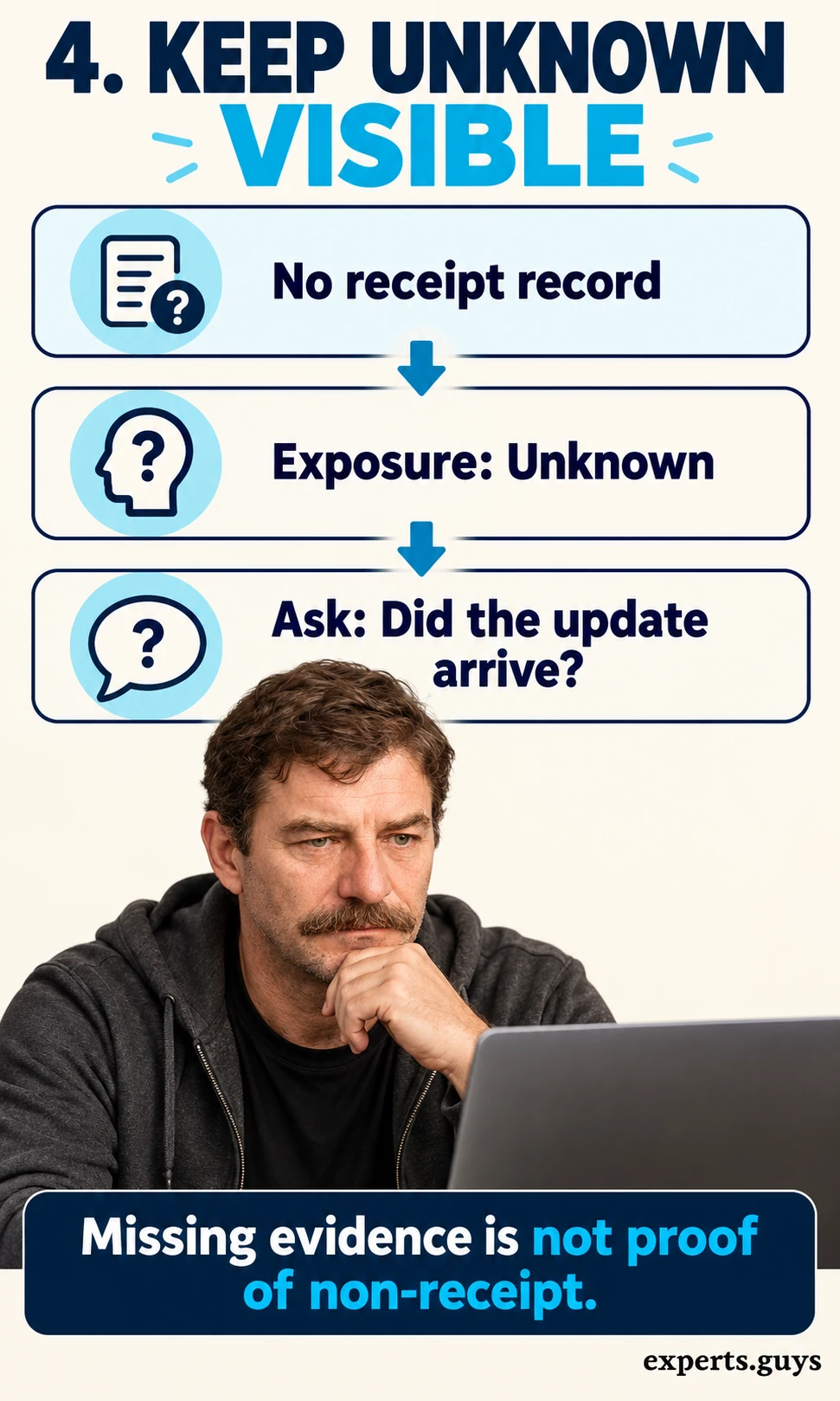
4. Make unknown a real state in the workflow
Missing receipt evidence is not the same as evidence that a message was never received. Use at least three exposure states: received, not received, and unknown. That small distinction prevents a confident reply from hiding a missing record.
- Choose received only when the example or record supports receipt. Choose not received only when non-receipt is established within the relevant channel and time scope.
- Choose unknown when delivery or receipt evidence is absent, conflicting, or outside the system’s visibility.
- For unknown, return the unresolved event and a clarification request rather than substituting the old room or the new room as the person’s knowledge.
The checkpoint is that removing a receipt record changes the output to unknown, not to “Alex did not see it.” Keep the scope visible: a missing workplace-chat receipt says nothing about a telephone call. If your database only has true and false, add a nullable or explicit unknown value before using it for participant-aware replies.
How do you turn the participant view into a useful reply?
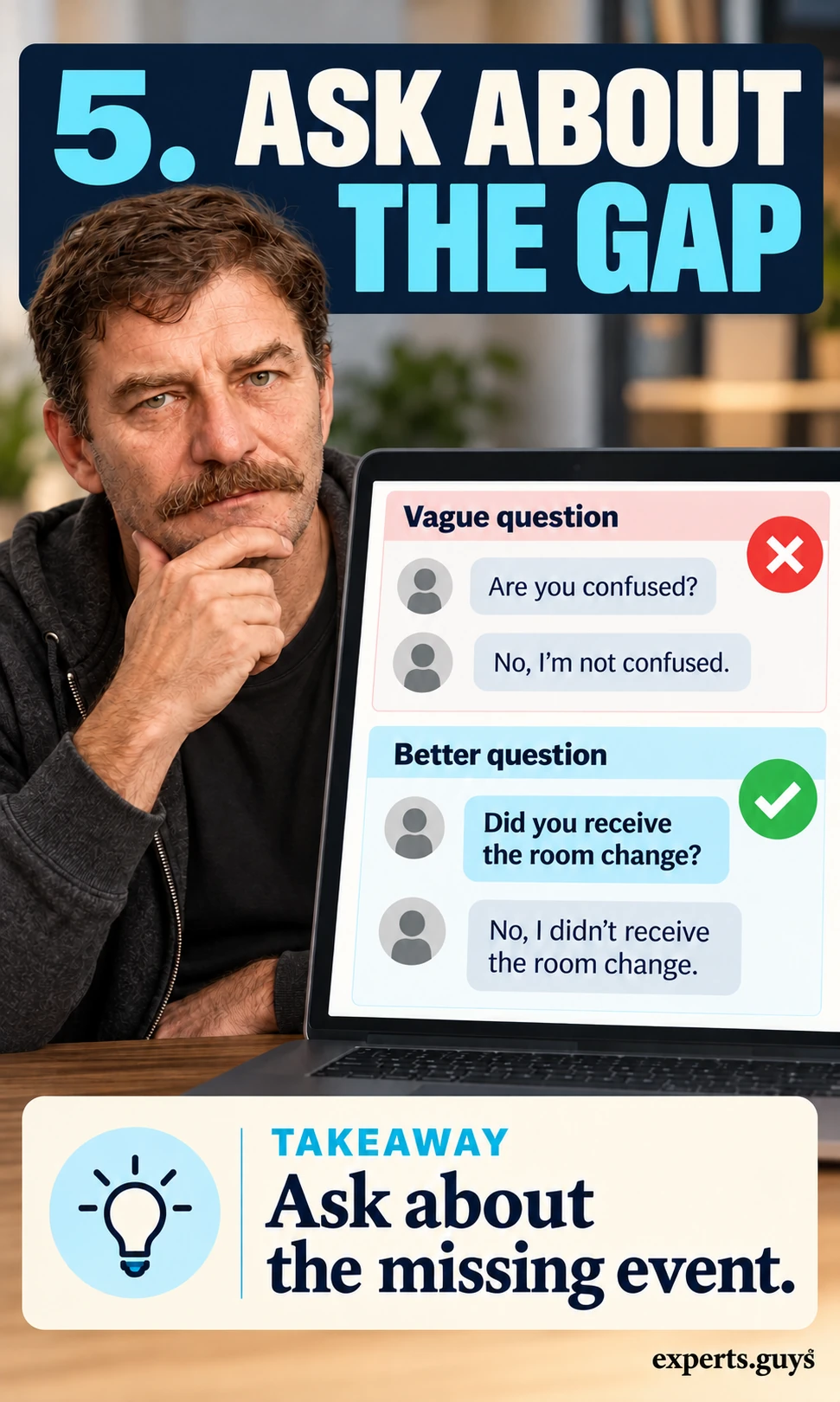
5. Ask the smallest question that resolves the missing event
The most useful clarification asks about information, not personality. “Did you receive the room change?” resolves a specific gap that “Are you confused?” leaves untouched. It also gives the reader a straightforward correction path without inviting the assistant to diagnose an emotional state.
- Name the missing event in neutral language: the room-change update.
- Ask whether it arrived, then offer the authorized current update if sharing it is appropriate.
- Keep the draft unsent until the user chooses to send it; record the reply as new evidence rather than treating the question itself as an acknowledgment.
The checkpoint is a question that can change the exposure state when answered. If Alex says “I saw the update but cannot find the room,” stop repeating the receipt question and address the navigation problem. For broader team routing and channel responsibilities, see the AI workplace communication system guide.
6. Check whether the draft respects the same evidence
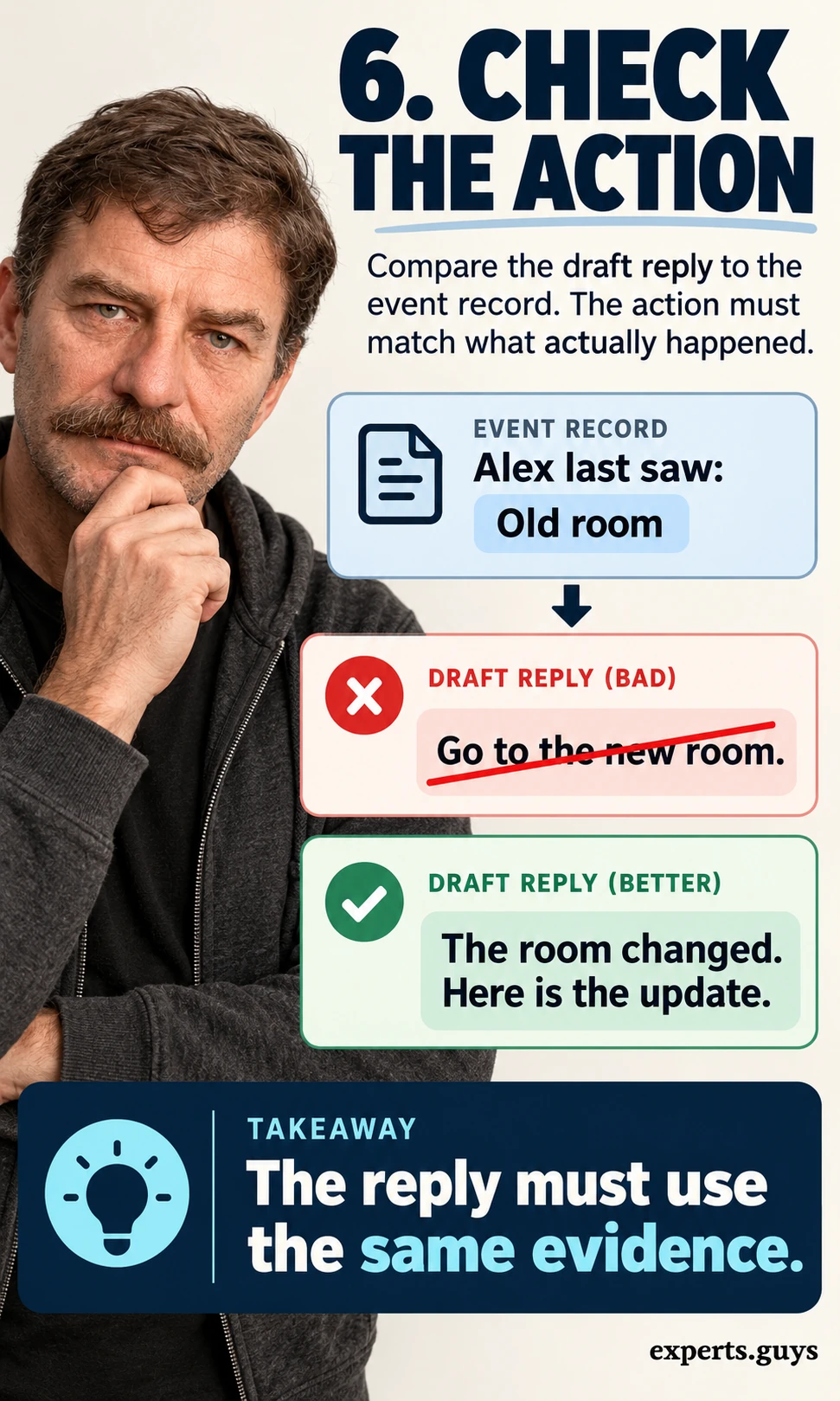
Correctly describing a person’s information does not guarantee that the next recommendation uses it. An assistant can say Alex missed the update and then draft a message that assumes Alex already knows the new room. Review the action and its explanation together, using the same event IDs.
- Compare the proposed reply with last_received_value and exposure_status.
- If the update was not received, replace “Go to the new room as discussed” with “The room changed. Here is the update.” Include the authorized location.
- If exposure is unknown, ask whether the update arrived; if it was received, address the current task without inventing agreement or understanding.
The checkpoint is that the draft does not rely on an update absent from the participant view. Research on SimpleToM distinguishes identifying a mental state from applying it to behavior or judgment, which is why these deserve separate checks. Treat the wording examples here as design suggestions, not measured improvements in a deployed assistant.
How do you keep the workflow correct after updates?
7. Refresh the record when a new acknowledgment arrives
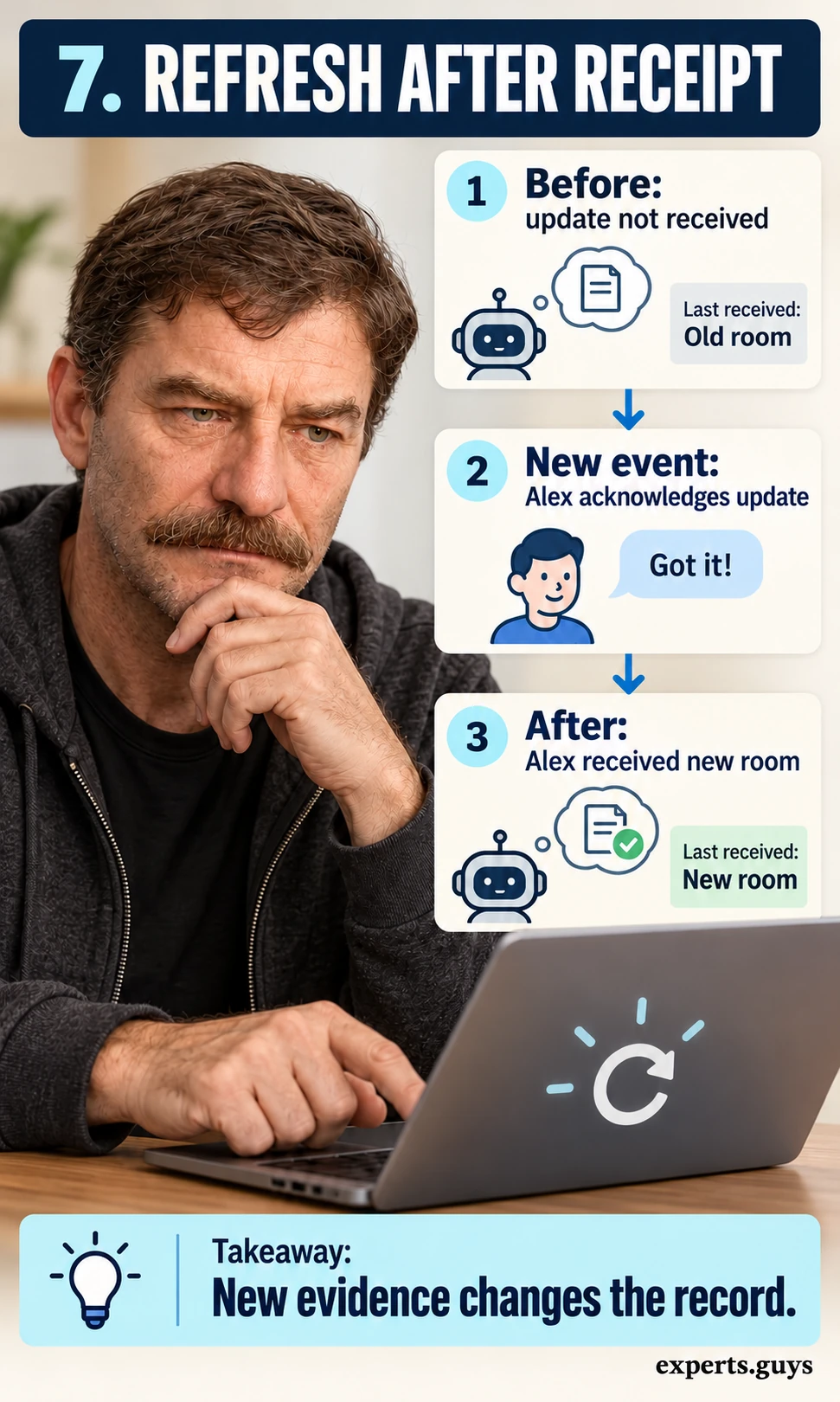
Participant information changes during a conversation. A reply based on the right evidence at 09:10 can become stale after an acknowledgment at 09:12. Append the new event and rebuild the participant view instead of editing the earlier record until the history becomes impossible to explain.
- Add e3: Alex acknowledges the new-room update at 09:12. Preserve e1 and e2.
- Recompute Alex’s received-information view for decisions after 09:12. The new room is now supported by e3.
- Invalidate any cached draft that still says Alex has not received the change. Keep earlier decisions tied to their earlier cutoff time.
The checkpoint is that the same participant can have different supported exposure states at different times. An acknowledgment of receipt still does not prove a plan to attend, so do not turn it into a commitment. If a stale answer persists, inspect the view’s cutoff time and cache key before changing the language-model prompt.
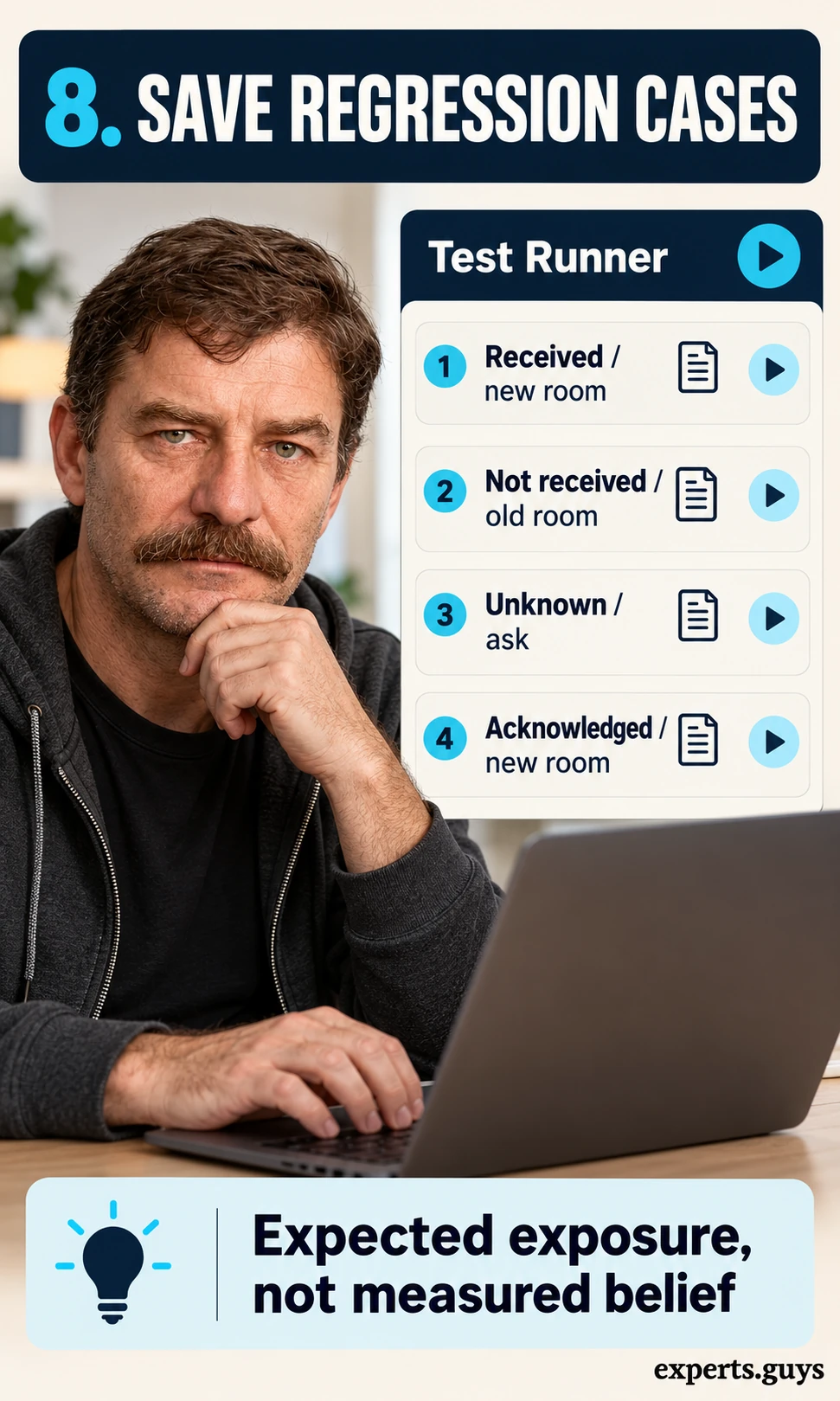
8. Save small digital regression cases for the entire workflow
Keep a few synthetic examples with expected exposure states and allowed reply behavior. These cases protect the filtering and drafting workflow when a prompt, retrieval step, or model changes. They are application checks, not a certificate that a system has human theory of mind.
- Save four cases: received → include the new update; not received → provide the update explicitly; unknown → clarify; later acknowledgment → refresh to received.
- For each case, store the input events, cutoff time, expected evidence IDs, expected exposure state, and a forbidden assumption.
- Run the cases after changes. For a variable text model, retain every observed run and review failures by type instead of reporting only the best answer.
The checkpoint is that no output claims receipt without evidence or reuses a stale state after acknowledgment. Report missing, malformed, and inconsistent outputs as failures rather than discarding them. If the text varies while the state stays correct, compare the reply’s meaning against the allowed behavior instead of requiring an identical sentence.
Try the update-receipt check
Use the interactive example to change whether Alex received the room update and whether a later acknowledgment exists. It returns a supported exposure state, an evidence explanation, and a suggested next step. The result follows fixed rules for this simplified example; it does not assess a real person or run a language model.
Belief Check Studio
Change what Alex learns. Compare the story’s expected answer with a chatbot response.

This is a fixed-rule demonstration, not an AI model or a validated assessment. It makes no external requests and stores no answers.
Your story prompt
Alex puts a ball in a red box, then leaves and cannot see or hear the room. Maya moves it into a blue drawer and closes the drawer. Nobody tells Alex. Before opening either container, where does Alex expect the ball?
Loading controls. If they stay unavailable, use the illustrated examples below.
The checker runs in your browser and does not need an account or private conversation data. Select a state, review the explanation, and export the example if you want to retain a digital case. Its A4 summary is optional; saving the JSON gives you a machine-readable record without writing anything by hand.
When is this approach worth using?
| Situation | Useful part of the workflow | Important limit |
|---|---|---|
| Meeting or task update | Differentiate the latest official fact from the last received message | Receipt does not prove commitment |
| Support handoff | Preserve what the customer was actually told | Do not expose internal-only notes |
| Shared assistant | Track participant-specific context and time | Keep access enforcement outside the model |
| Simple one-person factual lookup | Use ordinary source retrieval and answer checking | A participant-state layer may add unnecessary complexity |
Use this approach when a reply changes depending on who received an update. If the answer is identical for everyone, ordinary retrieval and validation may be enough. A person’s emotional state, consent, trustworthiness, or suitability for a consequential decision should not be inferred from this small exposure record.
Research on perception-to-belief inference examines the gap between recognizing what a character perceived and inferring the character’s beliefs. That distinction is a reason to keep exposure evidence visible rather than collapsing everything into a “knows” field. The workflow here uses conservative engineering rules; it does not establish a validated measure of human understanding.
Frequently asked questions
Does this require an AI model?
No. Event ordering, recipient filtering, and exposure-state selection can use ordinary application logic. A language model is optional for drafting a natural reply from those checked fields.
Can a read receipt prove what someone believes?
No. A receipt may support that a message reached or was opened by an account, depending on the system. It does not prove comprehension, recall, agreement, or intention.
Should every assistant store a permanent profile of each person?
No. Store only the task-relevant information and evidence the workflow needs. Prefer short-lived records with a clear retention rule over speculative personality or emotional profiles.
Can this example prove that a model has theory of mind?
No. It checks a narrow information-exposure workflow. Claims about broader theory-of-mind capabilities require appropriate evaluation across varied tasks and careful interpretation of alternative explanations.
What if the assistant knows a private fact the recipient has not seen?
Keep authorization separate from exposure tracking. Do not reveal private information merely to fill a knowledge gap; supply only information the recipient is allowed to receive.
Summary: make the information gap visible
Start with the event record, create the participant view, and keep current facts separate from inferred beliefs. When evidence is missing, ask about the missing update; when new evidence arrives, refresh the state. A useful assistant explains its next action from the available record instead of pretending that a shared conversation gives everyone the same knowledge.