

Oracle CRM call center integration connects a specific Oracle customer-management application to the system handling calls, so agents can use customer context during a conversation. Five9 and OpenMethods are documented starting points for some Oracle environments, but compatibility depends on the Oracle product, agent desktop and connector scope. Identify those three items before treating any vendor as a suitable option.
The strongest buying question is whether a supported connection can complete your actual service workflow. A dial button proves very little about case ownership, transferred calls or recovery after a failed save. For most teams, a documented adapter that fits the existing Oracle environment is the sensible first option; custom development becomes reasonable when a necessary workflow remains unsupported and someone can maintain the integration.
Which Oracle product and agent desktop must the connector support?
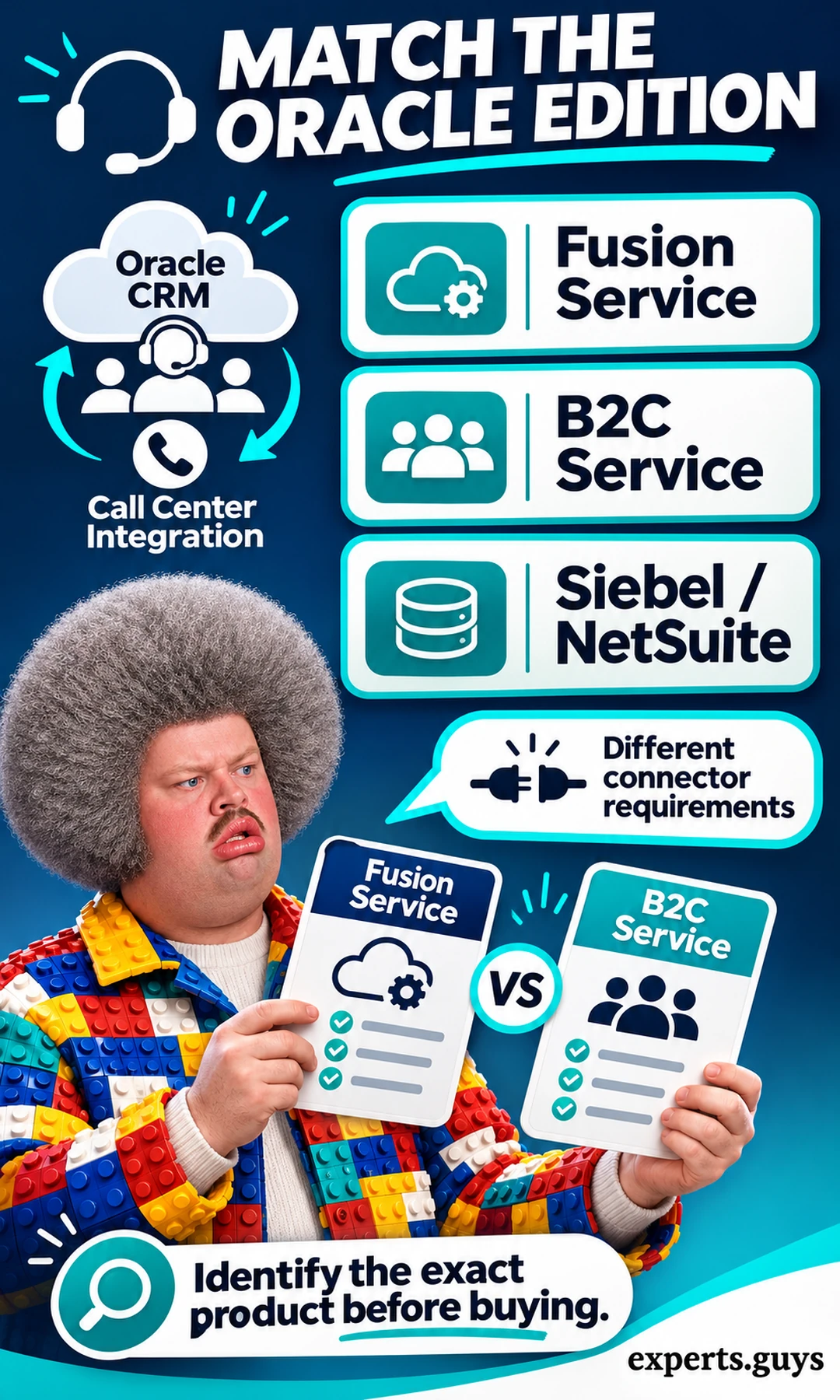
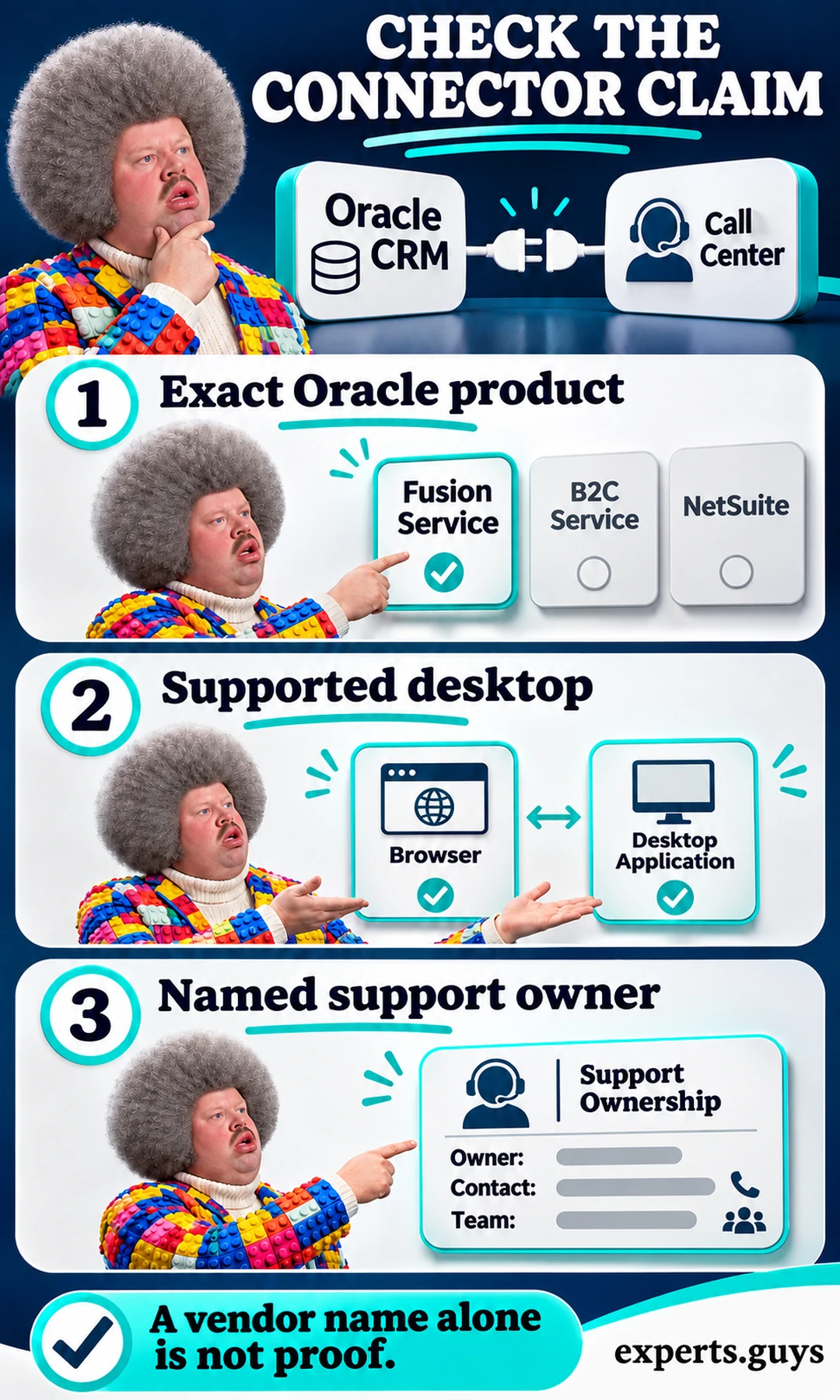
“Oracle CRM” is too broad for a compatibility decision. Fusion Service, B2C Service, Siebel and NetSuite belong to different product contexts, and an integration claim for one does not establish support for the others. Start with the application your agents actually open, then confirm the desktop experience, release and contact-center platform with the people who administer them.
A purchasing specification should identify the receiving application as precisely as the calling platform. If a proposal says only “Oracle integration,” ask which application receives the interaction, which record type is updated and where the agent controls appear. This is especially important when an organization uses more than one Oracle application and assumes that a connector reaches all of them.
Find the application, not just the contract name
Use the application’s own product information and your administrator’s deployment details to identify the environment. Compare that with the connector documentation and the environment shown in the vendor demonstration. Do not substitute a screenshot of another Oracle desktop because its contact page looks similar; navigation, extension points and supported controls can differ.
The observable result is an exact product-and-desktop match, or an explicit unresolved question. If an agent cannot see deployment information, have the administrator confirm it rather than asking the agent to change settings. The smaller first step is simply to open the everyday service application and establish its identity; no migration or purchase is needed to do that.
For Fusion environments, Oracle’s CTI overview describes an embedded partner application and the framework used to communicate with the Fusion application. This supports an integration route, not a promise that every calling platform includes a finished connector. The distinction matters because the existence of a framework leaves implementation, configuration and support responsibilities to be resolved.
Swipe horizontally to compare when the table does not fit your screen.
| Environment | Verify before choosing a connector | Why the distinction matters |
|---|---|---|
| Fusion Service / Service Center | Exact agent experience, release, partner toolbar and supported objects. | A Fusion extension route is not proof of a completed adapter. |
| B2C Service / Service Cloud context | Exact desktop, connector version and supported interaction workflow. | Evidence from another Oracle product does not establish this fit. |
| Siebel | Exact release, deployment and supported telephony route. | Do not reuse Fusion-specific instructions without confirmation. |
| NetSuite | A NetSuite-specific adapter and required record mapping. | A shared vendor name does not imply shared implementation. |
Keep the voice service separate from the CRM
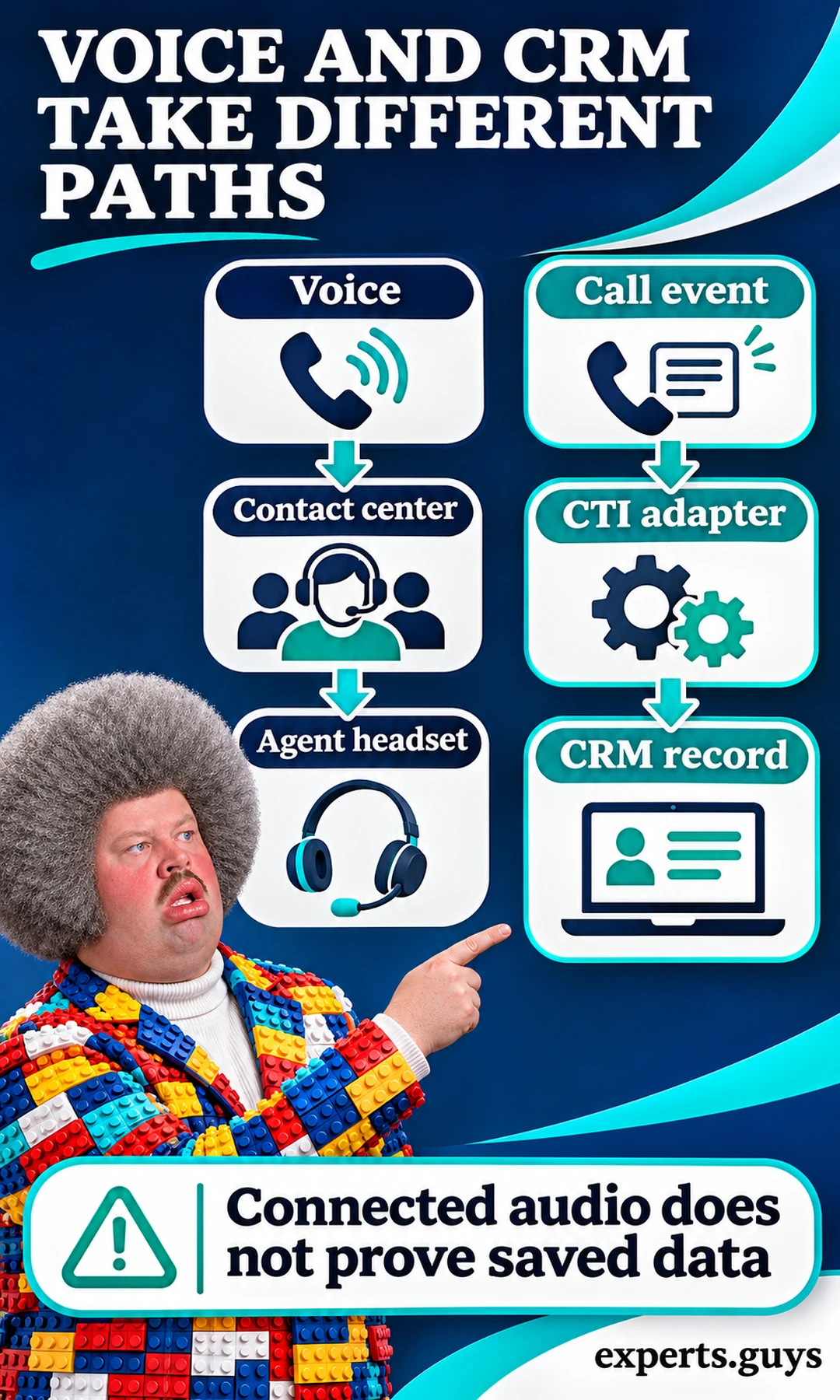
The contact-center system handles the communication journey: a call arrives, waits in a queue, reaches an agent and may be transferred. The CRM holds the business context that helps the agent act on that communication. CTI, or computer telephony integration, provides the connection between call events and relevant desktop behavior; it does not make the CRM and telephone network a single system.
Think of two paths that must cooperate. Audio has to reach the agent, while an event has to reach the integration and trigger the correct CRM action. A caller can be heard perfectly even when the contact lookup is wrong or a save is failing. Conversely, a correct contact page can open while the agent has an audio-device problem, so troubleshoot the path that actually failed.
This separation also explains why “cloud-based” is not enough. Hosting two products in the cloud says little about how one authenticates to the other, what events pass between them or whether an update is acknowledged. A working web API can support background synchronization without supplying embedded call controls. A media toolbar can supply controls without implementing every business-specific case update.
Decide what the first integration should achieve
Define one useful outcome before asking for a feature tour. For an inbound support team, that might be: the permitted agent receives the call, chooses the correct customer, opens the appropriate service record and saves a disposition once. For an outbound team, the outcome may instead start from an approved CRM contact and end with a correctly associated activity. These workflows need different demonstrations even if both include dialing.
Keep AI assistance outside that first proof unless it is essential to the task. Transcription, suggested replies and summaries can be evaluated after the basic identity and data connection works. The distinction between rules and interpretation is explained in the site’s guide to automation and artificial intelligence; the compatibility decision here concerns the systems’ ability to exchange the right events and records.
The practical takeaway is a boundary: identify the Oracle application, desktop and required workflow before comparing suppliers. If any of those remains unknown, a vendor shortlist is provisional. That uncertainty can be resolved through a narrowly scoped demonstration rather than a long list of unrelated features.
Which call center software has a credible Oracle integration route?
Five9 and OpenMethods are credible places to begin checking for the relevant Oracle environment because Oracle’s own documentation identifies those routes. They are candidates for verification, not interchangeable endorsements. Require product-specific documentation and a demonstration of your required record updates before selecting either a packaged adapter or an integration layer.
Oracle’s partner CTI guidance names OpenMethods PopFlow, Harmony for B2B Service and Five9 for Oracle B2B Service. That gives the shortlist a traceable basis. It does not settle current licensing, region, desktop coverage, project cost or which participant will fix a failure in your deployment.
Five9: match the adapter to the Oracle environment
The Five9 Oracle integration page distinguishes Service Cloud, Service Center, NetSuite and Digital Assistant offerings. That product separation is useful: ask for the specific adapter rather than relying on the general Oracle heading. A page listing several offerings does not mean one license or installation includes them all.
A sensible Five9 evaluation starts with the Oracle product you identified, then checks the supported desktop and required workflow against the current adapter documentation. Ask what the adapter handles directly and what needs configuration or additional implementation. Treat channel support, business-object updates and access to recording links as separate acceptance items instead of assuming that a unified desktop covers every one.
OpenMethods: verify the complete combination
OpenMethods is another route named in Oracle’s CTI guidance, but an integration layer is part of a larger combination. Establish the exact calling platform, Oracle application and agent experience that the proposed solution supports. Ask which component owns lookup behavior, interaction association and write-back, because a connection spanning multiple products needs a clear owner for each operation.
This approach can be useful when a business wants to retain its existing telephony investment while changing the agent workflow. The trade-off is another supported component to operate and troubleshoot. That is acceptable when it solves a real requirement; it is less attractive when a simpler supported adapter already completes the same task with fewer dependencies.
Genesys: do not transfer evidence between product families
A reference to Genesys needs its product name and integration route attached. Oracle’s Genesys integration tutorial discusses a PureEngage implementation involving a Java bridge and the Genesys SDK. That is not evidence of a ready-to-install Genesys Cloud adapter for every Oracle desktop. Similar vendor branding does not make architecture instructions portable.
If a proposal uses the historical PureCloud name, request the current product identification and implementation documentation. The useful correction is to check what is actually being offered, not to dismiss a platform because an older name appears. A partner-supported connector may be suitable, but the support matrix and delivery responsibilities must establish that suitability.
What about Velocify, InGenius and eTollFree?
Do not carry a compatibility statement forward simply because these names appeared in an earlier list. The current source checks for this article did not establish a specific supported combination for each of those products and your Oracle environment. That is an evidence limit, not a declaration that integration is impossible. A supplier can resolve it by providing current documentation that names the precise Oracle product and supported workflow.
The same standard applies to any additional vendor. “We have an API” means there may be a development route; it does not establish a supported prebuilt connector. “We integrate with major CRMs” is weaker still. A successful proof should identify the supported combination, show the required behavior and leave the organization with a maintenance path after the salesperson’s demonstration ends.
Swipe horizontally to compare when the table does not fit your screen.
| Route | What is established | What remains to prove |
|---|---|---|
| Five9 | Vendor documentation distinguishes several Oracle offerings. | The adapter, desktop, objects and license scope for your deployment. |
| OpenMethods | Oracle CTI guidance names PopFlow and Harmony routes. | The complete calling-platform / Oracle combination and support owner. |
| Genesys-related implementation | Oracle documents a PureEngage integration example. | Current product-specific route; do not assume this proves Genesys Cloud compatibility. |
| Other vendors or custom APIs | A proposal may describe a technically feasible path. | A current support matrix, completed workflow and maintenance responsibility. |
Ask the vendor to demonstrate the boundary
Use a test environment and synthetic contacts where possible. Run the demonstration in this order:
- Identify the exact Oracle product, supported agent desktop and named integration version.
- Run the agreed call journey and inspect its receiving business record.
- Separate adapter features and included configuration from custom work that has not yet been built.
The common mistake is allowing a polished call demonstration to substitute for evidence about the receiving records. Correct it by asking to see the final CRM object after the call, using a normal agent’s access. An easier first demonstration can be read-only lookup, but label it accordingly: it proves less than a workflow that writes and later retrieves the interaction.
Keep your comparison focused on Oracle-specific compatibility. A general discussion of how to introduce AI into customer service belongs to the broader implementation decision. This page’s distinct job is to establish which integration route can carry the necessary call context into the right Oracle records.
How do you prove caller matching and call write-back are reliable?
Use synthetic cases that expose ambiguity and interrupted updates, then inspect the final CRM records. A happy-path screen pop is insufficient: the integration must handle shared numbers, missing matches, transferred calls and a failed save without exposing the wrong record or silently losing work. These are proposed acceptance checks, not results from testing a particular vendor.
Test a shared number before trusting automatic lookup
Caller identification is a search clue, not proof of identity. Two contacts can share an office switchboard or household number; a stored number can also be outdated or formatted differently from the incoming value. Matching behavior should therefore be explicit about zero, one and multiple candidate records. The system should not quietly choose the first available person when the result is ambiguous.
To test the ambiguity, create two synthetic contacts that intentionally share one test number and restrict the test user to the intended permissions. Place a controlled test call and inspect what appears. A candidate list or neutral verification step is preferable to automatic exposure of one contact’s sensitive details; confirm how the workflow behaves after the agent selects and verifies the appropriate person.
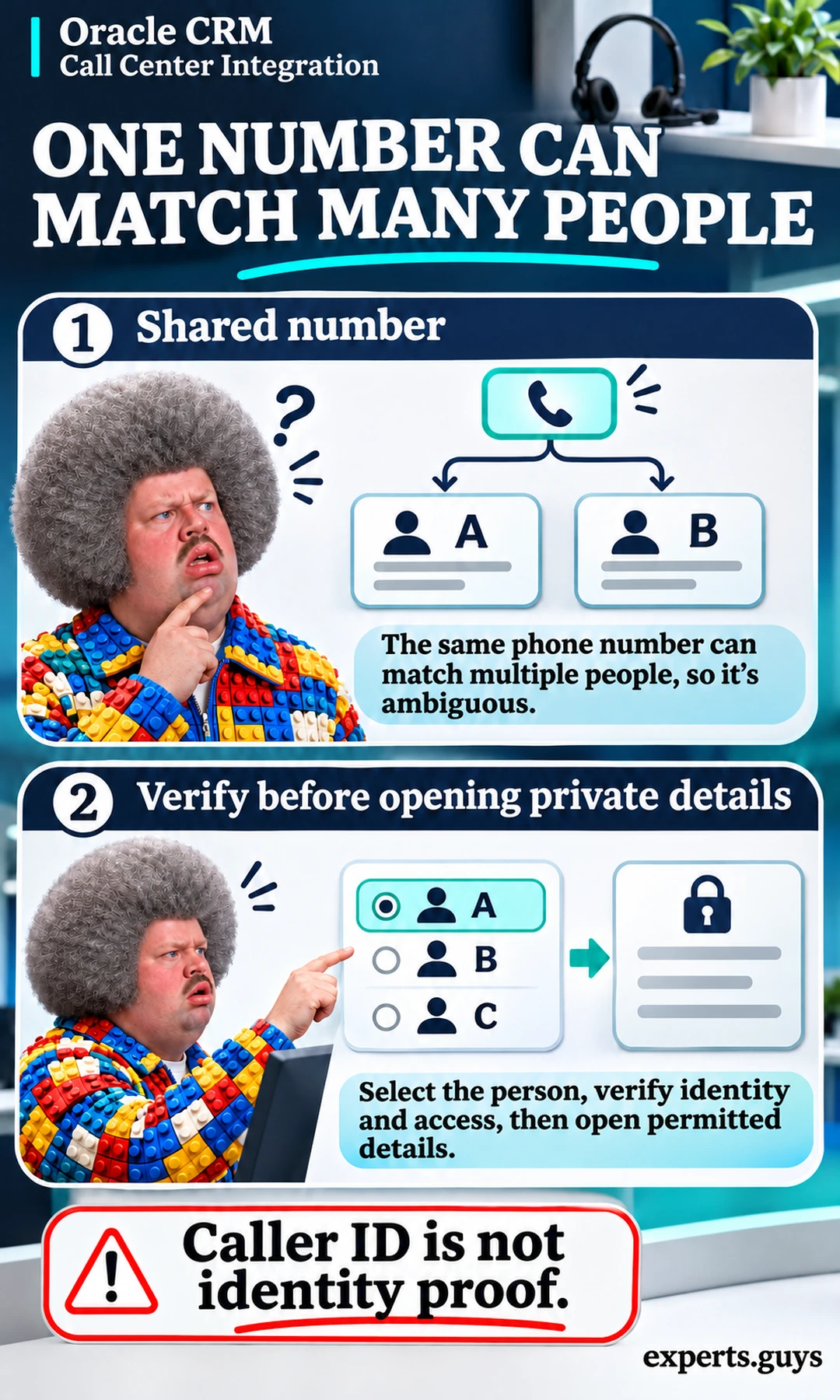
Follow the shared-number case with a withheld or unknown number and a number saved in a different supported format. The expected result depends on your documented policy, but the system should not attach a call to an unrelated record to make the screen look complete. Where contact creation is permitted, it needs its own validation and duplicate handling rather than automatic creation for every unmatched call.
The common mistake is confusing “one search result” with “verified caller.” Correct matching can identify a candidate while authorization still requires another step before private information is disclosed. If the full end-to-end test is not yet available, begin with the synthetic shared-number lookup and keep write access disabled. That smaller test exposes a dangerous assumption without risking real customer data.
Define the record that represents a completed interaction
Before inspecting write-back, agree on the destination object and required fields. A call activity, service request and contact are different records with different purposes. Decide whether the interaction belongs to a customer, an existing service request, a newly created request or a combination permitted by your workflow. A populated activity on the wrong object is still a failed outcome.
Useful fields often include the interaction identifier, selected customer reference, related service record, agent, timestamps, outcome and ownership. This is an illustrative business specification, not a universal Oracle field list. Field names, supported objects and mapping rules depend on the application and connector. Keep sensitive text out of broad-access fields simply because those fields are convenient to populate.
Also separate an interaction record from a recording of the audio. An activity may contain metadata without storing sound; a recording link may point to a different service with separate permissions and retention. Confirm that the person who can see a CRM activity is entitled to open any linked audio. The existence of a URL does not establish access control or lawful recording arrangements.
Make retries safe with a stable interaction identity
A connection can fail after a call ends but before the CRM confirms the update. If retrying creates a fresh activity every time, agents may see duplicates even though only one conversation occurred. A stable interaction identifier gives the implementation a way to recognize that a repeated request refers to the same intended operation; the connector must actually use it in an appropriate duplicate-prevention design.
In a test environment, use a controlled failure approved by the integration owner, such as a simulated write-back error. Complete the synthetic call, observe the failed-save state and retry through the supported recovery mechanism. Inspect the receiving CRM record afterward. The desired result is one correctly associated interaction with a visible recovery outcome, rather than a silently discarded update or unexplained duplicate.
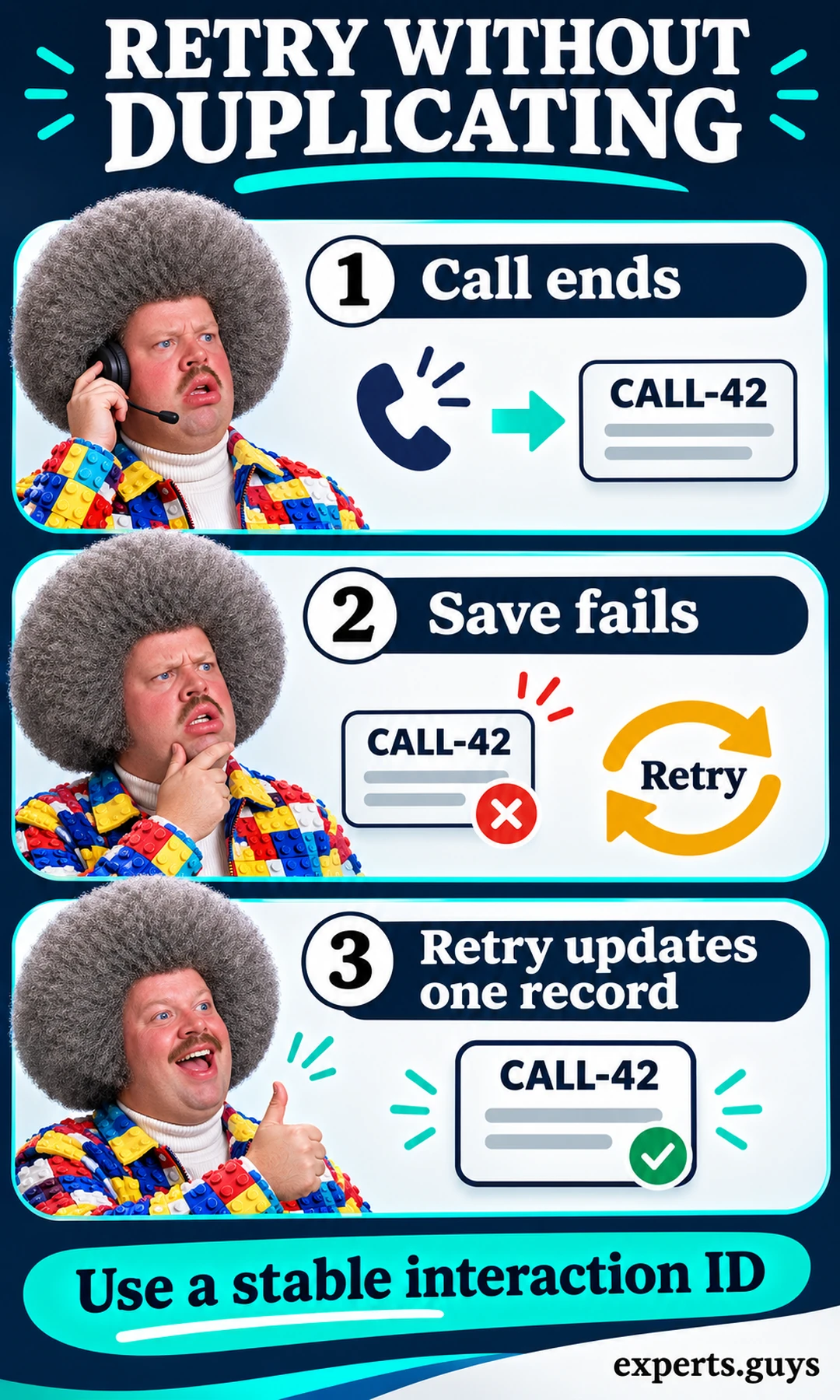
Do not interrupt production traffic or revoke live credentials to create this scenario. If the integration owner cannot safely simulate the failure, use its supported test harness or ask for evidence from a comparable controlled environment. A demonstration that cannot expose the result of a failed save leaves recovery unproven. Repeatedly pressing save without knowing the operation’s behavior is not a recovery design.
Distinguish a conversation from its call legs
Transfers and consultations can produce several technical segments for one service journey. Those segments may deserve separate operational records, but the system still needs to preserve the customer and case relationship. Define whether reporting counts conversations, call legs or activities before interpreting totals. Otherwise a normal transfer can look like duplicate customer demand or inflate apparent agent workload.
Use an illustrative case, CASE-17, assigned initially to Agent A. Have A answer a synthetic call, associate it with that case and transfer it through the supported route to Agent B. Confirm that B receives the intended context under B’s own access and that the final owner and disposition follow the agreed rules. Inspect both the call-platform history and CRM relationship so a successful voice transfer does not hide a broken case association.
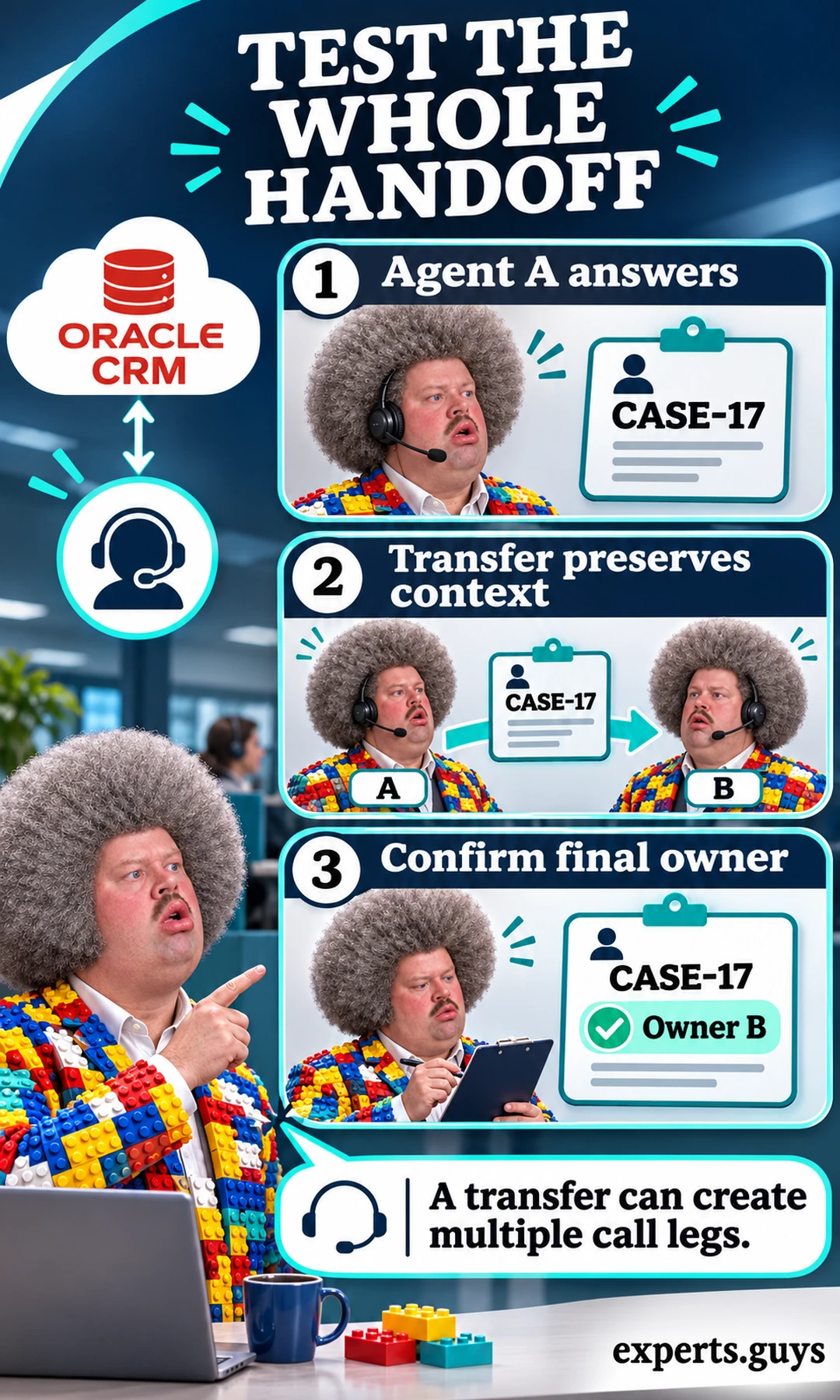
A transfer does not necessarily mean the service case should change owner. Some organizations keep responsibility with a team or original case owner; others transfer it explicitly. The test should enforce the chosen policy rather than treating “Owner B” as a universal rule. In the illustration, Owner B is the example’s intended result, not a requirement imposed on every deployment.
A smaller initial test can prove a direct handoff without a consultation stage, then add the more complex route your team uses. Keep that expansion inside the same acceptance workflow rather than inventing unrelated tests. The meaningful completion is that the receiving agent has the permitted context and the final business record represents the interaction accurately.
Inspect evidence at the business boundary
Evaluate the state another worker would actually receive: the selected contact, linked case, final ownership and saved outcome. A connector log saying “request sent” is useful diagnostic information, but it does not establish that the CRM accepted the intended values. Likewise, a green status indicator on the toolbar does not prove the current agent has permission to update the selected case.
Once integration correctness is established, evaluate service outcomes separately. The site’s guide to assessing human-AI teamwork covers quality, speed and consequential errors. Keeping those evaluations separate prevents a faster demonstration from concealing a compatibility defect, and avoids assuming that correct data exchange automatically improves customer satisfaction.
What should stop rollout, and how should you compare the full cost?
Hold rollout when the exact supported environment, record accuracy, permissions or recovery path remains unresolved. An attractive license price does not compensate for private records opening to the wrong agent or interactions disappearing after a failed save. Compare the whole supported workflow, including implementation and maintenance, before making a purchasing decision.
Set release conditions before negotiating extras
Use the same acceptance boundaries for every proposal: correct access, correct business records and a workable failure response. A vendor can have useful advanced features while failing one of those basic conditions in your environment. Treat a critical failure as a reason to resolve the integration before expanding, rather than averaging it away against an impressive feature list.
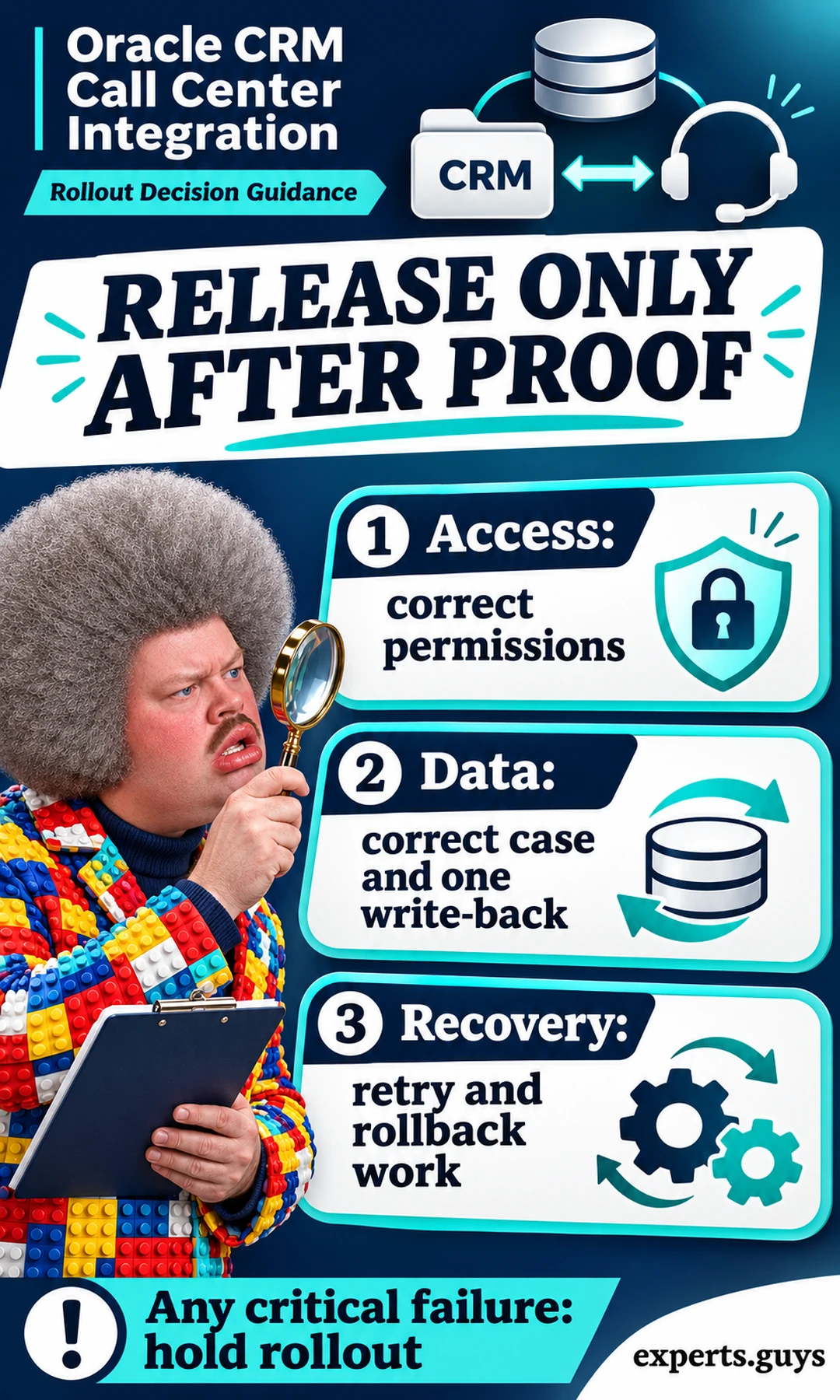
Permissions deserve a normal-user test. An administrator’s account may bypass restrictions that agents encounter every day, while a broad integration account may access more records than an agent should see. Evaluate the relationship between the signed-in agent, integration identity and record-level controls. Access should be sufficient for the agreed job without becoming a shortcut around the organization’s information boundaries.
Recovery also needs an operational owner. Someone must be able to detect an interrupted update, identify the affected interaction and use the supported recovery path. If a vendor, partner and internal team each assume that someone else owns the problem, a small technical fault can become unresolved customer work. Require responsibility for investigation and restoration in the handoff, not just a general promise of support.
A session that works at sign-in can still fail later if the CRM session and embedded calling session expire independently. Include the expected expired-session behavior in the recovery boundary: agents should know which component needs reauthentication and whether pending work remains available. Do not assume that one successful single sign-on demonstration establishes every later session transition. The integration owner should explain how the supported design handles that state without asking agents to share credentials or bypass access checks.
Browser behavior also belongs in the supported environment. An embedded toolbar may depend on browser settings, allowed origins or an approved extension; these dependencies must come from the actual connector documentation. Avoid generic advice to disable browser security or grant every permission when a control fails. A clear support matrix should identify the approved configuration, and troubleshooting should preserve the access boundary that the integration is intended to respect.
Compare cost by dependency and responsibility
Request costs for the actual proposed configuration: contact-center access, adapter or integration-layer charges, implementation, required environments, relevant usage and ongoing support. Pricing units may differ, so establish whether each quote uses named agents, concurrent agents, usage, channels or another basis. Do not compare a monthly per-user line with a different vendor’s full-service total as if they were equivalent offers.
Implementation costs can include field mapping, identity configuration, desktop changes, testing and deployment coordination. Ongoing costs can include regression checks after platform changes, monitoring, incident response and maintaining custom components. These are evaluation categories rather than a claim that every connector incurs each charge. Ask suppliers to mark what is included, optional, excluded or dependent on further discovery.
Swipe horizontally to compare when the table does not fit your screen.
| Cost or responsibility | Question for each supplier | Decision consequence |
|---|---|---|
| Agent and usage charges | What is the billing unit, and which channels or usage are extra? | Normalize the proposed workload before comparing totals. |
| Connector and implementation | Which adapter, mapping, identity setup and tests are included? | Identify gaps before treating a quote as complete. |
| Operations and upgrades | Who monitors failures and checks platform changes? | Unsupported custom work becomes an internal maintenance obligation. |
| Failure recovery | Who handles a failed save and unresolved interactions? | A support boundary must cover the full workflow. |
| Exit and rollback | How can routing, records and agent access return to a working state? | A reversible deployment reduces operational exposure. |
Avoid a savings forecast built only on seconds removed from a call. Faster dialing may be useful, but the business case should include after-call effort, failed updates, repeat contacts and the cost of correcting wrong associations. Use your own verified operating data if you calculate a return. No universal percentage improvement or payback period can be inferred from the existence of a connector.
Quotes should also define environment scope. A production connector, a test tenant and a training environment may have different entitlements or implementation requirements. If an offer excludes the environment needed for safe acceptance testing, that exclusion affects the comparison even when the production price looks attractive. Clarify how configuration moves between environments and who checks that production values differ appropriately from synthetic test values; copying test associations into customer records would defeat the purpose of a controlled deployment.
Choose packaged support unless a real requirement justifies custom work
The editorial recommendation is to prefer a supported packaged route when it fits the identified environment and passes the workflow checks. It usually gives the buyer a clearer boundary for installation, upgrades and incident ownership than an unspecified custom promise. That is a maintainability preference, not evidence that every packaged integration is reliable or inexpensive.
Custom integration becomes more defensible when an essential business object, desktop action or workflow remains unsupported and the organization has a capable maintenance owner. The decision then includes code ownership, deployment access, credentials, monitoring and regression responsibility. An API makes implementation possible in principle; it does not eliminate the engineering or operational work required to keep it dependable.
Expand only from a completed narrow journey
Start with a bounded, reversible deployment that the operational team can support. Keep the previous working path available until the new route has passed the agreed checks and agents know what to do when a save fails. Rollback should have a practical meaning: who changes the routing or desktop configuration, how pending interactions are preserved and how the team confirms that service can continue.
Do not use production expansion to discover basic record-mapping behavior. If the first workflow is inbound support, establish that journey before adding outbound campaigns, extra channels or automated summaries. Each addition changes the required evidence only where it changes the task. A narrow successful workflow is a useful foundation; a broad partially understood deployment is difficult to diagnose when something breaks.
The best procurement outcome is a supported combination with a demonstrable business result and a clear owner after release. That can be Five9, an OpenMethods-supported route or another solution whose documentation and acceptance evidence fit the environment. The choice should remain open until the exact product, records and recovery behavior are proven.
Frequently asked questions
Does a screen pop require audio to pass through Oracle?
No. Call audio and CRM events can follow separate paths. The contact-center platform may carry the audio while its integration sends an event that opens a relevant page. Verify both paths; a correct screen pop does not establish good audio, and good audio does not establish a correct CRM update.
Does interaction recording always mean an audio recording?
No. The term can refer to creating an interaction record, depending on the product context. Ask separately about call metadata, audio storage, recording links, access and retention. Do not assume that an activity saved in the CRM contains the audio itself.
Can an existing CRM case stay with its original owner after a transfer?
Yes, if that is the defined business policy and the integration supports it. The receiving agent may handle the call while case responsibility remains with the original owner or team. Make the expected ownership explicit in the acceptance check instead of assuming that every voice transfer must reassign the case.
Is a marketplace listing enough to approve a purchase?
No. A listing is a starting point for identifying a route. Approval still needs the exact supported product and desktop, licensing scope, required workflow and support responsibilities. Use the current documentation and a controlled demonstration to resolve those details.
Should you replace a working contact center just to add CRM context?
Not automatically. First compare a supported connection to the current platform with the cost and disruption of replacement. Replacement becomes more reasonable when essential functionality, support or reliability cannot be achieved with the existing combination. Evaluate the actual gap rather than treating a new platform as the default solution.
Decision summary
Identify the Oracle application and desktop first, then compare documented integration routes against one complete call journey. Prefer the supported route that preserves the correct customer and case through matching, write-back, transfer and recovery. If a supplier cannot demonstrate one of those boundaries, keep that requirement open before buying or expanding the deployment.