Dynamics 365 Business Central and Dynamics 365 finance and operations apps can both run finance, inventory, purchasing, sales and operational processes, which makes the choice look deceptively simple. Business Central is Microsoft’s integrated business-management application designed and optimized for small and mid-sized organizations, while the finance and operations family provides separate enterprise applications such as Dynamics 365 Finance and Dynamics 365 Supply Chain Management for organizations with deeper financial, operational and supply-chain complexity. The better choice depends far more on how complicated the business is than on a simple employee-count threshold.
Business Central is often the stronger fit when a company wants one relatively cohesive ERP covering financial management, purchasing, inventory, sales, projects and moderate operational requirements without adopting the broader enterprise architecture of the finance and operations applications. Finance and Supply Chain Management become more compelling when the organization has complex legal-entity structures, demanding warehouse and manufacturing processes, advanced financial requirements, sophisticated supply-chain planning or operational scenarios that need different enterprise applications to work together.
If you are still evaluating the wider software ecosystem, the guide to what software integrates with Dynamics 365 Finance and Operations explains where these applications sit within Microsoft and third-party environments. Once the product family is selected, Dynamics 365 Finance and Operations integration methods become another architectural decision because OData, events, Dataverse, dual-write, virtual tables and batch integrations solve very different integration problems.
First, “Finance and Operations” Is No Longer One Product
The phrase “Dynamics 365 Finance and Operations,” often shortened to D365 F&O, is still widely used by consultants, customers and searchers, but it should not be understood as the current name of one single Microsoft product. Microsoft’s finance and operations platform supports several applications, including Dynamics 365 Finance and Dynamics 365 Supply Chain Management, alongside other finance and operations apps. Microsoft’s current finance and operations cross-app documentation reflects this application-family structure.
That matters when comparing F&O with Business Central because a buyer may actually be comparing Business Central with Finance alone, Supply Chain Management alone, or a combination of enterprise applications. A finance-led professional-services organization could have a very different requirement from a manufacturer that needs advanced warehouse, production, inventory and asset-management capabilities. Calling both implementations “F&O” can hide a substantial difference in scope, licensing and implementation effort.
Throughout this comparison, F&O refers broadly to the Dynamics 365 finance and operations application family, particularly Dynamics 365 Finance and Dynamics 365 Supply Chain Management. That matches the way many buyers still phrase the question while keeping the product distinction technically accurate.
Dynamics 365 F&O vs Business Central at a Glance
The common shorthand that Business Central is for small companies and F&O is for large companies is useful only as an initial orientation. Microsoft’s own Business Central training guidance describes Business Central as built and optimized for small and medium businesses, yet the application includes manufacturing, warehouse management, multi-company operations, consolidation and international capabilities that can support surprisingly substantial organizations. F&O usually becomes more appropriate when the complexity inside those processes exceeds what the more unified Business Central model handles comfortably.
| Decision area | Business Central | Dynamics 365 F&O |
|---|---|---|
| Typical fit | Small and mid-sized organizations seeking an integrated ERP | Organizations with deeper enterprise finance, operational or supply-chain complexity |
| Product structure | Broad capabilities within one business-management application | Separate enterprise applications such as Finance and Supply Chain Management |
| Financial management | Strong core accounting, budgeting, reporting, fixed assets and consolidation | Deeper global finance, legal-entity, planning, accounting and enterprise reporting requirements |
| Manufacturing | Manufacturing available with Premium, including BOMs, routings, work centers and production orders | Broader manufacturing ecosystem tied to advanced planning, warehousing, costing and asset operations |
| Warehouse operations | Capable warehouse and inventory processes for many organizations | More suitable where warehouse execution, transportation, manufacturing and complex fulfillment are tightly connected |
| Multi-company | Supports multiple companies, intercompany processing and financial consolidation | Designed around legal entities, organizational hierarchies and enterprise cross-company processing |
| Implementation burden | Usually lower when requirements fit the standard application closely | Usually higher because scope, application architecture and process depth are greater |
| Licensing position | Lower published per-user entry price | Higher published enterprise application pricing and more complex licensing scenarios |
| Best reason to choose it | Get enough ERP depth without carrying unnecessary enterprise complexity | Support complexity that would otherwise require compromises, extensive extensions or surrounding systems |
The key comparison is therefore required process depth versus acceptable system complexity. Business Central can be the better decision for a profitable, international company when its processes remain relatively standardized, while F&O can make sense for a smaller organization whose manufacturing, warehousing, regulatory or financial operations are unusually complex. Revenue and headcount can influence the decision, but neither one should be used as the primary selection rule.
Do Not Choose by Employee Count Alone
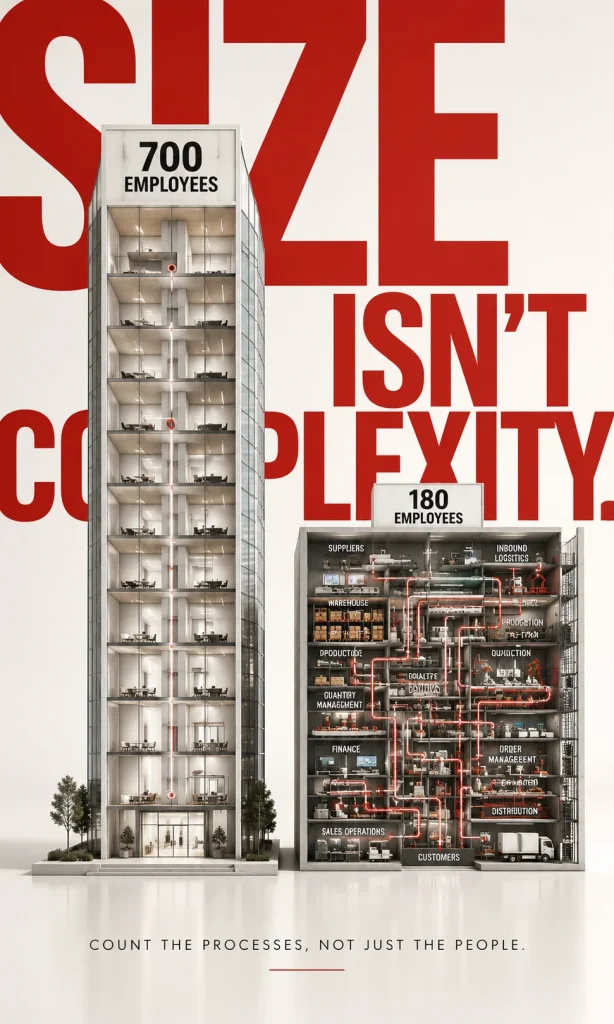
Employee count is an attractive ERP shortcut because it produces an easy number for a sales presentation, yet it often predicts the wrong application. A business with several hundred employees, straightforward inventory and a small number of legal entities may fit Business Central comfortably, while a much smaller industrial operation can generate extraordinary complexity through regulated manufacturing, multiple warehouses, production scheduling or demanding cost accounting. The ERP experiences the complexity of transactions and controls rather than the size of the payroll.
Transaction profile is more useful. Look at the number of companies, warehouses, production facilities, currencies, accounting requirements, inventory movements, planning constraints and operational exceptions that the ERP must manage. A business with a small workforce can still produce millions of operational transactions, while a consulting company with a much larger workforce may have comparatively simple inventory and supply-chain requirements.
The same reasoning applies to growth planning. Choosing Business Central because the company is “small today” can create unnecessary migration pressure if the business model is already moving toward complex distribution or manufacturing, while purchasing F&O because the company hopes to become large can burden a straightforward business with implementation and administration it does not yet need. The product should fit the complexity you can reasonably foresee rather than an aspirational company-size label.
Business Central Is More Capable Than the “Small ERP” Label Suggests
Business Central combines a broad set of functions in one application. Microsoft’s current Business Central functionality documentation includes financial management, purchasing, inventory, warehouse management, planning, manufacturing, projects, service management and relationship-management capabilities. This breadth is one reason Business Central can support a larger operational footprint than many buyers initially assume.
That breadth does not mean every feature has the same depth as the corresponding enterprise application. Business Central is designed around the benefit of keeping finance and operational processes relatively cohesive, which can simplify administration and implementation when the requirements fit. The trade-off becomes visible when an organization begins demanding more sophisticated operational models, greater processing scale or deeper controls across several specialized domains.
This distinction is important during software demonstrations because almost every ERP can show a purchase order, warehouse movement or manufacturing order. The useful question is how the application handles your unusual cases, exceptions, peak volumes and control requirements. Feature presence tells you whether something exists, while process depth tells you whether the system can carry your real operation without excessive workarounds.
Finance: Both Can Run the Books, but the Complexity Ceiling Is Different
Business Central provides substantial financial-management capability, including general ledger, receivables, payables, cash management, budgeting, fixed assets, financial reporting, dimensions, consolidation and intercompany processes. It can therefore serve as the primary finance platform for far more than simple bookkeeping. A company should not automatically jump to Dynamics 365 Finance merely because it operates several entities or needs consolidated reporting.
Dynamics 365 Finance becomes more compelling when global financial structure and enterprise control become central to the operating model. Microsoft’s Dynamics 365 Finance documentation covers areas such as budgeting, cash and bank management, cost accounting, asset leasing, financial reporting, business performance analytics and planning. The broader finance and operations architecture also supports legal entities, organizational hierarchies and cross-company processing patterns intended for complex enterprise environments.
The practical decision is to examine what makes finance difficult inside your organization. If the challenge is normal accounting across a manageable group of businesses, Business Central deserves serious consideration. If the finance team is managing a complicated legal-entity model, varied local requirements, enterprise-wide performance planning and deeply structured cross-company operations, Dynamics 365 Finance provides a more natural architecture.
Business Central Can Still Handle Multiple Companies and Consolidation
One of the easiest mistakes in this comparison is saying that Business Central is single-company while F&O is multi-company. Business Central supports multiple companies, intercompany transactions and consolidated financial reporting, including situations where subsidiaries operate in different environments. Microsoft’s Business Central consolidation documentation describes consolidation across companies with different charts of accounts, fiscal years and currencies.
Business Central also provides intercompany processes for sales, purchasing and journal transactions between related companies. Those capabilities can be entirely adequate for organizations whose multi-company structure is meaningful but operationally manageable. The mere existence of subsidiaries therefore does not automatically establish an F&O requirement.
The difference appears when organizational hierarchy itself becomes a major operating dimension. Finance and operations apps can model legal entities and operating units within broader organizational hierarchies and increasingly support structured multi-company processing across them. Microsoft’s finance and operations organizational hierarchy guidance illustrates the deeper enterprise structure available when the organization has more complicated cross-entity requirements.
Supply Chain: This Is Often Where the Decision Becomes Clearer
Companies with light purchasing, inventory and fulfillment requirements may find relatively little reason to absorb the additional complexity of Supply Chain Management. Business Central handles purchasing, inventory, replenishment, warehouse processes and related financial flows in one integrated application, which can be highly effective when the operation is substantial but structurally straightforward. The benefit is that users do not need an enterprise supply-chain architecture simply to control ordinary inventory and procurement.
Dynamics 365 Supply Chain Management moves the decision toward a different level of operational depth. Microsoft’s Supply Chain Management documentation covers product information, procurement, inventory, manufacturing, warehousing, asset management, demand planning, order promising and related end-to-end supply-chain processes. The application is designed for manufacturers, distributors and other organizations where supply-chain execution is a major part of competitive performance.
I would therefore pay particularly close attention to supply-chain exceptions during selection workshops. If purchasing, inventory and fulfillment are mostly predictable, Business Central may give the organization a cleaner platform. If warehouse execution, production constraints, transportation, asset maintenance and planning continuously interact, the case for Supply Chain Management becomes significantly stronger.
Warehouse Management: Do You Need a Warehouse System or an Enterprise Warehouse Operation?
Business Central has real warehouse-management capability, including receiving, put-away, picking, movement and shipment processes. That makes it suitable for many wholesalers, distributors and manufacturers that need structured warehouse control without adopting an exceptionally complex warehouse execution model. Businesses should test their actual warehouse flows rather than assuming Business Central means basic inventory only.
Dynamics 365 Supply Chain Management offers a deeper warehouse module that Microsoft describes as integrated with transportation, manufacturing, quality control, purchasing, transfers, sales and returns. The official Warehouse management overview for Supply Chain Management shows why this application is often selected for more demanding warehouse environments. Complexity becomes especially relevant when inbound, production, outbound and transportation activities need to be orchestrated as parts of the same operation.
The dividing line is rarely whether your employees use barcode scanners. It is whether warehouse execution has become a sophisticated operational system with complex work creation, movement, fulfillment rules and dependencies on manufacturing or transportation. A warehouse that mainly needs reliable receiving, storage, picking and shipment can have very different ERP requirements from a high-volume distribution operation with tightly optimized execution.
Manufacturing: Business Central Premium Is a Real Manufacturing ERP
Another misleading shortcut is saying Business Central does not do manufacturing. Business Central Premium includes manufacturing functionality for planning, scheduling and executing production using production bills of materials, routings, work centers, machine centers and production orders. Microsoft’s Business Central manufacturing documentation also shows how manufacturing connects with inventory, warehouse processes, supply planning, costing and related operational functions.
That can make Business Central Premium an excellent manufacturing system when production processes fit its model and the company values an integrated mid-market ERP. Manufacturers should therefore begin with process fit rather than assuming that any factory automatically requires Supply Chain Management. Plenty of manufacturing organizations have demanding businesses without needing the entire enterprise operational architecture.
Supply Chain Management becomes more attractive as manufacturing complexity spreads into more advanced planning, sophisticated warehousing, asset maintenance and highly interconnected supply-chain processes. Microsoft’s current Supply Chain Management direction includes manufacturing, asset management, planning, inventory and warehouse execution within the same broader application. The question is whether those additional capabilities solve problems you genuinely have rather than whether the feature list appears more impressive.
Manufacturing Complexity Is Better Measured by Exceptions
When I assess manufacturing fit, I would spend less time counting production orders and more time examining unusual orders. Frequent substitutions, constrained materials, complex routing decisions, demanding warehouse coordination, maintenance dependencies and complicated costing often reveal the real burden placed on the ERP. A manufacturer with modest volume can still have a difficult process if nearly every production order contains an exception.
Standardization works in Business Central’s favor. If most production follows repeatable BOMs, routings and planning rules, its manufacturing model may provide enough structure without unnecessary enterprise overhead. The more frequently operations require advanced coordination across manufacturing, warehousing, planning and assets, the stronger the argument becomes for Supply Chain Management.
This is one area where a scripted software demonstration can be dangerous. Vendors should demonstrate several difficult real orders from your operation rather than a clean sample product that conveniently follows the standard path. The system that handles the exceptions with the least operational friction is often the better manufacturing choice.
Service Management Is Another Area Where Business Central Is Often Underestimated
Business Central Premium also includes service-management functionality. Microsoft’s Business Central service management documentation covers service calls, service orders, repair parts, personnel assignments, estimates, invoices and related customer-service processes. This matters for equipment, repair and service-oriented businesses that might otherwise assume they need a larger Dynamics application portfolio.
The fit still depends on the business model. A company whose service process is closely tied to sales, inventory, accounting and modest field operations may find the integrated Business Central experience attractive. A larger service organization with more sophisticated field-service scheduling, customer-engagement or asset requirements may eventually need additional Dynamics applications or another specialist platform.
The correct comparison therefore requires looking at the whole process rather than simply asking whether a feature called “service management” exists. Licensing, field mobility, scheduling depth, inventory usage and customer interaction can all change the recommended architecture.
F&O Is Better When Complexity Is Distributed Across Several Domains
One difficult finance process does not necessarily justify an enterprise application family. One sophisticated warehouse does not automatically justify it either. The case becomes stronger when complexity appears simultaneously across finance, supply chain, manufacturing, organizational structure and integrations.
This creates a compounding effect. A global manufacturer may need advanced financial controls, several legal entities, production planning, warehouse execution, transportation, asset maintenance and integrations with many surrounding systems. Each requirement influences the others, which makes an enterprise architecture valuable because operational boundaries no longer remain clean.
That is the environment where trying to preserve a simpler ERP at all costs can create its own complexity. Extensions accumulate, surrounding applications multiply and staff begin moving information manually between areas the core system does not model deeply enough. The less expensive application can eventually become the more expensive operating model if the company is continually compensating for process limitations.
Business Central Is Better When Simplicity Is an Advantage
The opposite situation is equally important. Many organizations have been sold systems whose capability greatly exceeds what their employees and processes actually require. They pay for longer implementations, more specialist knowledge and more administration while using only a fraction of the architecture they purchased.
Business Central can be strategically better when finance, sales, purchasing, inventory and operations can be handled within a relatively consistent application model. Fewer moving parts can make training easier, changes faster and support responsibilities clearer. A smaller implementation surface can also reduce the temptation to reproduce every historical process instead of simplifying it during ERP transformation.
That does not make Business Central an inferior product. It means the application is optimized around a different operating problem. ERP sophistication should be measured by how effectively the system supports the business rather than by how many advanced features remain unused.
Implementation Complexity Can Cost More Than the License Difference
License prices are visible, while implementation complexity is harder to put into the original business case. Data migration, process design, integrations, testing, extensions, reporting, training and organizational change can easily outweigh the software subscription difference over the first several years. Comparing ERP products only by monthly user price therefore produces an incomplete financial decision.
Microsoft’s current Business Central pricing page lists Business Central Essentials at $80 per user per month when paid yearly and Premium at $110 under its US published pricing. Microsoft’s current Dynamics 365 Finance pricing page lists Finance at $210 per user per month and Finance Premium at $300, while the Supply Chain Management pricing page lists corresponding published enterprise pricing for that application. Actual costs can differ by region, taxes, agreement, user type, attach licensing, capacity and implementation structure, so those numbers should be treated as reference prices rather than a project quotation.
The larger economic difference is often organizational. A company that genuinely needs F&O can justify the extra expense through better operational fit and avoided workaround costs, while a company with straightforward processes may receive little value from the additional architecture. A realistic comparison should therefore estimate total implementation and operating effort alongside subscription costs.
Do Not Simply Add Finance and Supply Chain List Prices Together
Dynamics 365 enterprise licensing has base and attach concepts that can affect the price paid by users who require more than one qualifying Dynamics application. That means a budget estimate based on multiplying every visible product-page price by every user can be misleading. User roles must be mapped against the current licensing rules before a credible total is produced.
The same principle applies inside Business Central. Essentials and Premium have different capability sets, and limited-access users may not need the same license as someone carrying out full operational work. The cheapest published price is therefore not automatically representative of the user population.
For an ERP selection, I would build licensing around actual personas. Define what an accountant, warehouse worker, production manager, purchasing user, executive and occasional approver must do, then license against those requirements using Microsoft’s current licensing terms. This produces a far more useful budget than comparing two headline prices.
Customization Works Differently Because the Product Philosophy Is Different
Both platforms are extensible, but the architecture and implementation disciplines differ. Business Central has a large extension ecosystem and can be adapted substantially, which is valuable when an organization has requirements outside standard functionality. The danger is using customization to push the application far beyond the process complexity for which it was selected.
F&O implementations can also become heavily customized, and greater enterprise capability does not eliminate that risk. In fact, the larger functional surface makes disciplined architecture even more important because customizations can affect more processes, integrations and future maintenance. Choosing the larger system should therefore never be interpreted as permission to reproduce every legacy behavior.
I would judge both products by the amount of avoidable customization they require. A few purposeful extensions can be entirely reasonable. A selection that depends on rewriting core processes through large custom layers is a signal that either the requirements need to be challenged or the chosen platform does not fit well enough.
Integration Requirements Can Push the Decision in Either Direction
Business Central integrates with Microsoft services such as Dataverse, Power Automate, Power BI, Teams and other applications, and it also provides APIs for external integration. Its relatively cohesive application model can simplify integration where much of the business already operates within Business Central. A company should therefore avoid assuming that an integration-heavy environment automatically requires F&O.
Finance and operations apps provide a broader set of enterprise integration patterns because their surrounding architecture often needs to support more varied workloads. OData, custom services, Data Management Framework, business events, data events, dual-write and virtual tables each address different relationships. The detailed Dynamics 365 Finance and Operations integration methods comparison explains why large implementations rarely use one connection method everywhere.
Integration complexity should be evaluated as part of product selection rather than left until the ERP decision has already been made. Count the systems that must connect, identify which data moves, define timing requirements and document which application owns every shared entity. An ERP that fits internal processes but creates an unmanageable external integration architecture is not truly the better fit.
Can Business Central Handle International and Multi-Site Organizations?
Yes, and this is another reason the simple SMB-versus-enterprise distinction can be misleading. Microsoft’s guidance for Business Central in multi-site and international organizations discusses hub-and-spoke models, multiple sites, international operations, data exchange, consolidation and intercompany processes. Companies with multiple locations should therefore evaluate Business Central on actual requirements rather than reject it based on organizational geography.
The challenge is the level of coordination required across those entities. A parent company with several relatively independent subsidiaries can have a very different system requirement from an enterprise where legal entities share procurement, processing, warehousing, manufacturing and finance operations continuously. Both are “multi-company,” but the underlying operating models are not equivalent.
This is why complexity should be mapped explicitly. Number of entities is one input, while cross-company transaction volume, localization requirements, shared services, reporting structure and operational dependencies provide more useful evidence. A dozen relatively autonomous companies can sometimes be easier to support than four intensely interconnected ones.
Can a Company Start With Business Central and Move to F&O Later?
Yes, organizations can change ERP platforms as their requirements evolve, and some businesses naturally move from Business Central toward enterprise Dynamics applications as complexity increases. The decision should still not be treated as a simple in-place edition upgrade because Business Central and the finance and operations applications have different architectures, data models and implementation approaches. Moving between them is an ERP migration program that requires process redesign, data work, testing and integration planning.
Starting with Business Central can make sense when it genuinely fits the current and foreseeable business. Paying for enterprise complexity years before it provides useful value can be wasteful, particularly for an organization whose processes are still evolving quickly. The important condition is to avoid creating large amounts of unnecessary customization that make a later migration harder.
There is also no rule that every growing company eventually needs F&O. A business can become significantly larger while retaining standardized processes that remain a good fit for Business Central. Growth should trigger periodic fit reviews rather than an automatic migration timetable.
Can Headquarters Use F&O While Subsidiaries Use Business Central?
A mixed architecture can be reasonable in some organizations. Headquarters may require enterprise finance and supply-chain capabilities while smaller subsidiaries operate more independently and do not need the same level of operational complexity. Business Central’s support for multi-site organizations and external integration makes this type of tiered ERP strategy technically possible, although the architecture must be designed deliberately.
The difficult part is deciding where shared information lives. Charts of accounts, customers, products, vendors, intercompany transactions, financial results and master data may need controlled exchange between the enterprise and subsidiary environments. The group must also decide how quickly data moves and which platform remains authoritative for each object.
A tiered ERP strategy should therefore be selected for organizational reasons, not merely to reduce license cost in subsidiaries. When entities are highly interconnected, maintaining different ERP platforms can create more integration work than the savings justify. When subsidiaries are operationally independent, the separation can be much easier to manage.
When Business Central Is Usually the Better Fit
Business Central deserves the first serious look when the organization wants broad ERP coverage without the full complexity of separate enterprise finance and supply-chain applications. Companies with standard accounting, purchasing, sales, inventory, projects and moderate warehouse requirements can gain substantial capability inside a relatively cohesive application. Business Central Premium extends that proposition into manufacturing and service management where those processes fit the product’s depth.
I would also favor Business Central when rapid usability and manageable administration matter strongly. A company without a large internal ERP team may benefit from an environment that can be operated with a smaller specialist footprint. The implementation can still be complex, but the platform itself does not require the organization to adopt enterprise architecture simply because one advanced feature might be useful.
The final signal is process discipline. When the company can standardize around a common operating model instead of requiring many highly specialized variations, Business Central becomes more attractive. An ERP implementation is usually healthier when the organization can use standard capability confidently rather than building an architecture around exceptions.
When Dynamics 365 Finance and Supply Chain Management Are Usually the Better Fit
F&O becomes the stronger candidate when business complexity is structural rather than occasional. Multiple legal entities, global finance, sophisticated cross-company processes, complex manufacturing, demanding warehouse execution, advanced planning and significant operational integrations can collectively justify the larger platform. The enterprise applications provide more room for those processes to become deeply interconnected.
I would also move toward F&O when the ERP is expected to become a strategic transaction backbone for a large surrounding application landscape. Integration governance, enterprise data structures and specialized operational applications become more significant at that point. The broader finance and operations architecture is designed for this type of environment.
The strongest reason is still process fit rather than prestige. Choosing F&O because it sounds more enterprise can result in unnecessary implementation cost, while choosing Business Central despite clear complexity can result in extensions and workarounds that eventually cost more. The better product is the one that absorbs the organization’s difficult processes with the least long-term friction.
A Better Decision Framework Than “Small vs Large”
Start with the processes that would be hardest to replace manually if the ERP failed. For one organization that may be financial consolidation and regulatory control, while another depends on production scheduling, warehouse execution or fulfillment. Those high-consequence processes deserve the most weight in the selection because they expose capability gaps that a generic feature checklist can hide.
Next, estimate the complexity that will exist after implementation rather than documenting only the current environment. Planned acquisitions, new countries, additional warehouses, manufacturing growth and new sales channels can materially change the platform requirement. Avoid assuming every possible expansion will happen, but do include developments already supported by a credible business plan.
Finally, measure the organizational burden of each choice. Evaluate licensing, implementation, internal support, partner dependence, integrations, upgrades, customization and training alongside the functional fit. An ERP that wins a feature comparison but requires an operating model the company cannot realistically support is unlikely to produce the better outcome.
| If your situation looks like this… | I would investigate first |
|---|---|
| Finance, purchasing, inventory and sales are important but reasonably standardized | Business Central |
| You need manufacturing with BOMs, routings and production orders but operations remain manageable | Business Central Premium |
| You have multiple companies but intercompany and consolidation requirements remain relatively straightforward | Business Central deserves serious evaluation |
| Complex legal entities and global financial operations drive the system design | Dynamics 365 Finance |
| Warehouse, manufacturing, planning and asset processes are deeply interconnected | Dynamics 365 Supply Chain Management |
| Finance and supply-chain complexity are both enterprise-level | Finance plus Supply Chain Management architecture |
| The project requires many surrounding systems and several integration patterns | Evaluate F&O architecture carefully, while still comparing actual process fit |
Which One Would I Choose?
For a business whose main requirement is a capable, connected ERP covering finance and day-to-day operations without unusually complex enterprise processes, I would begin the evaluation with Business Central. It covers much more than basic accounting, and Business Central Premium can support manufacturing and service operations that are sometimes incorrectly assumed to require F&O. Selecting the simpler architecture when it genuinely fits can preserve budget and organizational attention for the processes that create more value.
I would choose Dynamics 365 Finance or Supply Chain Management when the business case is being driven by complexity that Business Central would have to work around. Global legal-entity requirements, highly sophisticated supply-chain execution, complex manufacturing and warehouse operations, substantial cross-company processing or a broad enterprise application architecture are stronger reasons than company size alone. Those requirements can make the higher implementation burden worthwhile because the platform is being used for the problems it was designed to solve.
The most useful final question is therefore not “Are we big enough for F&O?” Ask “Which of our difficult processes would Business Central struggle to support cleanly, and are those difficulties important enough to justify the additional enterprise architecture?” If there is no convincing answer, Business Central may be the more disciplined choice. If several mission-critical processes produce clear answers, F&O deserves the deeper evaluation.
Frequently Asked Questions
Is Dynamics 365 Business Central the same as Finance and Operations?
No. Business Central is a separate Dynamics 365 business-management application designed and optimized primarily for small and mid-sized organizations. Finance and operations refers to the enterprise application family that includes products such as Dynamics 365 Finance and Dynamics 365 Supply Chain Management, which use a different architecture and target more complex enterprise requirements.
Is Business Central only for small businesses?
Microsoft positions Business Central for small and mid-sized organizations, but company size should not be treated as a hard technical limit. Business Central supports multiple companies, consolidation, manufacturing, warehousing and international operations, so some substantial organizations can remain a good fit. Process complexity, transaction profile and operational requirements are more useful selection criteria than employee count alone.
Can Business Central handle manufacturing?
Yes. Business Central Premium includes manufacturing capabilities such as production bills of materials, routings, work and machine centers, capacity planning and production orders. Dynamics 365 Supply Chain Management becomes more attractive when manufacturing is tied to greater complexity in planning, warehouse execution, asset management and wider enterprise supply-chain operations.
Can Business Central support multiple companies?
Yes. Business Central supports multiple companies, intercompany transactions and financial consolidation, including scenarios involving different currencies and charts of accounts. F&O may provide a more natural fit when legal-entity structures, organizational hierarchies and cross-company operations become significantly more complex.
Which is cheaper, Business Central or Dynamics 365 F&O?
Business Central has a substantially lower published per-user entry price than Dynamics 365 Finance or Supply Chain Management. The true project cost should also include implementation, integrations, extensions, support, training and the licensing requirements of different user roles. A cheaper application can become expensive if the business continually builds workarounds for missing process depth, while an enterprise platform can be unnecessarily costly when most of its complexity is unused.
Can you migrate from Business Central to Dynamics 365 Finance later?
Yes, but it should be planned as an ERP migration rather than a simple edition upgrade. Business Central and Dynamics 365 Finance have different architectures and data models, so migration can involve process redesign, data conversion, integrations, testing and user change. Starting with Business Central can still be sensible when it fits the current business and foreseeable growth without requiring excessive customization.
Does a manufacturer automatically need Dynamics 365 Supply Chain Management?
No. Business Central Premium contains genuine manufacturing functionality and can fit manufacturers whose production and warehouse requirements remain within its operating model. Supply Chain Management becomes more compelling when manufacturing complexity is combined with advanced planning, demanding warehouse execution, asset operations and broader enterprise supply-chain requirements.