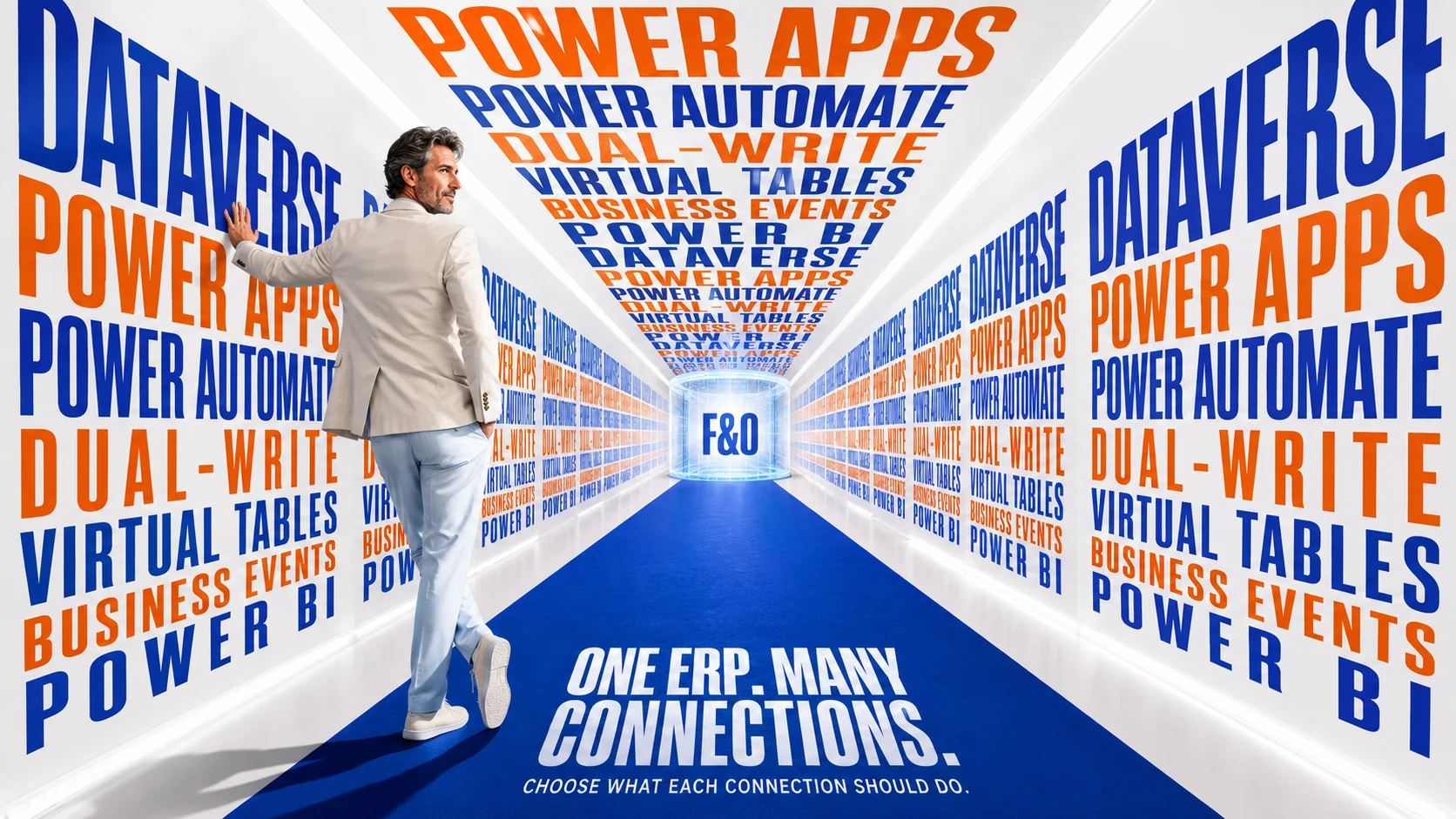
Dynamics 365 Finance and Operations and Microsoft Power Platform now belong much more closely together than many older ERP architecture diagrams suggest. Dataverse can provide the connection layer for applications and shared data experiences, Power Apps can extend finance and operations processes with focused interfaces, Power Automate can respond to business events and coordinate workflows, while dual-write and virtual tables provide two very different ways of making ERP data available across application boundaries. The important architectural decision is no longer simply whether Finance and Operations can connect to Power Platform, but which parts should share data, which parts should access data without copying it, and which processes should respond to events instead of maintaining another synchronized dataset.
Microsoft’s current Power Platform integration guidance for finance and operations apps explains that Power Platform Integration enables capabilities including dual-write, virtual entities, business events and data events. Microsoft’s current environment architecture also continues moving finance and operations administration toward Power Platform, with Dynamics applications, low-code applications, flows and Dataverse becoming parts of a more unified environment model. This makes Power Platform increasingly relevant to ERP architecture rather than something that should be treated as an optional automation layer added after implementation.
If you are still deciding how outside applications should connect to the ERP, the guide to Dynamics 365 Finance and Operations integration methods compares OData, custom services, batch integration, dual-write, virtual tables and events by workload. The broader guide to software that integrates with Dynamics 365 Finance and Operations is more useful when the question is which CRM, ecommerce, analytics or operational applications can participate in the surrounding ecosystem. This page owns a narrower decision: how Finance and Operations and Power Platform should work together without turning Dataverse into a second ERP or copying data simply because the technology allows it.
What Does Power Platform Integration With Finance and Operations Actually Mean?
Power Platform Integration links the finance and operations environment with Microsoft Power Platform and Dataverse so that capabilities from both sides can participate in a connected application environment. Microsoft’s guidance for enabling Power Platform Integration explains that the connection supports low-code applications and flows, Dataverse integration through virtual tables and dual-write, business events, and the installation or connection of other Dynamics 365 applications. The practical result is that ERP processes no longer need to remain confined to the traditional finance and operations user interface.
That does not mean Finance and Operations and Dataverse become the same database. Finance and operations applications still maintain their own operational data, while Dataverse provides its own application and data platform for Power Apps and other Dynamics applications. The architecture must therefore decide how information crosses the boundary and whether it should be copied, synchronized, accessed virtually or represented through an event.
This distinction is one of the most important decisions in the entire Power Platform relationship. A purchasing app that only needs to see ERP supplier information has a different requirement from a Dynamics Sales process that needs customer and product records available locally in Dataverse. Treating those two scenarios identically can create synchronization overhead that the first process never needed.
| Power Platform capability | What it does around F&O | Best question to ask first |
|---|---|---|
| Dataverse | Provides the application and data platform used by Power Platform and many Dynamics 365 applications | Does this process need data or logic to participate in the Dataverse ecosystem? |
| Power Apps | Creates focused low-code application experiences around ERP and other business information | Would a simpler task-specific experience work better than changing the ERP interface? |
| Power Automate | Coordinates workflows, approvals, notifications and cross-application actions | Does another action need to happen when an ERP event occurs? |
| Dual-write | Synchronizes selected data bidirectionally between finance and operations apps and Dataverse | Does this entity genuinely need a synchronized local representation in both environments? |
| Virtual tables | Represents finance and operations data through Dataverse without replicating it there | Can the requirement be satisfied through access instead of copying? |
| Business events | Notifies another process when a meaningful business event occurs | Does the receiving process need to know what happened rather than maintain another dataset? |
| Data events | Notifies external processes when eligible entity records are created, updated or deleted | Is the important signal the entity change itself? |
| Power BI | Brings analytical content and reporting experiences closer to ERP users | Does the user need analytical context while completing operational work? |
Dataverse Is the Connection Layer, but It Should Not Become a Shadow ERP
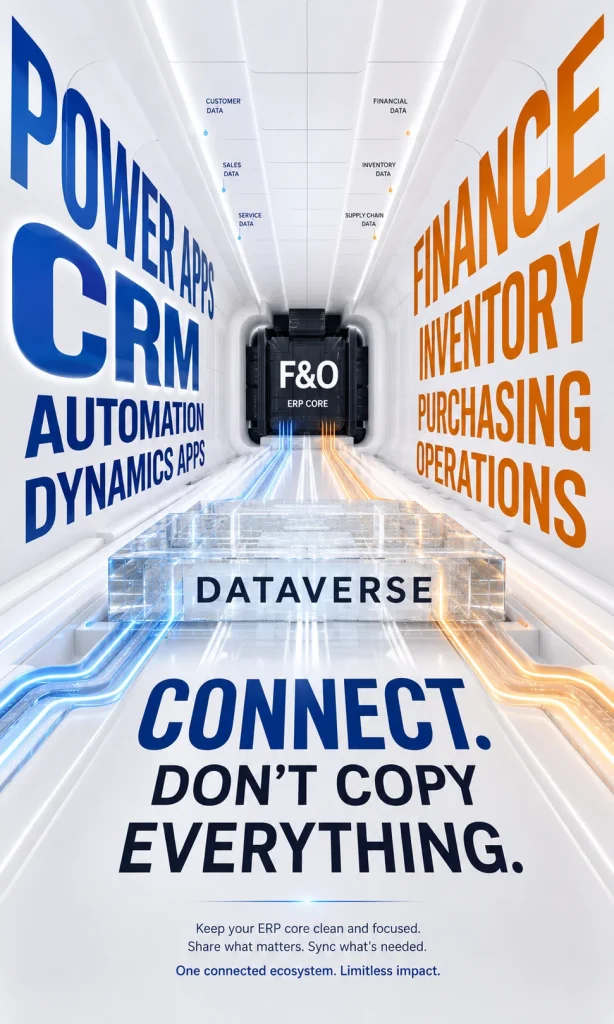
Dataverse is central to the Power Platform architecture because Power Apps, Dynamics customer-engagement applications and many other Microsoft business experiences use it as their data platform. In a Finance and Operations architecture, Dataverse can contain information that genuinely belongs in Power Platform applications while also providing representations of ERP data through dual-write or virtual tables. Microsoft’s unified developer experience guidance describes dual-write and virtual tables as the two principal technologies used to connect finance and operations data with Dataverse.
The danger begins when teams interpret “connected” as “copy everything.” Finance, inventory, production, purchasing and accounting applications contain enormous amounts of operational information, and Power Platform applications rarely need local copies of all of it. Duplicating information without a clear application requirement increases synchronization dependencies, storage, security scope, error handling and the number of places where someone can mistake a copy for the authoritative record.
Microsoft’s own Power Platform guidance encourages architectures that reduce unnecessary data copying. That is an important principle because Dataverse is most valuable when it supports the applications and processes that belong there rather than becoming a replica of the ERP simply so every table is technically available. A successful architecture should be able to explain why each synchronized entity needs to exist on both sides.
Ask “Where Should This Data Live?” Before “How Do We Sync It?”
The synchronization question often arrives too early. A project team sees that dual-write can synchronize an entity and immediately begins designing field mappings, even though nobody has established why the second physical copy is necessary. That approach can solve the technical connection while leaving the underlying application architecture undefined.
Start by identifying the business owner and operational purpose of the data. If a customer record participates heavily in Dynamics Sales and Finance, maintaining appropriate representations in both environments may produce real value. If a warehouse reference table only needs to be displayed in a small Power App, maintaining another synchronized version may solve a problem that never existed.
This is where Power Platform architecture becomes less about features and more about boundaries. Dataverse should own what Dataverse applications genuinely need to own, Finance and Operations should remain authoritative for the ERP processes it controls, and access between them should be designed according to how the information is actually used.
Dual-Write: Use It When the Same Business Entity Must Operate on Both Sides
Microsoft’s dual-write overview describes dual-write as tightly coupled, bidirectional integration between finance and operations apps and Dataverse with near-real-time interaction. Changes made to an enabled entity on one side can result in corresponding writes on the other, allowing applications across the Dynamics ecosystem to participate in processes involving shared customers, products, vendors and related business information. This is powerful because the synchronization infrastructure and entity mappings are designed specifically for these cross-application scenarios.
A strong dual-write use case exists when an entity really does have an operational life in both environments. A customer may need to participate in sales activities in a Dataverse application and in invoicing, credit and accounting processes inside Finance. A product may need to support customer-facing processes while also driving inventory, procurement and supply-chain transactions inside the ERP.
The value comes from continuity across the business process, not from synchronization itself. If users in both environments need to create, update or make decisions around the same business entity, near-real-time synchronization can remove manual re-entry and reduce the gap between front-office and back-office processes. If the second environment merely needs to read the information, dual-write can be more architecture than the requirement needs.
Dual-Write Creates a Relationship You Must Operate
Once an entity is synchronized, table mappings, keys, dependencies, transformations, initial synchronization, live synchronization and errors become parts of the operating environment. Microsoft’s current dual-write infrastructure includes play, pause and catch-up behavior as well as activity and error visibility because real integrations inevitably encounter periods when one side cannot accept a change immediately. This makes dual-write infrastructure, rather than a simple connector that can be forgotten after configuration.
The practical implication is that every new synchronized entity increases the relationship that administrators must understand. A harmless field addition, validation change or mapping adjustment can affect synchronization behavior when the same entity participates in processes on both platforms. Dual-write therefore deserves the same architectural governance as any other business-critical integration.
I would define a synchronization owner before enabling an important map. That person or team should know which side is authoritative for important fields, how failed records are investigated, how dependencies affect synchronization and how changes are tested before reaching production. A bidirectional relationship without operational ownership can become one of the least visible sources of inconsistent business data.
Virtual Tables: Often the Better Answer When Another App Only Needs Access
Virtual tables solve a different problem. Microsoft’s virtual entities overview for finance and operations apps explains that finance and operations data can be represented through Dataverse while the underlying information continues to reside in the finance and operations application. The data is therefore available to supported Power Platform experiences without maintaining a second replicated copy in Dataverse.
This can substantially simplify a Power Platform design. Suppose a purchasing application needs to display vendor or purchase-order information from Finance and Operations so an employee can complete a related task. If that information does not need an independent Dataverse life, virtual access can preserve the ERP as the source while avoiding an unnecessary synchronization relationship.
Virtual tables can also support create, read, update and delete operations for supported finance and operations virtual entities, which means “virtual” should not automatically be interpreted as read-only. The more useful distinction is that the data continues to reside at the source rather than being replicated into Dataverse. The application architecture should still decide which operations users should be allowed to perform and whether the experience depends acceptably on the availability and behavior of the source system.
Virtual Does Not Mean Free of Dependencies
Avoiding replication eliminates one class of synchronization problem, but it does not eliminate architecture. A Power App using virtual finance and operations data still depends on the source application being available and responding with acceptable performance. Security must also be designed around what the user is allowed to do through the virtual representation.
This makes virtual tables particularly attractive when data duplication would add little value. They are less attractive if the Power Platform application needs extensive local Dataverse behavior, offline capability or application logic that assumes the data is physically stored within Dataverse. In those situations, synchronized or separately mastered data may fit more naturally.
The decision should therefore be based on application behavior rather than a general preference for one technology. If Power Platform mainly needs to reach into the ERP, virtual access is often worth investigating first. If Dataverse needs to become an active operational home for the entity as well, dual-write may deserve the stronger case.
Dual-Write vs Virtual Tables: The Decision Is Copy or Access
The easiest way to understand the difference is to stop thinking about both technologies as competing connectors. Dual-write is primarily about maintaining synchronized data across two environments, while virtual tables are primarily about making source data available through Dataverse without replicating it. The architecture therefore starts with whether another physical representation of the entity creates meaningful business value.
| Decision | Dual-write | Virtual tables |
|---|---|---|
| Where does the data exist? | Mapped representations are maintained on both sides | Finance and operations remains the underlying source |
| Main architectural job | Keep overlapping business entities synchronized | Expose ERP information through Dataverse |
| Coupling | Higher because both sides participate in synchronized state | Less duplication, but the consuming experience remains dependent on the source |
| Best starting question | Does this entity need to operate locally in both environments? | Can this requirement be satisfied by accessing ERP data at its source? |
| Main risk to watch | Synchronization complexity and ownership ambiguity | Runtime dependency, permissions and experience performance |
I would normally investigate virtual tables first for a read-heavy or source-centric scenario because they avoid creating another copy unless the application requires it. I would move toward dual-write when Dataverse applications genuinely need the entity locally and users or processes on both sides participate in its lifecycle. That ordering forces the implementation to justify additional state rather than assuming replication is the default.
Power Apps Can Extend an ERP Process Without Rebuilding the ERP Screen
Power Apps becomes particularly useful when an employee needs a focused application experience around a narrow business task. Microsoft’s guidance for embedding canvas apps in finance and operations apps explains that canvas apps can be embedded into existing pages, added through the Power Apps experience or presented as full-page experiences. Finance and operations context, including a selected field and the current legal entity, can also be passed into the embedded application.
That creates a useful alternative to changing a large ERP screen whenever one group needs a small specialized workflow. A warehouse supervisor could need an exception review experience, a purchasing employee might need supplementary supplier information from another source, or a finance user might need a focused approval experience that combines ERP context with information outside Finance. The ERP can remain responsible for the core transaction while the surrounding experience becomes simpler for the person performing the task.
This architecture is valuable when the extension has a clear boundary. The Power App should own its focused user experience while ERP responsibilities such as accounting, inventory valuation, order posting or production control remain where they belong. A low-code application should simplify the process around the ERP rather than quietly reimplementing core ERP behavior in another environment.
The Best Power App Often Does Less Than the ERP
A focused application earns its value by removing irrelevant complexity for a particular task. An employee approving one type of exception may need five fields, one image and two actions rather than a complete ERP page containing dozens of capabilities. Building a smaller experience can improve usability without compromising the richer system that specialists still need.
The temptation is to keep expanding the app after the first workflow succeeds. Soon it begins handling approvals, record maintenance, reporting, document generation and business logic that previously belonged in several systems. That can turn a convenient extension into another application that needs its own architecture, training and support.
I would set a boundary before development begins. Define what the Power App should help a user accomplish, which system remains authoritative, which information is only displayed and which actions are allowed to change ERP state. A narrower application with a clear contract is usually easier to support than a low-code replacement for the ERP interface.
Power Automate Is Strongest When the Problem Is a Workflow
Power Automate is a natural fit when an ERP event should lead to an approval, notification or action somewhere else. Microsoft’s guidance for consuming finance and operations business events with Power Automate demonstrates how a finance and operations connector can start a flow when a business event occurs. This allows a business process to move across application boundaries without requiring users to monitor the ERP manually.
A workflow might begin when an important finance or operations event occurs and continue with a Teams notification, approval request, Dataverse update or another supported action. The receiving process does not need to maintain a synchronized copy of every ERP record merely to know that something happened. This is one reason event-driven Power Automate workflows can be cleaner than continuous polling or excessive synchronization.
The architecture should still distinguish convenience workflows from business-critical processes. A missing informational notification has very different consequences from a workflow that determines whether an order proceeds, a supplier is approved or a financial process continues. The more important the outcome becomes, the more attention should be given to monitoring, failure handling, ownership and recovery.
A Flow Is Still a Production Dependency When the Business Depends on It
The low-code development experience can make a workflow feel lighter than conventional integration code. From an operational perspective, however, a flow that employees depend on every day is part of the production system regardless of how quickly it was created. Connections expire, permissions change, schemas evolve and external services sometimes fail.
Business-critical flows therefore need an owner, failure visibility and a recovery procedure. Someone should know what happens when a run fails, whether a transaction can safely be retried and how incomplete work is identified. The absence of traditional source code does not remove the need for application lifecycle discipline.
This distinction becomes more important as Power Platform adoption grows. Small departmental workflows can gradually become invisible infrastructure connecting finance, procurement, sales and operations. Architecture should make that infrastructure visible before a critical process depends on something nobody realizes has become essential.
Business Events: React to Meaning, Not Just Database Activity
Business events provide a useful bridge between finance and operations processes and Power Platform because they communicate that a meaningful business activity occurred. An external process can react to that event instead of continually asking the ERP whether a relevant status has changed. This creates a looser relationship between applications because the receiving process cares about the business signal rather than the internal implementation that produced it.
An event-driven workflow can be especially effective when the next action belongs outside the ERP. A notification can go to another application, an approval can begin, or a downstream process can retrieve the additional information it needs after receiving the event. The ERP completes its responsibility and communicates the outcome rather than becoming responsible for every subsequent action.
The wording of the event matters. “Invoice posted” or another meaningful business milestone carries more intent than a generic statement that a record changed. When the receiving application cares about the outcome of a process, business events can make the integration easier to understand and support.
Data Events: React When an Entity Changes
Data events address a related but different requirement. Microsoft’s current data events documentation for finance and operations apps explains that eligible data entities can emit events for create, update and delete operations. This can be valuable when a Power Platform or external process needs to react specifically to changes in entity data rather than to a named business-process milestone.
The distinction helps prevent vague integration designs. If an external process needs to know that a particular business activity completed, a business event generally expresses the requirement more clearly. If it needs to know that a supported entity was created, updated or deleted regardless of the process that caused the change, a data event may be the more direct signal.
Microsoft also notes limitations around which entities can emit data events and how asynchronous processing behaves. Event-driven integration should therefore be designed around the supported entity model rather than assuming every underlying table change can become a reliable event. The receiving application also needs to handle the fact that asynchronous systems do not behave like one synchronous database transaction.
Power Apps, Power Automate and Dataverse Are Different Layers
Projects sometimes use “Power Platform” as though Power Apps, Power Automate and Dataverse were interchangeable parts of one feature. They are related, but they solve different problems. Dataverse provides an application and data foundation, Power Apps provides application experiences, and Power Automate coordinates workflows and actions between systems.
That separation helps architecture decisions remain clear. A Power App may access information represented through Dataverse while a Power Automate flow reacts to an ERP business event and performs an action elsewhere. Neither one automatically requires every relevant ERP entity to be synchronized into Dataverse.
A useful design can therefore combine the layers selectively. The employee experience can live in Power Apps, the process orchestration can live in Power Automate, and the operational transaction can remain in Finance and Operations. The architecture works because each layer has an explicit responsibility rather than because everything has been moved into Power Platform.
Embedded Power Apps Can Reduce Context Switching
One practical advantage of Power Apps integration is the ability to bring a focused application into the finance and operations experience itself. Microsoft supports embedded canvas apps on existing pages as well as full-page experiences, allowing users to work with supplementary information without constantly moving between browser tabs. The embedded app can also receive context from the finance and operations page so that the experience relates to the record the employee is already viewing.
This can be useful when a specialist process requires information from several systems. A buyer could remain in the purchase-order context while viewing supplier information maintained elsewhere, or an operations user could see a small supporting application alongside the ERP record that initiated the task. The user experience becomes more continuous while the underlying systems retain their distinct responsibilities.
Embedding should still solve a genuine workflow problem. Filling every ERP page with additional applications simply because embedding is available can create visual and cognitive clutter. The strongest use cases reduce context switching around a specific decision without turning the ERP interface into a container for unrelated applications.
Power BI Can Add Analytical Context to Operational Work
Power BI belongs in the broader relationship because ERP users often need analytical context while making operational decisions. Microsoft’s Power BI Embedded integration guidance for Dynamics 365 Finance explains that Power BI content can be embedded into Dynamics 365 Finance and that users can access reports and hosted analytical content without leaving the application. This creates a bridge between transactional work and the analytical information surrounding it.
The distinction between transaction and analysis should remain clear. Finance and operations applications execute the business processes, while analytical environments can combine ERP information with customer, operational or external sources and present it in forms that support decisions. Trying to turn every ERP page into an analytical warehouse can create unnecessary load and complexity.
The best embedded analytics answer a question the user is likely to have at that moment. A collections employee may need customer risk context, while a purchasing manager may need supplier-performance information. Analytics becomes more useful when it supports the decision occurring inside the ERP rather than appearing because a dashboard was available.
Power Platform Can Connect Front Office and Back Office Without Making Them the Same Application
One of the strongest uses of this architecture is connecting processes that cross the traditional front-office and back-office boundary. Dynamics Sales or another Dataverse application may manage customer-facing activity while Finance and Operations handles pricing, fulfillment, inventory, accounting or other transactional responsibilities. Dual-write, virtual tables, events and workflow automation allow those applications to participate in one broader process while retaining their own operational focus.
This is particularly useful for processes such as customer onboarding, product information, quotations, orders and service relationships where more than one department needs related business information. The architecture can expose or synchronize the appropriate entities instead of forcing all employees into one application. The business experience feels connected even though the underlying systems remain specialized.
The goal should be continuity rather than uniformity. Sales users do not need an ERP interface simply because ERP data matters to them, while finance employees do not need a CRM application simply because customer activity influences their decisions. Power Platform can bridge those roles without pretending that every department performs the same work.
Do Not Turn Dataverse Into a Second General Ledger
A useful architecture boundary is to identify information that should remain firmly inside the ERP. Core financial postings, detailed production transactions and other operational records may need to be referenced by surrounding applications without becoming independently managed copies in Dataverse. Copying highly transactional or sensitive ERP information without a clear requirement can create a “shadow ERP” that is harder to govern than either original platform.
Microsoft’s recent reference architecture for integrating finance and operations apps with Power Platform demonstrates this principle by keeping ERP as the authoritative system of record for core operational and financial processes while selecting virtual entities, dual-write and OData according to the scenario. The useful lesson is the selection discipline: not every entity belongs in every integration mechanism.
This becomes particularly important with financial postings. A Power Platform experience may need status, reference or decision information around a financial process without needing to own the accounting transaction itself. Preserving that boundary reduces duplication and keeps financial governance attached to the application responsible for it.
The ERP Should Still Be the ERP
Power Platform is very good at extending experience, workflow and connected applications, but the presence of low-code capability does not erase the purpose of the ERP. Finance and Operations contains business rules, posting logic, inventory behavior, cost accounting and operational processes that should not be casually recreated elsewhere. Duplicating those responsibilities makes ownership harder to understand and future changes more expensive.
A useful question is whether the Power Platform solution is extending a process or replacing ERP logic. Extending might mean collecting supporting information, simplifying an approval or providing another user experience. Replacing might mean reproducing posting rules, inventory calculations or core financial state in Dataverse because implementing them outside Finance appeared easier.
The second pattern deserves strong scrutiny. The short-term convenience of moving logic can become a long-term reconciliation problem when both environments begin acting like the authoritative system. Clear boundaries are more valuable than architectural novelty.
Environment Architecture Matters Before You Build Anything
Finance and operations and Power Platform increasingly share an environment lifecycle, and administrators should understand that relationship before creating dependent applications. Microsoft’s unified administration guidance for finance and operations apps describes the newer direction in which finance and operations apps participate inside Power Platform environments alongside other Dynamics applications, low-code apps, flows and websites. The environment is therefore part of the application architecture rather than an administrative detail that can be decided later.
Older or separately provisioned environments can have different lifecycle considerations. Microsoft specifically warns in its guidance for connecting finance and operations apps to an existing Dataverse instance that certain environment-linking operations are not reversible and should be treated as a deliberate lifecycle decision. Administrators should verify the exact environment model they are using before following instructions written for a different deployment path.
This matters because Power Apps, flows, Dataverse solutions and finance and operations configuration eventually need to move through development, testing and production in a controlled way. A solution that works perfectly in one combined environment can still fail operationally if dependencies, connection references or required components are not handled consistently across the lifecycle. Environment planning therefore belongs near the beginning of the project.
Security Should Follow the User’s Job, Not the Convenience of the Integration
Power Platform creates additional routes through which users and applications can interact with finance and operations data. That makes security architecture especially important because a user may reach ERP information through an embedded Power App, a virtual table, a Dataverse application or a workflow rather than through the traditional Finance and Operations interface. Each route should still respect the business responsibility the user is supposed to have.
A simplified interface should never become a shortcut around governance. If an employee is not allowed to update supplier banking information in Finance, a Power App should not quietly give the same employee that ability simply because the app has a privileged connection. The user experience may be different, but the underlying authorization intent should remain consistent.
Application identities deserve the same discipline. Flows and integrations should receive only the permissions required for their defined operations, and ownership should remain traceable when people leave the organization or responsibilities change. A connection that runs invisibly for years can become a greater security risk than one that employees interact with every day if nobody remembers why it has broad access.
The Most Common Mistake Is Solving Every Power Platform Problem With Dual-Write
Dual-write is visible, powerful and closely associated with the Finance and Operations – Dataverse story, which makes it tempting as the default. The problem is that synchronization is only one kind of relationship. Many applications need access, events or workflow orchestration rather than another persistent copy of the ERP data.
When the requirement is “show this information,” investigate virtual access. When it is “tell another process this happened,” investigate events. When it is “coordinate these actions,” Power Automate may provide a more natural architecture, while synchronized entities become appropriate when both environments genuinely participate in the same entity lifecycle.
This selection discipline reduces the amount of state the organization must keep aligned. Every synchronized copy introduces another opportunity for mappings, validation rules and ownership to diverge. Avoiding unnecessary synchronization can therefore make the Power Platform implementation easier to understand rather than less sophisticated.
Another Mistake Is Building the App Before Defining Data Ownership
Power Apps can make prototypes appear very quickly, which is useful for learning what employees actually need. The danger is allowing the prototype to establish the architecture simply because it was built first. A screen may begin storing information in Dataverse even though the team has not determined whether that information should be owned by Power Platform, Finance and Operations or another system.
Once people begin using the application, changing ownership becomes harder. Data accumulates, workflows depend on it and users create expectations about where updates should occur. A temporary design decision can become permanent architecture before anyone explicitly approved it.
For important applications, define data ownership while the user experience is still being designed. Identify which fields belong to the ERP, which belong to the Power Platform application and which may need controlled synchronization. This allows the interface to reflect the architecture rather than accidentally define it.
A Practical Power Platform Architecture Framework
Begin with the business process rather than the Microsoft product names. Identify what the employee is trying to accomplish, which application owns the core transaction and which information must cross the boundary. Then classify the relationship as access, synchronization, event, workflow, analytical context or user-interface extension.
If the requirement is access, investigate virtual tables before creating another copy. If it is synchronization, define why the entity needs to exist operationally in both environments before selecting dual-write. If another process only needs to respond when something happens, use the appropriate event model instead of continually checking the ERP for changes.
Use Power Apps when a focused application experience improves the task, and use Power Automate when actions need to be coordinated across systems. Keep core ERP logic in Finance and Operations unless there is a deliberate architectural reason to place responsibility elsewhere. The objective is a connected business process with clear ownership, rather than the maximum possible use of Power Platform components.
| If the requirement sounds like this… | Start by evaluating… |
|---|---|
| “Employees need a simpler experience around this ERP process.” | Power Apps |
| “The app needs ERP data, but Dataverse does not need another copy.” | Virtual tables |
| “This customer or product needs to operate in both environments.” | Dual-write |
| “Start another process when this ERP milestone occurs.” | Business event plus Power Automate or another event consumer |
| “React whenever this eligible entity is created, updated or deleted.” | Data events |
| “Users need analytical context without leaving their operational work.” | Power BI integration |
| “We need a complex external application-to-ERP data exchange.” | Evaluate the broader F&O integration architecture rather than forcing the requirement into Power Platform |
When Power Platform Is the Right Extension Layer
Power Platform is particularly strong when the requirement crosses organizational or application boundaries without requiring a new enterprise transaction system. It can provide a simpler application experience, orchestrate approvals, surface analytical information, expose ERP data and connect front-office and back-office processes. Those are valuable jobs because they improve the usability of the ERP ecosystem without requiring every process to be rebuilt inside Finance and Operations.
The strongest candidates usually have a clearly defined user or process problem. A small group needs a specialized interface, another department needs controlled access to ERP information, an event must start a workflow, or a customer-facing application needs selected shared entities. Power Platform can handle these relationships while allowing Finance and Operations to remain responsible for its core transactional responsibilities.
I would be more cautious when the proposed solution begins recreating finance, inventory or production logic outside the ERP. At that point, the organization may be creating another operational system rather than extending the existing one. The architecture should be reconsidered before duplicated logic becomes difficult to reverse.
When Power Platform Is Probably Not the Whole Answer
Some Finance and Operations integrations involve high-volume data exchange, specialist external applications, complex services or batch processes that belong outside the low-code application layer. Power Platform can still participate in the wider solution, but it should not be forced to own every integration merely because the organization has standardized on Microsoft products. The correct architecture is the one that matches the workload.
This is where the broader Dynamics 365 Finance and Operations integration methods decision becomes useful. OData, custom services, package APIs, recurring integration and other approaches can be more appropriate when the primary job is external system integration rather than a Power Platform application or workflow. A healthy architecture can use Power Platform where it adds value while allowing other supported integration methods to own workloads that fit them better.
The same restraint protects Power Platform from becoming an integration dumping ground. Low-code capability is most valuable when it accelerates the right type of work, not when every enterprise integration is forced into the same architecture. Standardize the decision process rather than standardizing every workload onto one mechanism.
How I Would Design the Relationship Before Development Starts
I would begin with a one-page architecture contract for each important process. It should identify the business owner, user group, ERP transaction, Dataverse responsibility, source of truth, data that crosses the boundary, direction, freshness requirement, event behavior, security identity and failure owner. This makes the application relationship visible before the first Power App or flow becomes difficult to change.
Next, I would decide whether each shared entity needs a second physical representation. If the answer is no, virtual access deserves consideration before synchronization. If the answer is yes, document why both environments need the data locally and which fields each side is allowed to control before implementing dual-write.
Finally, I would test failure and change. Pause a dependency, remove a permission, create an invalid record, alter a field and confirm what happens when the Power Platform side cannot complete its responsibility. A connected system has not been properly designed until the team knows how it behaves when the connection is imperfect.
Should You Integrate Dynamics 365 F&O With Power Platform?
For most modern finance and operations environments, the more useful question is how deeply Power Platform should participate rather than whether the platforms can be connected. Microsoft’s current architecture increasingly treats Power Platform and Dataverse as part of the environment surrounding finance and operations applications, unlocking low-code applications, flows, virtual entities, dual-write and event-driven processes. The opportunity is significant because employees can receive simpler experiences and connected processes without forcing every business role into the same ERP interface.
The architecture still needs restraint. Use dual-write when an entity truly needs synchronized operational lives in both environments, virtual tables when access can avoid unnecessary duplication, events when another process only needs to react, Power Apps when a focused experience improves the work, and Power Automate when workflow orchestration is the real requirement. Keep Finance and Operations responsible for the ERP processes that belong there.
The best Power Platform architecture is therefore not the one with the most components. It is the one where every component has a clear job, every shared entity has an owner and every connection exists because it makes the business process easier to operate. That discipline creates a genuinely connected Dynamics environment without quietly building a second ERP beside the first.
Frequently Asked Questions
Does Dynamics 365 Finance and Operations integrate with Power Platform?
Yes. Finance and operations apps integrate with Microsoft Power Platform and Dataverse, enabling capabilities such as Power Apps, Power Automate, virtual tables, dual-write, business events and other connected Dynamics experiences. The correct architecture depends on whether the requirement involves application experience, data access, synchronization, workflow or event-driven integration.
Does Dynamics 365 F&O use Dataverse?
Finance and operations apps maintain their own operational data, while Dataverse participates in the broader Power Platform integration architecture. Finance and operations information can be synchronized into Dataverse through dual-write or represented through virtual tables without replication. The presence of Dataverse therefore does not mean all ERP data is physically stored there.
What is the difference between dual-write and virtual tables?
Dual-write keeps mapped information synchronized between finance and operations apps and Dataverse, which is useful when selected entities genuinely need to operate in both environments. Virtual tables expose finance and operations data through Dataverse while the underlying information remains in the finance and operations application. The simplest decision is whether the second environment needs another synchronized representation or primarily needs access to the ERP data.
Can Power Apps work with Dynamics 365 Finance and Operations?
Yes. Canvas apps from Power Apps can be embedded into finance and operations experiences and can also work with finance and operations information through supported Power Platform integration patterns. This can be useful when a group needs a focused application around an ERP process without redesigning the entire finance and operations interface.
Can Power Automate respond to Dynamics 365 Finance and Operations events?
Yes. Finance and operations business events can trigger Power Automate flows, allowing another process to begin when a meaningful ERP event occurs. This is useful for approvals, notifications and cross-application actions that do not require another system to maintain a continuously synchronized copy of the ERP data.
Should all Dynamics 365 F&O data be copied into Dataverse?
No. Copying information should have a clear application or process reason because every additional synchronized representation creates ownership, security and lifecycle responsibilities. Virtual tables can provide access to finance and operations data without replicating it, while dual-write is better reserved for selected entities that genuinely need synchronized participation in both environments.
Is Power Platform a replacement for Dynamics 365 Finance and Operations customization?
Power Platform can reduce the need to modify ERP screens for some focused applications, workflows and supporting experiences, but it does not automatically replace finance and operations development. Core ERP transactions, posting behavior, inventory logic and other specialized responsibilities should remain in the appropriate system. The choice depends on whether the requirement is an extension around the ERP or a genuine change to ERP business behavior.