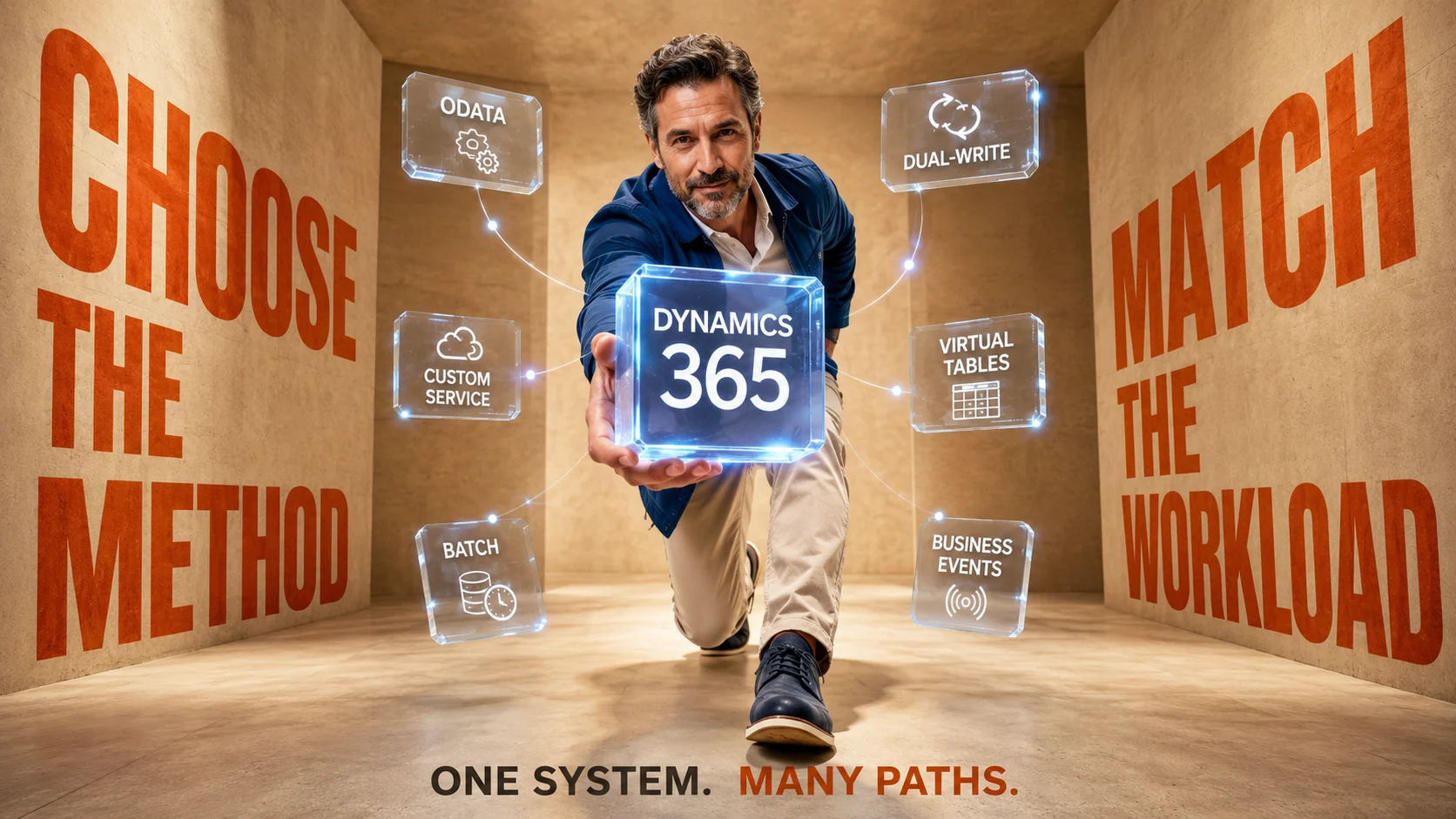
Connecting another application to Dynamics 365 Finance and Operations is rarely difficult because there are too few options. The harder problem is choosing from several legitimate integration approaches that behave very differently once real users, transaction volumes and failures enter the picture. OData, custom services, data management, recurring integrations, dual-write, virtual tables, business events and data events can all be appropriate, but they solve different kinds of problems.
If you are still deciding what software can integrate with Dynamics 365 Finance and Operations, begin with that broader compatibility question. Once the applications have been chosen, integration design becomes a separate decision involving data ownership, direction, timing, transaction volume, failure tolerance and how tightly the two systems should depend on each other. A technically successful connection can still become an operational problem when the wrong integration pattern is used for the workload.
Microsoft’s integration guidance for finance and operations apps and third-party services separates these scenarios into synchronous and asynchronous patterns and discusses OData, custom services, batch integration and calls to external services. That distinction is a useful starting point, although real implementations often combine several patterns rather than selecting one method for the whole organization. The goal is therefore to match each data relationship and business process with the connection method that gives it the right speed, reliability and level of coupling.
The Short Answer: Choose the Integration Method Around the Job
For a relatively small synchronous request where another application needs to read or change finance and operations data immediately, OData is often the first method to investigate. When an external application needs a specialized operation that standard data entities do not represent cleanly, a custom service may offer better control. When large quantities of records can move asynchronously, the Data Management Framework, package API or recurring integration pattern is usually a more natural starting point than trying to push every record through synchronous calls.
When the requirement crosses into Dataverse and the broader Power Platform environment, the decision changes again. Virtual tables are useful when another application needs access to finance and operations data without maintaining another physical copy, while dual-write is designed for selected entities that genuinely need to exist and remain synchronized in both finance and operations and Dataverse. Business events and data events solve another problem entirely by allowing external processes to react when something meaningful occurs rather than repeatedly asking the ERP whether anything changed.
The best architecture therefore often contains several integration methods. A company might use dual-write for customers and products, OData for an internal application that needs immediate record access, business events for downstream notifications and a scheduled Data Management Framework process for high-volume master-data imports. Treating all of those relationships as one generic “Dynamics integration” would hide the decisions that determine whether the system remains dependable after deployment.
| Integration need | Method to investigate first | Main reason |
|---|---|---|
| Immediate CRUD operations against exposed data entities | OData | REST-based synchronous access to public data entities |
| Run specialized X++ business logic from another application | Custom service | Exposes operations that may not fit standard entity-based CRUD |
| Large scheduled imports or exports | Data management / package API | Asynchronous processing is better suited to bulk movement |
| Repeated file or document exchange with another system | Recurring integration | Supports scheduled document exchange through the Data Management Framework |
| Keep selected finance and operations and Dataverse entities synchronized | Dual-write | Near-real-time bidirectional synchronization across two application environments |
| Use finance and operations data through Dataverse without copying it | Virtual tables | Keeps the source data in finance and operations while making it accessible elsewhere |
| Trigger another process when a business process finishes | Business events | Event-driven integration avoids unnecessary polling |
| React when an entity record is created, updated or deleted | Data events | Emits notifications around entity data changes |
Start With Synchronous vs Asynchronous Integration
The first architectural distinction is whether the calling process needs an answer before it can continue. A synchronous integration keeps the requesting application waiting while Dynamics processes the operation and returns a response, which can make sense when someone is completing an interactive transaction and needs the outcome immediately. An asynchronous process accepts that the work may finish later, which gives the architecture more freedom to queue, retry and process larger quantities of information without holding the original interaction open.
Neither approach is inherently more advanced. Synchronous integration can deliver a smoother immediate experience, although it also creates a stronger runtime dependency between the two applications because one may be unable to complete its work when the other becomes slow or unavailable. Asynchronous integration tolerates delay more naturally, although the business must decide how users should behave while one system is temporarily ahead of another.
A useful design exercise is to ask what would happen if Dynamics were unavailable for twenty minutes. If the connected application must stop immediately because it cannot make a correct decision without the response, a synchronous dependency may be justified. If the work can safely be queued and completed after connectivity returns, forcing the process into a synchronous pattern can create unnecessary fragility.
A Five-Minute Delay Can Be Better Than a Five-Second Dependency
Teams often describe a requirement as “real time” before anyone has defined what real time means for the business. A product lookup may genuinely need an immediate response, while a customer-address update may remain perfectly useful if it appears in another system several minutes later. A nightly financial export may be completely acceptable when its consumers only need the information the following morning.
Changing the question from “Can we make this real time?” to “How old can this information become before someone makes the wrong decision?” usually produces a better requirement. It gives architects a measurable freshness limit rather than a technology preference. It also helps identify where stronger availability, retry and monitoring controls are worth paying for.
OData: Best for Many Direct, Synchronous Data Operations

Dynamics 365 finance and operations apps expose an OData REST endpoint for data entities that are marked as public. Microsoft’s OData documentation for finance and operations apps explains how OData V4 provides REST-based access for create, read, update and delete operations against exposed data. This makes OData a natural candidate when a web application, mobile application, ecommerce service or another business system needs to work directly with individual business records.
The important word is entity. An OData consumer normally interacts with business-facing data entities rather than directly manipulating Dynamics database tables, which helps preserve the application’s business and validation layer. That abstraction is useful because an external developer does not need to understand every internal table relationship just to create or retrieve a business object.
OData is particularly attractive during prototypes because the interaction model is familiar to modern developers. The same simplicity can create problems when teams extrapolate from a successful ten-record test to a workload involving huge transaction volumes and constant polling. A connection that technically works through OData may still be the wrong production architecture when the workload is better treated as asynchronous bulk processing.
Good OData Scenarios
OData fits well when another application needs relatively focused synchronous access to data entities and expects an immediate response. Examples include retrieving a customer’s current details, looking up a product record, creating a limited number of operational records from another application or providing an interactive front end with controlled ERP access. These scenarios benefit from the request-response model because the calling application can react immediately to success, validation errors or missing information.
The same method becomes less attractive when an external system intends to push enormous datasets through thousands of small requests. Microsoft applies service protection and resource-based controls to OData and custom service integrations to preserve application responsiveness, so architecture should account for throughput rather than assuming the endpoint has unlimited capacity. Microsoft’s guidance on prioritization and throttling for integrations is therefore important when OData or custom services are expected to support substantial production workloads.
When I Would Move Away From OData
I would question OData as the primary method when the requirement is essentially a bulk data pipeline disguised as API traffic. Hundreds of thousands of records that can arrive in a scheduled window often belong in a batch-oriented architecture where work can be grouped, monitored and restarted more deliberately. The same concern applies when the consumer repeatedly polls Dynamics for changes that could instead be communicated through an event.
Another warning sign is when the external process requires a business operation that cannot be represented naturally through standard entity CRUD behavior. Trying to force complex business logic into a sequence of generic entity updates can make the integration harder to understand and more fragile. That is where custom services or another process-oriented pattern deserves consideration.
Custom Services: When the Operation Matters More Than the Record
Custom services allow developers to expose specific X++ functionality to external consumers when the required operation extends beyond ordinary entity-based data access. Microsoft’s custom service development documentation describes JSON-based custom services that let external applications consume exposed X++ classes, in addition to supported SOAP-based service scenarios. This provides more freedom than a standard OData entity when the business operation itself needs a controlled service boundary.
Imagine that another system should ask Dynamics to perform a tightly defined operation that involves several internal steps, calculations or validations. Exposing one intentional service operation can be clearer than allowing the external application to reproduce the workflow by updating several entities itself. The external application sends the required input, Dynamics performs its own business logic and the integration receives a defined response.
That flexibility carries a maintenance cost because the organization now owns custom code and its lifecycle. A custom service should therefore solve a real mismatch between the required business operation and the standard integration surface rather than becoming the default merely because developers are comfortable writing X++. Where a standard entity or supported event already expresses the requirement cleanly, custom development may add more long-term responsibility than value.
OData vs Custom Service
OData is normally the cleaner starting point when the job is fundamentally about reading or changing an exposed business entity. A custom service becomes more compelling when the job is an operation, calculation or process whose logic belongs inside Dynamics and cannot be represented clearly through entity CRUD. The choice should preserve responsibility in the correct system rather than simply selecting whichever endpoint a developer can build fastest.
There is also a governance advantage to keeping the integration contract narrow. A service that represents “perform this approved business operation” can prevent the external application from needing broad knowledge of several internal entities. The downside is that every custom contract becomes something the implementation team must document, secure, test and maintain during future changes.
Data Management Framework: Better for Bulk Movement
The Data Management Framework is designed around import and export processes using data entities and provides a much better conceptual fit for many high-volume asynchronous workloads. Microsoft’s Data management package REST API documentation describes package-based integration for importing and exporting data and includes status and error-handling operations around those jobs. Instead of expecting thousands of records to behave like individual interactive transactions, the workload can be treated as a managed data movement process.
This is particularly useful for migration, periodic master-data exchange, bulk transactional imports and other processes where throughput matters more than an immediate response for every record. Asynchronous execution also gives operations teams a clearer place to monitor job status and investigate failures. The integration still requires careful data quality and error handling, but its structure is better aligned with bulk work.
Large-volume does not automatically mean “once per night.” An asynchronous process can run frequently while still avoiding a tightly coupled synchronous dependency. The important question is whether the receiving business process needs each individual record immediately or whether the organization can process a controlled group of records together.
Package API vs Recurring Integration
Finance and operations apps provide more than one route for file-based integration. Microsoft’s documentation distinguishes the Data Management Framework package API from recurring integrations based on considerations such as where scheduling happens, supported formats and how transformations are handled. That distinction is worth making early because two architectures that both “send files into Dynamics” can have different operational ownership.
The package API is useful where external orchestration controls the movement of data packages and monitors their execution. Recurring integrations instead build on data entities and the Data Management Framework to exchange documents or files between finance and operations apps and third-party applications or services. Microsoft’s recurring integrations guidance documents secure REST APIs, scheduling and support for several document formats.
A recurring exchange can make sense when a partner or another line-of-business system has a regular file-oriented relationship with Dynamics. The decision should still consider whether a modern API or event-driven relationship would eliminate unnecessary files and polling. File-based processing remains valuable where the business requirement itself is batch-oriented, especially when the surrounding systems already operate that way.
Business Events: React to a Business Process
Business events are useful when an external process needs to know that something meaningful has happened inside finance and operations apps. Rather than transferring an entire table or asking another application to check repeatedly, Dynamics can emit an event associated with a business process and an external service can respond. Microsoft’s integration architecture guidance describes business events as part of an event-driven approach that can work with services such as Azure integration components and Power Platform.
This is a very different relationship from direct data synchronization. A business event might tell another system that an invoice was posted or that another significant process milestone occurred, after which the receiving application decides what to do next. The event communicates that the business state changed without requiring the sender and receiver to share an identical database model.
That looser coupling can make an architecture more resilient because the originating business process does not necessarily need to wait for every downstream system to complete its own work. The receiving side still requires monitoring, retry and idempotency controls so that an event is not accidentally processed twice or silently lost. Event-driven architecture reduces one type of dependency while creating a new need for disciplined message handling.
Business Events With Azure Service Bus
Azure Service Bus is one destination that can participate in this style of architecture. Microsoft’s business events and Azure Service Bus guidance describes configuring a Service Bus endpoint and consuming finance and operations business events from it. This can be useful when an integration architecture needs durable messaging and several downstream consumers or processes.
The value is less about putting Azure in the diagram and more about decoupling the ERP transaction from downstream processing. Dynamics can complete the relevant business process and publish an event while another component handles routing, transformation or subsequent actions. That separation can prevent a temporary downstream outage from unnecessarily blocking work inside the ERP.
Data Events: React to Record Changes
Data events are related to business events but answer a different question. Microsoft’s data events documentation for finance and operations apps explains that create, update and delete events can be enabled for eligible data entities, allowing external systems to receive notifications when data changes. A purchase-order header creation, for example, can result in an event associated with that entity change.
This is useful when the event of interest is the record change itself rather than a named business-process milestone. It can support downstream systems that need to react when an entity is created or updated without continually polling for changes. Because the event infrastructure passes through multiple systems asynchronously, architects should not casually assume that delivery order will always match the order in which events were generated.
That last point is important in processes where sequence changes meaning. If two rapid updates occur and the receiver depends on processing them in exact order, the integration needs a strategy for reconciliation rather than trusting arrival order. Events are notifications, not a substitute for designing state management.
Business Event or Data Event?
Choose a business event when the meaning you want to communicate is tied to a business process or outcome. Choose a data event when the important fact is that an entity record was created, updated or deleted. The distinction keeps the message vocabulary aligned with what the receiving application actually needs to know.
A downstream notification that says “invoice posted” communicates more business meaning than “row changed” when the receiving process cares about posting. Conversely, an external data synchronization process may genuinely care that a particular customer entity changed regardless of which internal business process caused it. Naming the requirement in business language usually makes the correct event type easier to recognize.
Dual-Write: Use It When Data Must Live in Both Places
Dual-write is designed for scenarios where selected entities need tightly coupled synchronization between finance and operations apps and Dataverse. Microsoft’s dual-write overview describes it as a tightly coupled, bidirectional integration that supports near-real-time interaction between the two environments. Typical shared concepts include customers, products and other entities that participate in processes spanning finance and operations and customer engagement applications.
The strength of dual-write is that both applications can continue to work with local data while the mapped entities remain synchronized. That can produce a much more integrated experience for cross-application processes such as prospect-to-cash or shared customer and product scenarios. Microsoft also provides table maps and synchronization infrastructure rather than requiring each organization to invent its own synchronization mechanism from scratch.
The same strength explains why dual-write should not become a universal answer. Copying an entity into another database and keeping both versions synchronized introduces more coupling than simply exposing the original data. The business value of having the entity physically present in both environments should therefore be strong enough to justify the synchronization relationship.
Dual-Write Is More Than a Connector
Teams sometimes approach dual-write as if it were just another pipe between two systems. In practice, entity keys, mappings, dependencies, initial synchronization and error handling become part of the application architecture. Microsoft’s current documentation includes play, pause and catch-up behavior as well as activity and error visibility because synchronized applications must be able to recover when one side cannot immediately accept a change.
That operational reality matters during implementation. A perfect diagram does not show what happens when a mapped field becomes invalid, a dependency is missing or one environment is temporarily unavailable. The deployment design should include who monitors dual-write, how errors are triaged and how business users are affected while synchronization catches up.
Virtual Tables: Use the Data Without Maintaining Another Copy
Virtual tables solve almost the opposite problem. Microsoft’s Power Platform integration guidance for finance and operations apps explains that virtual entities allow finance and operations data to be accessed through Power Platform and Dataverse experiences without copying that data into another database. This can be a much cleaner architecture when the consuming experience needs access to ERP information but does not require a second locally synchronized version.
The difference is easy to underestimate. Dual-write says, in effect, that selected information belongs operationally in both places and must stay synchronized. A virtual-table approach says the information remains owned by finance and operations while another experience is given a way to interact with or view it through the Dataverse layer.
Avoiding the second physical copy reduces some synchronization problems, although it does not eliminate design decisions around performance, permissions and the consuming application experience. The right choice depends on whether the remote application requires local Dataverse data and logic or primarily needs access to finance and operations information. Copying should be a deliberate requirement rather than a default reaction to integration.
Dual-Write vs Virtual Tables
| Question | Dual-write | Virtual tables |
|---|---|---|
| Is the data physically maintained in both environments? | Yes, for mapped synchronized entities | No, the finance and operations data remains at its source |
| Main purpose | Keep overlapping business entities aligned | Expose finance and operations data through Dataverse experiences |
| Coupling | Higher because synchronized data exists on both sides | Lower data duplication, although the consuming experience still depends on source availability |
| Good starting question | Does this entity genuinely need to operate locally in both environments? | Does the consuming application mostly need access to ERP data? |
The choice becomes easier when phrased as copy versus access. If a Dynamics application requires its own local representation of an overlapping business entity with significant local logic, dual-write may be the right architecture. If a Power Platform experience merely needs to work with finance and operations data while that data remains authoritative in the ERP, a virtual-table design deserves serious consideration.
Power Automate: Useful for Workflow-Oriented Connections
Power Automate is useful when the integration problem is best understood as a workflow rather than a continuous data pipeline. Microsoft’s guidance for using finance and operations business events with Power Automate documents the finance and operations connector and its ability to trigger a flow when a business event occurs. That creates a practical path for approvals, notifications and cross-application actions around operational events.
A workflow might respond to an event in finance and operations, retrieve additional information and then perform an action in another supported application. This can be far simpler than building a custom integration service for every modest departmental process. The advantage is particularly strong when the workflow already sits naturally within the Microsoft ecosystem and does not require extreme transaction throughput.
The danger is assuming that low-code means low-responsibility. A Power Automate process that becomes part of order fulfilment or financial approval still needs ownership, monitoring, error handling and change control. Once employees rely on it to complete business-critical work, it should be governed like any other production integration.
How Direction Changes the Architecture
Every integration should explicitly state whether information moves into Dynamics, out of Dynamics or in both directions. An inbound process may create or update records based on an external source, while an outbound process sends Dynamics information to another application or publishes an event. Bidirectional relationships add another layer because both environments may be able to change related information.
Direction matters because it exposes ownership questions. If a product record is mastered in a product lifecycle system and sent into Dynamics, the integration should not casually allow Dynamics to overwrite the master and push conflicting changes back. If customer information can be edited in both Dynamics environments, the organization needs rules for keys, field ownership, validation and conflicts.
Many integration problems blamed on APIs are therefore governance problems. The transport can deliver every message perfectly and still create unreliable data if the organization has never decided which system has authority over each attribute. Integration architecture should document ownership at the business-entity and, where necessary, field level.
The Source of Truth Should Be Decided Before Synchronization
“System of record” is often discussed as though every entity belongs entirely to one application. Real businesses are sometimes more complicated because different attributes of the same entity may have different operational owners. Sales may own prospect information, finance may control credit terms and an ecommerce platform may be responsible for customer preference data.
This is precisely why indiscriminate bidirectional synchronization becomes dangerous. When two applications can edit everything, integration begins reproducing organizational ambiguity at machine speed. A better design defines which data is authoritative where, which changes may flow in each direction and which fields should remain read-only outside their owner.
The result is usually fewer integration paths and clearer support. When a value looks wrong, administrators know which application is responsible for correcting it rather than trying to discover which of several systems wrote the last version. That clarity becomes especially important as more workflows and automated processes begin consuming the same information.
Volume Can Change the Right Answer
An integration method that performs well for fifty transactions per hour may behave very differently at fifty thousand. Volume changes network traffic, API consumption, processing time, retry behavior, monitoring requirements and the operational impact of failures. Architects should therefore estimate normal volume, peak volume, expected growth and the size of catch-up workloads after an outage.
Catch-up volume is frequently missed. A connection that easily processes current traffic may struggle after being offline for several hours because it suddenly needs to handle the backlog in addition to normal incoming work. The architecture should be evaluated under recovery conditions rather than only during healthy steady-state operation.
Microsoft’s service-protection approach for OData and custom service requests is another reason not to treat synchronous endpoints as unlimited throughput pipes. When a workload is predictably bulk-oriented, designing around batch processing can be more robust than trying to defeat protective limits with more aggressive calling behavior. Capacity is an architectural input, not an issue to postpone until production.
Failure Design Matters More Than the Happy Path
Most demonstrations show an integration during perfect conditions: the source record is valid, authentication succeeds, both applications are available and the destination accepts the transaction. Production systems spend enough time outside that ideal state that failure behavior should be designed before deployment. The important questions concern what happens to the transaction when something goes wrong and how someone discovers that it went wrong.
A resilient asynchronous architecture may queue work and retry after a temporary outage. A synchronous application may need to tell the user that the remote operation failed and provide a safe way to try again. A synchronized environment may need an error queue and reconciliation process so that records do not remain inconsistent indefinitely.
Duplicate processing deserves equal attention. If the sender times out before receiving confirmation, it may retry even though the original operation actually succeeded. Integrations that create financial or operational transactions should therefore consider idempotency, unique identifiers and reconciliation rather than assuming that retry always means “run the transaction again.”
Ask What Happens After the Fourth Retry
A retry strategy is incomplete if it only describes the first few automated attempts. Eventually a persistent validation error, missing dependency or malformed record will not heal by itself. The system needs a point at which failed work becomes visible to an operator with enough information to understand the reason.
That operator also needs a safe recovery action. Correcting the underlying data and replaying one message is very different from manually rebuilding the transaction in another application and hoping the original message never returns. Mature integrations make failed work observable and recoverable rather than merely generating technical logs.
Security Should Follow the Integration Surface
Integration identities should receive the access required for their defined job rather than broad permissions because they are “system accounts.” Microsoft distinguishes security for data-service scenarios such as OData from data-management scenarios such as asynchronous import and export, which allows access to be aligned with the actual integration surface. Microsoft’s security guidance for data entities explains that those scenarios can be secured independently.
This matters because an integration often runs without a person watching every transaction. Excessive privileges therefore increase the damage that a configuration error, compromised credential or defective integration can cause. The application identity should have enough permission to perform its contractual operations and no casual access to unrelated financial or operational data.
Authentication and authorization are only part of the design. Secrets and certificates need lifecycle management, access should be auditable and ownership must remain clear when employees or implementation partners change. An integration that continues running for several years should not depend on a credential whose original owner has long since left the organization.
Do Not Choose an Integration Method From the Product Name Alone
A common mistake is saying, “We are connecting Salesforce, therefore we need method X,” or “This is Power Platform, therefore we need dual-write.” The external application is only one part of the requirement. Two companies integrating the same pair of products may need completely different architectures because their data, process, volume and ownership requirements differ.
One company might send an approved sales order into Dynamics once and never synchronize the CRM record again. Another might require customer and product information to remain tightly aligned across applications throughout the day. Those are different integration problems even though both projects could be described casually as “CRM integration.”
Start with the business interaction instead. Define the event or data object, the source, destination, direction, maximum acceptable delay, expected volume and required failure behavior. The product-specific connector can then be evaluated against a requirement that actually describes the work.
A Practical Integration Decision Framework
Before selecting a Dynamics integration method, write down seven answers for each important data flow. Identify what information or business event is moving, which application owns it, which direction it travels, how quickly the receiving system needs it, how much volume is expected, what happens during failure, and whether the receiving system needs its own copy of the data. Those answers eliminate many unsuitable methods before technical implementation begins.
If the requirement needs immediate entity-level CRUD and the volume is appropriate, investigate OData. If it needs a specialized synchronous business operation, consider a custom service. If it involves high-volume scheduled movement, investigate the Data Management Framework and its package or recurring integration options.
If the requirement crosses Dataverse, ask whether the data needs to exist locally on both sides. Use dual-write when synchronized overlapping entities genuinely need that relationship, while virtual tables deserve preference when access can solve the requirement without unnecessary copying. Use business events or data events when the receiving application mainly needs to react to what happened rather than maintain a duplicate dataset.
| If your requirement sounds like this… | Start by evaluating… |
|---|---|
| “The application needs this customer record now.” | OData |
| “Ask Dynamics to execute this specific business operation.” | Custom service |
| “Import these 200,000 records during a controlled processing window.” | Data Management Framework / package API |
| “Exchange files with this external system repeatedly.” | Recurring integration |
| “This customer or product needs to operate in both Dynamics environments.” | Dual-write |
| “This Power Platform experience only needs access to ERP information.” | Virtual tables |
| “Tell another system when this business process happens.” | Business event |
| “Tell another system whenever this entity record changes.” | Data event |
Common Integration Mistakes That Look Reasonable at First
The first mistake is choosing a technology before defining the business process. Teams sometimes begin with “We want an API” or “We want dual-write” and then reshape the requirement around the selected technology. That reverses the decision because the architecture should be the consequence of the data relationship, not the starting point.
The second mistake is copying information simply because the other application can store it. Every additional copy creates synchronization, security, ownership and lifecycle questions that need answers. When the requirement can be satisfied through direct access or an event, maintaining another permanent copy may create more work than value.
The third mistake is treating every delay as a performance defect. Some processes become safer when they are deliberately asynchronous because work can be queued, retried and monitored without blocking users. The right latency is the one that supports the business decision, not necessarily the lowest latency technically achievable.
The fourth mistake is designing only for normal conditions. Authentication expiration, malformed records, throttling, temporary outages, schema changes and unavailable dependencies are ordinary parts of long-lived integration systems. A production design needs to explain how the business continues and how incomplete transactions are detected when those conditions occur.
When More Than One Method Is the Right Answer
A mature Dynamics environment should not be judged by how consistently it uses one integration technology. Consistency matters where the workloads are similar, but forcing every relationship into one technical pattern can be just as damaging as having no standards. The architecture should instead standardize how methods are selected, secured, monitored and supported.
For example, a company may use virtual tables for Power Apps that only need access to ERP records, dual-write for a limited set of shared master entities, business events for cross-system process notifications and batch integration for high-volume nightly transfers. Each method has a clear job and the boundaries between them can be documented. The architecture is coherent because the decisions follow a consistent model even though the technologies differ.
This approach also makes future changes easier. When a business requirement changes from “view this data” to “operate on a synchronized local copy,” the team can recognize that the integration pattern may also need to change. The method is allowed to follow the business relationship instead of becoming permanent simply because it was selected during the original implementation.
What I Would Decide Before Development Starts
Before development begins, I would require a one-page integration contract for every meaningful flow. It should state the source and destination, business owner, entity or event, authoritative system, direction, timing requirement, expected normal and peak volume, security identity, error behavior, retry behavior, reconciliation process and support owner. Those details are far more useful during an outage than a diagram that only shows an arrow between two application logos.
I would also identify which parts of the integration can change independently. If adding a harmless field in one system forces several unrelated integrations to be redeployed, the architecture may be too tightly coupled. Good boundaries make ordinary application evolution less likely to turn into a cross-system change project.
Finally, I would test recovery rather than merely testing success. Stop one endpoint, introduce an invalid record, create a duplicate message, allow credentials to fail and create a backlog larger than normal traffic. The integration has not been demonstrated until the team knows how it returns to a trustworthy state.
Which Dynamics 365 Integration Method Should You Use?
There is no single best Dynamics 365 Finance and Operations integration method because the methods solve different jobs. OData is strong for many synchronous entity operations, custom services provide a controlled route for specialized business logic, and Data Management Framework patterns are better suited to many asynchronous or high-volume transfers. Business events and data events provide event-driven alternatives when another system needs to react rather than continuously poll.
Within Dataverse and Power Platform scenarios, dual-write is appropriate when selected overlapping entities genuinely need synchronized local copies, while virtual tables can avoid duplication when another application primarily needs access to ERP information. Power Automate can be useful when the requirement is an application workflow rather than a heavy data pipeline. A well-designed environment may use several of these methods because business processes differ.
The decision becomes considerably easier once the architecture stops asking, “Which Dynamics connector should we use?” and instead asks, “What relationship must these two systems maintain?” Define ownership, direction, timing, volume, copy requirements and failure behavior first. The integration method should follow those answers.
Frequently Asked Questions
What is the best way to integrate with Dynamics 365 Finance and Operations?
There is no universal best method because Dynamics 365 Finance and Operations supports several integration patterns for different workloads. OData can suit synchronous entity-level operations, data-management approaches can suit bulk asynchronous transfers, business events can notify external systems about business processes, and dual-write can synchronize selected entities with Dataverse. The best choice depends on data ownership, direction, latency, volume and failure requirements.
Should I use OData or the Data Management Framework?
OData is usually more appropriate when another application needs synchronous REST-based access to individual exposed data entities and expects an immediate response. The Data Management Framework is generally a better starting point for large asynchronous imports, exports and package-oriented processing. If the requirement looks like a bulk pipeline rather than an interactive application request, data management deserves consideration before attempting to process every record through OData.
What is the difference between a business event and a data event in Dynamics 365?
A business event communicates that a meaningful business process or state change occurred, while a data event is associated with create, update or delete activity on an eligible data entity. Business events are often more useful when the receiving application cares about the business outcome, while data events are useful when it needs to react to entity-level changes. Both support event-driven architectures that can reduce unnecessary polling.
Is dual-write the same as an API integration?
No. Dual-write is synchronization infrastructure that keeps mapped information aligned between finance and operations apps and Dataverse with tightly coupled, bidirectional behavior. An API integration such as OData normally involves an application making explicit requests to read or change exposed information. They solve different architectural problems and should not be treated as interchangeable connection methods.
When should I use virtual tables instead of dual-write?
Virtual tables deserve consideration when a Dataverse or Power Platform experience needs access to finance and operations information without maintaining another physical copy of that data. Dual-write is more appropriate when selected overlapping entities genuinely need to exist locally and stay synchronized in both environments. The simplest decision question is whether the second application needs its own synchronized copy or primarily needs access to the original ERP data.
Should Dynamics 365 integrations always be real time?
No. Real-time or near-real-time integration should be used when delaying the information would create a meaningful business problem. Many high-volume imports, reporting processes and periodic data exchanges are more reliable when they run asynchronously. Define the maximum acceptable age of the information first, then select the integration pattern that meets that requirement with appropriate resilience.
Can one Dynamics 365 implementation use several integration methods?
Yes, and larger implementations commonly have requirements that justify different patterns. One environment may use OData for interactive application requests, dual-write for selected Dataverse entities, business events for process notifications and batch integration for large data transfers. The important requirement is that every method has a clear ownership, monitoring and support model rather than allowing integrations to grow independently without architecture standards.