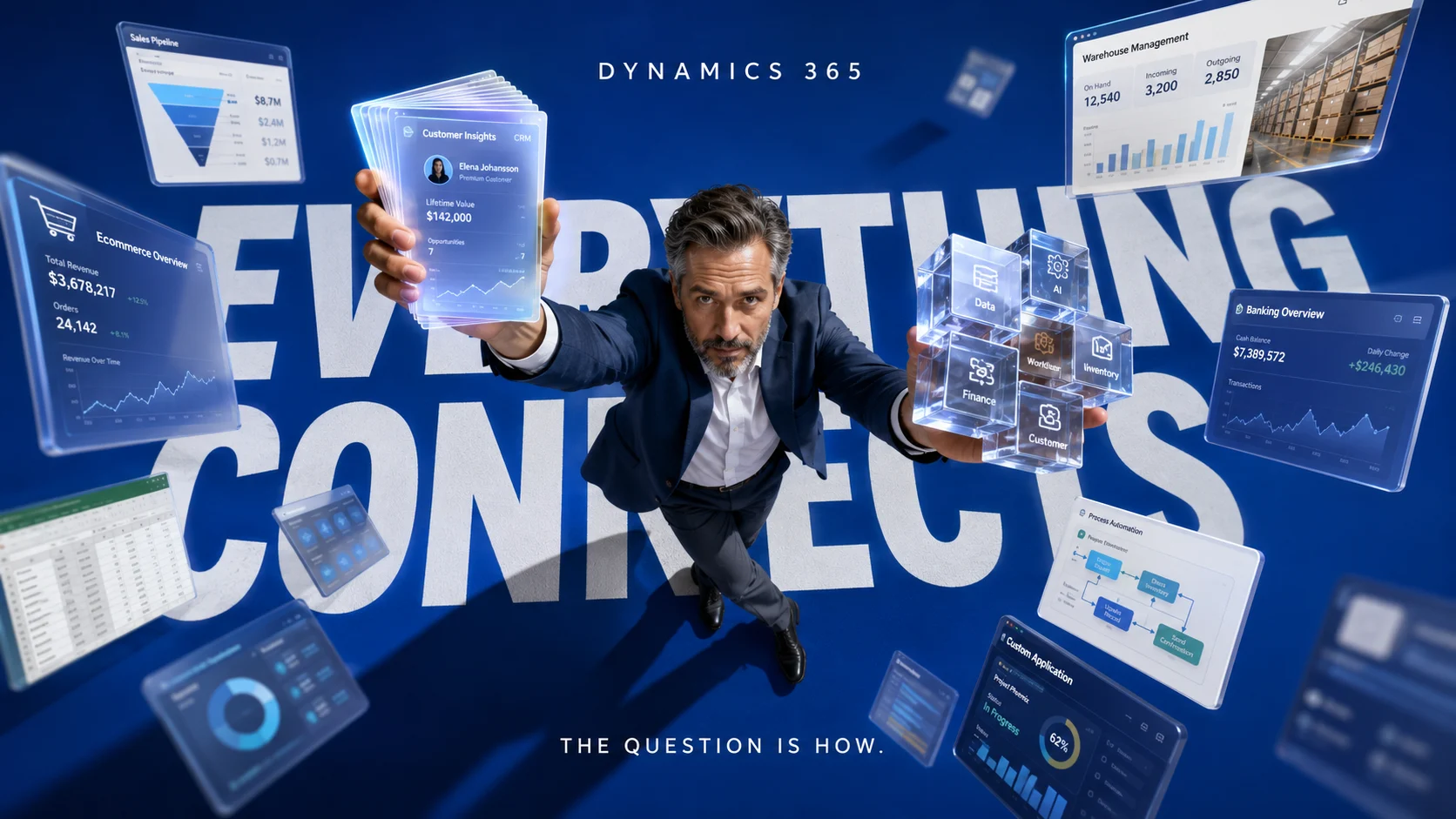

Microsoft Dynamics 365 Finance and Operations can work with a much wider range of software than its name might suggest. Businesses can connect it with Microsoft Power Platform, Dataverse, Power BI, Excel, other Dynamics 365 applications, external CRM platforms, ecommerce systems, warehouse software, banking applications, reporting platforms and custom business applications. The important question is usually not whether another system can connect, but how the connection should work and which data actually needs to move between the systems.
That distinction matters because two pieces of software may technically be compatible while requiring very different integration architectures. A finance team that wants employees to edit a few records in Excel has a very different requirement from a company synchronizing customers, products and orders between an ERP and a CRM throughout the day. Choosing the wrong integration method can create duplicate records, delayed updates, unnecessary development work and a system that becomes difficult to maintain.
For most cloud deployments, Dynamics 365 finance and operations apps now sit inside a broader Microsoft ecosystem that includes Dataverse and Power Platform capabilities. Microsoft provides several different integration paths, including data entities, OData, virtual tables, dual-write, business events and application connectors, so businesses can choose an approach based on speed, data volume, direction and operational risk.
Microsoft explains these options in its official guidance for integrating Dynamics 365 apps with other systems, including the role of data entities and the different approaches available for finance and operations apps.
What Software Is Compatible With Dynamics 365 Finance and Operations?

Dynamics 365 Finance and Operations can integrate with Microsoft applications and many third-party systems as long as there is a suitable connector, API, data exchange method or integration platform available. Some connections are tightly integrated into Microsoft’s own ecosystem, while other applications require Power Automate, Azure integration services, middleware or development work. Compatibility therefore exists on a spectrum rather than as a simple yes-or-no label.
Microsoft’s own integration architecture is built around data entities that expose business concepts such as customers, products and sales orders without requiring another application to understand every underlying Dynamics database table. These entities can then participate in synchronous APIs, batch transfers, virtual tables and other integration methods. The result is a flexible environment where the integration method can be selected according to the business process instead of forcing every application into the same technical pattern.
Common software and platform categories that can work with Dynamics 365 Finance and Operations include the following.
| Software or system | Typical integration route | Common business use |
|---|---|---|
| Microsoft Dataverse | Dual-write, virtual tables, events | Sharing operational data with Dynamics 365 and Power Platform applications |
| Microsoft Power Apps | Dataverse, virtual tables, application connector | Building low-code internal applications around ERP information |
| Microsoft Power Automate | Finance and operations connector, Dataverse, business events | Approvals, notifications and cross-application workflow automation |
| Microsoft Power BI | Analytics integration and embedded reporting | Financial dashboards, operational reporting and management analysis |
| Microsoft Excel | Office integration and data entities | Viewing, editing and analyzing selected operational records |
| Other Dynamics 365 applications | Dataverse, dual-write and shared integration patterns | Connecting front-office and back-office business processes |
| Third-party CRM software | APIs, middleware, Power Platform connectors or custom integration | Synchronizing accounts, customers, quotations and orders |
| Ecommerce platforms | Connector, middleware, API or commerce integration | Products, inventory, customers, orders and fulfilment information |
| Warehouse, EDI and logistics systems | APIs, batch integrations, events or middleware | Shipment, inventory, purchase order and fulfilment exchanges |
| Custom business applications | OData, services, events and Azure integration services | Connecting proprietary systems to ERP data and processes |
The table should be treated as an integration starting point rather than a promise that every application offers an identical plug-and-play experience. A native Microsoft integration can behave very differently from a third-party connector, and two third-party products in the same category may expose completely different APIs. Before choosing software simply because it claims Dynamics compatibility, check which records can move, whether the connection is one-way or bidirectional, how frequently updates occur and who is responsible when the integration fails.
Microsoft Dataverse Is Becoming Central to the Integration Story
Dataverse is one of the most important pieces to understand when designing a modern Dynamics 365 environment. It provides the data platform used by many Dynamics 365 customer engagement applications and Power Platform services, while finance and operations data can be connected to that environment through several supported mechanisms. This gives businesses a bridge between traditional ERP processes and low-code applications, workflow automation and customer-facing systems.
Microsoft’s Power Platform integration guidance for finance and operations apps explains how Dataverse, virtual tables, dual-write, business events and other Power Platform capabilities connect with finance and operations environments.
The relationship does not mean every Dynamics 365 Finance record needs to be copied into Dataverse. Virtual tables can expose finance and operations data through Dataverse without maintaining a second copy of that data, while dual-write is designed for scenarios where selected business information needs to remain synchronized between the environments. Those two approaches solve very different problems, so choosing between them should begin with the business process rather than with the technology name.
A practical example is customer information. A sales organization may need customer records in a customer engagement application while finance requires related customer data for invoicing, credit management and accounting. When the same business entity genuinely needs to exist and change across both environments, synchronization can make sense, while information that only needs to be viewed from another application may be better exposed without unnecessary replication.
Power Apps Can Extend Dynamics 365 Without Rebuilding the ERP
Power Apps can be useful when a company needs a focused application around a specific business process without giving every employee the full Dynamics 365 interface. A warehouse supervisor might need a simplified exception screen, a purchasing manager may need a focused approval experience, or a field employee could require access to a restricted set of operational records. These experiences can be built around data exposed through Dataverse and finance and operations integration capabilities.
The advantage is that the ERP can remain the authoritative operational system while another interface handles a narrower task. This can reduce the temptation to heavily customize core screens simply because one department has a specialized workflow. It also creates a cleaner boundary between the transaction system and smaller business applications that can evolve separately.
The architecture still needs governance because low-code does not remove data design, permission or lifecycle concerns. Teams should determine which system owns each record, which fields users are allowed to change and what happens when an update cannot be written back successfully. A small app becomes operationally important very quickly when staff begin depending on it every day.
Power Automate Can Connect Workflows Around Finance and Operations
Power Automate is especially useful when something that happens inside Dynamics 365 should trigger an action elsewhere. Finance and operations business events can participate in automated processes, allowing organizations to build workflows around events such as business approvals or other operational changes. Microsoft provides a practical example of using business events with Microsoft Power Automate, including the finance and operations connector and its “When a Business Event occurs” trigger. The finance and operations application connector also supports integration scenarios involving Power Automate, Power Apps and related Microsoft services.
A useful workflow could begin when a business event occurs in Dynamics 365 and continue with a notification, approval, data lookup or action in another application. This is different from continuously synchronizing an entire customer or product table because the workflow is responding to a particular event. Event-driven integration can therefore reduce unnecessary data movement when another system only needs to react when something meaningful happens.
Power Automate is also attractive because many organizations already use it across Microsoft 365 and other business applications. That familiarity can make smaller integrations quicker to implement, although high-volume or mission-critical processes still require careful architecture. Error handling, permissions, connector limits, monitoring and recovery should be considered before a workflow becomes part of an essential operational process.
Power BI Can Bring Financial and Operational Analysis Closer to the Work
Power BI has a natural role in a Dynamics 365 environment because ERP systems produce large amounts of financial and operational information that becomes more useful when it can be explored visually. Dynamics 365 Finance supports Power BI integration, including scenarios where Power BI content can be accessed from within the application. Microsoft’s documentation on Power BI Embedded integration with Dynamics 365 Finance explains how reports and other Power BI content can be accessed from within the Dynamics experience. This can reduce the gap between completing a transaction and understanding what the underlying business data is showing.
Finance teams may use dashboards to examine revenue, expenditure, cash movement or financial performance, while operations teams may be more interested in inventory, purchasing, fulfilment or production signals. The appropriate data architecture depends on the type and scale of the reporting requirement. A small operational view and an enterprise analytical environment should not automatically be built through the same data path.
Reporting integrations also benefit from clearly separating operational workloads from analytical workloads. An ERP is designed to run transactions reliably, while a reporting environment may need to combine Dynamics information with marketing, customer, production or external market data. The best reporting design protects operational performance while giving analysts access to the historical and cross-system information they actually need.
Excel Remains Useful for Controlled Finance and Operations Work
Excel remains relevant because many finance, procurement and operational teams already work comfortably with spreadsheets. Dynamics 365 finance and operations apps support Office integration that can expose selected business data through Excel, allowing users to work with information in a familiar interface while respecting the underlying Dynamics data structure. Microsoft’s Office integration tutorial for finance and operations apps shows how Excel uses data entities for editable, refreshable and lightweight reporting experiences. This is useful when the business task genuinely benefits from spreadsheet editing or analysis.
The presence of Excel integration does not make spreadsheets a replacement for ERP governance. Large offline spreadsheets can easily become disconnected copies of operational truth when teams begin circulating versions through email or making uncontrolled changes outside the system. Excel works best when the spreadsheet is an interface into a governed process rather than a parallel database maintained by employees.
A useful test is to ask what should happen after the spreadsheet work is complete. If the business needs records validated and returned to Dynamics, the integration should support that controlled process. If users only need to perform exploratory analysis, an analytical export or reporting environment may be more appropriate than creating a workflow that writes information back into the ERP.
Can Dynamics 365 Finance and Operations Integrate With CRM Software?
Yes, CRM systems can be connected with Dynamics 365 Finance and Operations, but the design depends heavily on the CRM platform and which business processes need to cross the boundary. Microsoft Dynamics 365 customer engagement applications have especially strong alignment with Dataverse, while third-party CRM platforms can usually connect through APIs, integration services, middleware or supported connectors. The implementation should be driven by the required business relationship rather than by the assumption that every CRM record should be copied into the ERP.
A common architecture keeps sales activity primarily inside the CRM while financial and fulfilment responsibilities remain in the ERP. Customers, products, quotations, sales orders or account information may cross between them when the business process requires it. Activities such as marketing interactions, sales notes or lead-scoring information may have little reason to enter the finance system at all.
This is where integration ownership becomes important. Teams should document whether CRM or Dynamics 365 is authoritative for each shared business object and decide how conflicts will be resolved. Without that agreement, bidirectional synchronization can create the appearance of integration while employees still disagree about which version of the customer record is correct.
Can Dynamics 365 Connect With Ecommerce Platforms?
Dynamics 365 Finance and Operations can participate in ecommerce integrations where product, inventory, customer, pricing, order and fulfilment information needs to move between systems. The actual connection can be provided through Microsoft’s commerce ecosystem, a third-party integration platform, a vendor connector or custom API work depending on the ecommerce platform and architecture. Businesses should therefore investigate the exact connector rather than relying only on a marketing statement that says the platform is “Dynamics compatible.”
Order integration is particularly sensitive because ecommerce data quickly affects inventory, payment, fulfilment and financial records. A delayed product description update may be inconvenient, while a duplicated sales order or incorrect inventory update can create a much larger operational problem. The integration design should therefore classify records according to business impact instead of treating every API call equally.
The same principle applies to update frequency. Inventory availability may require frequent updates in some businesses, while a product taxonomy or accounting classification may tolerate a slower synchronization schedule. Mapping the timing requirement for each data object is usually more useful than demanding that the entire ecommerce integration operate in real time.
Third-Party Software Does Not Need to Be a Microsoft Product
One of the most common misconceptions is that a Dynamics 365 environment must remain entirely inside the Microsoft ecosystem. Finance and operations apps provide integration mechanisms specifically for exchanging information with external systems, including synchronous services, batch integrations and event-based patterns. This means organizations can maintain specialist software where it continues to provide business value.
A manufacturer might need industry-specific production software, a logistics company may depend on a specialized transportation platform, and an international business might use regional tax, banking or payroll systems. Replacing every existing application simply to standardize vendors can be significantly more disruptive than connecting systems with clearly defined responsibilities. Integration architecture allows businesses to decide which platform should own each capability.
The risk appears when integrations accumulate without governance. Ten individually reasonable point-to-point connections can eventually create a network in which changing one customer field breaks several unrelated processes. Companies with a growing application landscape should therefore consider data ownership, monitoring and integration architecture as shared infrastructure rather than treating every connection as a separate one-off project.
The Bigger Question: How Should the Software Connect?
Finding software that can communicate with Dynamics 365 is usually easier than selecting the correct integration pattern. Microsoft provides multiple approaches because business requirements differ in timing, data volume, direction and complexity. A method that performs well for an employee-facing application may be unsuitable for processing thousands of records in a scheduled migration.
Synchronous integration is useful when one system needs an immediate response from another. OData can expose finance and operations data entities through RESTful services and support operations that create, read, update or delete records where appropriate. Microsoft’s integration guidance for finance and operations apps and third-party services compares synchronous and asynchronous patterns, including OData, custom services, batch data integration and calls to external web services. Custom services can serve scenarios that require business operations or logic that cannot be represented cleanly through standard data entities.
Asynchronous integration handles situations where data can be exchanged without making the user wait for the other system to finish. Data management and batch-oriented patterns are more appropriate for many high-volume import and export requirements. Event-driven designs sit somewhere else conceptually because another application can respond when a meaningful event occurs instead of continuously asking Dynamics whether something changed.
OData: Useful When an External Application Needs Direct Data Operations
OData is one of the better-known integration methods for Dynamics 365 finance and operations apps. It exposes eligible data entities through web services so external applications can perform supported operations while working through the entity layer rather than directly manipulating the underlying database. This makes it useful for many synchronous application-to-application scenarios.
For example, a custom application may need to retrieve a customer record and immediately use the result in a business process. That use case has very different timing characteristics from importing hundreds of thousands of records overnight. OData may fit the first problem well, while a batch-oriented process could make more sense for the second.
Developers should therefore avoid selecting OData simply because an API is familiar. Data volume, transaction behavior, error recovery and business logic all influence whether it is the right pattern. The integration should be designed around the workload that will exist after deployment rather than the easiest proof of concept.
Dual-Write: Useful When Two Dynamics Environments Need Shared Business Data
Microsoft’s dual-write overview for finance and operations apps describes dual-write as a tightly coupled, bidirectional integration between finance and operations apps and Dataverse. When properly configured, changes to mapped information can flow between the two sides with near-real-time behavior. This makes it particularly relevant when front-office and back-office applications genuinely need shared business entities.
Typical examples include customer and account information, products and items, or process relationships that span Dynamics 365 applications. The attraction is a more integrated experience across applications without forcing employees to manually enter the same information in separate systems. Standard mapping templates can also reduce some of the work required to establish common integration scenarios.
Dual-write should still be applied selectively. Synchronizing a field simply because it exists in both systems can create unnecessary coupling and increase the number of things that must remain aligned during upgrades and configuration changes. The best candidates are entities whose cross-application consistency produces a clear operational benefit.
Virtual Tables: Useful When You Need the Data Without Copying It
Virtual tables provide another way for Dataverse and Power Platform experiences to work with finance and operations data. Rather than maintaining another synchronized copy of every record, the data can be represented through Dataverse while remaining in the finance and operations database. This can be attractive when another application mainly needs controlled access to ERP information.
Avoiding unnecessary duplication can simplify data ownership because the original system remains clearly authoritative. It can also reduce the amount of synchronization infrastructure that would otherwise be required merely to make information visible elsewhere. The suitability still depends on the user experience, performance requirements and capabilities required from the consuming application.
This difference between virtual access and synchronized storage is one of the most important architecture decisions in the Dynamics ecosystem. If users need to see information, copying it may be unnecessary. If the same business object genuinely needs to be updated and operated on in both environments, a synchronization-oriented pattern may be more appropriate.
Business Events: Useful When Another System Needs to React
Business events allow external systems and Microsoft Power Platform services to respond when meaningful activity occurs within finance and operations apps. This changes the integration model from repeatedly checking whether something happened to reacting when the application announces that an event has occurred. Event-driven designs can be especially useful for notifications, downstream workflow and loosely coupled processes.
An approval event, for example, may trigger a Power Automate workflow that continues the process outside Dynamics. Another business event might signal an integration service that a downstream action should begin. The receiving system does not necessarily need a synchronized copy of the entire Dynamics database to respond to that event.
This pattern can make an architecture cleaner because the integration is organized around business meaning. It still requires monitoring and failure handling because an event that is delivered successfully is only the beginning of the downstream process. Teams should know what happens when the receiving application is unavailable or when a later step cannot be completed.
Batch Integration: Better When Volume Matters More Than Immediate Response
Real-time integration sounds desirable until the workload is examined carefully. Some processes involve large files, historical information or high volumes of records that do not need to appear in the receiving system seconds after they are created. In those situations, asynchronous or scheduled batch integration can be more predictable and easier to operate.
Examples can include bulk master-data loads, periodic updates from external systems, large migration processes and scheduled exports. Processing these workloads in groups can reduce pressure on interactive services and provide clearer restart and error-management behavior. The trade-off is that another system may temporarily contain older information until the next processing cycle completes.
That delay is acceptable when the business process has been designed around it. A nightly update can be perfectly appropriate for one dataset and completely unacceptable for another. Integration architecture should therefore assign a freshness requirement to each important data flow rather than demanding the same synchronization speed across the entire organization.
Which Dynamics 365 Integration Method Should You Choose?
The easiest way to narrow the decision is to start with what the connected application actually needs to accomplish. Asking whether a connector exists is only the first filter. The more important questions involve data ownership, transaction direction, speed, volume and what should happen when one system becomes temporarily unavailable.
| Requirement | Integration approach to investigate | Why it may fit |
|---|---|---|
| Expose ERP data inside Power Platform without maintaining another copy | Virtual tables | Keeps the operational data in finance and operations while making it accessible through Dataverse experiences |
| Keep selected business entities aligned across Dynamics applications | Dual-write | Supports closely coupled bidirectional synchronization through Dataverse |
| External application needs immediate data operations | OData or suitable service | Supports synchronous application-to-application interaction |
| Large data loads or scheduled exchanges | Data management or batch integration | Better aligned with high-volume asynchronous processing |
| Another application should respond when something happens | Business events or data events | Allows event-driven processes without continuously polling for changes |
| Department needs a small workflow across applications | Power Automate | Can coordinate supported connectors and event-driven actions with relatively little custom development |
A single organization may use several of these approaches at the same time. Customer records could participate in dual-write, a reporting process might use an analytical data architecture, an external application may call an API, and a purchase approval could trigger Power Automate through a business event. Integration quality comes from assigning the correct pattern to each relationship rather than trying to find one universal connector.
Five Questions to Ask Before Buying “Dynamics-Compatible” Software
The first question is which version and Dynamics product does the vendor actually support? “Microsoft Dynamics” can refer to several different products and generations, so a generic compatibility claim does not establish support for Dynamics 365 Finance or Supply Chain Management. Ask the vendor to identify the exact supported application, deployment model and integration mechanism.
The second question is which business objects are included? A connector that exchanges customers and sales orders may still be useless if your process depends on inventory availability, purchasing, projects, financial dimensions or another unsupported entity. Ask for the actual supported objects, operations and limitations instead of accepting a logo on an integrations page as evidence of complete compatibility.
The third question is which system owns each piece of information? Every shared record should have a clear source of truth, particularly when the connection can update data in both directions. If employees can change the same customer field in two applications without defined ownership, technical synchronization will not solve the underlying governance problem.
The fourth question is what happens when the connection stops working? Mature integrations need monitoring, retry behavior, error queues, alerting and a way for administrators to identify records that failed. A demonstration where everything works perfectly tells very little about how the integration behaves during an outage or after receiving an unexpected data value.
The fifth question is how much coupling are you creating? A deeply synchronized integration can provide a smooth experience, although it may also increase dependencies between applications. Companies should understand whether changing a field, installing an update or replacing one application later will require modifications elsewhere.
What Many Businesses Miss: Compatibility Is About the Process
Software selection often begins with a checklist of product names, yet the business process provides much better integration requirements. A company might say it needs Dynamics to integrate with a CRM, when the actual requirement is to turn an approved opportunity into an ERP customer and sales order without retyping the information. That process description immediately reveals which records matter, when they need to move and which application should own each stage.
The same thinking works for ecommerce. “Connect the online store to Dynamics” is still too broad because products, prices, inventory, customer accounts, orders, refunds and fulfilment may each have different synchronization requirements. Breaking the integration into business objects and events makes the architecture easier to evaluate and gives vendors something precise to demonstrate.
This also protects businesses from buying software based on connector counts. A platform advertising hundreds of integrations may still handle your critical Dynamics transaction poorly, while a more specialized connector could support the exact records and failure controls your process requires. The quality of the relationship between two systems matters more than the number of application logos shown on a vendor website.
Should Every Integration Be Real Time?
Real-time synchronization should be reserved for information whose delay would create a meaningful operational problem. Inventory availability, customer credit decisions or some order-processing scenarios can be time-sensitive, while other information may tolerate several minutes or a scheduled update. Making every connection immediate can increase system coupling and operational complexity without producing a proportional business benefit.
A useful exercise is to assign each integration a maximum acceptable data age. One process may need an update within seconds, another within fifteen minutes, and another before the following business day. Once the requirement is stated in business terms, architects can select a technical pattern that meets it without building unnecessary infrastructure.
The same exercise should consider what happens during failure. A process that cannot continue without the remote system may need very different resilience from one that can queue work safely and catch up later. Timing and failure tolerance belong in the same architecture discussion.
Can Older or On-Premises Dynamics Environments Use the Same Integrations?
Cloud-based finance and operations apps have access to integration capabilities that do not always apply identically to older or on-premises Dynamics deployments. Microsoft specifically documents some Power Platform and virtual-table capabilities as cloud-oriented, while on-premises environments may require different integration methods. Businesses should therefore verify deployment requirements before assuming that documentation for a current cloud environment applies to an older installation.
This is especially important when evaluating software described as “Dynamics compatible.” A connector built around current Dataverse integration may have very different requirements from a connector designed around older Dynamics CRM or another legacy Dynamics product. Product name, deployment type and platform version should be documented before implementation work begins.
Organizations running older deployments should resist the temptation to force a modern integration tutorial onto a different architecture. The better approach is to begin with the APIs and supported integration methods for the exact environment, then determine whether the surrounding application can communicate with those interfaces reliably.
The Practical Answer
Dynamics 365 Finance and Operations is compatible with a broad ecosystem of software because Microsoft provides multiple ways for other applications to work with its data and business processes. Microsoft Dataverse, Power Apps, Power Automate, Power BI, Excel and other Dynamics 365 applications have particularly strong integration paths, while CRM, ecommerce, warehouse, analytics and custom systems can also be connected through supported APIs, connectors, events, middleware and integration services. The exact method depends on what the external system needs to read, change, synchronize or react to.
The safest software decision begins by defining the business process before choosing the connector. Identify the records that must cross the system boundary, decide which application owns them, define how fresh the information must be and determine how failures should be recovered. Once those questions are answered, “Is this software compatible with Dynamics 365?” becomes a much more useful question: “Is this integration architecture suitable for the way our business actually operates?”
Frequently Asked Questions
What applications can integrate with Dynamics 365 Finance and Operations?
Dynamics 365 Finance and Operations can integrate with Microsoft Dataverse, Power Apps, Power Automate, Power BI, Excel, other Dynamics 365 applications and many external business systems. Third-party CRM, ecommerce, warehouse, logistics and custom applications can also be connected when an appropriate API, connector, middleware platform or integration service is available. The level of compatibility depends on which records and operations the connection supports.
Can Dynamics 365 Finance and Operations integrate with Salesforce?
Salesforce and Dynamics 365 Finance and Operations can be connected through an appropriate integration architecture, although the implementation should not be assumed to be a universal native connection. Organizations may use integration platforms, APIs, supported connectors or custom services depending on which Salesforce and Dynamics records need to move. Customer, account, quotation and order processes should be mapped carefully before deciding whether synchronization should be one-way or bidirectional.
Does Dynamics 365 Finance and Operations work with Power Automate?
Yes. Microsoft provides finance and operations integration capabilities that can work with Power Automate, including application connectors and business-event scenarios. Power Automate is especially useful when an event in Dynamics should trigger an approval, notification or action elsewhere, although high-volume or mission-critical integrations still require appropriate monitoring and architecture.
What is the difference between dual-write and virtual tables?
Dual-write synchronizes mapped information between finance and operations apps and Dataverse, making it useful when selected business entities need to exist and remain aligned across both environments. Virtual tables allow finance and operations data to appear through Dataverse without maintaining another complete copy of that information. The correct choice depends on whether another application needs synchronized data or primarily needs controlled access to the original ERP data.
Is OData the best way to integrate with Dynamics 365?
OData is useful for many synchronous integration scenarios because external applications can work with supported finance and operations data entities through REST-based services. It is not automatically the best method for every workload, especially when the requirement involves very large batch transfers, event-driven processes or tightly synchronized Dataverse applications. Data volume, response-time requirements, error recovery and business logic should determine the integration pattern.
Can Dynamics 365 integrate with custom software?
Yes. Custom applications can work with Dynamics 365 Finance and Operations through supported integration mechanisms such as data entities, OData, services, business events and asynchronous data exchange patterns. The architecture should avoid direct shortcuts around application business logic and should include authentication, monitoring, failure recovery and clearly defined data ownership.