The Centre for Clinical Interventions (CCI) is a public clinical psychology service in Perth, Western Australia, that also publishes free mental-health self-help resources online. Start with its official resource directory, then choose a topic and a format that match what you want to understand. Accessing a workbook is separate from receiving treatment at the clinic.
This guide helps you find the right page, use the files on your device, and understand the limits of self-help information. You do not need to print a workbook or complete a symptom quiz to browse the resources. ExpertsGuys is an independent publication and is not affiliated with CCI.
What is CCI, and how do you find the right official resource?
CCI’s work includes treatment, research, professional training and online resources. Its official service overview identifies it as part of Western Australia’s North Metropolitan Health Service. The initials can have other meanings in medical papers, so check the full organisation name rather than assuming every result for “CCI” belongs to this service.
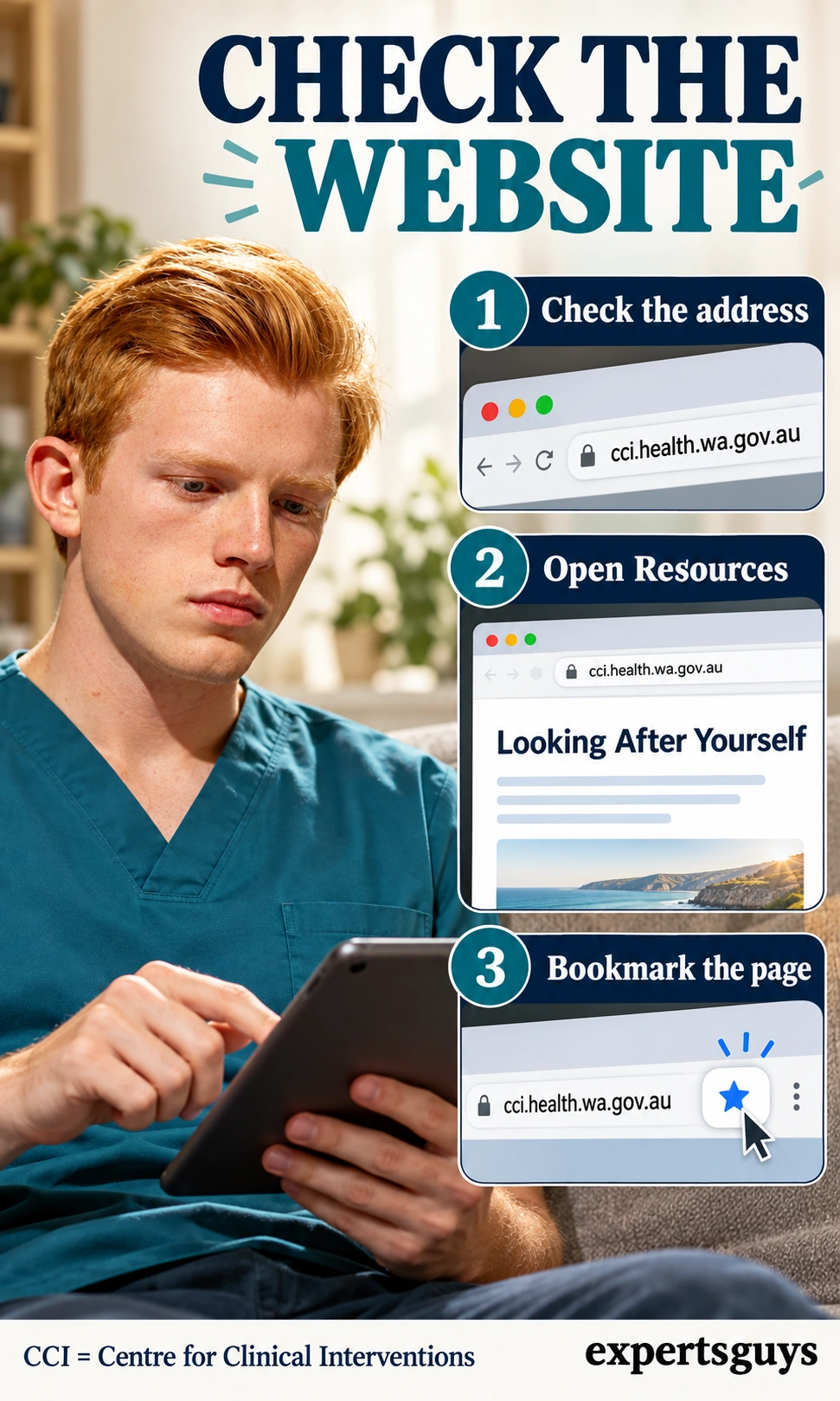
Check the official website address
Use this check when you arrive from search, social media or an old saved PDF. The official hostname is cci.health.wa.gov.au; a familiar heading on another website does not establish the source. Begin from the topic page so you can see the resource description and surrounding instructions, rather than opening an isolated document without context.
For example, a search result headed “CCI worksheets” could be an official page, an independent explanation or a copied file. Open the address bar before downloading. If the source is unclear, return to the official directory rather than guessing from the page design.
- Open the Looking After Yourself directory.
- Check the hostname and choose a topic from the directory.
- Bookmark that topic page; confirm the bookmark reopens the same page.
A common mistake is saving only a search-results page, which can show different results later. Save the destination itself, or keep its address in a private note if bookmarks are awkward on your device. You have finished this check when you can return directly to the official topic introduction.
Choose a topic by the problem you want to understand
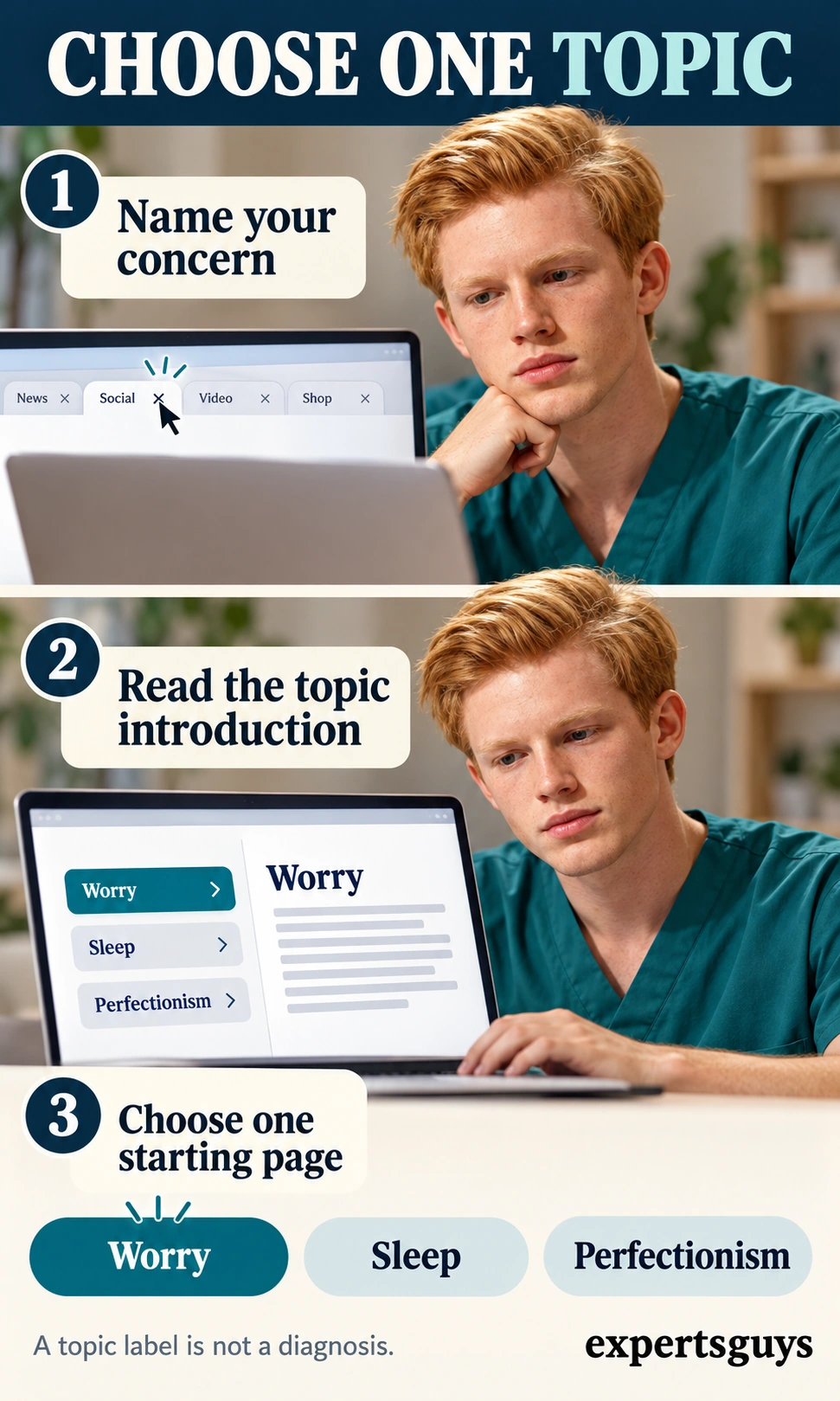
Choose one concern in everyday language before choosing a resource label. This is a reading decision, not a diagnosis, and several topics can overlap. For example, “I keep reopening a task because it never feels good enough” gives you a clearer question to compare with a perfectionism introduction than “I need every mental-health worksheet.”
- Name the question you want answered, such as understanding repeated worry or harsh standards.
- Read the introduction on the closest topic page and check whether it describes that question.
- Keep one starting page open; if the introduction does not fit, return to the directory.
Do not use a familiar phrase in a topic description as proof that you have a particular disorder. If choosing feels difficult, begin with the overview rather than downloading several complete workbooks. When several concerns interfere with daily life, a clinician can help establish priorities instead of leaving you to assemble your own treatment programme.
Which CCI format should you open first?
Information sheets, workbook modules, worksheets and audio files perform different jobs. A short explanation can orient you, while a worksheet often assumes that you already understand the skill it asks you to use. Choosing by task prevents the common frustration of opening a blank form before knowing what belongs in it.
Match the file format to your immediate task
Start with the least complicated format that answers your current question. Read the description before downloading, because the available formats vary by topic. An information sheet is a sensible first stop when you want a definition; a workbook is more appropriate when you want connected explanations and practice instructions.
| Your immediate task | Format to look for | Checkpoint before proceeding |
|---|---|---|
| Understand a term or pattern | Information sheet | Can you explain the main idea in your own words? |
| Follow a connected learning sequence | Workbook or module series | Have you read its introduction and ordering advice? |
| Apply a skill already explained | Worksheet | Do you understand the prompts and any example? |
| Listen to guided material | Audio file | Does the track description fit what you intended to practise? |

For a worked example, someone curious about perfectionism can first read a short overview, then decide whether the longer series fits their concern. They do not need to download every format to make that decision. If your aim is specifically to examine a depression pattern, the separate cycle of depression worksheet explains that different task without turning this directory guide into another exercise collection.
Use the workbook’s own module order
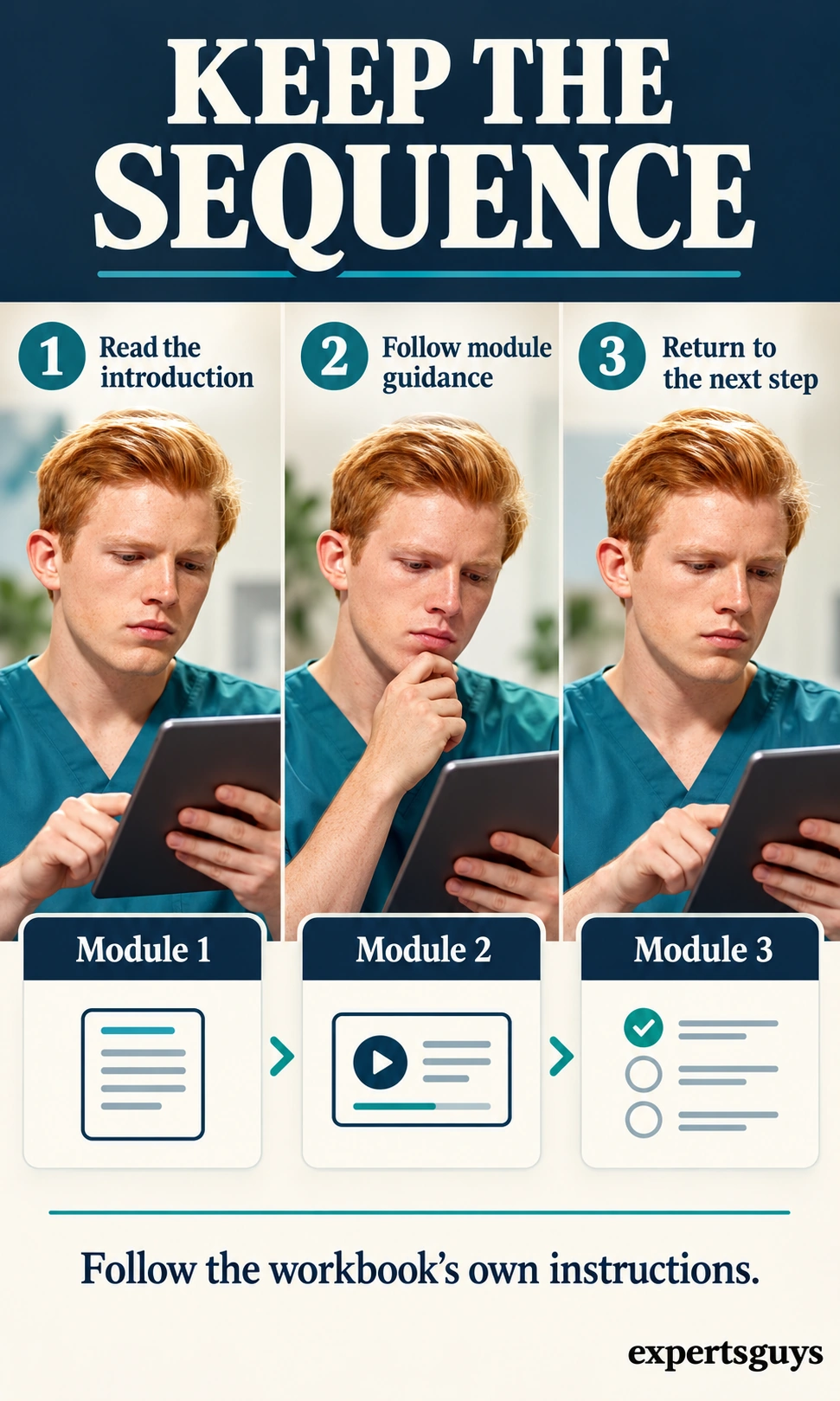
Module order matters when later activities rely on earlier explanations. CCI’s worry and rumination workbook, for example, recommends working through its modules in sequence. Read the instructions for your chosen series rather than treating every downloadable page as a standalone exercise.
- Open the workbook introduction and contents before selecting a later module.
- Follow its sequence unless your treating clinician has given you a different plan.
- Before moving on, check what the module asks you to understand or try; keep your next reading location.
An illustrative reader who opens a later worry module and finds unfamiliar terms can return to the earlier explanation instead of searching for a shorter version elsewhere. If a full module is too much to read at once, pause at a natural section break and retain the page number. Finishing a download is not the same as understanding it, and difficulty with a module is not a personal failure.
How can you use CCI resources digitally without printing?
Use the official page to obtain the file, then choose a device workflow you can reliably reopen. PDF annotation, audio playback and saved bookmarks solve different access problems; none changes the clinical meaning of the resource. Keep personal responses separate from public links, especially if the device or account is shared.
Type into a private PDF copy and check that it saved
Some PDFs contain interactive fields, while others are flat pages that need an added text box. Adobe’s Reader guidance confirms that its desktop reader can add typed text and annotations, but controls and permissions vary by application and file. Test a harmless entry before committing personal responses to a workflow you have not checked.
- Download the official PDF to a private folder and open it in a PDF reader.
- If a field accepts typing, use it; otherwise look for Add text, a text comment or an equivalent annotation control.
- Save a separate personal copy, close it, and reopen that exact saved file to confirm your entry remains.
- If text cannot be added or retained, use a private digital note with the module title, page number and your own response.
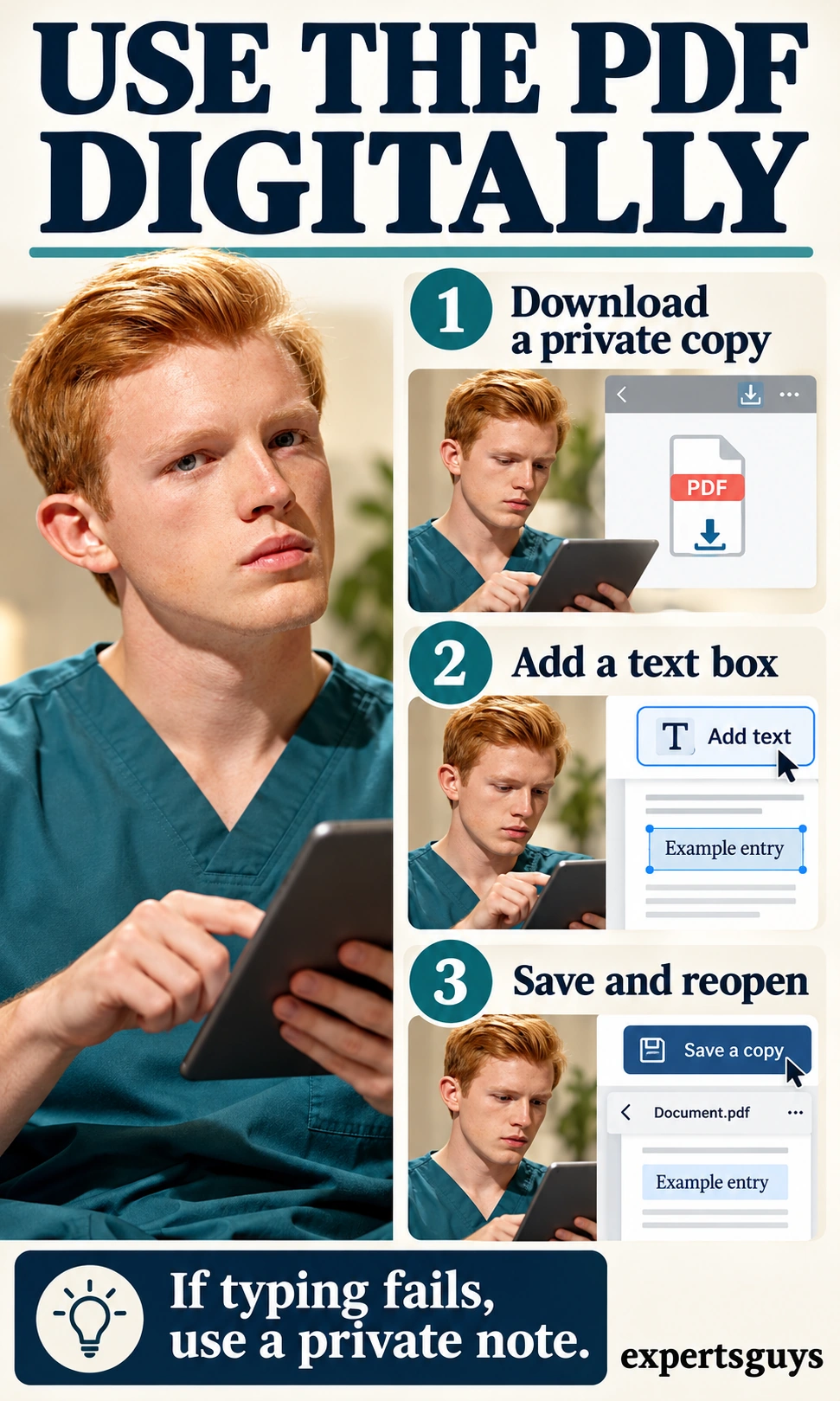
For example, type “Example entry” in a test copy, save it and verify it before adding anything personal. If the text disappears, you may have reopened the original download or used a viewer that did not preserve the edit. On a small screen, reading the PDF beside a separate private note may be easier than fitting text into narrow boxes; check whether that note synchronises to a shared account.
Use the audio page when listening suits you
CCI’s Other Resources page includes guided audio such as breathing retraining and attention-related practices. Choose a track from its description instead of assuming that every recording accompanies every workbook. This section explains file access; follow the recording’s own instructions for the practice itself.
- Open Other Resources and read the description of the track you intend to use.
- Start playback at a comfortable volume somewhere you can safely give it your attention.
- If streaming fails, use the file’s download option and open the saved audio in a compatible player; updating the browser is another official troubleshooting suggestion.
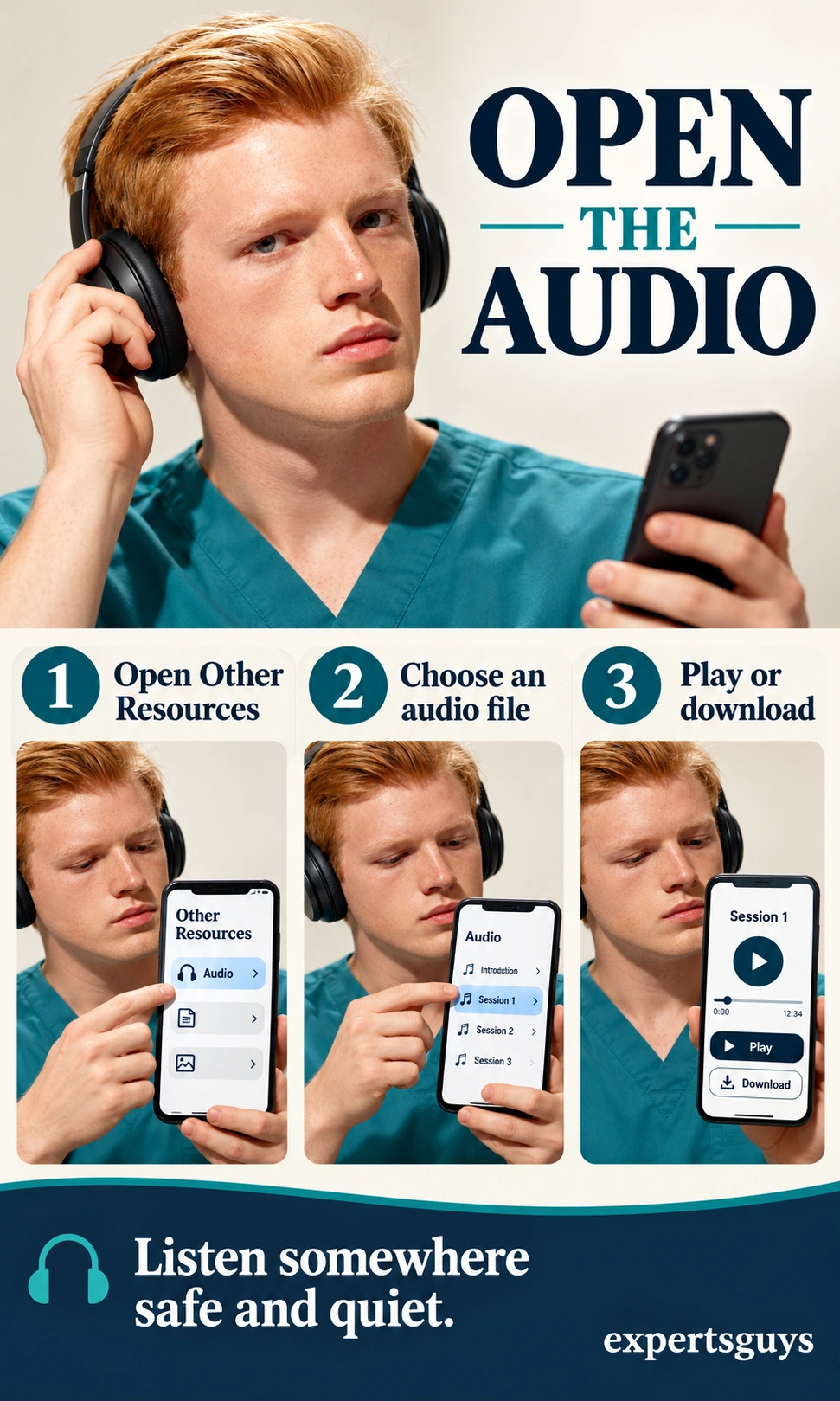
For example, a reader with an unreliable connection can download the chosen track before settling down to listen. A silent player may reflect muted sound, the wrong audio output or a file that has not loaded; check those access issues before assuming the resource is unavailable. If a practice makes you feel worse or does not suit you, stop and discuss its fit with your clinician rather than forcing yourself through it.
Save a return point instead of starting another search
A return point keeps the task specific: the same resource, the place you stopped and the next reading step. It does not require a detailed diary or daily score. This is an optional organisation method, not a prescribed treatment schedule or a measure of recovery.
- Bookmark the official topic page rather than a temporary download link.
- In a private note, keep the resource title, module and page, and one next reading step.
- Reopen the bookmark and the saved copy once to check that both work.
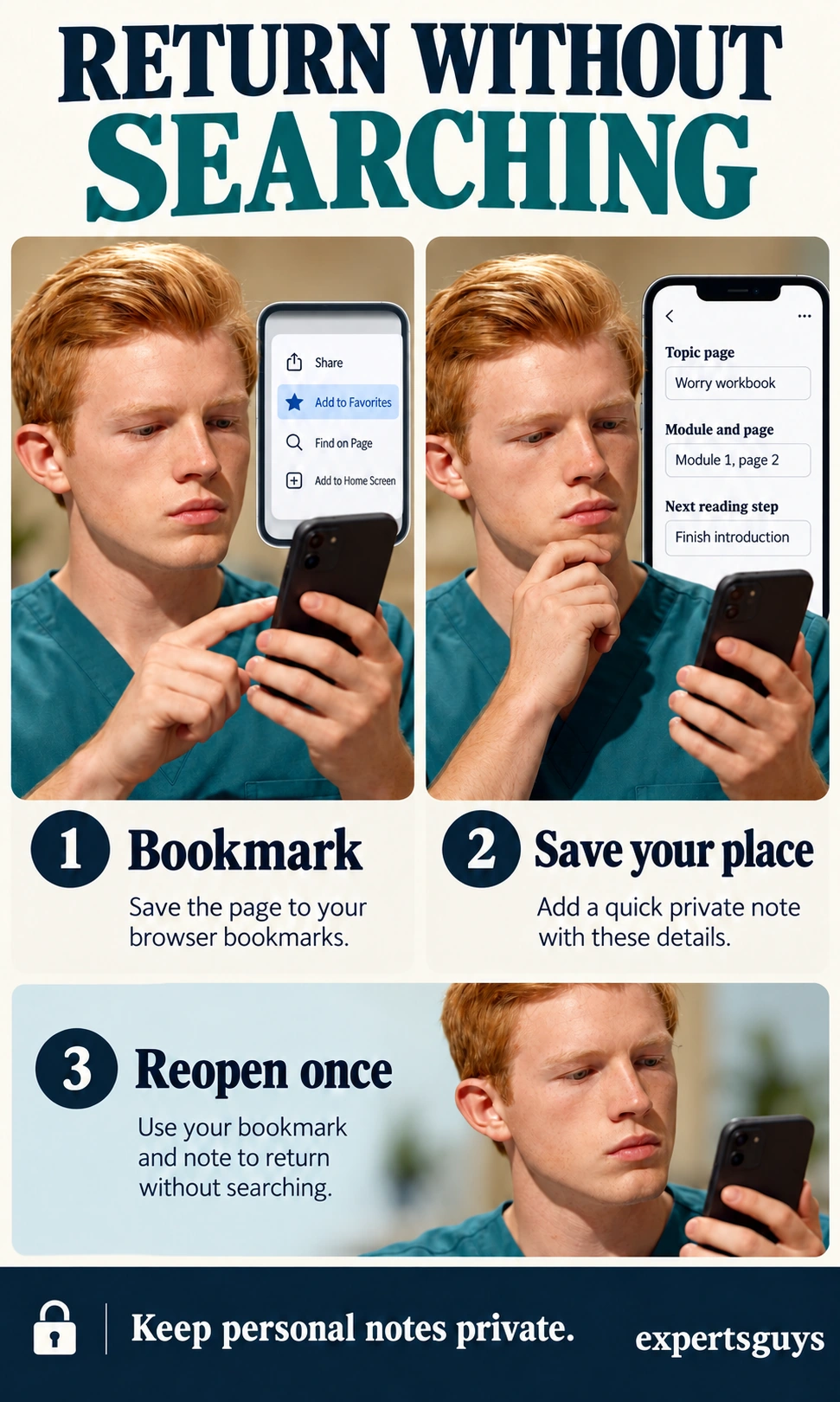
An illustrative return note could read: “Worry workbook, Module 1, page 2; finish the explanation before choosing the next section.” If that feels like unnecessary administration, a bookmark and page number are enough. Avoid adding a diagnosis to a filename on a shared screen, and check access permissions before placing personal material in a shared folder.
| What goes wrong | What to check | Useful adjustment |
|---|---|---|
| The same document appears in several copies | Which filename and folder contain your saved entry? | Keep one clearly named working copy and an untouched original. |
| You keep searching instead of returning | Did you save the official topic page? | Use the saved page and a specific next reading location. |
| A worksheet prompt makes no sense | Which explanation introduces the worksheet? | Return to that module instead of inventing an answer. |
| The page opens but the file does not | Can the current browser or reader handle the file? | Try a downloaded copy in a compatible application. |
When do you need treatment access rather than another download?
Self-help information can explain an approach, but it does not assess your needs or establish a treatment relationship. CCI makes this distinction in its resource disclaimer. If symptoms are persistent, worsening or disrupting everyday functioning, arrange an assessment rather than using completed modules as evidence that professional care is unnecessary.
Check the treatment route before expecting an appointment
The clinic’s geographical and eligibility rules are separate from public access to its website. Its treatment overview describes services for eligible Western Australian residents with a Medicare card, with adult programmes and a younger age pathway for eating disorders. These details can change, and downloading a file does not place you on a waiting list.
- If you want CCI treatment, read its current referral criteria and forms with your referring professional.
- Check the relevant programme, age pathway, residence requirements and continuity-of-care arrangements; do not infer eligibility from a workbook topic.
- If CCI is not your local service, take the resource title or link to a local qualified professional and ask whether it fits your needs.
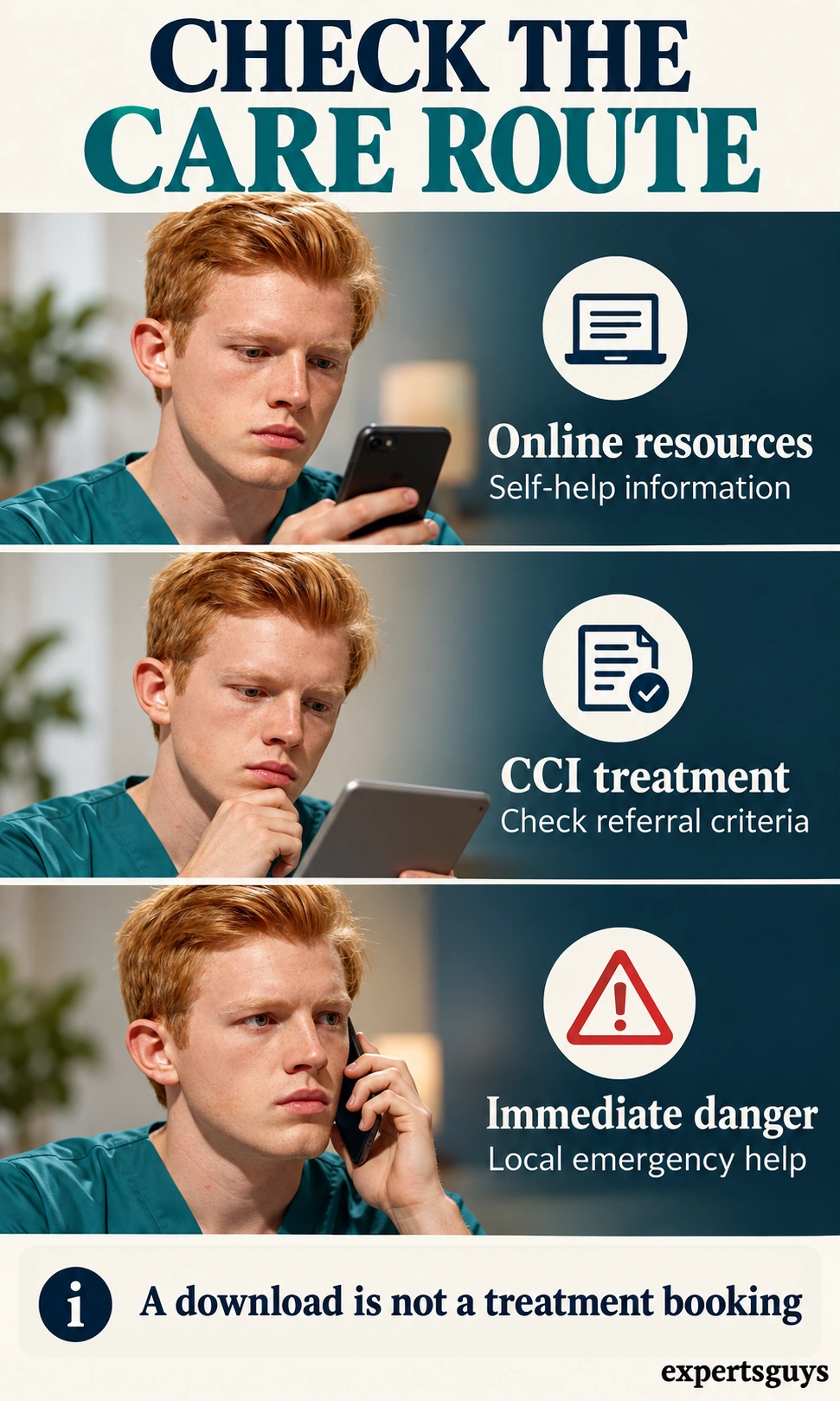
For example, someone outside Western Australia may use the public reading materials while seeking care through services where they live. An eligible local resident still needs the appropriate referral process and assessment; this guide cannot promise acceptance or appointment timing. Our guide to mental health counseling covers choosing and contacting a provider, which is a separate decision from locating a CCI download.
Frequently asked questions
Are the CCI resources free to download?
CCI makes its self-help resources available free online. Free access does not mean the materials are free to republish, rebrand or sell. Use the official links and check the copyright terms before any use beyond personal use or another permitted exception.
Can I put CCI worksheets on my own website?
Do not assume that a publicly downloadable PDF can be uploaded to another website. CCI’s copyright notice restricts reproduction and publication outside personal use and legally permitted uses without express permission. Linking readers to the official resource page keeps the original context and avoids presenting it as your own worksheet.
Does choosing a CCI topic tell me which condition I have?
No. Resource categories organise reading material rather than diagnose the person opening it. When you need an explanation of your symptoms or a treatment decision, an appropriate professional assessment serves a different purpose.
Is there one CCI workbook that everyone should complete?
No single sequence is presented here as suitable for everyone. The right starting material depends on the question, the particular workbook’s guidance and any existing care plan. You can begin by reading an introduction without committing to a full series.
Do I need to finish a workbook before asking for help?
No. Completing a resource is not an entry requirement for seeking care. If reading is difficult, take the topic title and the question you could not resolve to an appointment; you do not need a finished set of answers.
Your starting decision
Open the official directory, choose one concern and select the format that answers your immediate question. Keep a reliable way to return to that resource, and follow its own instructions rather than collecting more files. If your real need is assessment or treatment, use the care route instead of waiting to complete a workbook.