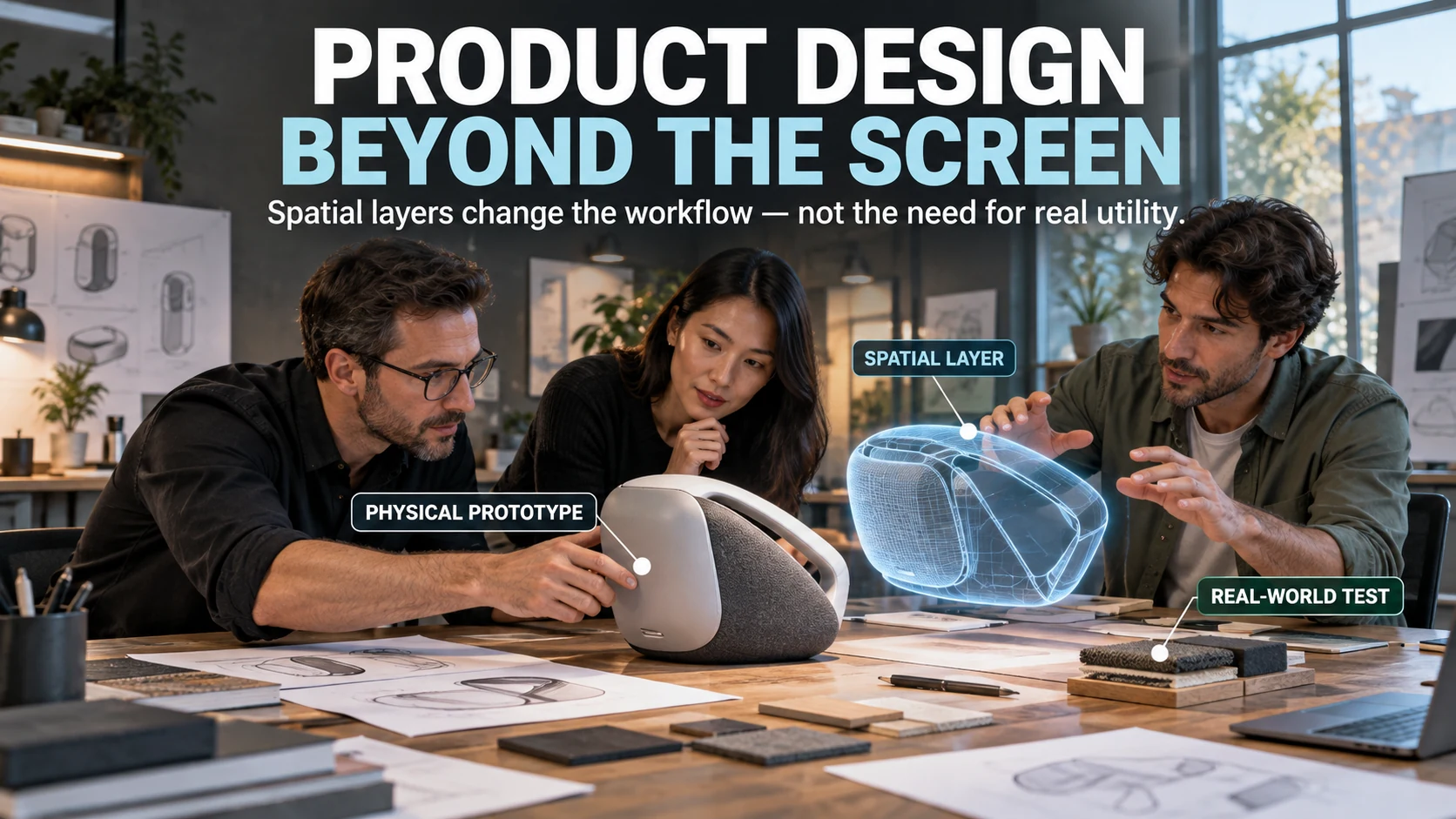

Spatial computing is already changing product design, but not because every product is moving into a single all-purpose “metaverse.” The practical shift is simpler: designers can now treat physical objects, digital state, 3D content, and spatial interaction as parts of one product system, then decide which parts genuinely improve the user’s task.
That distinction matters because the strongest spatial products still have to satisfy ordinary design requirements such as comfort, reliability, fit, legibility, safety, maintainability, and useful fallback behavior. A virtual layer can change what people see or how they interact, but it cannot rescue a physical product that is awkward to hold, a workflow that takes too long, or an interface that adds complexity without delivering a better result.
The useful part of the metaverse idea survived the hype
The word “metaverse” once carried a very broad promise: persistent virtual worlds, digital goods, social spaces, avatars, and mixed physical-digital experiences would converge into a new layer of everyday life. Product teams do not need that entire vision to become real before spatial design becomes useful; they only need a task where depth, scale, environmental context, or embodied interaction adds something a flat screen cannot deliver as well.
That is why current platform guidance is more concrete than the older metaverse pitch. Apple’s visionOS design guidance discusses windows, volumes, immersion, comfort, eyes, hands, and the user’s surroundings, while Android XR supports both familiar 2D apps and spatialized experiences. The direction is not “make everything virtual”; it is “use space where space improves the experience.”
A product is becoming a stack, not just an object
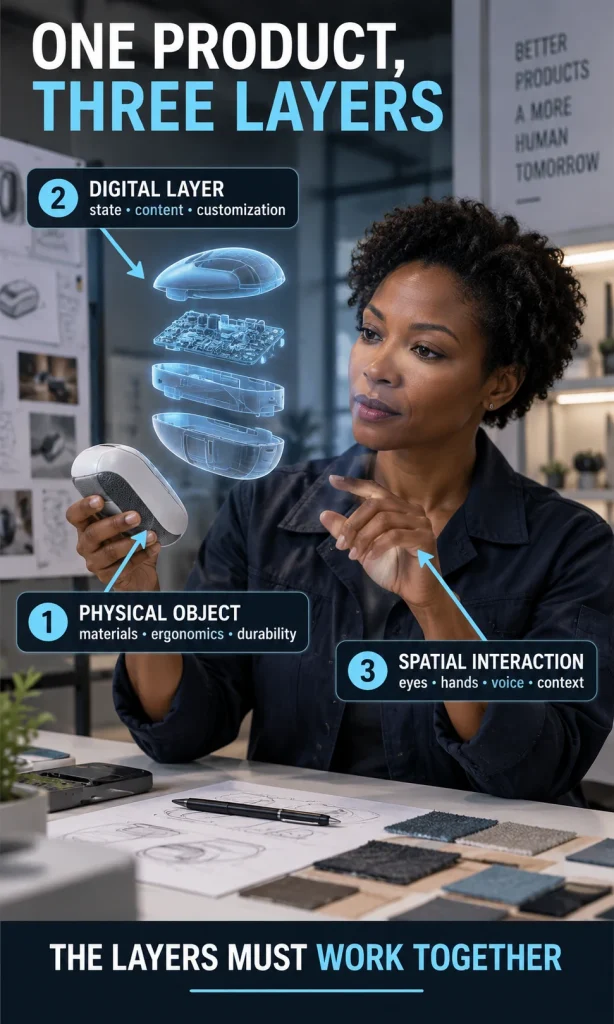
Traditional product design often separated industrial design from software design: one team shaped the physical object while another built the screen, app, or service around it. Spatial products blur that boundary because the physical object can become an anchor for digital state, contextual information, 3D visualization, guidance, collaboration, or customization that appears around the object instead of only inside a display.
A useful way to think about the product stack is to separate three layers. The physical layer covers materials, ergonomics, durability, mechanisms, and real-world performance; the digital layer covers data, state, content, personalization, and services; the spatial interaction layer determines how eyes, hands, voice, movement, controllers, or environmental understanding connect the user to those first two layers.
That same principle is visible in more modest hybrid concepts too. A physical object does not need a headset to become more digitally capable, which is why the site’s example of a physical reading experience with digital components is a useful bridge between conventional product design and more fully spatial products.
What changes in the design workflow
The biggest gain is not that a designer can make a spectacular hologram. It is that some questions can be tested in the context where the product will actually be used: whether an object fits a room, whether information is legible at a comfortable viewing distance, whether a gesture feels natural, whether collaborators understand the same 3D state, or whether a digital overlay makes a physical task easier.
| Design question | Screen-first workflow | Spatial workflow | Decision implication |
|---|---|---|---|
| Where does the interface live? | Inside a fixed display. | In windows, around objects, or inside an immersive environment. | Placement becomes part of interaction design. |
| How is scale judged? | Through drawings, dimensions, renders, and prototypes. | Through 3D content viewed at meaningful size and distance. | Spatial review can reveal proportion and context earlier. |
| How does the user act? | Touch, mouse, keyboard, or fixed controls. | Eyes, hands, voice, controllers, movement, or a combination. | Comfort and error recovery become first-class requirements. |
| How is a concept reviewed? | Screens, static renders, or physical samples. | Shared 3D scenes, digital twins, spatial mockups, or physical-digital prototypes. | Teams can test some questions before committing to final tooling. |
| What must still work? | Core product and conventional interface. | Core product, spatial layer, sensors, permissions, tracking, and fallback path. | The system becomes richer, but also easier to overcomplicate. |
When a spatial layer earns its place
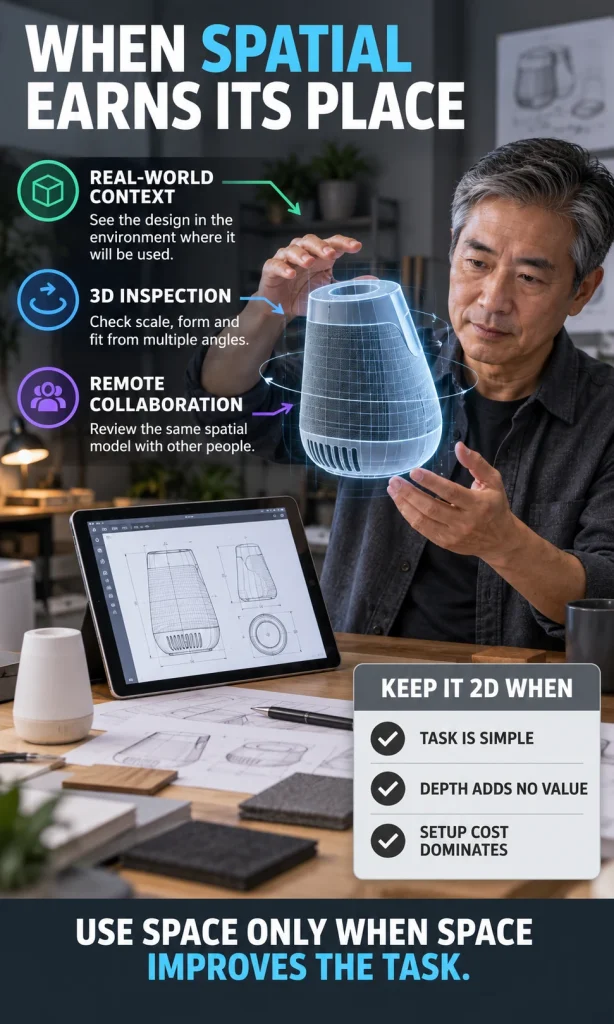
A spatial layer is strongest when the user’s problem already has a spatial dimension. Seeing scale in a real environment, inspecting a 3D object from multiple angles, coordinating around a shared model, receiving guidance while working with physical equipment, or previewing a configuration in context are all jobs where depth and position can change the quality of the decision.
- Real-world context matters: the user needs to see an object, instruction, or decision in the place where it will be used.
- 3D understanding matters: form, fit, orientation, depth, assembly, or spatial relationships are difficult to judge from a flat representation.
- Hands-busy interaction matters: voice, gaze, or contextual guidance may reduce the need to stop and operate a separate screen.
- Shared spatial state matters: two or more people need to discuss or manipulate the same model or environment.
- The spatial moment is optional but valuable: the core product still works without XR, while the spatial layer improves one important task.
The inverse rule is just as useful. Keep a task on a normal screen when the work is primarily reading, typing, form entry, simple selection, routine administration, or another job where depth does not improve comprehension; adding 3D to those tasks often increases setup, motion, and attention costs without creating enough value.
Concept decision support
Spatial Product Reality Check
Test whether depth, real-world context or shared 3D interaction improves the job enough to justify the added complexity.
How it works
Describe the concept, then assess the spatial moment.
This uses rule-based design logic rather than a synthetic percentage. The result explains why the concept is a strong pilot, a narrow pilot, a 2D-first idea, or a concept that needs its context redesigned.
Decision direction
—
—
Why this result
Prototype next
Dependency checks
Physical performance still wins when the body is involved
The older metaverse conversation sometimes implied that visual customization could reduce the importance of physical form. That is only partly true: a shoe can look different through a digital layer, but it still has to support the foot; a chair can change appearance, but it still has to carry the body comfortably; a tool can display guidance, but the grip, force, weight, balance, temperature, and durability remain physical constraints.
This is why spatial design should not pull teams away from material testing. It should help them test more questions earlier, connect physical and digital prototypes more tightly, and separate what must be manufactured from what can remain software-defined or context-dependent.
Interoperability becomes a product-design concern
A product that depends on only one headset, one input method, or one proprietary runtime can create a fragile experience unless that limitation is deliberate. The OpenXR standard exists to provide a common application interface across a range of XR platforms and devices, which is useful evidence that portability and fragmentation are not merely developer problems; they influence product strategy, asset choices, interaction assumptions, testing plans, and long-term support.
Interoperability does not mean every experience must look or behave identically everywhere. It means the team should know which parts of the product are portable, which depend on platform-specific capabilities, which inputs need alternatives, and what happens when the user switches device classes or loses access to the spatial layer entirely.
Privacy and sensing are part of the product, not a legal footnote
Spatial systems can depend on cameras, hand tracking, eye input, room understanding, location, microphones, or other contextual sensors. Those capabilities can make an interface feel natural, but they also change what the product observes and therefore what the user needs to understand, control, or decline.
A strong product brief should identify every sensor or permission required for the core task, what happens when it is unavailable, and whether the product can degrade gracefully. This is closely related to the site’s discussion of AI, metaverse experiences, and everyday tracking: the design question is not only what technology can sense, but what information is necessary to make the experience useful.
A better workflow: test the task before the technology
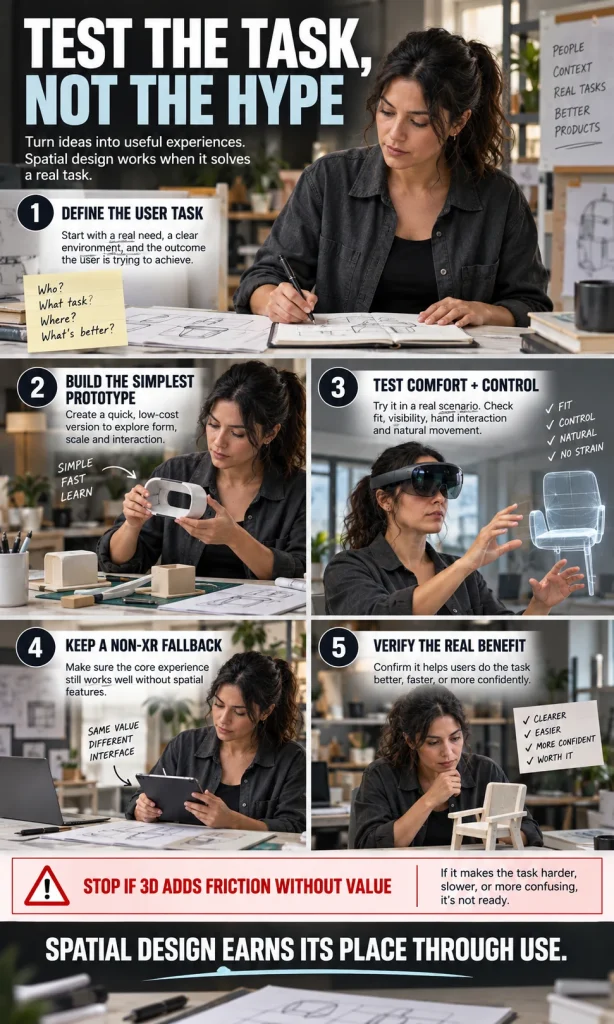
The most reliable spatial-design workflow begins with the ordinary user problem and adds immersion only after the team can explain why it improves that problem. A headset demo that looks impressive but makes the real task slower is not a product advantage; it is a prototype that has revealed a mismatch.
- Define the user task. State who is doing what, where it happens, what information they need, and what a better outcome would look like.
- Build the simplest spatial prototype. Prototype only the moment where depth, context, or embodied input is supposed to add value.
- Test comfort and control. Check legibility, reach, motion, physical effort, error recovery, attention, and whether the user can remain aware of the real environment when necessary.
- Keep a non-XR fallback where the core job requires one. A user should not lose essential function merely because a headset, sensor, permission, or tracking condition is unavailable.
- Verify the real benefit. Keep the spatial layer only if it makes the target task clearer, easier, safer, faster, more collaborative, or more confident in a way users can actually notice.
That workflow also prevents the article’s original “metaverse” premise from becoming a prediction contest. The future does not have to arrive as one universal virtual world for product design to change; the meaningful change is already happening wherever teams use spatial context, 3D interaction, digital twins, immersive prototyping, or mixed physical-digital interfaces to solve specific design problems.
What the metaverse changes – and what it does not
| Likely to change | Still fundamental |
|---|---|
| Where interfaces can appear and how users move between digital and physical states. | The product must solve a real problem with acceptable effort. |
| How early teams can inspect scale, context, variants, and shared 3D concepts. | Materials, ergonomics, durability, maintainability, and safety still matter. |
| How much appearance or information can be software-defined instead of permanently manufactured. | Users still need clarity, control, accessibility, recovery, and trust. |
| How teams collaborate around digital twins, simulations, and spatial prototypes. | Complexity must earn its place through a better outcome. |
For readers who want the broader cultural background, the existing guide that tries to make sense of the metaverse and NFTs provides useful historical context, while the first-person piece about spending 100 days in the metaverse shows why lived experience can expose problems that a concept render does not.
FAQ
Is the metaverse still relevant to product design?
Yes, but the most useful design work now tends to be framed more concretely as spatial computing, XR, mixed reality, digital twins, or physical-digital product systems. Designers can use these technologies without assuming that one universal metaverse will become the dominant interface for everyday life.
Does spatial computing replace physical prototyping?
No. Spatial prototypes can answer questions about scale, placement, interaction, visual variants, and collaboration earlier, but physical prototypes are still necessary when materials, forces, ergonomics, durability, thermal behavior, manufacturing, or other real-world properties determine the outcome.
What makes a good spatial product-design use case?
A strong use case has a task that becomes easier to understand or perform when the user can see depth, scale, location, spatial relationships, or shared 3D state. If a normal screen already solves the task quickly and clearly, spatial interaction should remain optional.
Should every spatial product have a non-XR fallback?
Not every immersive experience needs a complete 2D equivalent, but essential functions should have a deliberate fallback when hardware, permissions, sensors, tracking, comfort, or environment can prevent the spatial layer from working. The fallback can be a simpler interface rather than a duplicate of the full experience.
Why does interoperability matter to designers?
Interoperability affects which devices, inputs, assets, and platform capabilities a product can support without being rebuilt from scratch. Designers need to know which parts of the experience are universal and which depend on platform-specific behavior so they can create realistic interaction and support plans.
Bottom line
The strongest lesson from the metaverse era is not that physical products are about to disappear. It is that product design can now extend beyond the object and the screen into a coordinated system of physical form, digital state, spatial context, and interaction – and every added layer should prove that it makes the user’s real task better.