
NBA 2K22 Review
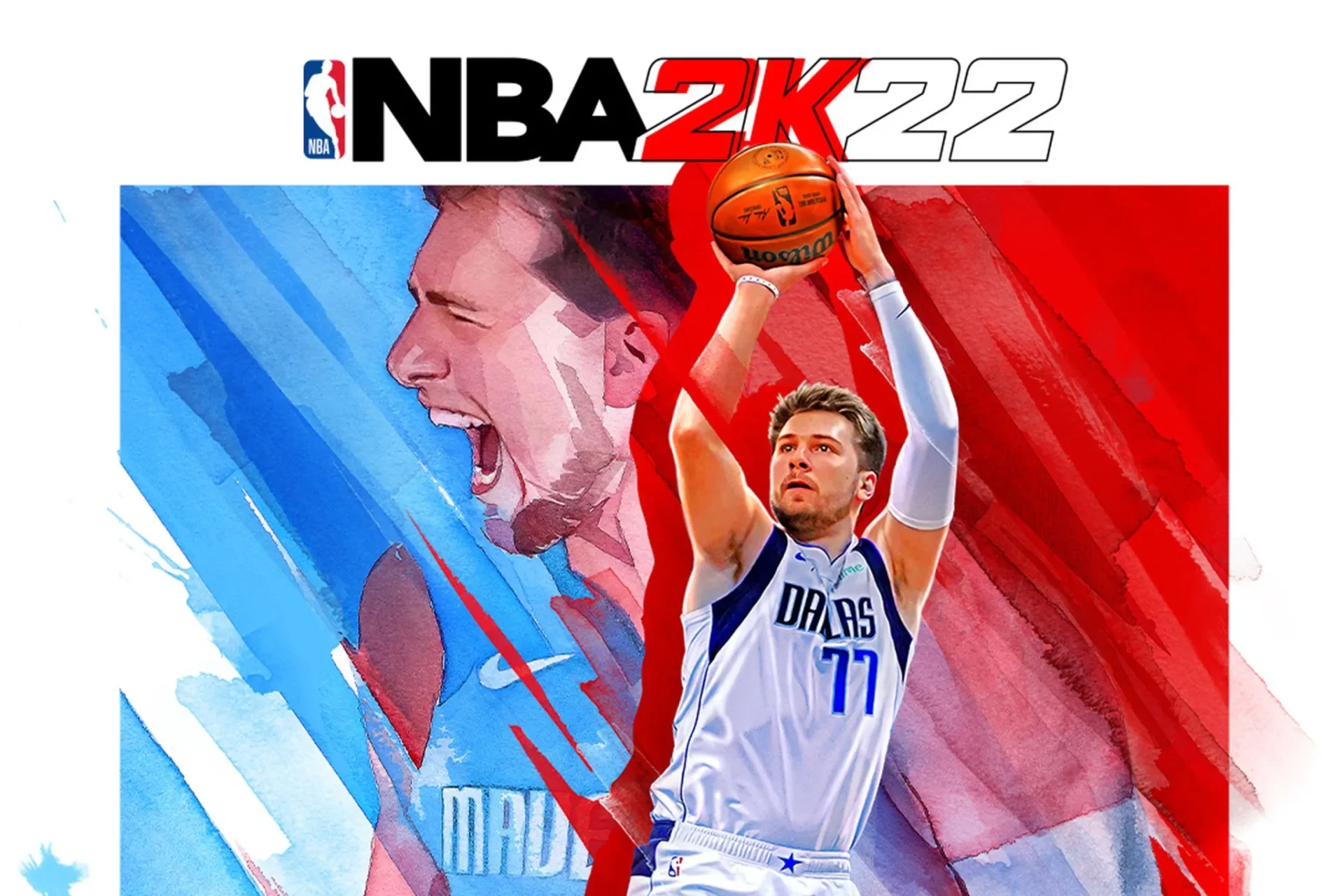
If you love basketball games, you’ll definitely want to check out NBA 2K22, a new installment in the NBA 2K franchise. Developed by Visual Concepts and published by 2K Sports, this simulation game focuses on the National Basketball Association. It is the 23rd installment of the NBA 2K franchise and is the successor to NBA 2K21. Read on to find out what to expect from this latest game.
Microtransactions
While the game is priced fairly, the inclusion of in-game purchases will continue to creep up the cost of playing. While previous NBA 2K games have included in-game purchases, NBA 2K22 has taken the idea one step further. Players can buy extra currency for the in-game shop to improve their characters. This will add a significant amount to the game’s cost, but it’s not the end of the world.
NBA 2K22 doesn’t appear to be immune to shady business practices. Kotaku called the game “a shakedown disguised as a basketball game.” Regardless of the game’s positive aspects, it is clear that the developer, Take-Two Interactive, and the players aren’t doing consumers any favors. Microtransactions and loot boxes in games are trashy business practices.
In NBA 2K22, players can upgrade their characters to gain better performance in games. Players can purchase items like MyTeam packs and MyPlayer and MyCareer upgrades. VC is used to purchase these items. However, some players still prefer to earn VC organically. Microtransactions in NBA 2K22 can be frustrating and unnecessary. There is a solution to this, but it’s still important to play with an open mind.
The NBA 2K franchise has been plagued by criticism of its use of virtual currency. The MyTeam game mode, for example, uses microtransactions and loot boxes, and some gamers are concerned that the gameplay is too addictive. Microtransactions in NBA 2K22 are a common phenomenon in video games. Despite the widespread criticism of microtransactions in the NBA 2K series, the company has yet to comment on the topic.
Improved defense
One of the biggest improvements in NBA 2K22 is the improved defense. This game now places more emphasis on the player’s overall defensive positioning and motion. This tightens the overall defense of the game, and makes gamers feel the defensive pressure more. It also feels more natural and realistic to play this game. This is the best version of NBA 2K yet, and it will be difficult to put it down.
While the game’s defending is not completely perfect, it’s definitely improved over the last iteration. Lockdown defenders will definitely feel the difference. Now, big men will be able to swat away shot attempts left and right. Overplaying on defense can also open up a lane to the basket. The dribbling is also vastly improved, and transitioning between different moves feels realistic.
Another big change in NBA 2K22 is the emphasis on steals. In the past, steals were largely unnoticed because of the algorithmic nature of the game. With NBA 2K22, you’ll be able to pick pocket opponents more often and block slashers out of the crowd with your shot. Though good defense may not always end up in the game’s highlights, the increased emphasis on defense makes the game more enjoyable to play.
As for the game’s overall design, it looks and plays great on all platforms. The improved graphics make the game look a bit more refined than its predecessor, but it still lacks more major improvements. But despite these negatives, NBA 2K22 still manages to remain an exciting and fresh experience. Just like the previous installment, NBA 2K22 has plenty to offer. This version of the franchise is perhaps the best one yet.

New shot meter
When playing NBA 2K22, you’ll notice a new shot meter on the screen. It should turn green when the player releases the shot. If it doesn’t, it’s likely that he missed the shot. There are some things that you can do to make sure the meter doesn’t influence your game, such as turning it off for only free throws or pro sticks. Read on to find out how you can customize the new shot meter.
There are many different ways to change the NBA 2K22 shot meter. You can switch off the meter by going to the settings menu in the game’s pause menu. Then go to Controller Settings, and select the new option for “Shot Meter.” Depending on how you like your shot meter, you can even make it vibrate. If you’re a veteran of NBA 2K games, you can turn the new feature off completely. In that case, you’ll get a boosted shot for every time you make a shot.
Another option is the meter’s color. It will now be pink, which is easier to see than white. The sound will not affect the shot, but it will give you more time to release the shot. A player can also choose whether he wants the meter to vibrate when he releases a shot. This isn’t just an added bonus; it’s meant to enhance the gaming experience.
To change the shot meter in NBA 2K22, go to Controller Settings. Then, select Features. Alternatively, you can also click Options in the pause menu. Depending on your skill level, you can choose different settings for the shot meter. There are also different types of boosts for the new shot meter, which you can try out in regular season matches to see which suits you best.
Career mode
Are you experiencing trouble playing Career mode in NBA 2K22? You might be having problems loading up your saved career progress. If this is the case, you can solve this issue by uninstalling the game, draining its power capacitors, and then reinstalling it from the respective store. To perform a fresh installation, you can click on the Help button on the Xbox dashboard. Then, go to the Help menu and select “Reinstall Game”.
There are a few things you should know before starting your career in this game. Career mode allows you to pursue a variety of other careers besides basketball, and you can do so by completing quests. These quests give you experience points and VC Coin, which you can spend to upgrade your character’s abilities. The main drawback to this mode is that it starts off less fun than the other modes. However, if you want to experience the full potential of Career mode, be sure to give it a try.
The biggest change to Career mode in NBA 2K22 is the addition of Seasons. Formerly, you had to go from Rookie to Legend in a single large grind. Now, every level adds a different reward. However, if you have already achieved every level in the previous season, you won’t lose any of your previous Seasons rewards. The new feature will be available to Xbox One, PlayStation, and PC users.
The MyCareer mode is similar to creating a character in an ordinary online game, but there are a few key differences to keep in mind. You can also customize your physical build, hair style, and skill breakdowns. It’s best to try every build and position in MyCareer before choosing a particular one. Then, tweak the build as necessary to suit your preferred style. But, if you’re a rookie, it’s probably best not to start until you’ve played a few MyCareer games.
MyCareer mode
The MyCareer mode in NBA 2K18 and NBA ’22 lets you customise your player and franchise, build championship teams, and become a legendary player. The game is highly customizable and lets you choose any body type, facial features, and hair styles. To start, players choose the position they want to play, which ranges from point guard to power forward. The easiest way to boost your game rating is to feed open teammates and clean the glass. Although scoring in itself doesn’t help you climb the rating scale, being a team player will improve your game as well.
MyCareer mode in NBA 2K21 was based in The City, but that is no longer the case with NBA 2K22. In this version, the MyCareer hub will be located in a ‘Floating Neighborhood’ that takes you on far-flung trips. The Neighborhood will also land on islands during limited-time events. Rather than merging MyCareer and The Neighborhood, the new hub will feature several options and a cutscene.
The first step in MyCareer is creating a MyPlayer, which will include a name, height, and skill point distribution. This will determine what type of player you are. Your MyCareer will fall under one of the old archetypes, which tell you who your comparables are. The game is extremely customizable, and the MyCareer experience is no exception. And if you want to customize your MyCareer experience even further, you can change your preferences and start over.
Reinstalling the game may fix the career mode problem in NBA 2K22; if the game was already installed on your PC, the problem might be with the installation. To fix this problem, you can restart the game or uninstall the game using your Steam client. After uninstalling the game, you can install it again by following the directions on the confirmation page. However, if the problem still persists, you can use another method to fix it.