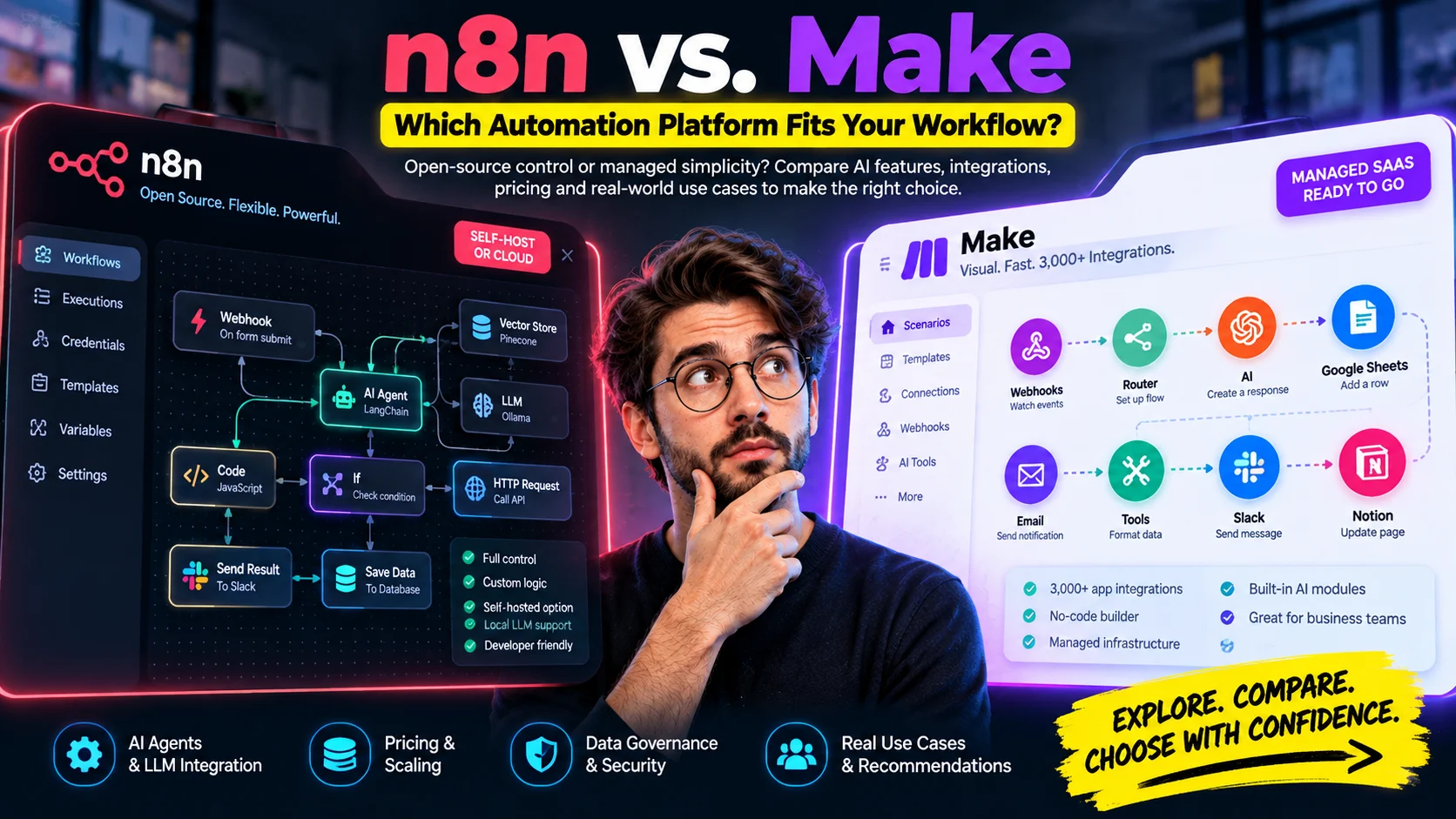
Choose n8n when control, self-hosting, developer-level customization, or deeply technical AI workflows matter more than the shortest setup path; choose Make when a managed visual experience, broad pre-built app coverage, and fast business-team adoption matter more. The decision becomes less obvious when AI enters the workflow, because both platforms now support agents, custom code, and sophisticated automation – but they meter usage, expose infrastructure, and organize technical work differently.
n8n vs. Make at a Glance
| Decision factor | Prefer n8n when… | Prefer Make when… |
|---|---|---|
| Deployment | You want n8n Cloud or a self-hosted instance under your infrastructure control. | You want a managed cloud platform and do not want to operate the automation runtime yourself. |
| AI architecture | You need AI Agent, memory, vector-store, model, tool, retriever, and local-model building blocks inside the same workflow environment. | You want visual-first Make AI Agents integrated with scenarios and a broad business-app ecosystem. |
| Usage economics | Your workflows are step-heavy and you value execution-based workflow allowances with unlimited steps on current paid plans. | Your scenarios are easy to reason about in module actions and you are comfortable managing credit consumption per action and, for some AI features, dynamic usage. |
| Private/local systems | Self-hosting and direct access to private infrastructure or local models are architectural priorities. | You are cloud-first, or you have Make Enterprise and can use its on-prem agent to bridge selected local-network resources. |
| App breadth | You are comfortable combining native integrations with HTTP Request, community nodes, custom nodes, and code. | You want the widest possible ready-made business-app catalog; Make currently markets 3,000+ verified apps. |
| Code | You want JavaScript/Python inside workflows and may need deeper workflow-level programmability. | You want visual mapping first, with Make Code or Enterprise custom functions available when visual modules are not enough. |
| Team profile | Your builders are technical operators, developers, data engineers, or AI automation specialists. | Your builders include operations, marketing, RevOps, finance, and other business users who benefit from a highly visual scenario model. |
The biggest mistake is treating this as a simple “developer platform versus no-code platform” contest. Make has added native JavaScript and Python through Make Code, while n8n has expanded collaboration, governance, AI assistance, and hosted options; the real choice is how much control your team wants over deployment, data, execution behavior, and AI orchestration.
The Architecture Difference: Control Surface vs. Managed Orchestration
n8n exposes workflow data very directly. Nodes pass structured items, expressions can reach earlier node data, Code nodes can manipulate payloads, and the Advanced AI layer includes agents, language models, memory, output parsers, tools, retrievers, embeddings, and vector-store nodes. Its documentation also includes Ollama model support, making n8n especially natural when a team wants local or self-hosted AI components inside the same automation environment.
Make takes a cloud-first scenario approach. Modules expose fields visually, routers and filters make branching obvious on the canvas, and the platform now supports Make AI Agents directly inside the visual orchestration environment. That difference affects how teams debug and govern workflows: n8n often feels closer to an executable data pipeline, while Make feels closer to a managed visual integration system that increasingly includes code and AI.
Pricing Mechanics: Executions vs. Credits
The original “n8n charges per execution, Make charges per operation” shorthand is directionally useful but no longer complete. n8n’s current paid workflow plans are priced around monthly workflow executions and advertise unlimited steps, while some n8n Cloud plans also include separate AI-credit allowances; Make replaced “operations” as its billing currency with credits, and most standard module actions consume one credit while some AI and advanced features use dynamic credit consumption.
n8n: Workflow-Execution Usage
n8n states that its paid plans are based on monthly workflow executions regardless of workflow complexity, with unlimited steps. That makes a long workflow with many internal nodes easier to forecast at the workflow-allocation level, although external model calls, databases, queues, storage, cloud infrastructure, and n8n’s own AI-credit services can still add separate costs.
Self-hosting does not mean “enterprise automation has zero platform cost.” Community/self-hosted use can be available under n8n’s Sustainable Use License for permitted internal business purposes, but infrastructure, observability, backups, upgrades, security work, model/API usage, and paid Business or Enterprise capabilities may still matter. n8n’s license guidance also distinguishes internal use from scenarios such as hosting workflows and credentials for clients or embedding n8n into a commercial product.
Make: Credit Consumption Follows Scenario Activity
Make now uses credits as the billing unit. For many non-AI modules, one module action uses one credit; however, Make’s built-in AI services can consume credits based on operations, tokens, and other usage factors, so a universal “3x AI multiplier” is not accurate. Third-party AI apps connected with your own provider credentials can also create a two-layer cost: Make credits for the module action and separate token charges from the AI provider.
This is why workflow shape matters more than a headline plan price. A short business automation may fit Make very efficiently, while a scenario with many repeated module actions can consume credits rapidly; an n8n workflow with the same internal step count may still count as one workflow execution, but its infrastructure and external-service costs remain real.
AI Agents: Both Platforms Are Now Serious Options
n8n has a technically broad AI-node model. Its integration catalog exposes categories for agents, chains, document loaders, embeddings, language models, memory, output parsers, retrievers, text splitters, tools, vector stores, MCP, and rerankers, which makes it possible to construct agentic and RAG systems as connected workflow components rather than hiding the entire process behind one opaque AI block.
Make’s position has changed substantially from older comparisons. Make AI Agents are built directly into the visual canvas and are designed to expose decisions, tools, context, and workflow behavior to builders, while Make’s product pages also emphasize hundreds of AI-oriented app integrations. For business teams that want agents connected to existing SaaS systems without managing a self-hosted automation runtime, that can be more valuable than having the deepest possible node-level AI primitives.
- Choose n8n for AI when model choice, local inference, vector stores, custom tools, explicit data handling, or self-hosting are primary requirements.
- Choose Make for AI when the priority is visual orchestration, rapid connection to many SaaS systems, managed infrastructure, and business-user transparency.
- Pilot both when the deciding factor is operational rather than functional – for example, debugging speed, governance ownership, cost at your real workflow volume, or how comfortably your team maintains the workflow six months later.
Local LLMs, Private Networks, and Data Control
n8n has the clearer path when local models or self-hosted infrastructure are part of the design. Its documentation includes Ollama model and embeddings nodes, and a self-hosted n8n instance can be placed inside the same controlled network as databases, model endpoints, queues, and internal APIs, subject to your own security architecture.
Make is cloud-first, but the claim that it “cannot access local networks” is outdated for Enterprise. Make’s Enterprise offering includes an on-prem agent for secure access to local-network resources; that does not turn Make into a fully self-hosted platform, but it materially changes the architecture for organizations that need a managed cloud control plane while reaching selected internal systems.
Self-hosting also does not automatically make an implementation compliant with GDPR, HIPAA, or another regulatory framework. Compliance depends on configuration, data flows, contracts, retention, access controls, logging, subprocessors, and the actual workload; treat deployment model as one control in the compliance design, not as the compliance answer itself.
Integrations: Make Has the Larger Ready-Made Catalog
Make currently markets 3,000+ verified apps, which is a genuine advantage when the reader’s priority is “connect this business system today.” n8n’s current integrations directory is also substantial and is supplemented by HTTP Request, GraphQL/API patterns, community nodes, private/custom nodes, and code, so the smaller ready-made catalog does not necessarily mean a smaller reachable ecosystem.
The practical question is not simply which platform has the larger number. Check the exact apps your workflow needs, then compare whether the required action exists natively, whether pagination and webhooks are well handled, how authentication is managed, and whether missing actions can be added without creating an awkward maintenance burden.
Code and Data Transformation
n8n remains attractive to technical teams because custom logic sits naturally beside visual nodes. JavaScript and Python are available in the Code node, and self-hosted environments can be configured for additional module access, which means parsing, normalization, routing logic, and application-specific transformations can stay inside the workflow when that is the cleanest architecture.
Make is no longer limited to formulas and visual mappers. Make Code supports JavaScript and Python on paid plans, while Enterprise custom functions provide reusable JavaScript transformations; this narrows the old capability gap, although the platforms still feel different because Make treats custom code as one module inside a managed scenario rather than as part of a self-hosted execution environment.
Example: Normalize LLM Output in an n8n Code Node
// Normalize model output before passing it downstream.
const items = $input.all();

return items.map((item) => {
  const raw = item.json;
  let content = raw.output ?? raw.message?.content ?? raw;

  if (typeof content === 'string') {
    content = content
      .replace(/^```(?:json)?\s*/i, '')
      .replace(/\s*```$/, '')
      .trim();
  }

  let parsed;
  try {
    parsed = typeof content === 'string' ? JSON.parse(content) : content;
  } catch (error) {
    parsed = {
      parse_error: true,
      raw_text: String(content),
    };
  }

  return {
    json: {
      workflow_id: $workflow.id,
      status: parsed?.parse_error ? 'FAILED_SCHEMA' : 'SUCCESS',
      extracted_data: parsed,
    },
  };
});
The useful pattern is not “code is always better.” The code node is valuable when one compact transformation replaces a chain of fragile formatting steps or when downstream systems need a strict schema; if a visual module already expresses the rule clearly, keeping the workflow visual may be easier to maintain.
RAG and Vector-Store Workflows
RAG is one of the places where n8n's native AI component model is especially visible. The platform includes vector-store and retriever categories alongside embeddings, loaders, splitters, memory, and AI Agent nodes, letting a builder connect retrieval components directly into an agent workflow and inspect the surrounding data path.
Make can build RAG systems as well, but the implementation tends to be organized around Make AI Agents, AI modules, app connectors, HTTP calls, and external vector or search services. That can be perfectly adequate - and often faster for a business team - but teams designing complex retrieval architectures should prototype the full ingestion, retrieval, citation, validation, and failure-handling path rather than comparing only whether “vector search is supported.”
Debugging, Failure Recovery, and Governance
| Production concern | n8n | Make |
|---|---|---|
| Execution inspection | Execution history with node-level inputs/outputs and retry options. | Visual scenario execution inspection with module-level data bubbles and run history. |
| Failure handling | Error workflows, retries, branching, workflow-level logic, and code-based handling. | Error handlers, routes, filters, incomplete executions, and visual recovery paths. |
| Source control / environments | Git-backed source control and environments are available on Business and Enterprise tiers. | Enterprise governance includes features such as audit logs, dynamic connections, analytics, and team controls. |
| Security posture | Self-hosting gives infrastructure control; security remains your operational responsibility. Enterprise capabilities add governance features. | Managed enterprise controls include SOC 2 Type II, GDPR-focused controls, encryption, SSO, role-based access, and audit logs. |
Debugging speed is often the deciding factor after a pilot. Build one representative workflow in each platform, deliberately break an API response, invalidate a credential, trigger an unexpected AI schema, and test how quickly the team can identify the failure, replay the run, understand cost impact, and safely restore service.
Which Platform Should You Choose?
Choose n8n when the automation layer needs to behave like part of your technical stack: self-hosted deployment, local models, custom code, direct payload control, complex AI chains, or infrastructure ownership are important. Its execution-based workflow pricing can also be attractive for step-heavy automations, but include hosting, model usage, paid platform features, and operations labor in the total-cost model.
Choose Make when the automation layer needs to spread quickly across business teams with minimal platform operations. Its 3,000+ verified apps, visual scenario model, Make AI Agents, managed enterprise controls, on-prem connectivity option for Enterprise, and native code capability make it much broader than the older “simple no-code automation” label suggests.
Pilot both when neither deployment nor app coverage is a hard gate. Use the same real workflow, the same data volume, the same failure cases, and the same AI model; then compare build time, maintenance time, debugging clarity, governance fit, and actual monthly usage units rather than choosing from a feature checklist alone.
Frequently Asked Questions
Is n8n better than Make for AI agents?
n8n is often stronger when you need self-hosting, local models, explicit vector-store or memory components, custom tools, and developer-level control. Make can be the better choice when visual agent orchestration, managed infrastructure, broad SaaS connectivity, and business-team adoption matter more.
Does n8n charge for every node in a workflow?
Current n8n paid workflow plans are primarily based on workflow executions rather than the number of internal workflow steps, and n8n advertises unlimited steps on those plans. Separate AI credits, external API charges, infrastructure, and paid platform features can still affect total cost.
Does Make still charge by operations?
Make now uses credits as its billing unit. Most standard module actions consume one credit, while some AI and advanced features can consume credits dynamically according to tokens or other usage factors.
Can Make access local or private systems?
Make is cloud-first, but Enterprise includes an on-prem agent that can securely bridge selected resources on local networks. That is different from running the entire Make platform inside your own infrastructure, so deployment architecture still differs substantially from self-hosted n8n.
Is self-hosted n8n free for business use?
n8n's Sustainable Use License permits certain internal business uses of the self-hosted software, but not every commercial scenario is covered. Client-hosting, embedded-product, enterprise-feature, or other commercial requirements can change the licensing position, so organizations should check n8n's current license guidance for their exact use case.