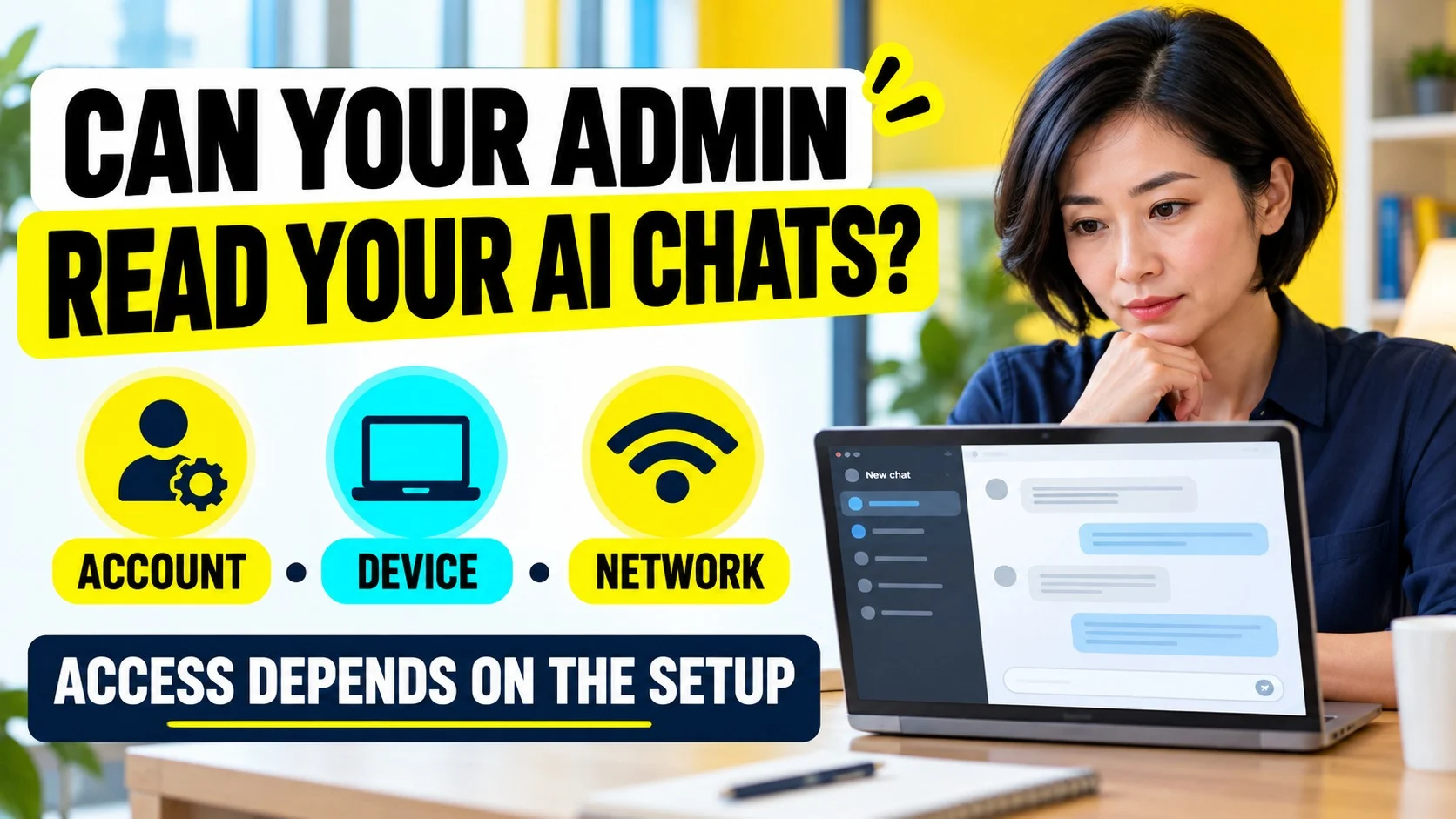

A Google Workspace admin can access supported work-account Gemini app prompts and responses through Google Vault when the required licensing, privileges and data availability apply. That does not give them automatic access to personal ChatGPT chats, and Gemini inside Gmail or Docs has different coverage from the standalone Gemini app.
Start with the place where the conversation happened. A work Google login, a ChatGPT workspace, a managed browser and office Wi-Fi each create a different route for visibility. Confusing those routes can make an ordinary usage log sound like a complete transcript, or make a disappearing chat sound like proof of deletion everywhere.
Can a Google administrator see what you type into ChatGPT?
Being your Google Workspace administrator does not, by itself, provide a window into your OpenAI conversation history. Signing into ChatGPT with Google identifies the account used for authentication; it does not turn ChatGPT into a Google Workspace service. To establish access to the chat text, identify another route, such as a shared conversation, an eligible OpenAI compliance arrangement or monitoring on the device.
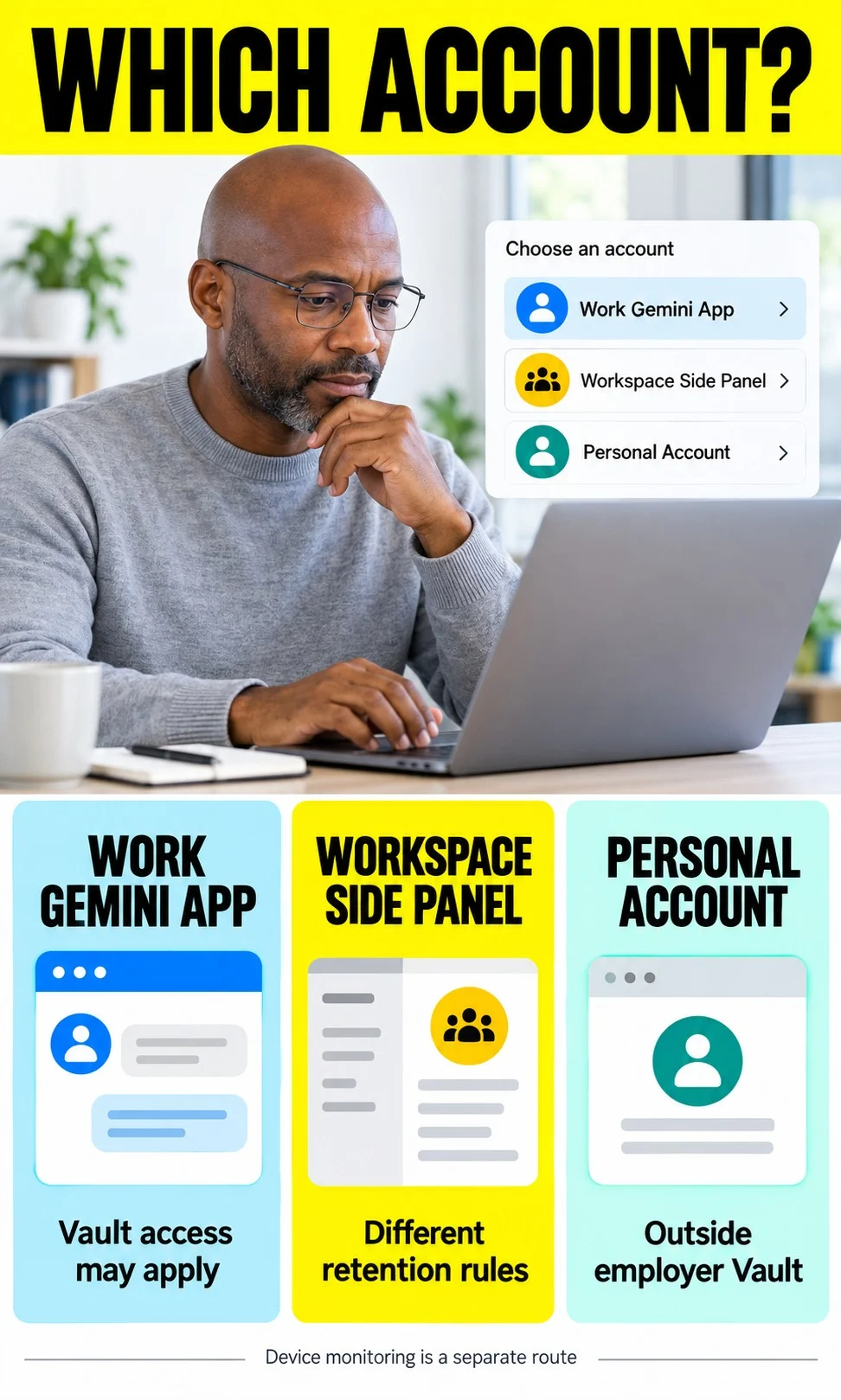
For Gemini, the product surface matters just as much as the account. The standalone Gemini app and the Gemini side panel in Workspace share a name, but their retained data is not interchangeable. Use the following table as a starting point, then confirm the configuration rather than treating a plan name as a complete answer.
| Scenario | Content visibility | What to verify |
|---|---|---|
| Work account in Gemini app | Supported prompt and response text can be searched and exported through Vault. | Vault entitlement, privileges, retained data and applicable rules. |
| Gemini side panel in Gmail or Docs | Gemini app Vault coverage does not include Gemini in Workspace data. | Side-panel history, inserted output, usage logs and separate monitoring. |
| Personal account on personal device | Outside the employer’s Workspace Vault scope. | Sharing, account security and any work management or network inspection. |
| Personal account on company laptop | A personal login does not exclude device or browser monitoring. | Installed controls and the employer’s monitoring policy. |
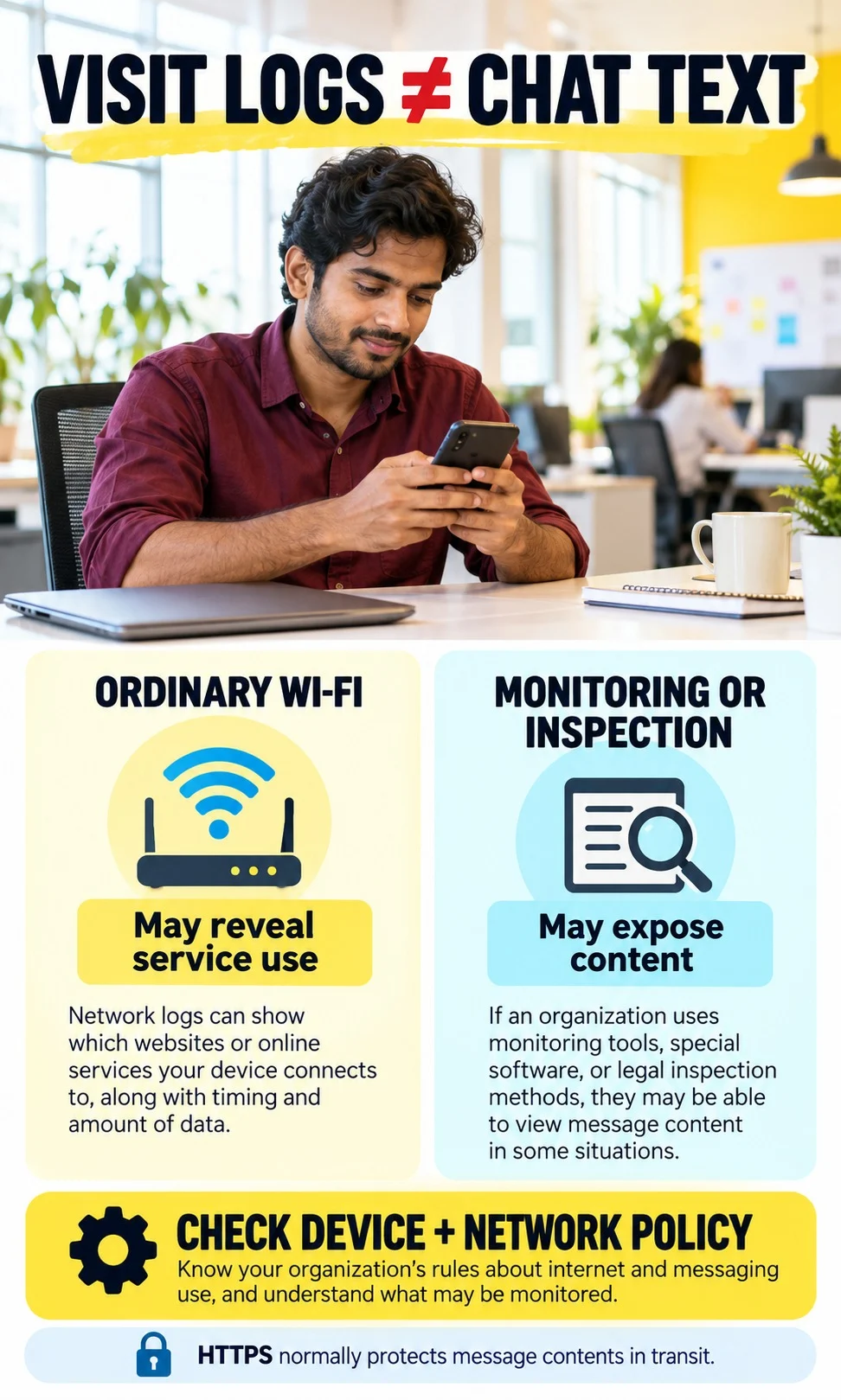
| Personal phone on office Wi-Fi | Service-use evidence may be visible; ordinary HTTPS traffic does not expose prompt text to a passive observer. | Whether the device is managed or traffic is inspected. |
First identify your account and the exact Gemini surface
Check the profile picture inside the AI service, not just the Chrome profile shown in the browser toolbar. A browser can contain several signed-in accounts, and the account selected in a tab can differ from the browser profile. Write down whether you used a personal account, a work or school account, or an OpenAI business workspace before interpreting any privacy setting.
Next, distinguish a conversation at the Gemini website or mobile app from a conversation in the side panel of Gmail, Docs or another Workspace application. Opening a work document while using personal Gemini does not automatically make the chat a Workspace side-panel conversation. Conversely, a personal browser profile does not change a work account selected inside the AI service.
Google’s work and school Gemini activity guidance says the administrator controls Keep Activity for those accounts. It also distinguishes Gemini app activity from history cleared inside a Workspace application. If a setting is unavailable to you, record that limitation rather than assuming the account behaves like personal Gmail.
A useful account check ends with a specific description, such as “work account in the Gemini mobile app on my own phone.” That description identifies what IT needs to verify. “I used Gemini” leaves out the conditions that determine both retention and monitoring.
- Account: inspect the signed-in address within the AI service.
- Surface: record Gemini app, Workspace side panel or ChatGPT workspace.
- Device: distinguish personal hardware from company ownership and management.
- Unknown: keep unverified settings marked unknown; do not convert them into a privacy assurance.
What Google Vault can actually preserve
Vault is an information-governance and eDiscovery service, rather than a manager’s live view of every keyboard entry. Google’s supported-data documentation includes Gemini app user prompts and generated responses. It excludes attached or generated media files and Gems, as well as Google Workspace with Gemini data, from that Gemini app coverage.
Licensing, administrative privileges and whether the data is still available constrain an actual search. A department manager is not automatically a Vault investigator, and an investigator’s technical ability does not tell you whether they have used it. Ask who can perform an export and under what approval process; those are different questions from whether the service supports exporting content.
Do not describe Vault as a universal recovery service for every vanished conversation. Its coverage has boundaries, and it cannot be assumed to recreate information that was never retained or has already been purged. The practical employee question is whether this account’s relevant conversation falls within an active preservation arrangement.
This is also why “not used for model training” and “not accessible to my organization” answer different questions. A contractual restriction on training can coexist with authorized organizational retention. Check the service’s data-use terms and your employer’s access policy separately instead of treating either one as a substitute for the other.
If I delete a Gemini chat, can my admin still read it?
For covered Gemini app conversations, an active Vault retention rule or hold can preserve text after it disappears from user history. Google’s Gemini hold guidance confirms that appropriately privileged Vault administrators can search and export held messages that users can no longer access. A screenshot of an empty history list therefore does not establish that all organizational copies are gone.
Preservation is conditional, however, and a rule created later is not a promise that an already-purged chat can be recovered. Google’s retention documentation notes a propagation delay of up to 24 hours and a gap for user-deleted messages during that period. Ask about the rule that covered the conversation at the relevant time, rather than relying on a policy introduced afterward.

Does turning conversation history off make new chats private?
Turning history off changes the user-facing history behavior; it is not a general override of organizational preservation. An active Gemini app Vault rule or hold takes precedence over the history settings described in Google’s retention guidance. Until IT confirms the account’s configuration, “history off” should be treated as a setting you observed, not evidence that the organization cannot retain the text.
For work-account Gemini app history, Google documents a default 18-month period and administrator options to change it or turn history off. These are history settings, not a complete inventory of copies made through preservation or export. Ask about both the history period and the retention rules, because a single number cannot explain the entire lifecycle.
Are Gemini chats in Gmail and Docs visible in Vault?
Gemini app Vault coverage should not be extended to the Workspace side panel. Google’s Workspace conversation-history guidance describes separate deletion controls and says administrators cannot recover or access deleted conversations through that history feature. That distinction is narrower than saying every piece of related work content is inaccessible.
When you insert a generated answer into an email or document, the resulting email or document becomes another record. Its sharing and retention can differ from the original side-panel conversation. For example, a colleague reading the document can see the text you inserted without having access to your private chat, so keep the saved output and the conversation separate in any access question.
Do admin logs show prompts, or just that I used Gemini?
The published Gemini for Workspace log attributes include information such as the actor, application, timestamp and action. They do not establish a universal field containing every prompt and response. A record that an employee generated or summarized content is evidence of an event, not automatically evidence of the wording entered.
Data loss prevention also needs a precise description. Google’s Gemini DLP guidance covers particular controls over access to Workspace information; it should not be described as a blanket transcript browser. Separate browser or endpoint DLP may inspect transfers, and inserted output can be subject to controls in its destination service.
Personal ChatGPT on a work laptop: what changes?
A personal account separates the service account from your employer’s tenant, but the computer can remain managed. Google documents Chrome Enterprise DLP restrictions on sensitive input to generative AI. What a particular employer inspects or stores depends on the enabled product and policy; management status alone does not prove that all chats are recorded.
Use Google’s managed-browser check, and review chrome://management and chrome://policy where available. These screens can reveal browser management and policies, but they are not a complete audit of the operating system or every security agent. Ask IT for the scope of collection rather than experimenting with confidential text to see whether an alert appears.
Personal phone on office Wi-Fi: can they read my prompts?
Ordinary HTTPS encrypts message contents in transit, so a passive network observer generally cannot read the prompts from the connection alone. Network infrastructure may still reveal or infer which service you contacted, timing and traffic volume. A work account used on the phone can also have account-level access routes that do not depend on the Wi-Fi network.
Inspection changes that assessment. Google’s TLS inspection documentation explains a configuration involving a filtering proxy and trusted certificates for ChromeOS; other deployments have their own requirements. A certificate’s presence alone is not proof that your particular AI connection is being decrypted, so confirm the relevant device and network configuration.
A VPN can change which network sees a connection, but it cannot erase retention attached to the account or monitoring on the endpoint. The same distinction applies to switching from office Wi-Fi to mobile data while continuing to use a managed work account. Ask IT what the work VPN records and whether endpoint controls remain active outside the office; the account and device checks still need their own answers.
How does ChatGPT Business compare with Enterprise?
| Access route | What it means |
|---|---|
| Private workspace conversations | Workspace membership or ownership changes should not be treated as automatic sharing of private chats. |
| Shared conversation or project | Access follows what has been shared and the relevant permissions. |
| Enterprise compliance records | Eligible, authorized compliance workflows can retrieve supported records; confirm the actual workspace coverage. |
| Usage analytics | Adoption reporting and audit or investigation records serve different purposes. |
| Device and browser controls | These remain separate routes regardless of the OpenAI plan. |
OpenAI’s workspace lifecycle guidance states that reassigning a project or GPT does not transfer a former member’s private conversations to the workspace owner. Its Compliance API documentation separately describes authorized audit and investigation workflows. Do not infer that a Business subscription supplies every Enterprise compliance capability, or that a normal admin role provides unrestricted transcript access.
Check your own setup without entering chat content
The AI Visibility Check below separates account access, device monitoring and network evidence using the conditions you select. It does not inspect your accounts, discover installed software or certify that an employer has read a conversation. Use its result to identify the next question for IT, especially when any setting remains unknown.

AI Visibility Check
Separate possible chat access from evidence of service use.
Choose your setup to identify possible employer access routes and questions for IT. This check uses your selections; it does not inspect accounts, devices or networks.
Selections stay in this page’s memory. No prompts, account addresses, cookies, storage or analytics events are collected by this experience.
What to ask IT before you use sensitive information
- Which AI services and account types are approved for this task?
- Does this account have Vault coverage, a retention rule or a legal hold, and who can export the covered content?
- What does browser or endpoint monitoring inspect, and what incident content is retained?
- Does network inspection apply to this device and this AI service?
- How are generated documents, emails and exported compliance records handled after deletion?
If you already entered information you should not have shared, use the organization’s incident process and describe the service, account, approximate time and type of data involved. Do not copy the full confidential prompt into a second unapproved service to ask for help. The purpose of reporting is to establish what happened and what response is required, rather than guessing from a history toggle.
Frequently asked questions
Can my boss see if I use ChatGPT at work?
They may be able to establish service use from organizational records or monitoring. That does not automatically establish access to the prompt text. Confirm the account, sharing and monitoring arrangements before making a stronger claim.
Does incognito hide AI chats from my employer?
Incognito changes local browser-history behavior, not the AI account or employer controls. It does not switch off account retention, device monitoring or network inspection. Treat it as a browsing mode rather than a confidentiality guarantee.
Can a Business Standard Google admin see Gemini chats?
The edition label alone is insufficient to determine Vault access. Google documents Business Standard and Vault as distinct services in its licensing guidance, so check assigned entitlements as well as privileges. Other usage logs and device controls need separate confirmation.
Can admins see Gemini Live or voice conversations?
Do not assume that every voice recording and every transcript has identical coverage. Gemini app Vault support describes prompt and response text and excludes attached or generated media. Ask IT to identify the retained text, audio and other records for the specific feature you used.
Is Gemini in Chrome the same as the Workspace side panel?
They are different surfaces, so do not automatically apply the side-panel rule to Gemini in Chrome. Google’s Workspace Privacy Hub includes Gemini in Chrome under the Gemini app and explains that selected tab context can be shared. Confirm the active account, context-sharing settings and applicable retention.
What about NotebookLM or Gemini Notebook?
Google’s current Workspace Privacy Hub identifies Gemini Notebook as the service formerly called NotebookLM. Its data handling and export controls should be checked separately from Gemini app Vault coverage. Verify the particular account and feature rather than carrying over a Gemini chat conclusion.
Decide from the access route, not the product name
For a work Gemini app account, treat supported conversation text as potentially accessible through authorized organizational processes. For personal ChatGPT, do not attribute that access to Google Workspace merely because you used Google sign-in; check sharing, the device and the network instead. When the configuration is unknown, keep sensitive personal discussions on an appropriate personal setup and handle work information only through the approved service.