


AI improves customer experience by helping people find suitable options, get useful answers, and finish tasks with less unnecessary effort. The benefit depends on accurate information, clear choices, and a working recovery route when the system cannot help; a fast reply alone is not an improved experience.
Consider a customer trying to find a replacement appliance, check delivery, and resolve a missing part. Search relevance matters before purchase, reliable status matters while waiting, and continuity matters when something goes wrong. A business can improve one of these moments while making another worse, so the useful unit of assessment is the customer’s completed task, not the number of AI features on the website.
How does AI reduce effort across the customer journey?
AI can interpret varied language, rank likely matches, summarize permitted information, and assist staff with unfamiliar requests. Those capabilities reduce effort only when they connect to the right records and a usable next step. Conventional software still handles many essential operations, including inventory checks, identity verification, and confirmed transactions; AI does not need to replace those systems to make the journey easier.
Check 1: Replay one task before choosing a feature
Choose a real customer goal, such as finding the current location of a parcel, and use a test account with fictional records. Start at the same entry point a customer would use, follow the route through to the confirmed outcome, and identify where the customer must repeat information, translate business jargon, or restart a failed action. For example, if a tracking answer already exists but is hidden behind three menus, a clearer status link may solve the problem; if customers describe the same problem in many different ways, language-based routing may help. Stop once you have isolated one obstacle and its observable outcome.
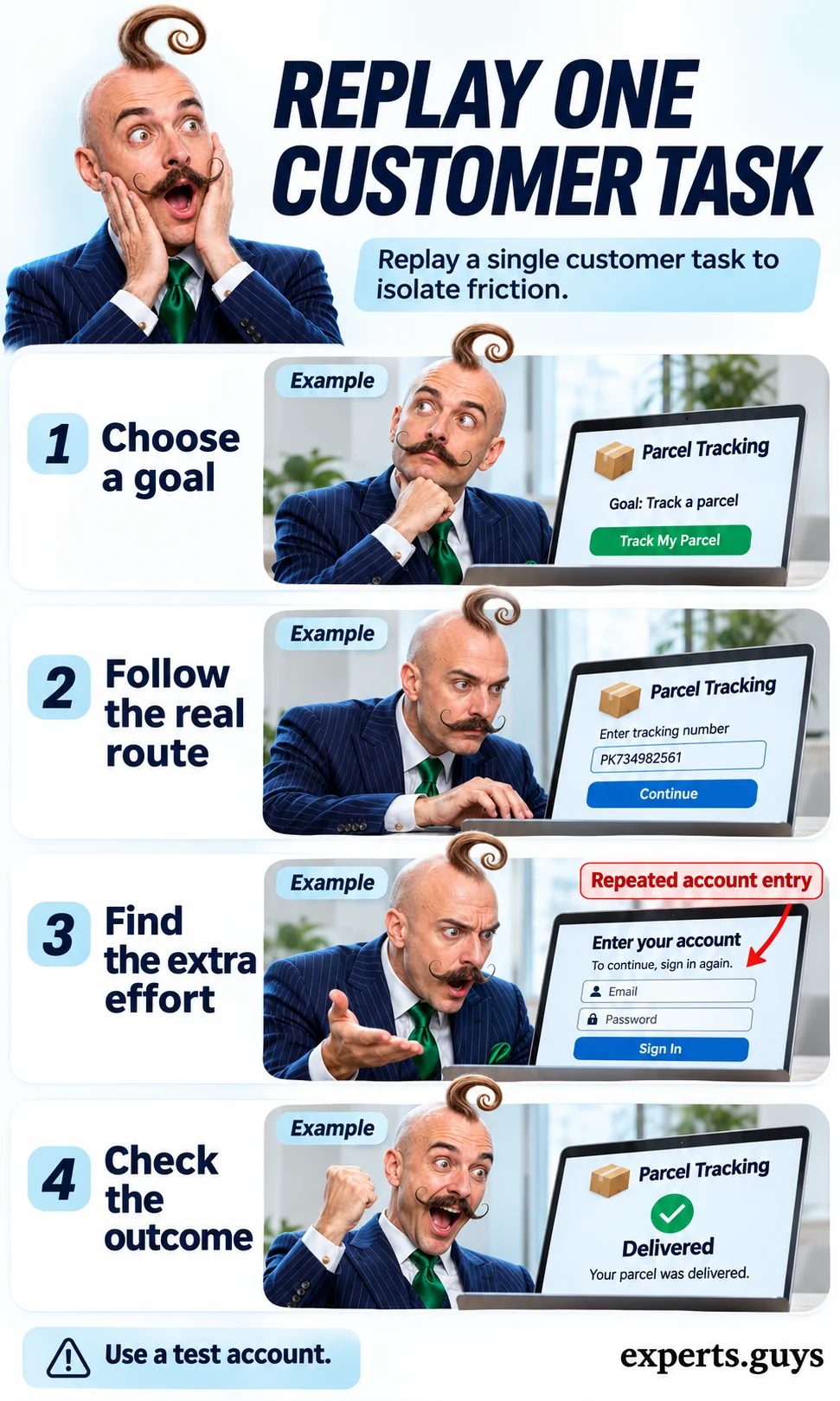
Keep the test narrow enough that you can explain what changed. “Improve service” is too broad; “show an authenticated customer the last confirmed parcel event without repeating the order number” is testable. The easier version is one permitted walkthrough of one ordinary task, with observations entered directly into the existing issue tracker. Do not copy personal customer records into a general-purpose assistant just to create a test case.
The common mistake is counting clicks without understanding their purpose. A confirmation step before an account change may protect the customer, while an extra marketing question may simply create friction. Remove avoidable effort without removing meaningful control. Success means the customer reaches the right endpoint with fewer unnecessary actions, not that every journey becomes the shortest possible sequence.
Customer experience also includes what happens outside the chat window. A recommendation may shape what someone buys; an unclear delivery promise may shape when they stay home; a summary may determine whether a second agent understands an unresolved problem. These are different mechanisms, and each needs its own observable check. Treat AI as one contributor to a service design rather than a substitute for fulfilling the underlying promise.
Research on AI assistance for customer-support workers found higher issues resolved per hour on average, with effects varying across workers. The studied system assisted human agents. That evidence supports testing useful assistance, but it does not establish that an autonomous chatbot, recommendation feed, or proactive message will deliver the same benefit. Customer outcomes still need to be checked in the actual workflow.
A helpful explanation names both the mechanism and the dependency. Search can interpret a customer’s wording, but it still needs accurate product attributes. A reply can summarize a policy, but it still needs the right policy for that customer. An alert can explain a delay, but it cannot make an unconfirmed delivery date reliable. When the dependency is missing, improving the wording may only make the error more convincing.
Use the following comparison to locate the friction before choosing a technical approach. The evidence column is deliberately about the customer’s task. Business measures such as conversion, cost per contact, and staff capacity remain useful, but they should not conceal a journey that becomes harder to finish.
| Customer difficulty | Potential AI contribution | Evidence of a better experience |
|---|---|---|
| Cannot describe the right product | Interpret ordinary wording and retrieve likely matches | Suitable items satisfy required constraints |
| Gets irrelevant suggestions | Rank options using permitted context | Customer can change the preference and find an appropriate option |
| Repeats a problem across channels | Summarize and transfer relevant context | Next interaction continues from the unresolved point |
| Waits without a useful update | Explain a verified change and available options | Customer understands what changed and can act |
| Cannot complete a task | Clarify an error or assist a receiving agent | Correct completion with an accessible fallback |
If the immediate problem is implementing a support workflow, the separate guide to using AI solutions in customer service covers sources, permissions, and rollout. Here, the focus is the customer-facing test: what becomes easier, what can still fail, and how to tell whether the promised outcome actually happened.
When do search and personalization actually help?
They help when they reduce the work of finding an option that fits the customer’s current need. Search translates a request into possible matches; personalization changes which options are emphasized using available context. Neither should override a stated requirement, and neither proves suitability simply because the customer clicked. A gift purchase, a temporary need, or a shared account can make past behavior a poor guide to present intent.
Check 2: Separate a relevant result from a usable result
Prepare a small set of ordinary-language requests and the factual constraints that make a result usable. For a quiet bedroom fan, these might include dimensions, availability, and a supported noise specification. Run the request, retain the required filters, and inspect the first results against actual catalog fields. A fan can be semantically relevant while being too large or unavailable. If a required attribute is missing, the system should expose the uncertainty or ask a useful clarifying question rather than fill the gap with a plausible claim.
Repeat one request using a different phrase while keeping the requirements fixed. You are testing whether the system understands equivalent intent, not whether it memorizes a particular sentence. For a smaller team, start with one important search and inspect its first few results manually. When a mismatch appears, correct the product data, filtering, or query interpretation that caused it before rewriting the answer. Improvement means suitable results become easier to find; an attractive explanation beside an unsuitable item is still a failure.
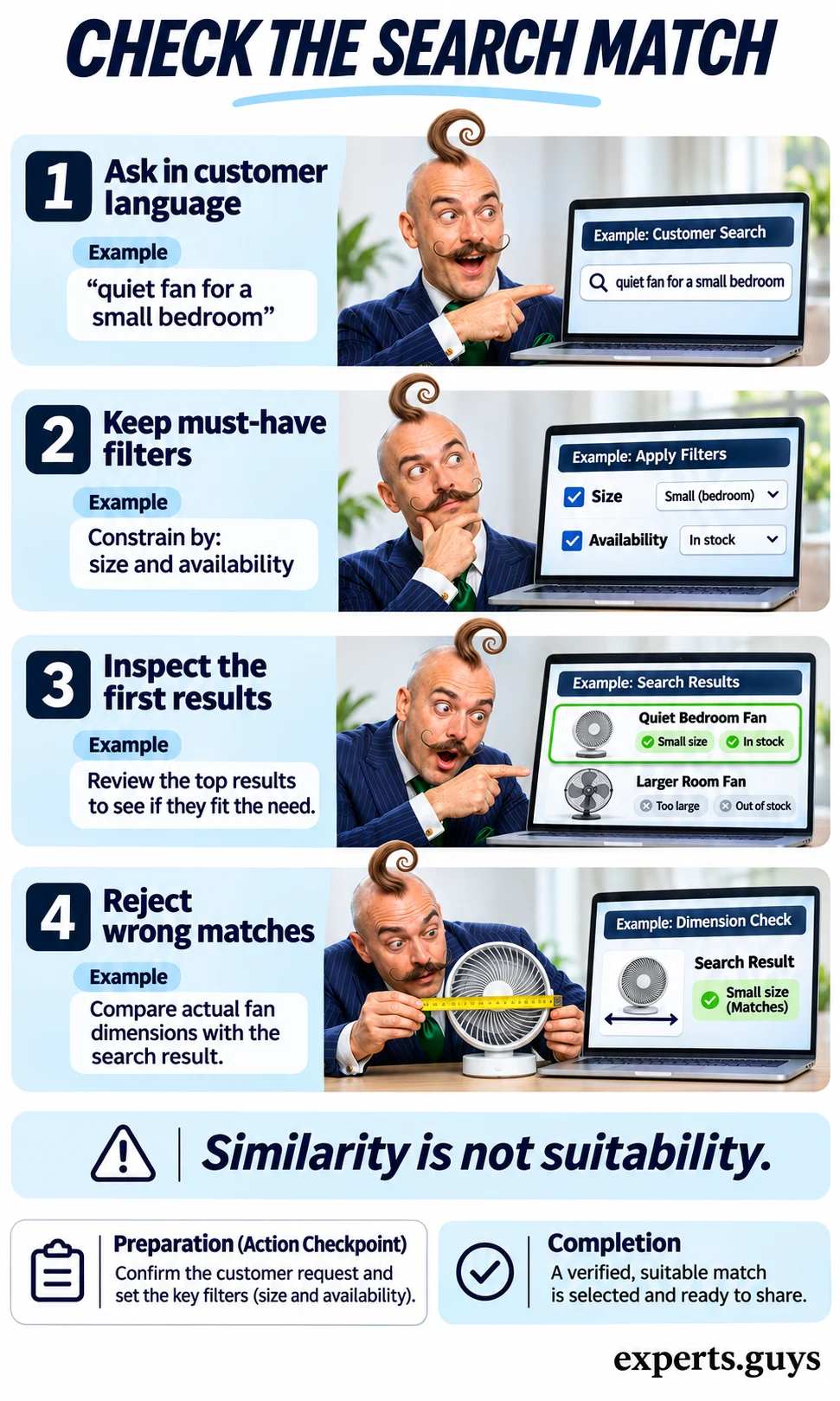
Ranking and eligibility should remain distinguishable. A model may predict which item a person will like, while a filter excludes items that do not meet explicit conditions. Recommendation systems can support filters for defined item and user criteria, but a configured filter is only useful when the underlying data is current. Treat inventory, compatibility, and delivery restrictions as facts to verify, not preferences to guess.
Check 3: Test whether personalization accepts correction
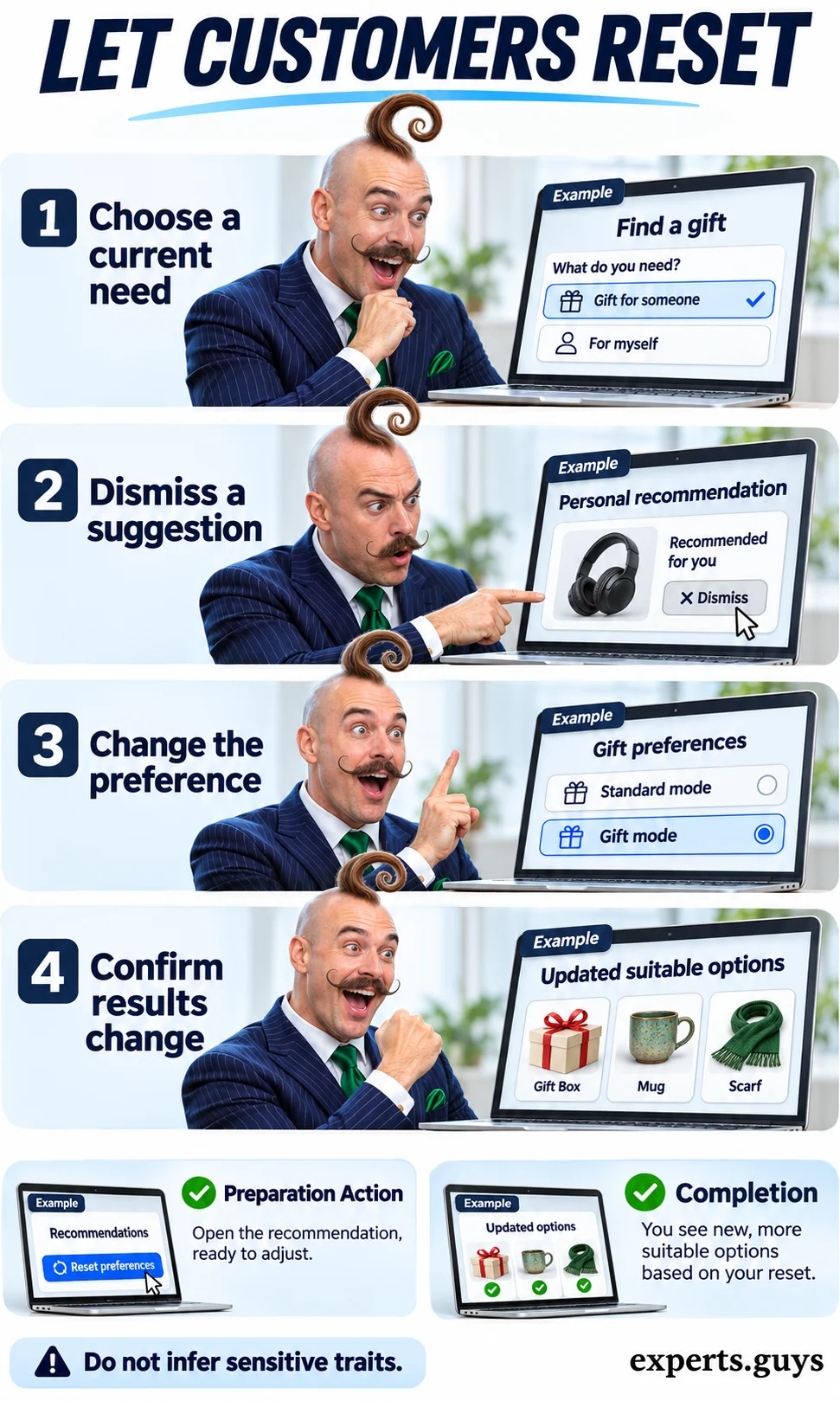
Use a test profile with a clear current purpose, such as buying a gift rather than shopping for yourself. Inspect a suggestion, dismiss it, change the relevant preference or shopping context, and check whether the next set of options responds appropriately. The point is not that every dismissal must instantly change a model; the interface should communicate what a control does and give the customer a workable route to different options. A “not interested” control that silently does nothing creates false control.
An easier alternative is an explicit preference filter alongside a generic catalog, without any inferred profile. That can be more useful than a sophisticated recommendation system whose reasoning customers cannot correct. The common failure is treating an inferred interest as a permanent identity. Avoid guessing sensitive personal characteristics, explain the relevant basis of a suggestion where useful, and preserve a way to browse outside the personalized selection. Assess whether the customer can find a fitting item after correcting the assumption.
A higher click-through rate can coexist with worse choices. A visually appealing item may attract attention and then disappoint because its size, availability, or terms were unclear. Check what happens after selection, including corrections and returns for the same reason. The related discussion of AI and ecommerce conversion addresses the commercial side; the experience question here is whether the selection remained useful after the click.
- Keep explicit requirements visible while ranking options.
- Provide a meaningful way to correct a recommendation or browse a general selection.
- Judge a suggestion by task fit and downstream problems as well as clicks.
How can AI preserve continuity when something goes wrong?
AI can help organize context and explain changes, but continuity depends on the service behind the conversation. A customer should not need to reconstruct a case because the channel changed, and a delay notification should not create a new question that nobody can answer. The practical checks below examine the transition, the changed event, and the recovery route as three different parts of the experience.
Check 4: Follow the same issue into a second channel
Start a fictional support request in one supported channel and continue it through another legitimate route. Check whether the receiving side has the issue, verified facts, actions already tried, and what remains unresolved. Then correct one detail, such as a previously misstated delivery preference, and confirm that the correction is visible to the next person. A useful summary preserves the distinction between a customer’s statement, a confirmed record, and an unresolved assumption.
Do not interpret continuity as unrestricted sharing. Account-specific information still requires appropriate identity and access checks, and a customer may reasonably need to reauthenticate in a new channel. The avoidable burden is retelling the entire issue after that check. If your channels cannot share context, the simpler fallback is a case reference that authorized staff can retrieve. Assess the receiving experience directly: a transfer event in an analytics panel does not show what the agent actually received.
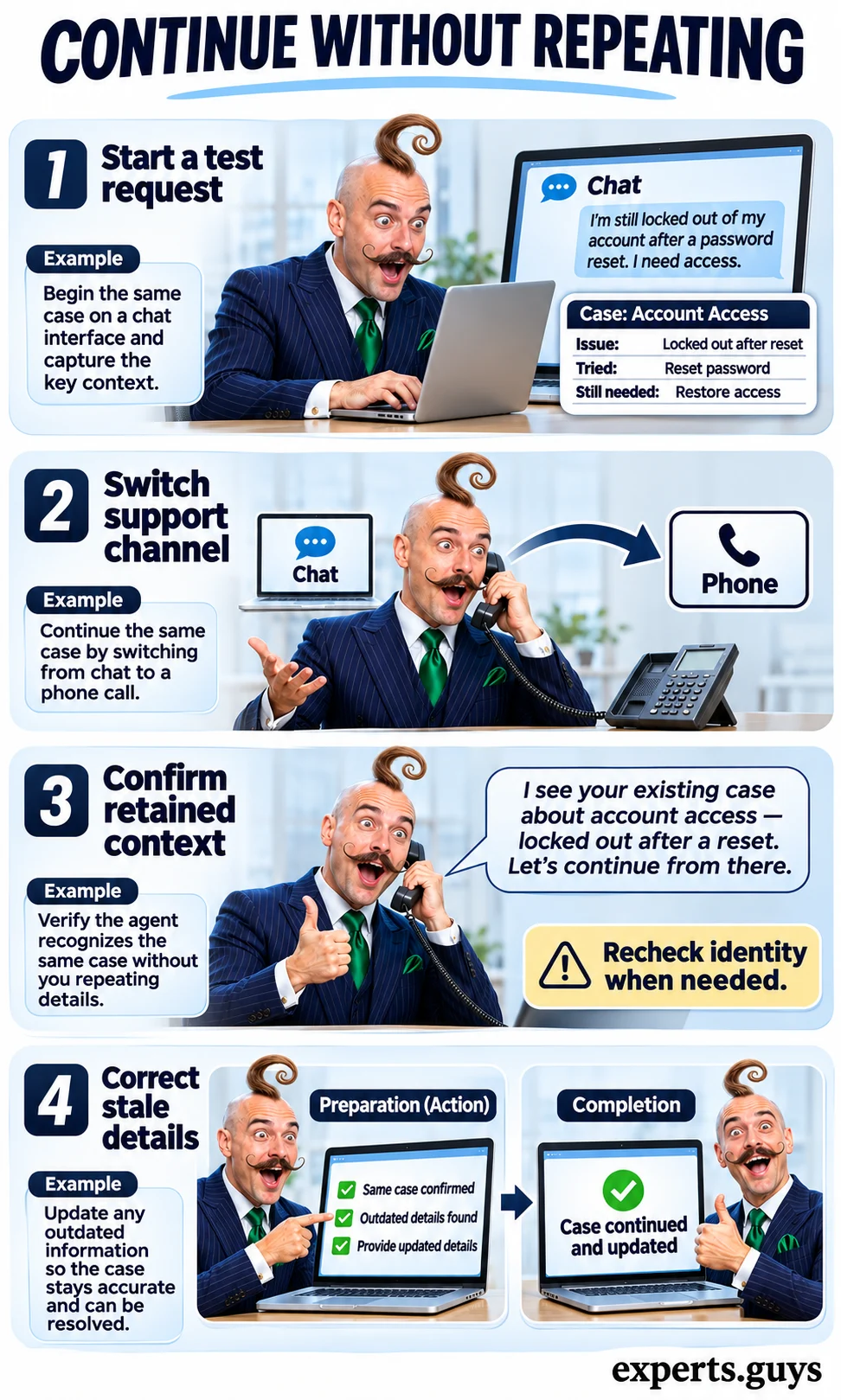
Supported products can pass conversational context during handoff, as illustrated by context-aware handoff documentation. That capability is not a guarantee for every integration or channel. The customer-facing standard is more concrete: the next interaction begins with the remaining problem, and the customer can correct the summary without arguing against a machine-generated version of their own experience.
Check 5: Turn a verified delay into a useful choice
Use a fictional delayed order with a confirmed event in the underlying system. Check that the message states what changed, separates known status from uncertain timing, and offers only choices the business can fulfill. Exercise one option, such as retaining the current delivery arrangement or selecting an available alternative, then check that the resulting state is confirmed. Finally, verify that the same event does not trigger repeated messages after the customer has already acted.
A useful alert might say that a parcel has missed its planned dispatch and show the available delivery options. It should not invent an arrival time to sound reassuring. Where the business has no alternative, an honest status and a real next-update route are better than a fake choice. The easier version is a deterministic status template triggered by a verified event; AI may help explain complex events, but a simple notification does not automatically need a language model.
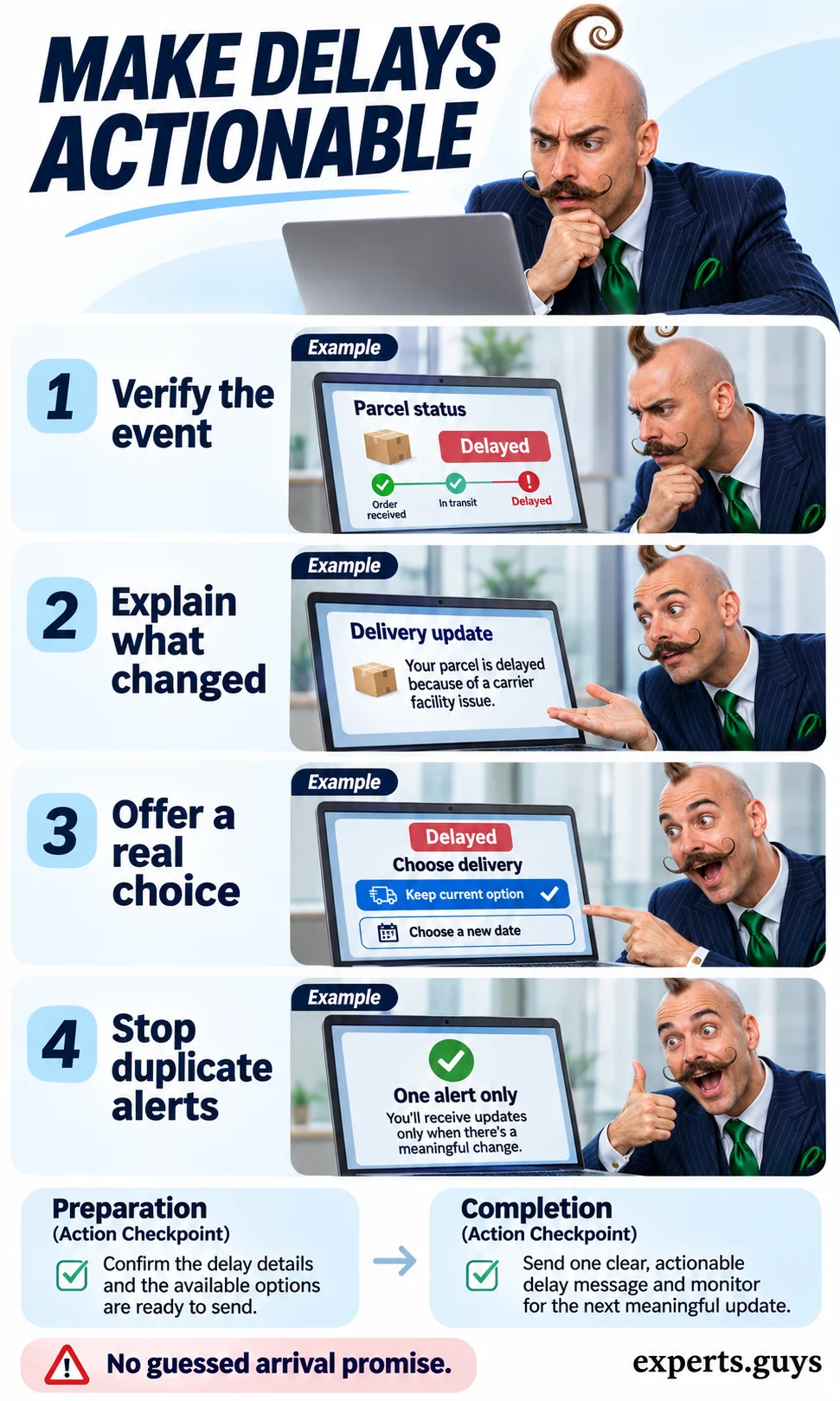
Watch for a message that transfers work back to the customer. “There is a problem; contact us” may be necessary in some cases, but it offers little benefit if the customer then has to rediscover the problem in another queue. The checkpoint is whether the update reduces uncertainty and supports a valid next action. Avoid counting message opens as proof of success; opening a worrying message can indicate concern rather than satisfaction.
| Transition | What the customer needs | Failure to catch |
|---|---|---|
| Channel change | Relevant context and a correctable summary | A stale summary becomes an unquestioned fact |
| Service delay | Verified change and feasible next options | An invented deadline or repeated alert |
| Unsupported request | A receiving owner and an honest next step | A transfer button leading to an unattended queue |
Check 6: Test recovery from an unsupported request
Try a permitted test request outside the assistant’s documented scope. Ask for human help, follow the displayed route, and confirm that a receiving queue or person gets the case with the unresolved issue intact. Then check the message the customer sees: it should explain the actual next action and availability rather than imply immediate help when nobody is staffed. Run the check in a safe test environment so that repeated tests do not create real transactions or confuse live support staff.
This is a recovery test, not a demand that every request receive an immediate human response. If live support is unavailable, a clearly explained asynchronous case or alternative contact route may be appropriate. The common mistake is accepting “transferred” as the endpoint. Completion of this check means the case has a reachable owner and the customer knows what happens next. If the route is broken, fix it before increasing the volume of automated conversations.
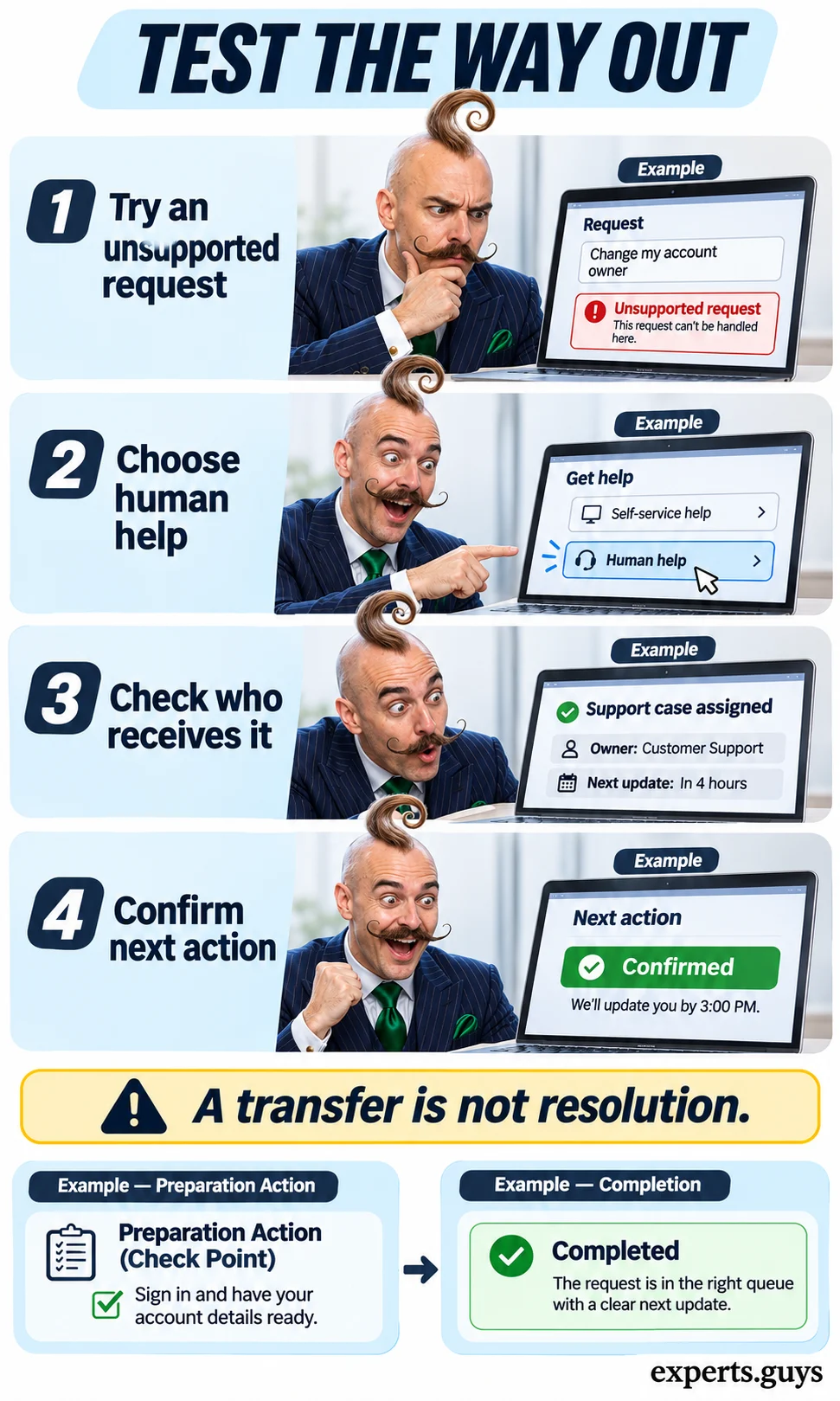
- Acknowledge the boundary without repeating the same failed answer.
- Keep the unresolved issue available to authorized receiving staff.
- State the real next action and service availability.
- Check delivery to the receiving system, not just the outgoing transfer event.
A polished response can still be unsupported. Generative systems can produce plausible false content, a risk addressed in the NIST generative AI risk profile. In a customer journey, that can appear as an invented refund exception or a confident but incorrect delivery assurance. Confidence in tone should never replace confirmation from the system that owns the policy or transaction.
How do you know the experience genuinely improved?
Check whether comparable customers complete comparable tasks correctly, with less unnecessary effort and no new material barrier. Response speed is only one component. A conversation can end because the customer is satisfied, gives up, or changes channels; those outcomes should not be grouped together as successful resolution. Include people and situations that the average result might conceal, especially different input methods and customers recovering from errors.
Check 7: Complete the task without the preferred input mode
Use a test form or service flow and navigate it with a keyboard from start to finish. Trigger one ordinary validation error, such as a missing delivery postcode, then check whether the message identifies the field and explains the correction while preserving other valid entries. Correct that field and confirm that the completion message clearly distinguishes a saved request from a completed transaction. This is a focused barrier check, not a complete accessibility audit.
If a voice assistant is the promoted route, keep and test a usable non-voice alternative. If a text assistant is central, do not assume its visual chat bubbles are automatically understandable to assistive technology. Start with the existing accessible form when resources are limited; AI-generated guidance should supplement the controls rather than become the only way to operate them. The comparison of chatbots, voice bots, and virtual assistants helps distinguish the interface choices.
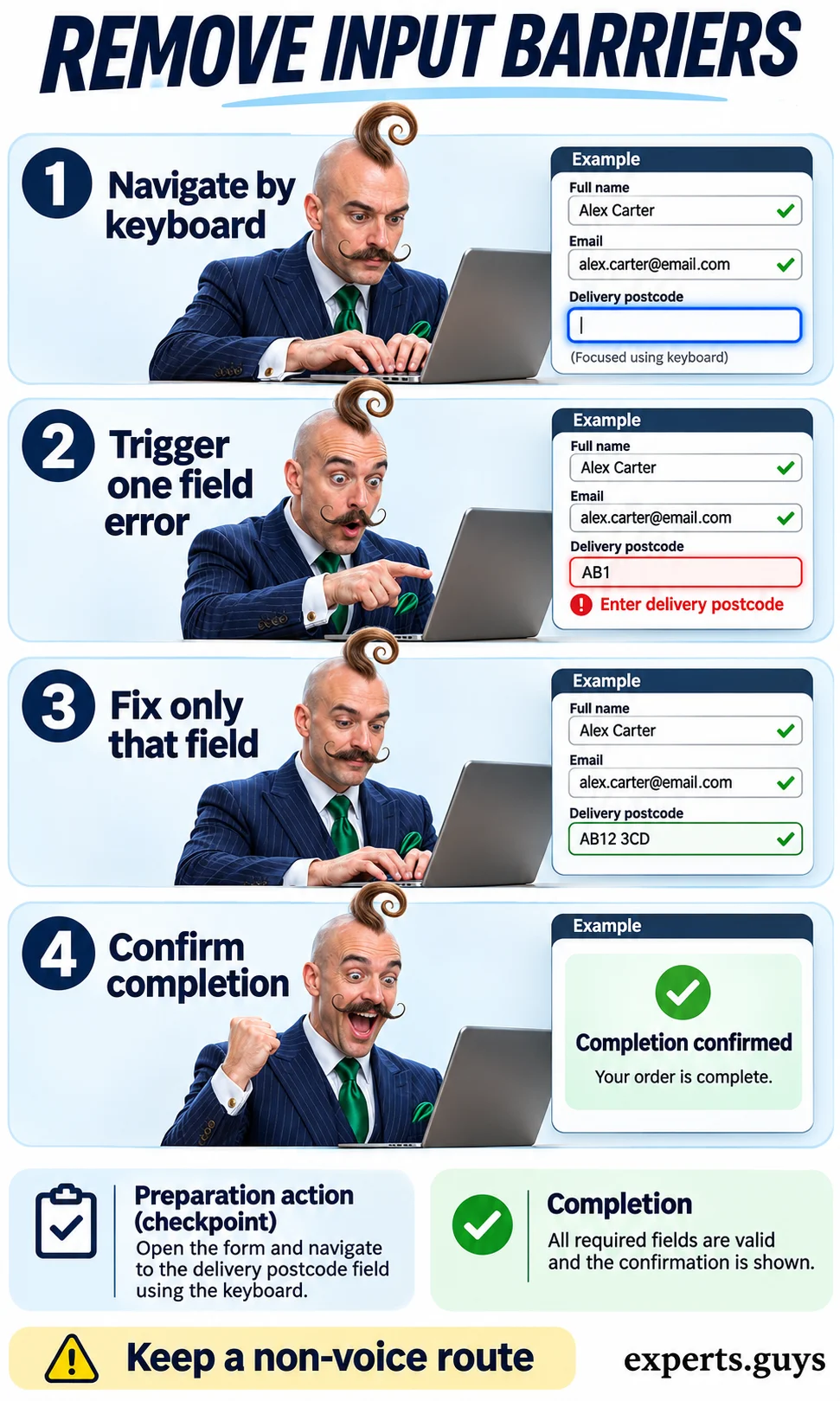
Accessible form guidance emphasizes clear labels, instructions, validation, and completion feedback. The W3C forms tutorial is a useful reference for those fundamentals. An AI explanation may help someone understand a difficult field, but the field still needs to work when that explanation is unavailable. The practical result is a recoverable task: customers can find the error, fix it, and continue without unnecessarily re-entering correct information.
| Measure | Useful definition | Interpretation limit |
|---|---|---|
| Correct completion rate | Correctly completed eligible tasks divided by eligible attempts | An easier case mix can inflate the result |
| Extra attempts per task | Additional attempts for the same task divided by eligible tasks | Define the observation window and cross-channel matching |
| Elapsed task time | Time from agreed start to confirmed outcome | Include waiting and return visits where relevant |
| Customer feedback | Same question and collection point for comparable groups | Responders may differ from nonresponders |
| Barrier or harm cases | Specific failed, inaccessible, or misleading outcomes | Do not average serious failures away |
Check 8: Compare completed tasks rather than closed conversations
Choose one task type and define its completion event before examining the results. Use comparable baseline and assisted groups, the same observation window, and a consistent method for identifying additional attempts. Count correct completions separately from partial answers and unresolved cases. If customers move to another channel, include that continuation where you can do so appropriately; otherwise label the missing visibility instead of treating silence as success.
For an illustrative calculation, suppose a baseline group has 100 eligible tasks, 70 correct completions, and 30 additional attempts. A comparable assisted group has 100 tasks, 80 correct completions, and 20 additional attempts. Completion rises from 70% to 80%, a difference of 10 percentage points, while extra attempts fall from 0.30 to 0.20 per task. These are example inputs, not measured results from a deployed product. The difference does not establish causation or statistical significance.
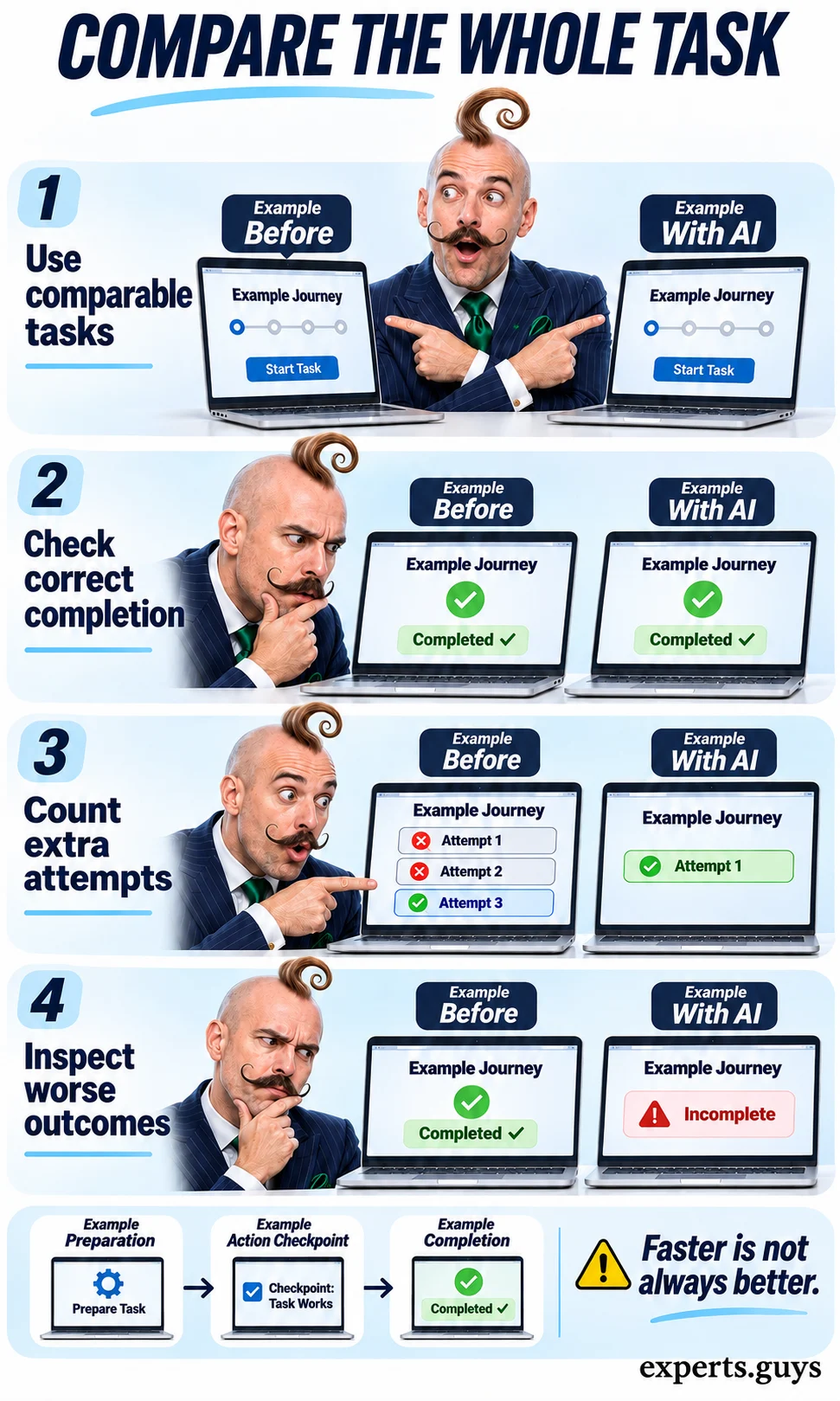
Use the comparison tool below with aggregate counts from the same defined task and window. It calculates the completion-rate difference and extra-attempt change, flags conflicting directions, and suggests what to inspect next. It does not estimate revenue, rank vendors, or turn a small sample into a reliable forecast. Keep personal records out of the fields; only aggregate counts are needed.
Did the task become easier?
Compare correct completion and extra attempts for the same task and observation window.

Use aggregate counts only. No account details are needed. Calculations stay in this page and are not saved by this tool.
The easier version is to inspect a small set of comparable cases and describe the specific failures without making a broad numerical claim. If you have larger samples, examine differences in task difficulty, customer mix, and operating conditions before attributing a change to AI. A randomized comparison can strengthen causal interpretation when appropriate, but this calculator performs descriptive arithmetic only. Review adverse outcomes independently, even when the overall average improves.
- Define the task and completion event before comparing results.
- Use the same observation window and count unresolved cases honestly.
- Inspect the journeys that became worse, including accessibility and recovery failures.
- Expand a useful change only after its underlying records and recovery route remain dependable.
A faster first response with more repeat attempts is a warning to inspect the answer or transition. Higher completion with more attempts is a mixed result: customers may finish, but only after additional effort. Lower extra attempts with lower completion may mean customers abandoned the task. The related explanation of AI confidence and uncertainty is relevant when a convincing response is being mistaken for an outcome.
Frequently asked questions
Does every customer-experience improvement need generative AI?
No. A clear status page, reliable search filters, or a deterministic notification may address the obstacle directly. Generative AI is useful when language interpretation or synthesis adds value, but it introduces additional output risks that should earn their place in the workflow.
Is customer sentiment a reliable measure of success?
It is one signal, not proof of completion. Automated sentiment analysis can misread wording or context, and a polite customer may still have an unresolved problem. Pair it with the actual task outcome and give customers a direct way to report what remains wrong.
Can a small business use these checks without buying a new platform?
Yes. Start with a test account, one customer task, and the systems already in use. Inspect the actual obstacle and available records before choosing software. The checks can also show when a simpler interface change would be sufficient.
Should AI remember everything a customer has said?
No. Useful continuity requires relevant, permitted context rather than an unlimited conversation archive. Keep account access separate from the model, provide appropriate correction routes, and apply the retention and privacy requirements relevant to the service.
Does a lower contact rate prove customers are happier?
No. Contact can fall because the issue was prevented, because customers solved it themselves, or because help became harder to reach. Inspect completion, abandonment, and available recovery routes before treating fewer contacts as an improvement.
Decision summary
Start with the customer task that currently creates the most avoidable effort. Use AI where interpreting language, organizing context, or explaining verified information makes that task easier, then retain clear controls and a usable recovery route. Keep the change only when customers can reach the correct outcome more reliably; a more impressive conversation is not enough.